The tool we need to use today is Chatbox, which can connect to various AI APIs (including local Ollama) and enable chatting with different AI large language models.
https://chatboxai.app/zh
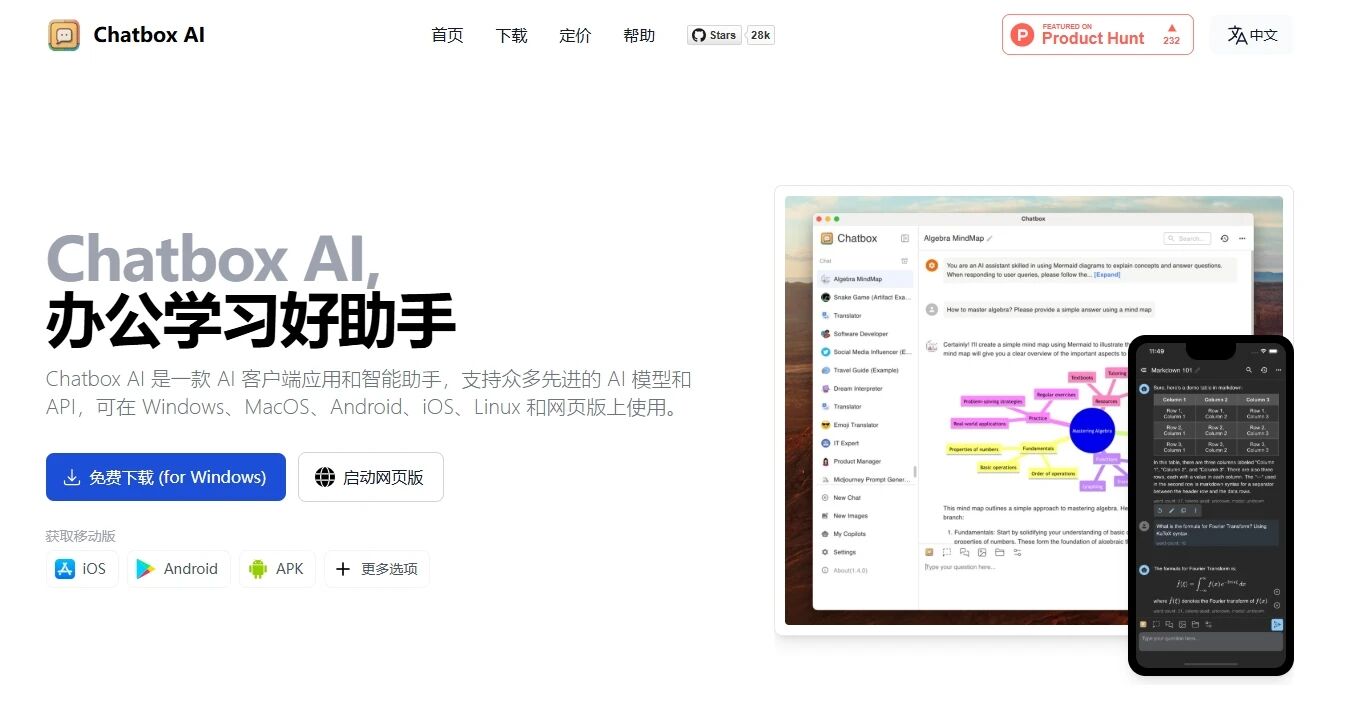
It not only supports the three major desktop operating systems—Windows, macOS, and Linux—but also mobile platforms like iOS and Android. Download and install the corresponding version, configure the API in the settings, and you can start chatting. Alternatively, you can also use the web version directly.
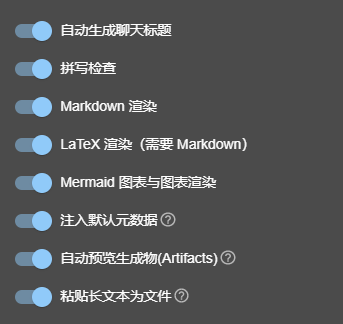
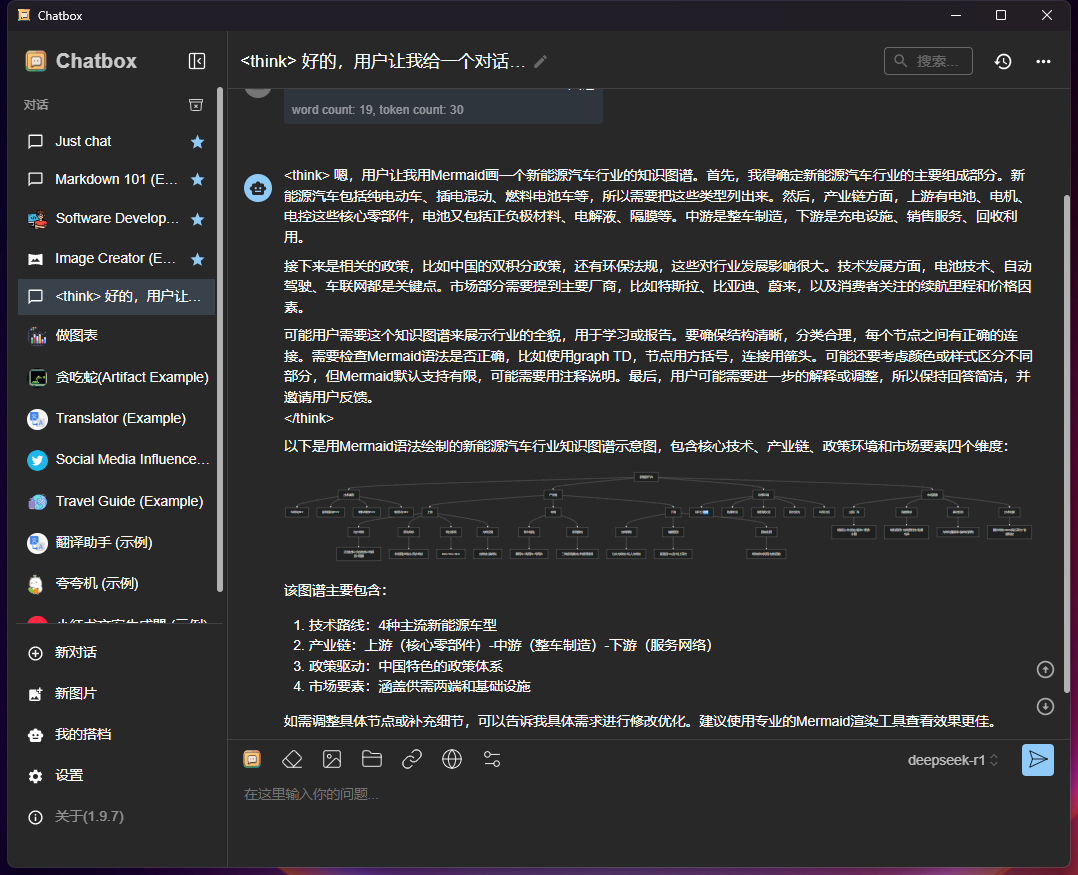
The software comes with built-in rendering for various formats like Markdown, LaTeX, Mermaid, as well as equations and charts. It also supports Artifacts rendering, making it very convenient.
As an open-source model, by now, basically all major large model cloud service platforms have supported API calls for DeepSeek-V3 and DeepSeek-R1. Here, I will highlight three recommendations.
1. SiliconFlow
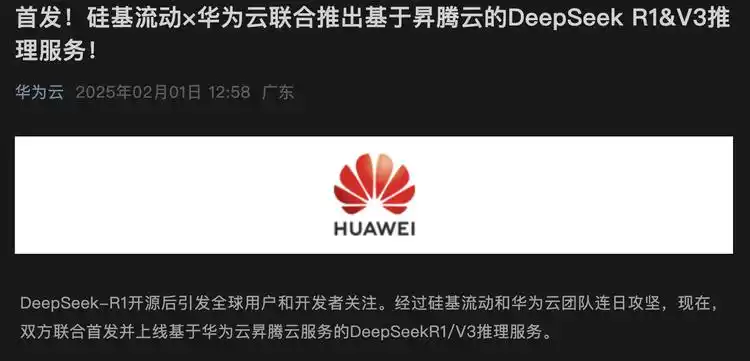
SiliconFlow was likely the first to launch a third-party DeepSeek API service. They collaborated with Huawei Cloud to deploy the full versions of DeepSeek-V3 and DeepSeek-R1 models based on Ascend Cloud services.
Their referral registration activity has now resumed. By registering through a referral link, both the referrer and the invitee can simultaneously receive 20 million tokens equivalent to 14 yuan in platform credits. Converted to DeepSeek-R1 API usage, this roughly amounts to about 2 million tokens in quota.
You can register through my referral link:
https://cloud.siliconflow.cn/i/My0p5Jgs
Then go ahead and invite family and friends; the free credits you accumulate will be enough for a while.

However, note that it’s best to avoid spamming referral links in group chats and bothering others. On one hand, for most people, 14 yuan is already sufficient for a long time; on the other hand, the bonus credits are gifted balances, and the official side can modify specific model APIs at any time to only accept paid credits, so stockpiling large amounts of gifted credits holds little significance.
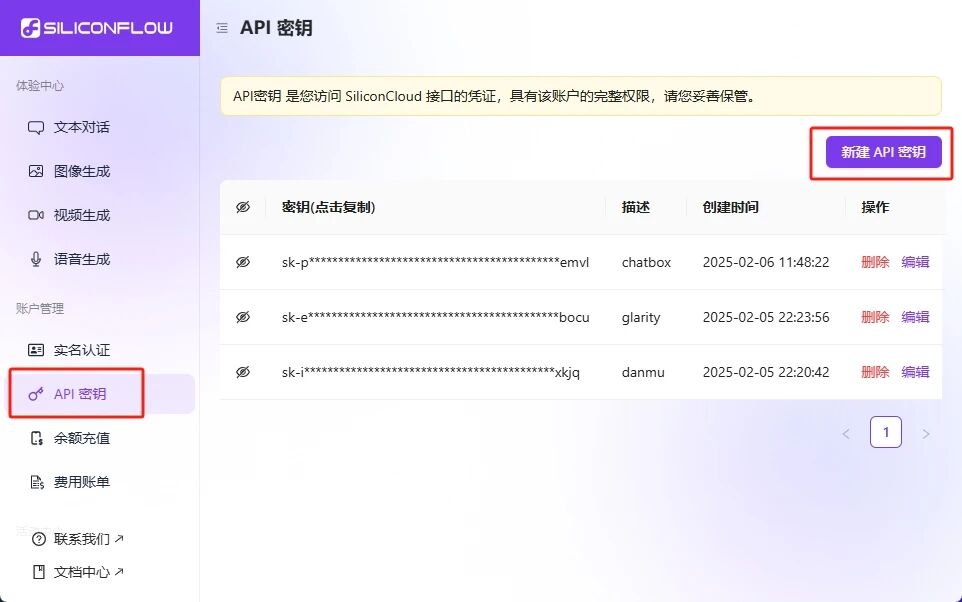
After registration, go to the left menu to find the API key and create a new API key.
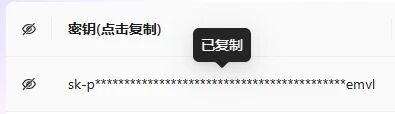
Click on the corresponding key to automatically copy it.
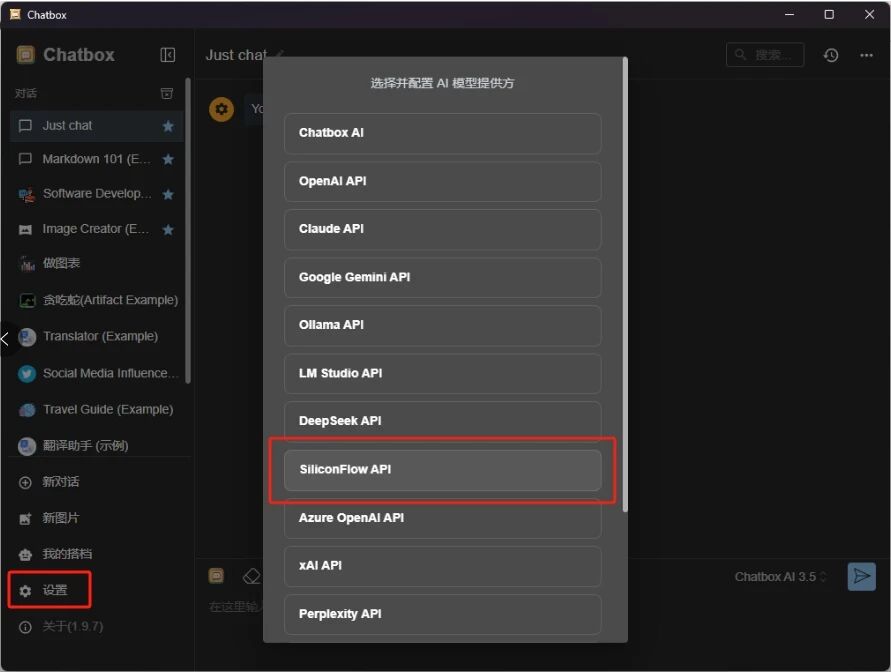
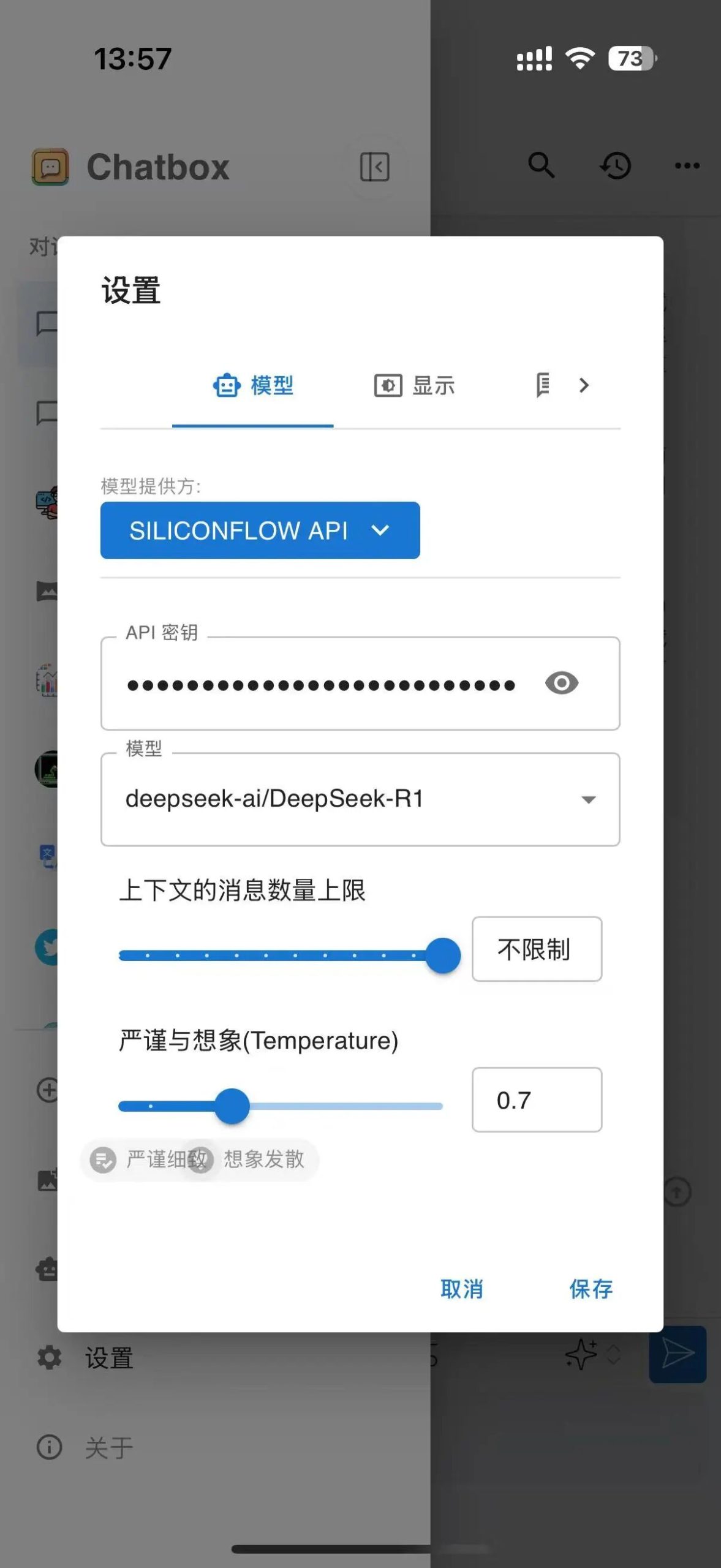
Next, return to Chatbox, click on settings, and select SILICONFLOW API as the model provider.
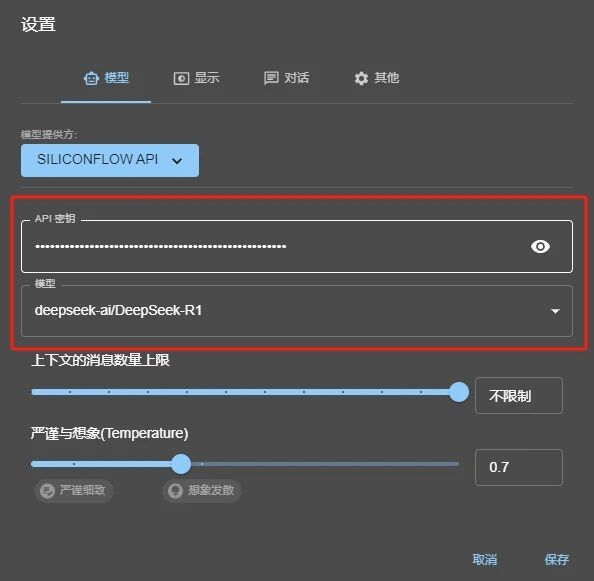
Then paste the copied key into the API key field. For the model, select deepseek-ai/DeepSeek-R1, or for simpler reasoning needs, you can choose deepseek-ai/DeepSeek-R1-Distill-Llama-70B.
After saving, you can start chatting directly.
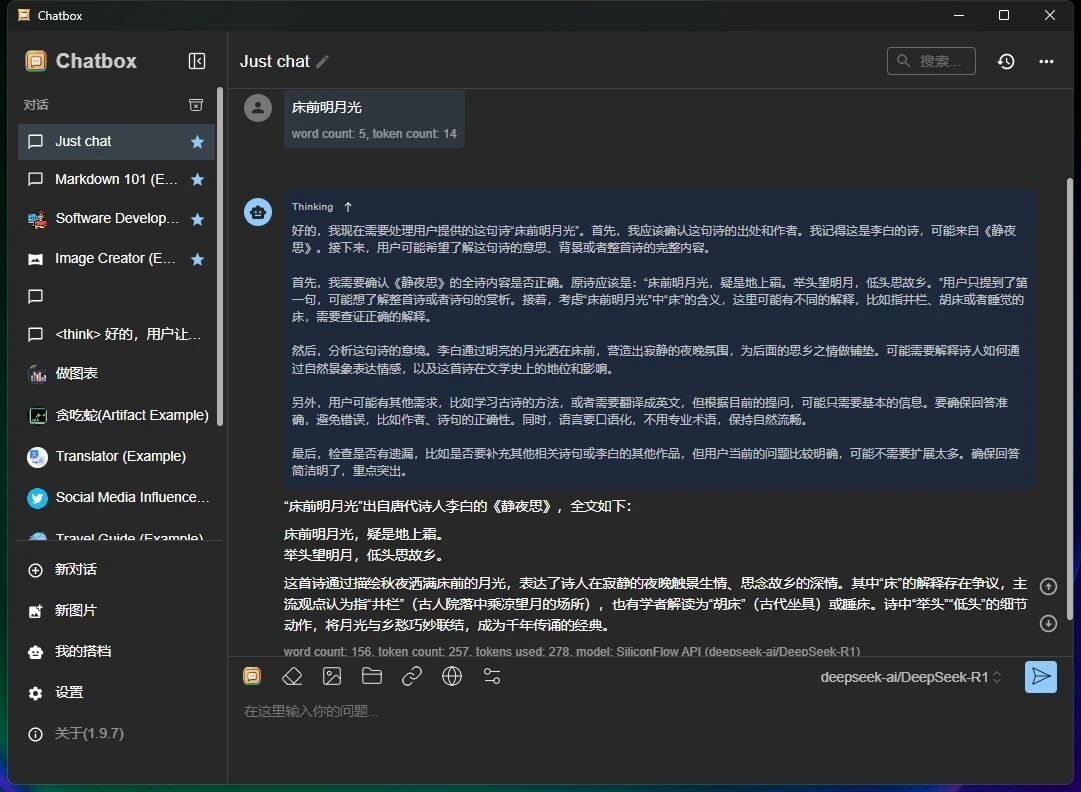
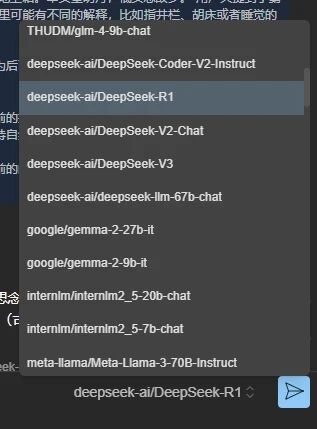
SiliconFlow also offers API services for many other large language models. Click the menu on the left side of the send button at the bottom right corner of the chat box to switch directly to other models for a chat. The billing rules are explained on the website.
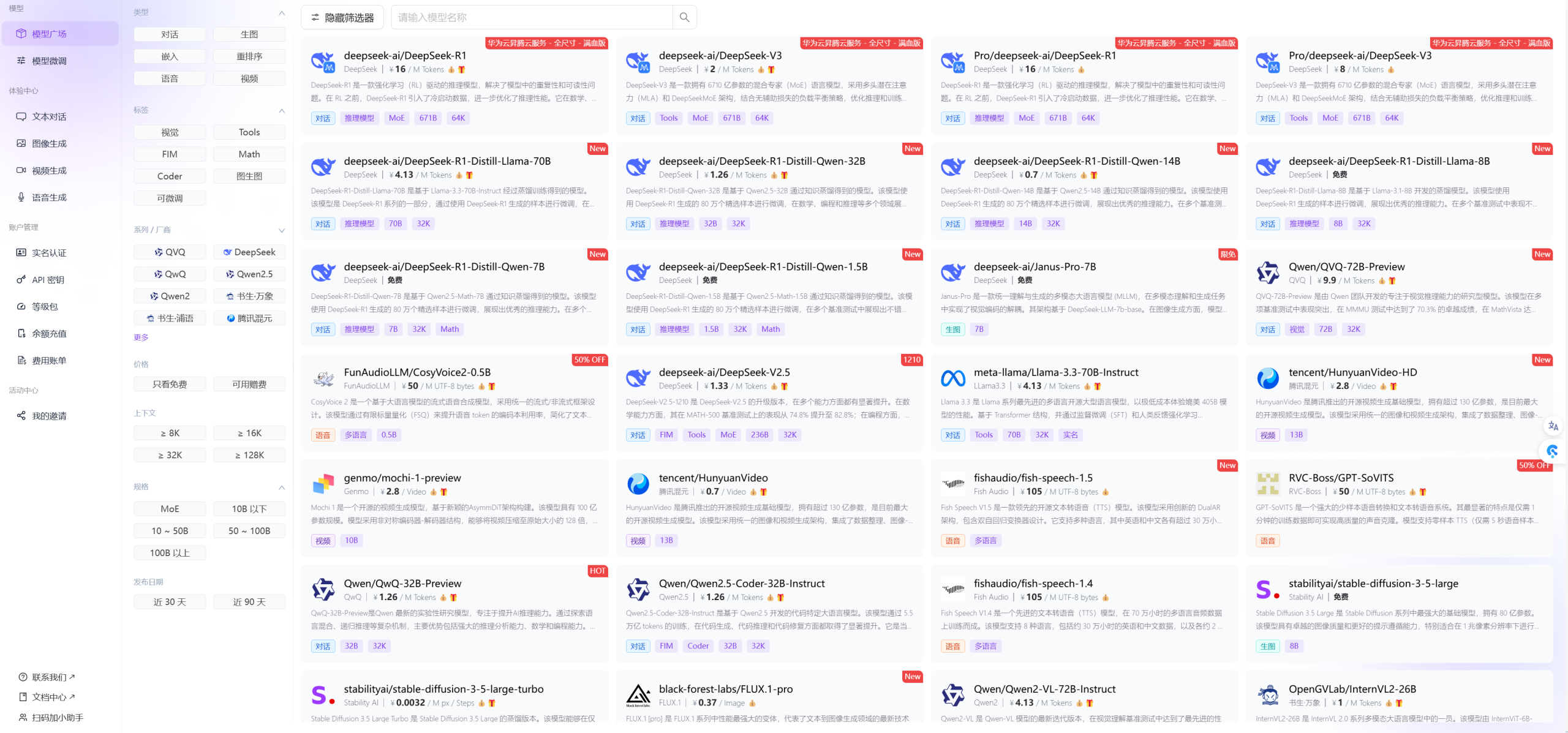
If you want to compare the performance of different large models, Silicon Flow is the way to go.
2. Alibaba Cloud Bailian
Alibaba Cloud Bailian is Alibaba Cloud’s large model cloud service platform. New registered users and newly integrated models can receive some limited-time free tokens for use.
For example, with DeepSeek’s API this time, it has been verified that even existing Bailian users can obtain 10 million tokens valid for half a year.
First, register (or log in).
https://bailian.console.aliyun.com/#/model-market
After logging in, open the Model Plaza again.
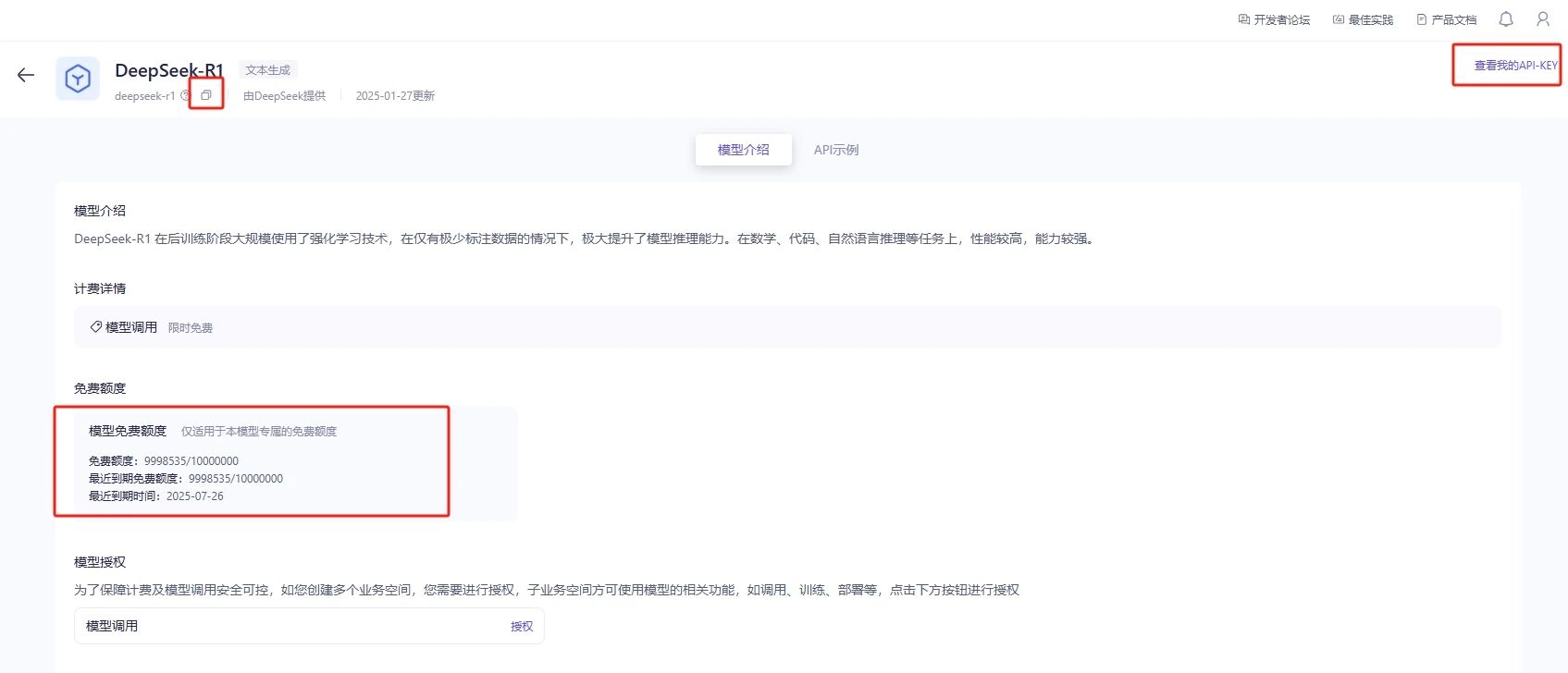
Find DeepSeek-R1 in the list and click to view details.
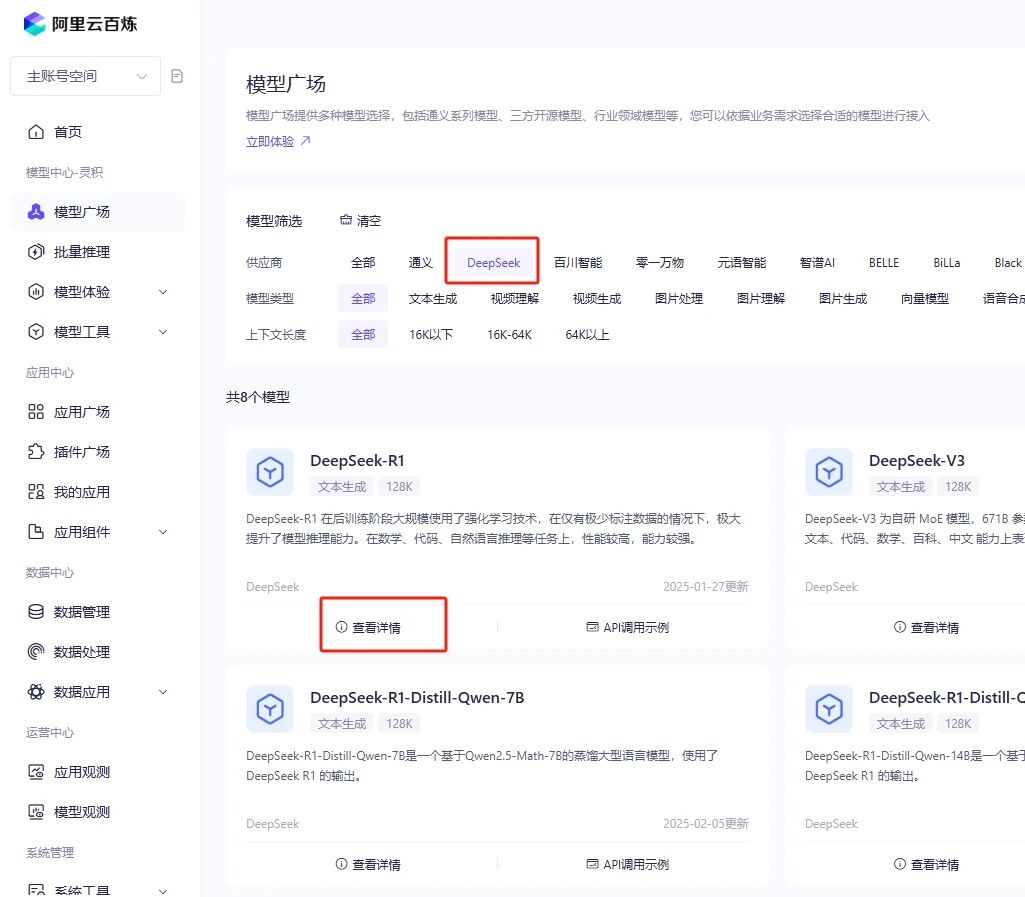
The details page will show the token balance.
Click on ‘View My API-KEY’ in the upper right corner to create an API-KEY.
Then click the copy button in the upper left corner to copy the model name.
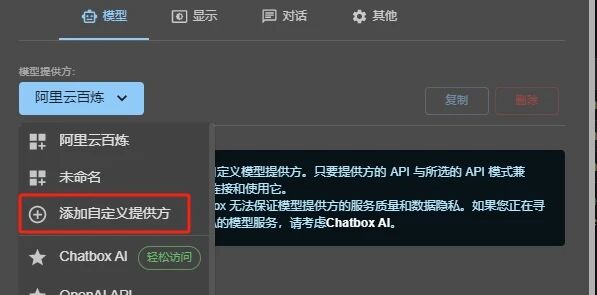
Then return to Chatbox and open Settings.
For ‘Model Provider’, select ‘Add Custom Provider’.
Enter the name: Alibaba Cloud Bailian (or whatever you prefer);
Enter the API domain:
https://dashscope.aliyuncs.com/compatible-mode/v1;
API Key: Paste the key you just created;
Model: Paste the deepseek-r1 you copied by clicking the copy button.
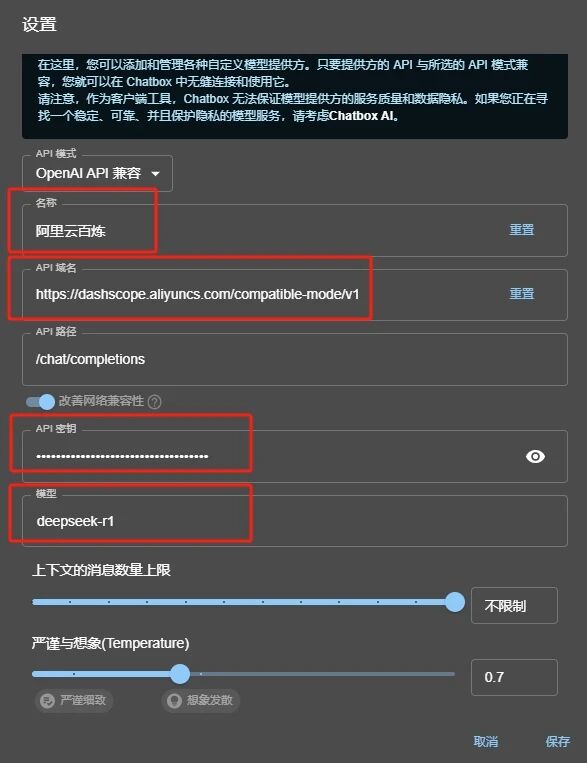
Once saved, you can directly start a conversation.

3. Volcano Ark
Volcano Ark is a large model cloud service platform under ByteDance. A couple of days ago, it also started supporting DeepSeek API calls. However, as a direct paid model invocation service, its pricing is the same as SiliconFlow mentioned earlier. Today, I suddenly discovered that the DeepSeek model now also supports Doubao’s 500,000 tokens free inference quota, so I’m adding it here.
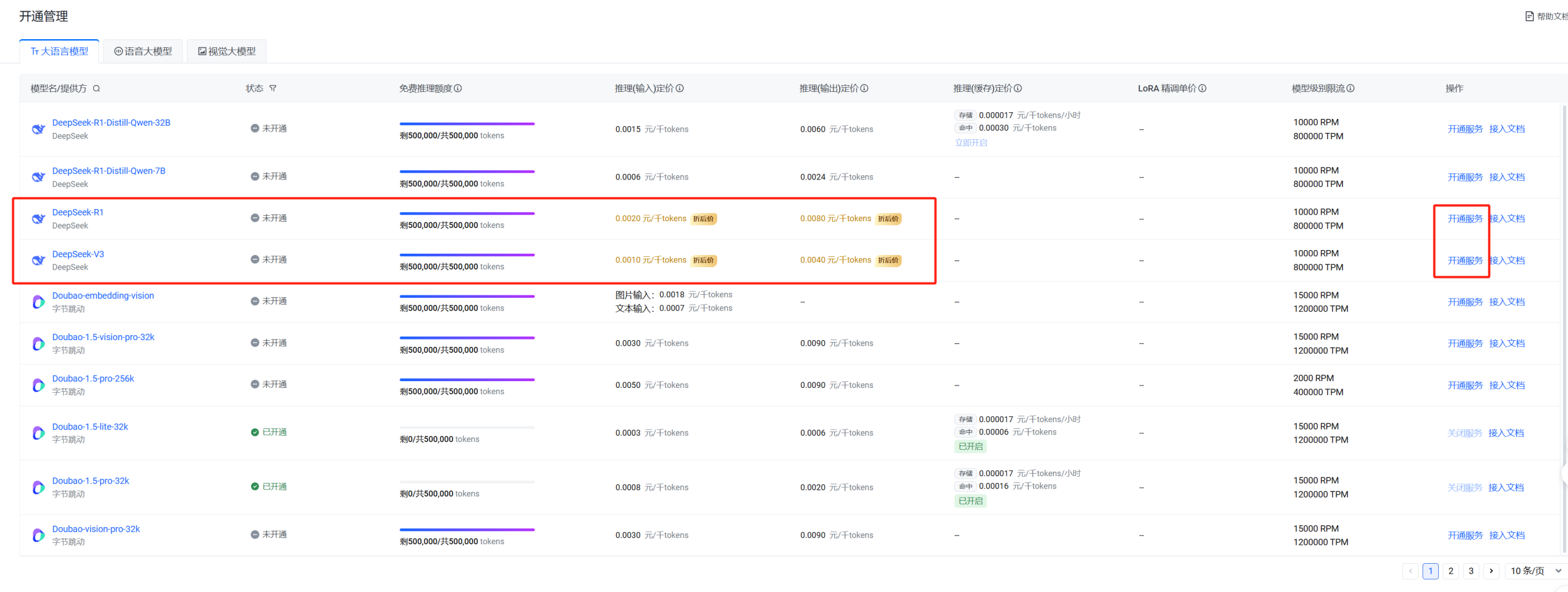
The operation process for Volcano is slightly different from the previous two. You first need to enter the activation management interface and activate the model you intend to use.
https://console.volcengine.com/ark/region:ark+cn-beijing/openManagement
After logging in via the access link, the interface looks like the image above. Find the DeepSeek-R1 model and click ‘Activate Service’ under the Actions column on the right.
You can directly activate all four models.
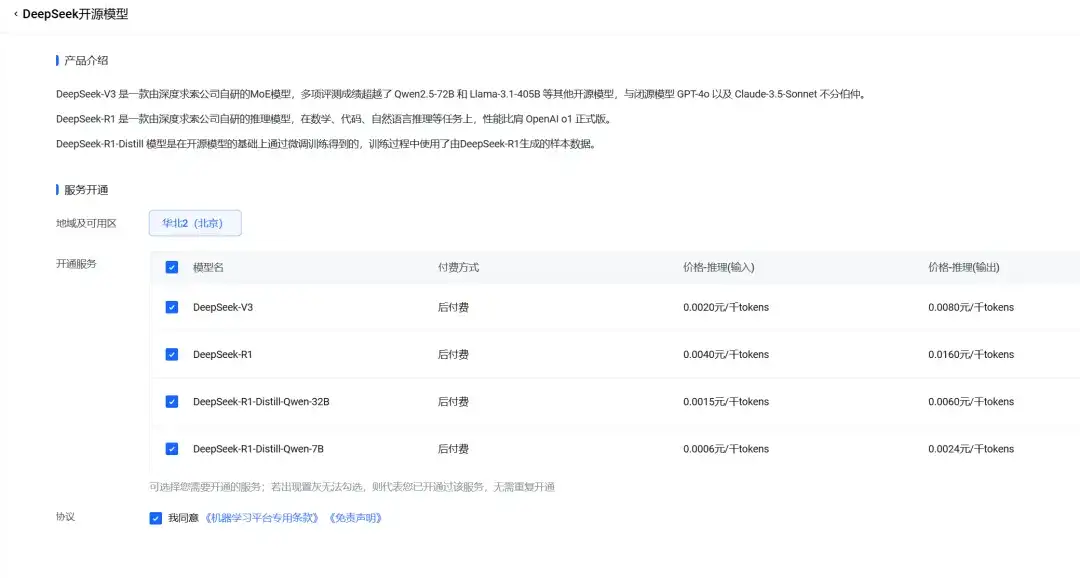
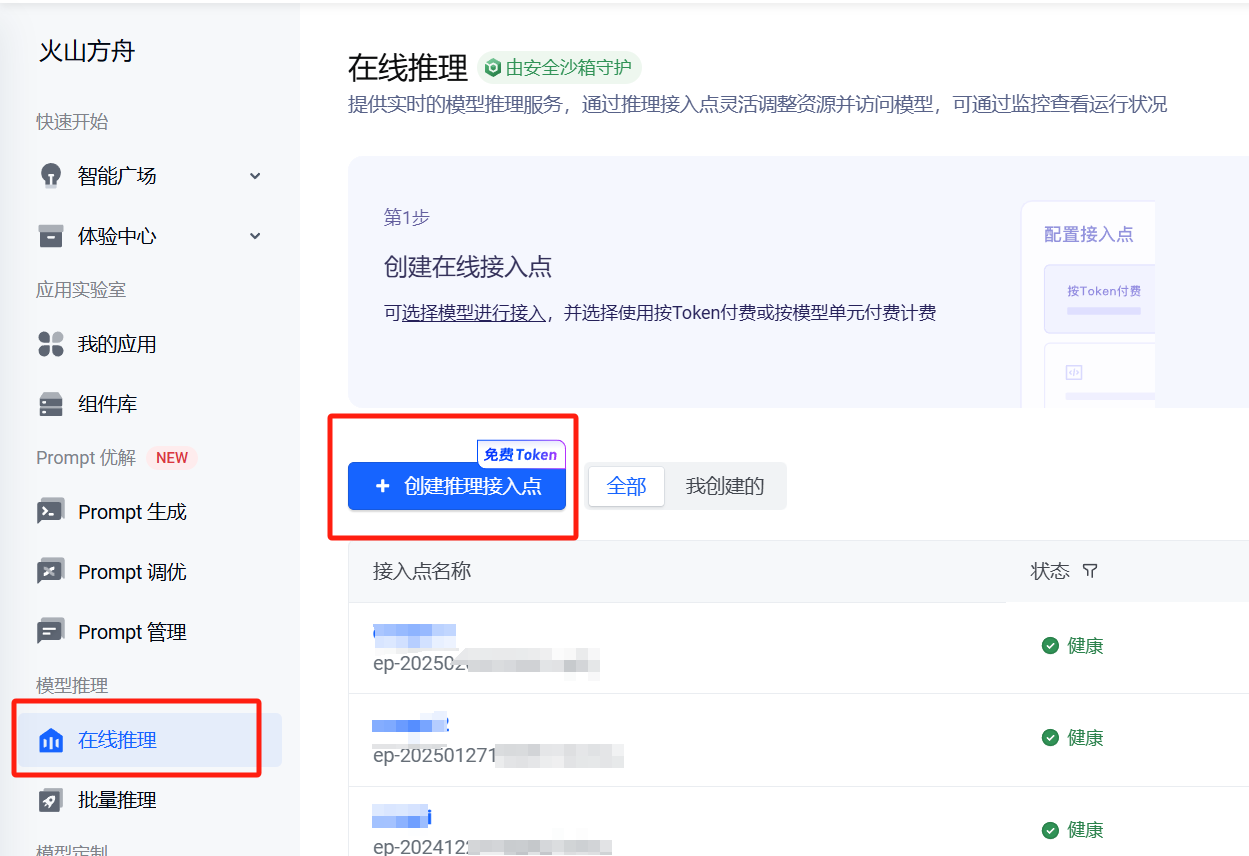
After activation, click on ‘Online Inference’ in the left menu, then create an inference endpoint on the right side.
The endpoint name is up to you; in the model selection section, choose DeepSeek-R1.
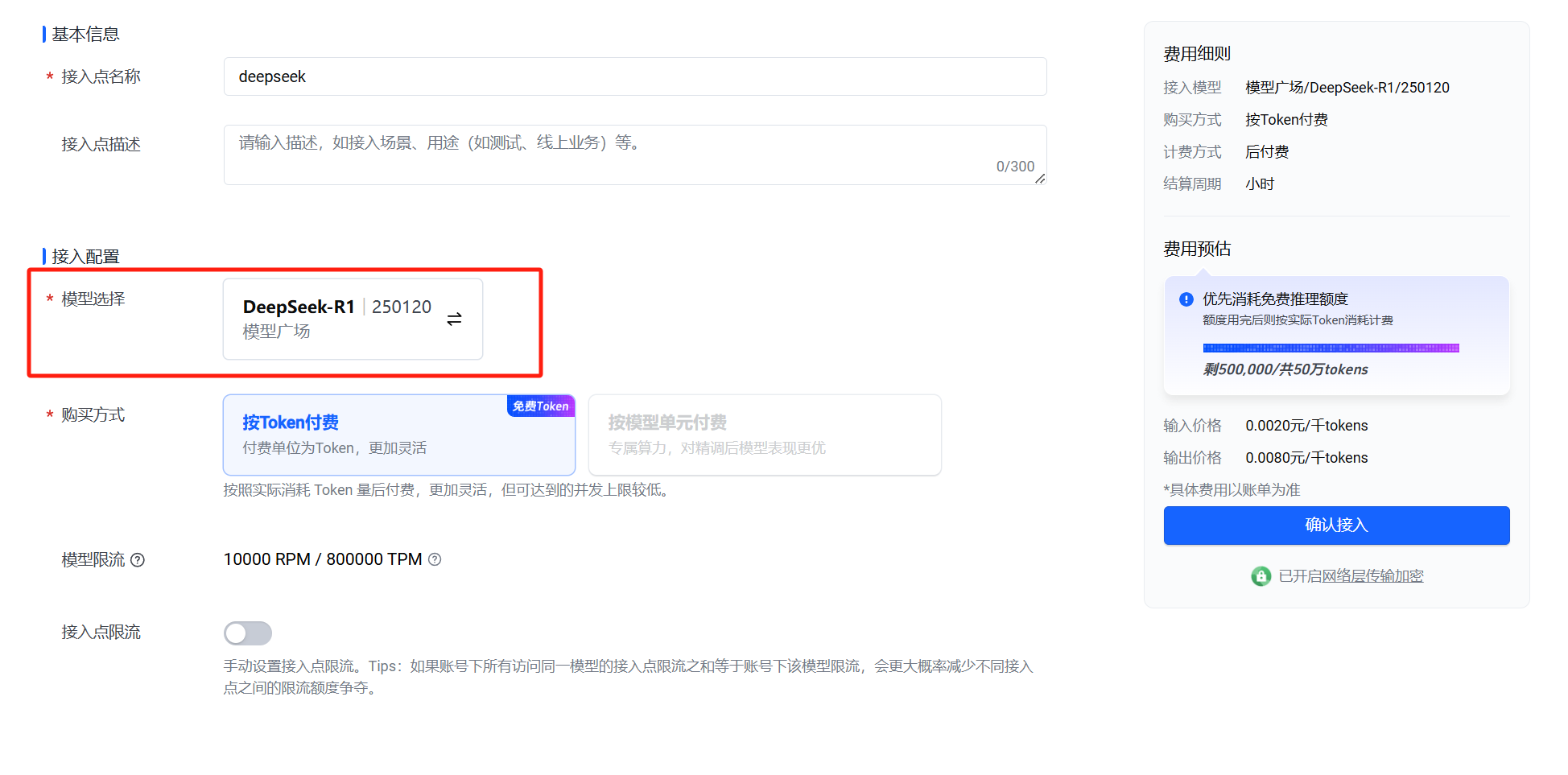
Once the endpoint is confirmed, locate the endpoint you just created.
Click ‘API Call’ on the right side.

Click the copy button above to copy the model name.
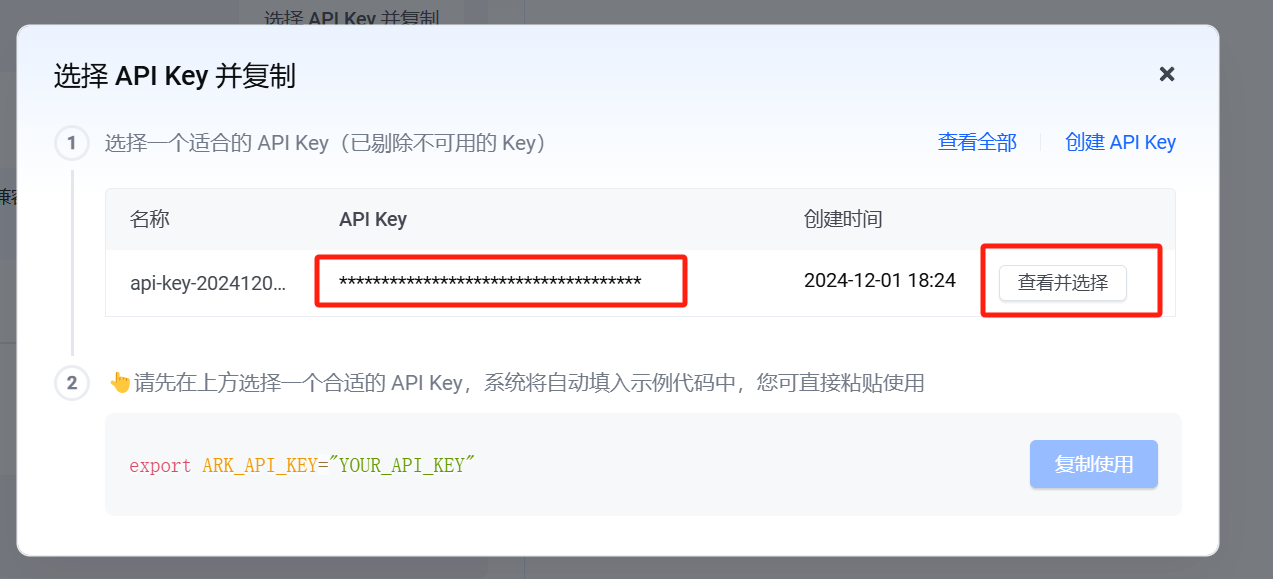
In the opened interface, select API Key on the right and copy it.
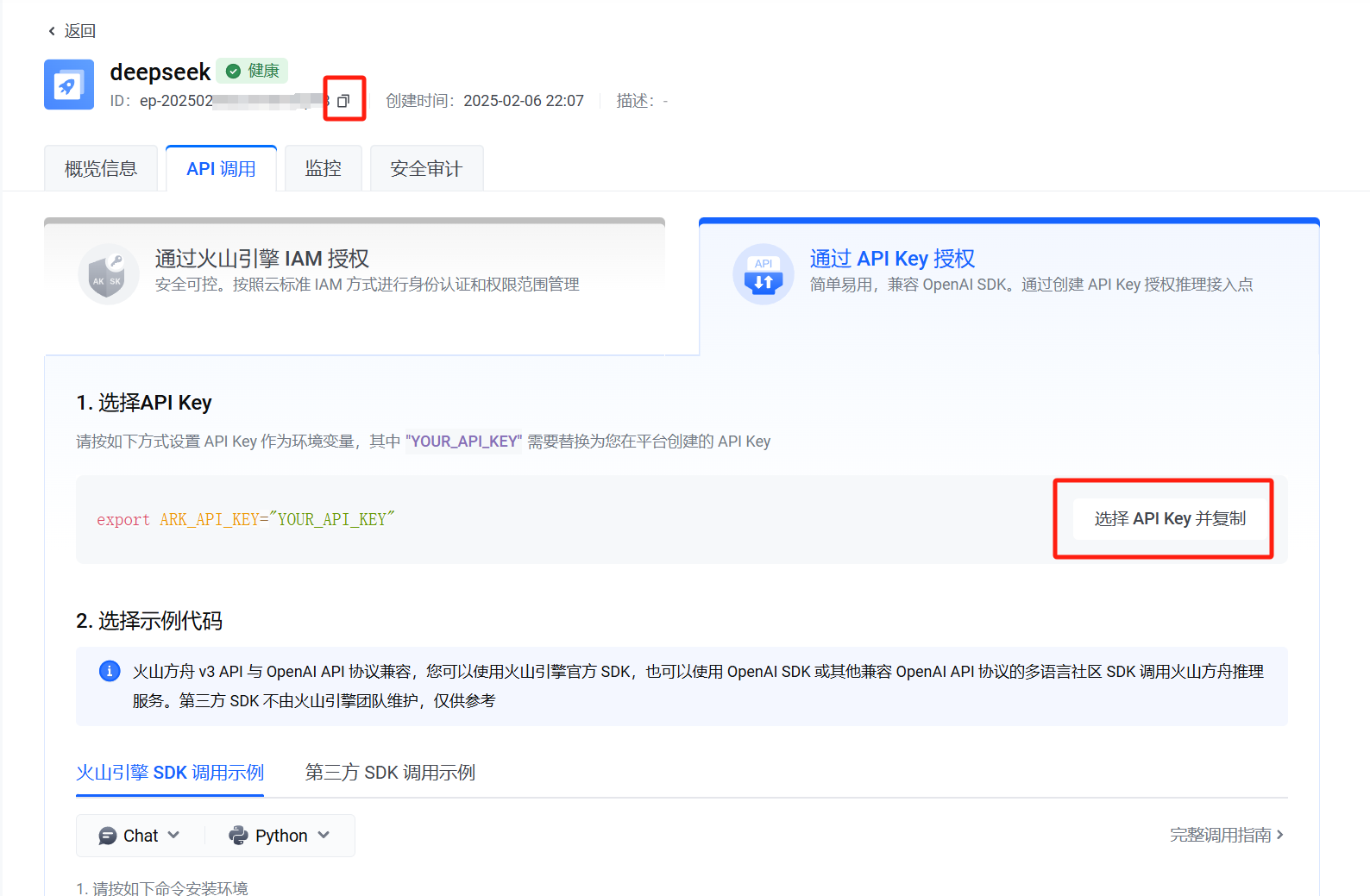
View the API Key and copy it.
Return to Chatbox, similar to the Alibaba Cloud Bailian setup described earlier.
Add a custom model provider.
Enter the name: Doubao (or whatever you prefer);
API Domain:
https://ark.cn-beijing.volces.com/api/v3;
API Key: Paste the key you just created;
Model: Paste the access ID you just copied by clicking the copy button at the top of the page.
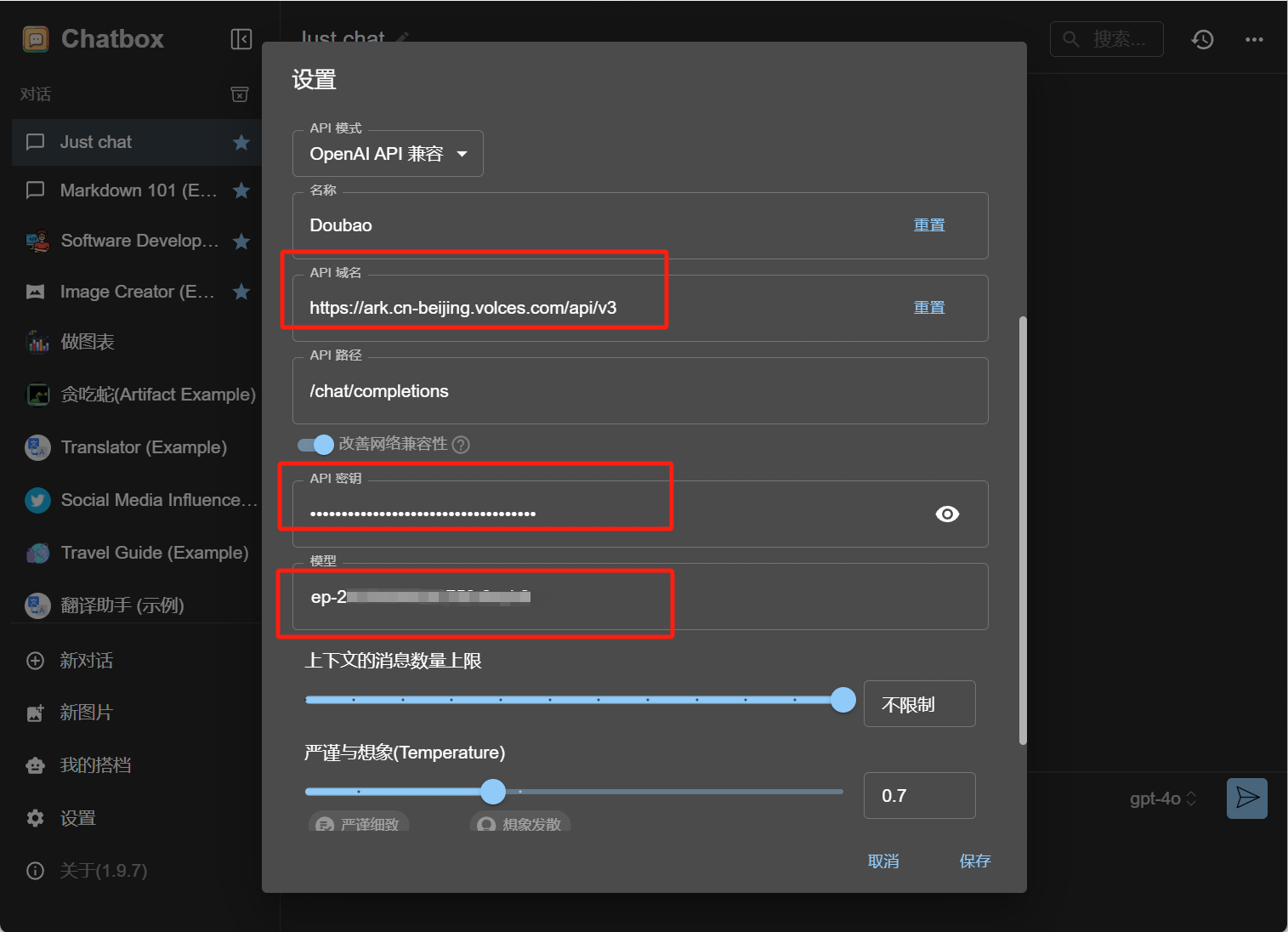
Then save, and you can use it directly.
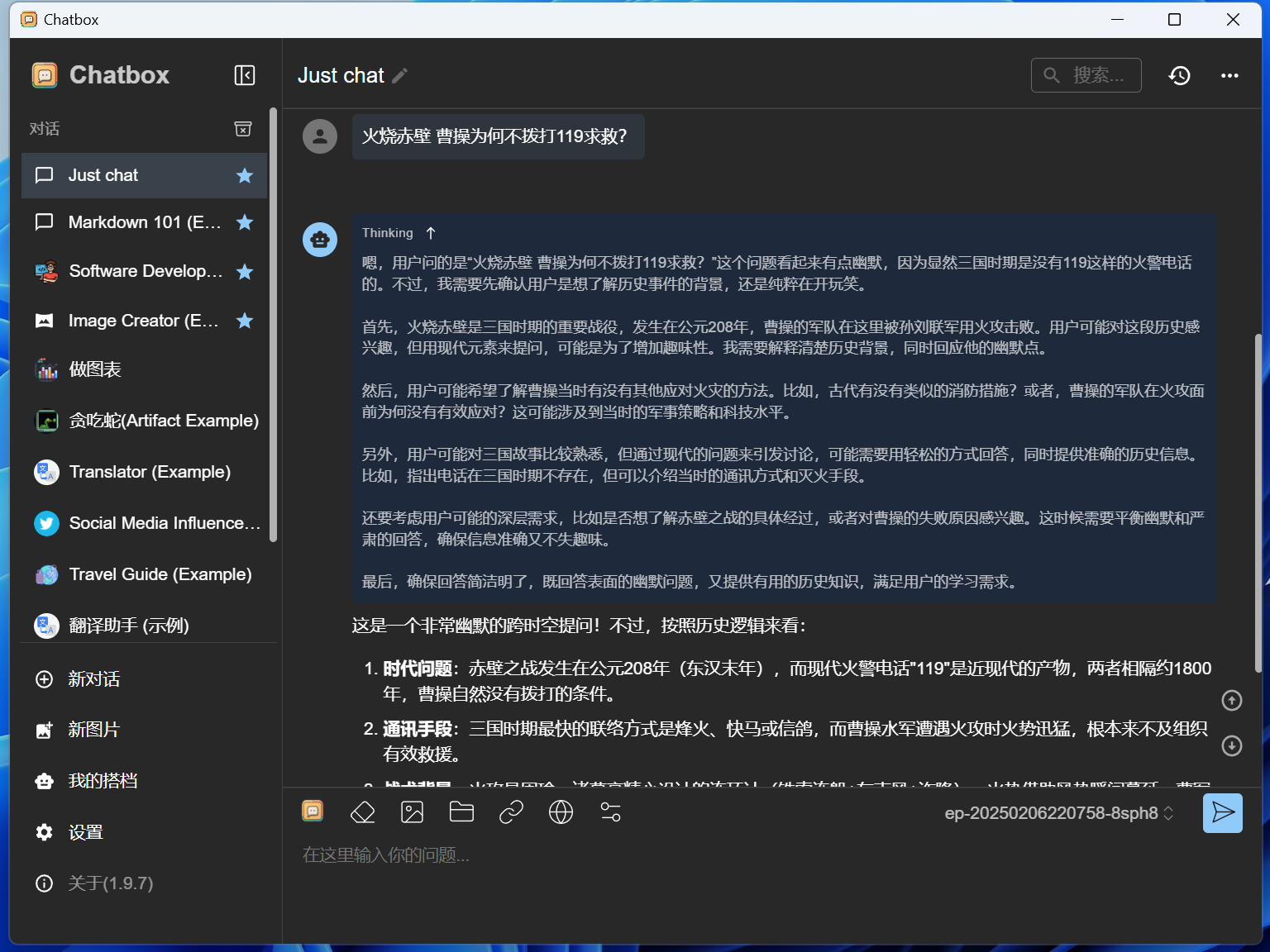
Among the three mentioned above, the DeepSeek on Volcano Ark can be said to have the fastest response speed.
Unfortunately, the number of free tokens is only 500,000.
But if you don’t use it very intensively, 500,000 tokens should be sufficient for a while.
The settings on mobile are basically the same as on desktop, so I won’t elaborate here.
Additionally, besides the few mentioned above, Baidu Smart Cloud also offers DeepSeek API, and it is completely free before February 18th, with no limit on token usage.
But I don’t really want to receive follow-up marketing calls from Baidu (Alibaba also makes them, and saying it’s for personal research usually doesn’t cause much hassle), so I haven’t tried it. If you’re interested, you can also try the Baidu platform.
And the local deployment we mentioned before:
How to locally deploy DeepSeek distilled models via Ollama? This guide is all beginners need
If you don’t want to use Open WebUI, or if you want to use locally deployed large models on your phone within a local network, starting from this step, you can also switch to using Chatbox.
No API Key is needed; just select the model provider as Ollama API and fill in the API domain. (Of course, remember to start Ollama when using it.)
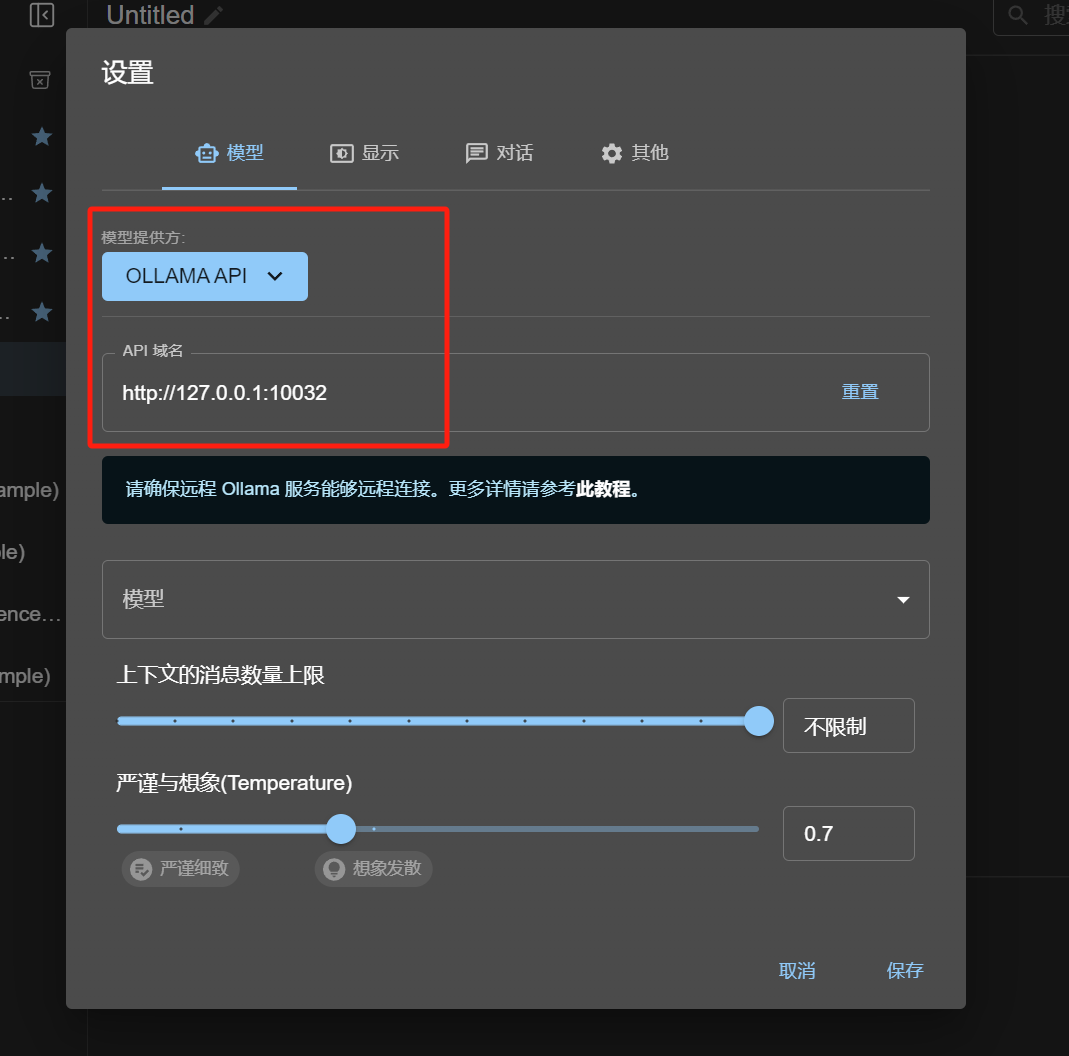
If Ollama is running on the local machine, fill in the API domain as http://127.0.0.1:port or http://local_lan_ip:port;
If Ollama is running on another device in the local network, the API domain is http://corresponding_device_lan_ip:port.
If you followed the tutorial step by step, the port number should be set to 11434.
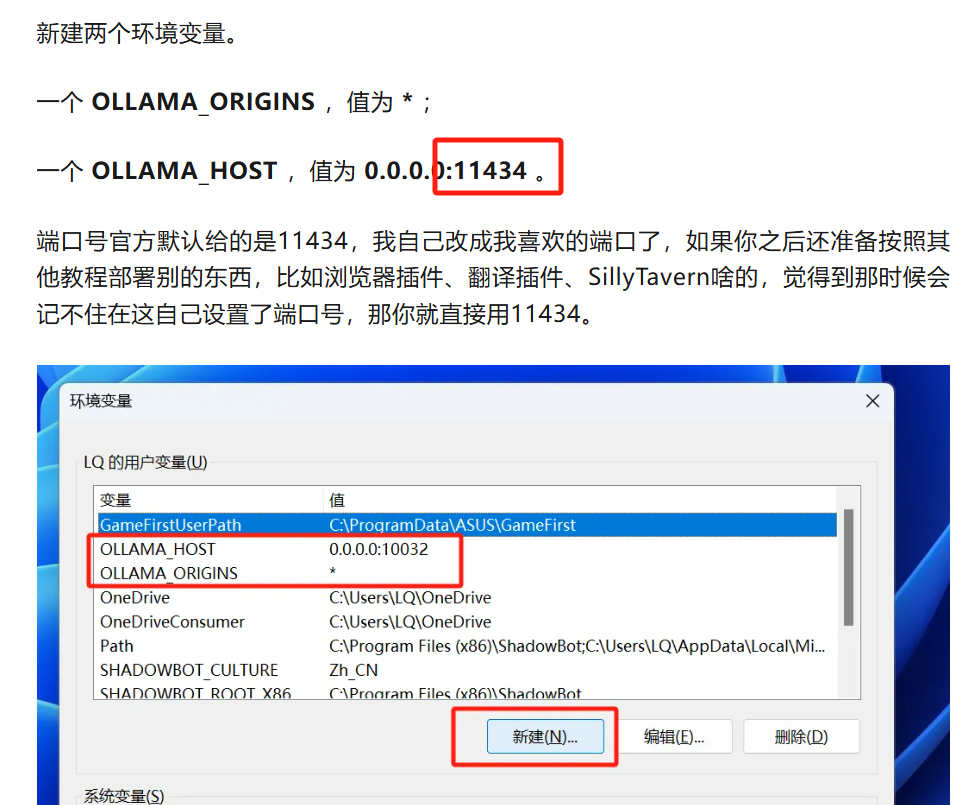
For details, you can go back and check the article mentioned earlier; I won’t elaborate here.
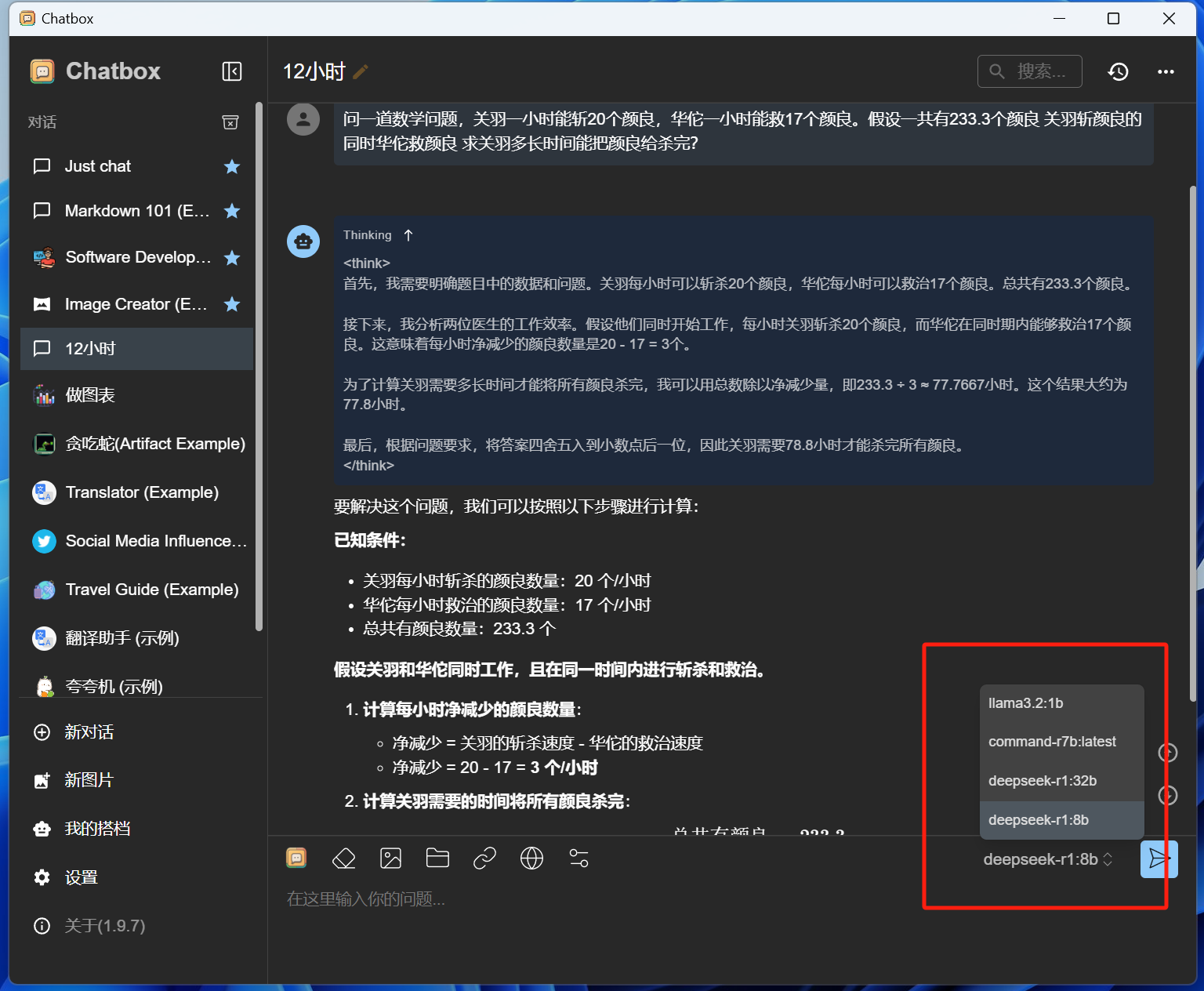
After configuring, click save, and the open-source model you deployed locally on Ollama will also directly appear in Chatbox’s model selection list.
With these, it should temporarily resolve the urgent issue of ‘The server is busy, please try again later.’
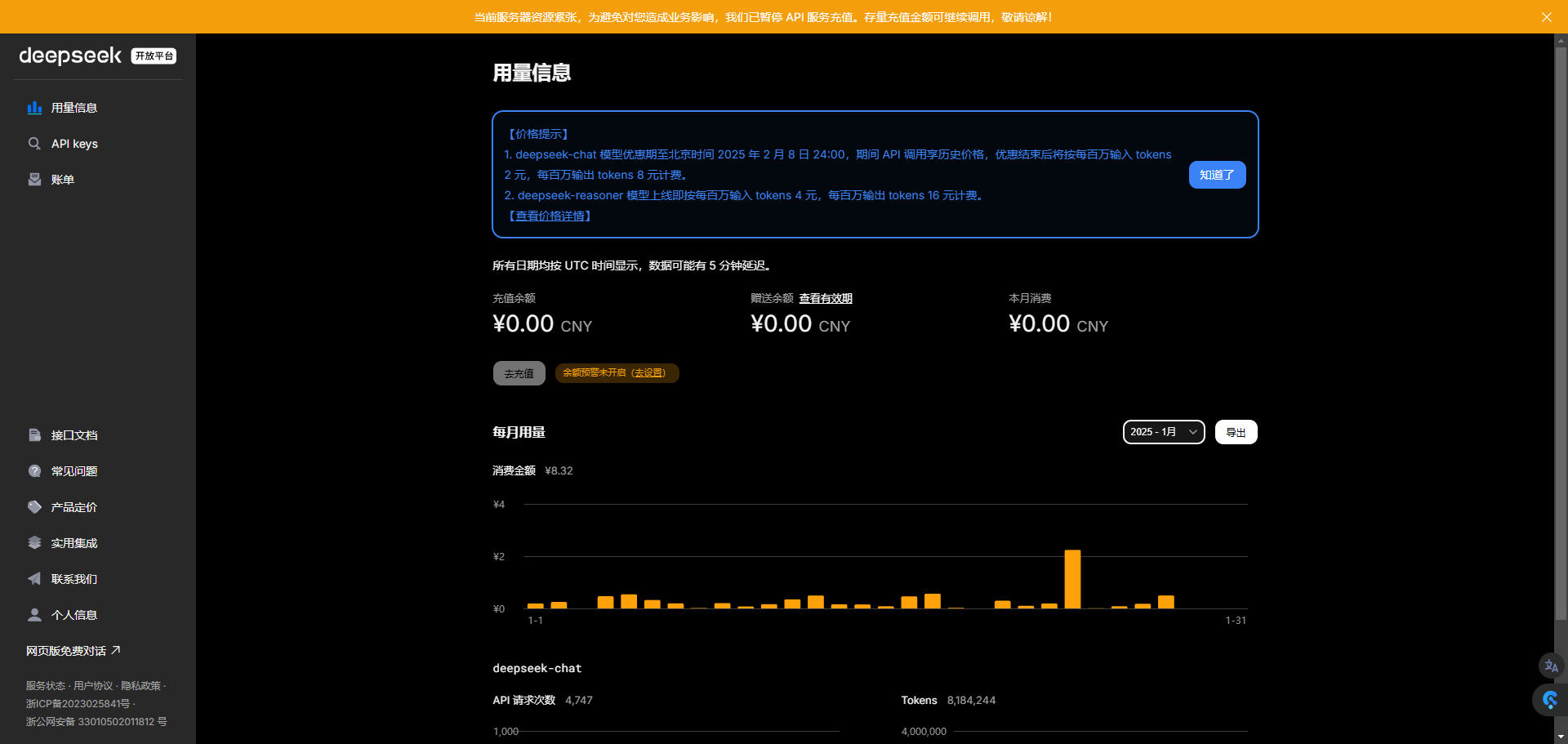
Today, DeepSeek’s official open platform has restored login access. Although according to the official statement, server resources remain tight and the recharging function has not yet been restored, over the next period of time, the official service should also gradually improve.