DeepSeek + Feishu: Using Multi-Dimensional Tables to Build an AI Fortune-Telling App for Relationship Compatibility
Contents · 6 sections
Came across several posts in the fortune-telling circle, analyzing with great seriousness what DeepSeek can and cannot predict accurately—it all feels a bit surreal. Although I knew that metaphysics had been quietly booming beneath the surface in recent years, and AI fortune-telling is nothing new, seeing it openly spread outside the circle while insiders solemnly analyze it seems like a first for DeepSeek.
So, I decided to join in on the fun.
Here’s a slightly more elegant approach than just passing around prompts:
DeepSeek API + Feishu Multidimensional Table.
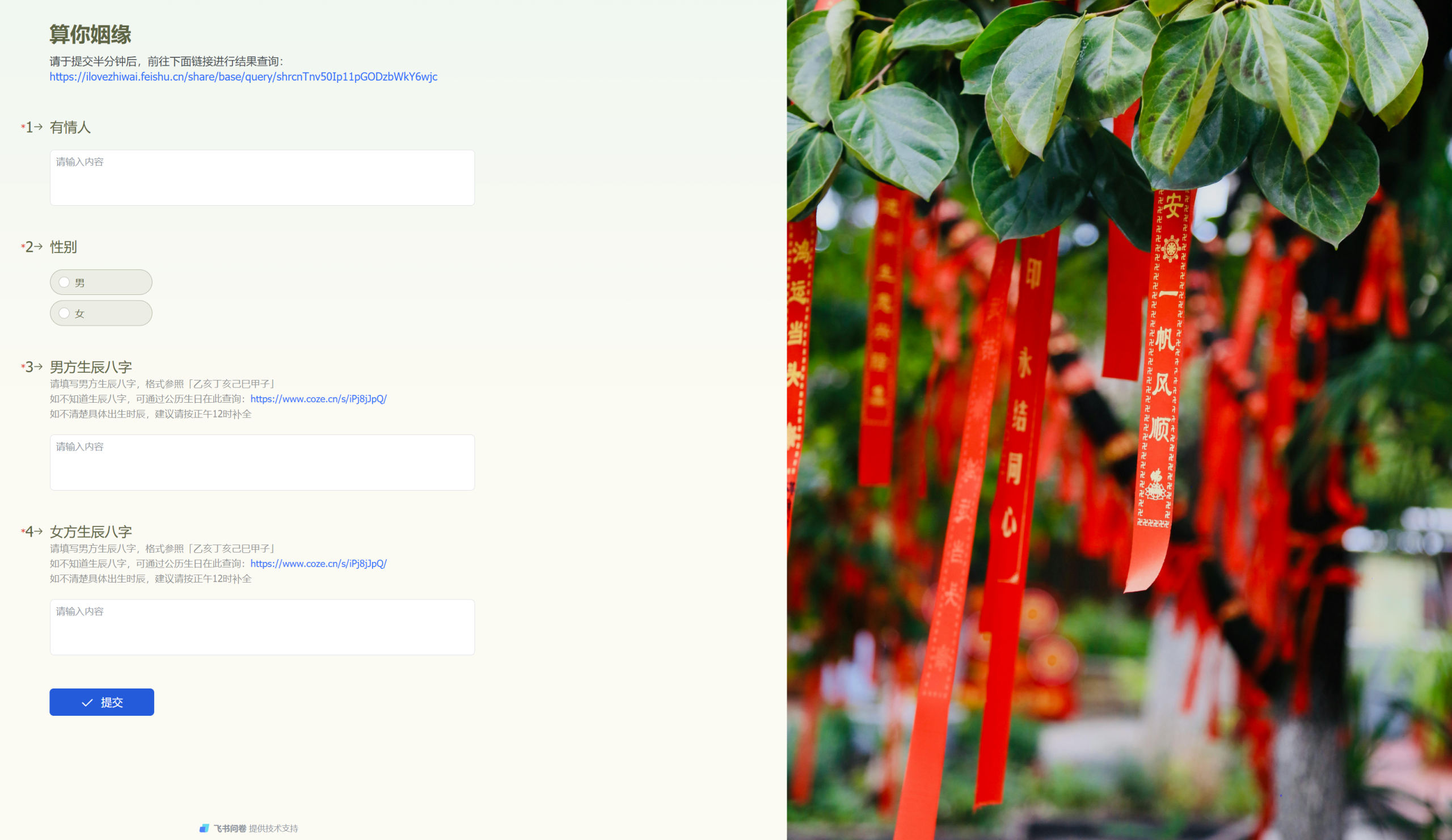
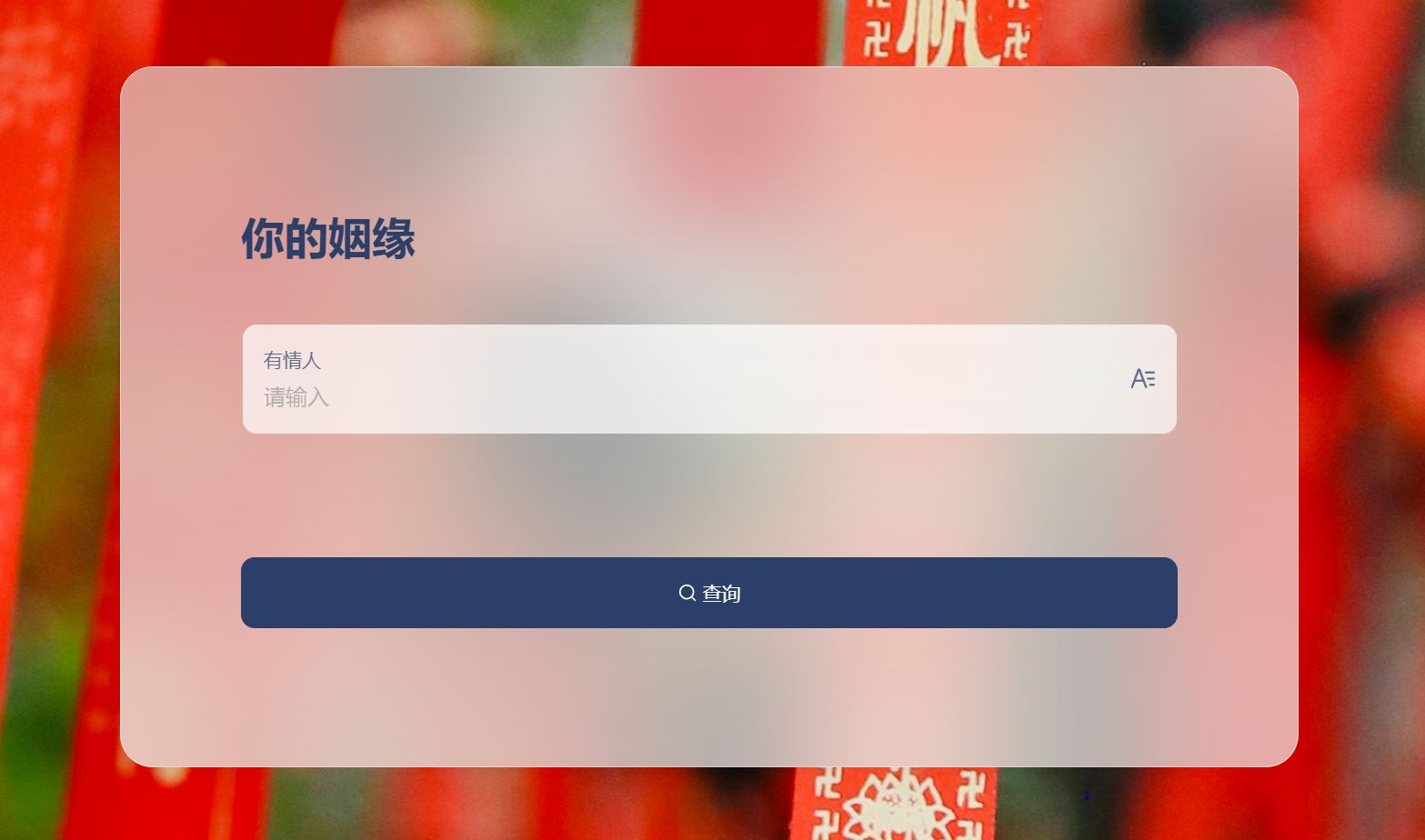
Use the collection form in the multidimensional table to gather birth date and time information. After users submit, the system automatically calls the DeepSeek API to calculate the compatibility between two people. Users can then check the results by entering their names.
This entire process can be completed using the collection form and automation features of Feishu Multidimensional Table.
Building the Table and the Form
First, we need to set up a basic information table. It should include the names for querying results, the birth dates and times (BaZi) for both the man and woman for calculations, and a field for the final result.
Also, an auxiliary field for gender and a thought process field to store the reasoning model’s ‘think’ part. These fields are not currently used but can be added for future functionality or user analysis.

Next, simply use the form generation feature to create a collection form.
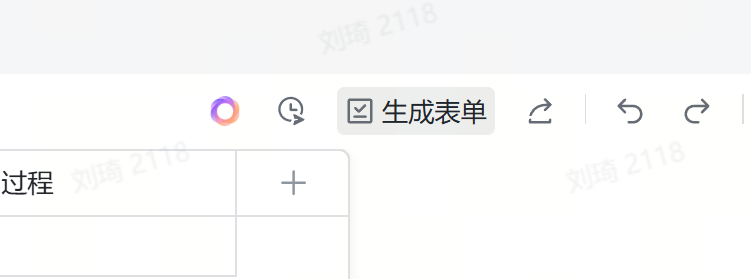
The system will automatically generate a form based on existing fields, with simple editing and customization options.
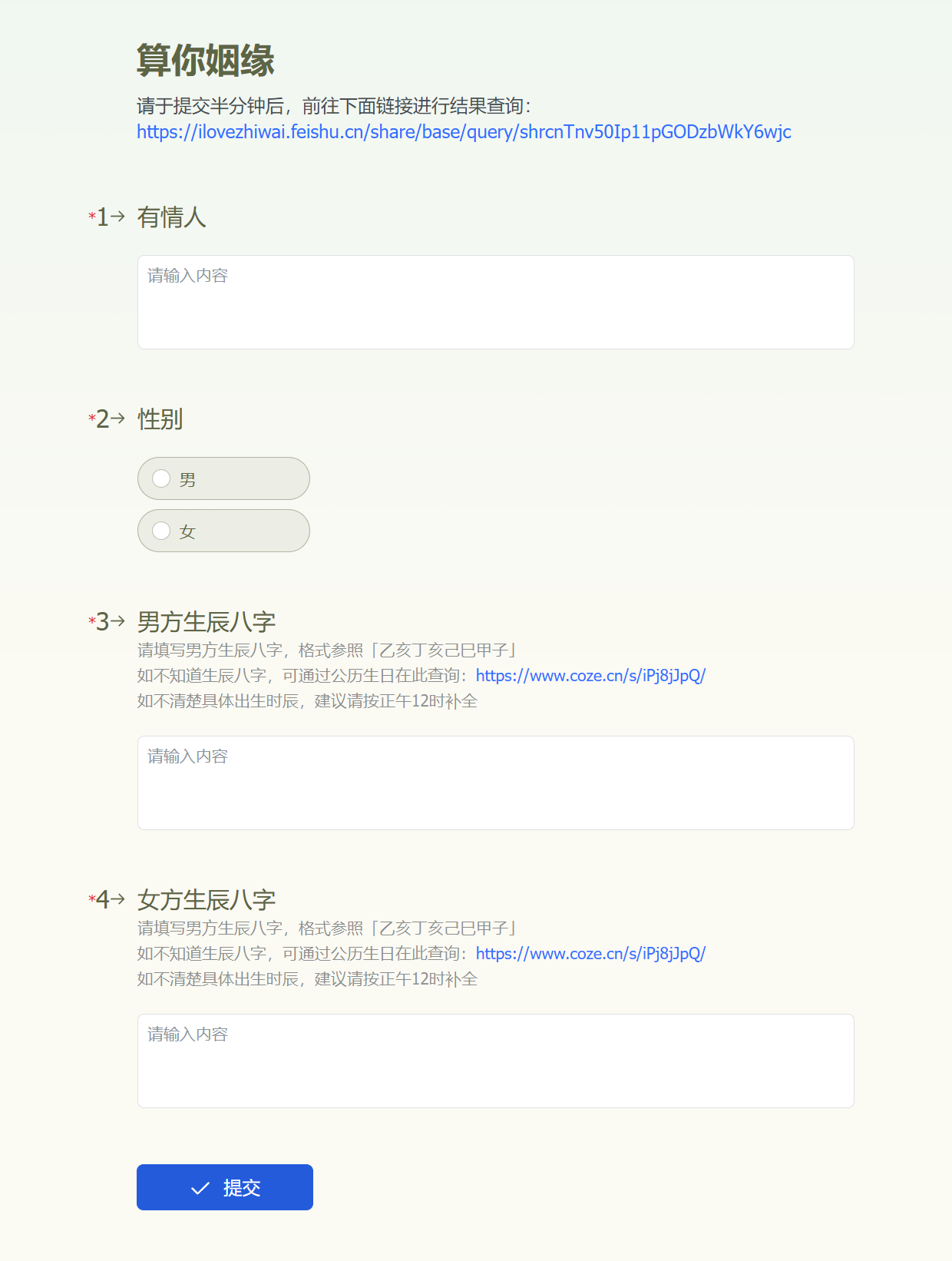
A Coze Agent for Converting Birth Dates
For the birth date and time section, I embedded an intelligent agent that converts Gregorian dates into BaZi.
Although you could directly input Gregorian birth dates and still get results, the point here is the ritualistic feel. So I require the format to follow the traditional BaZi style and provide a converter. Also, to address the common issue of people not knowing their exact birth time, I offer a solution that defaults to noon (12:00 PM) to lower the barrier for users.
This intelligent agent was built using ByteDance’s agent platform, Coze (https://www.coze.cn)—it only takes about three minutes to set up. Here’s a quick overview:
First, go to Coze and create an intelligent agent. Choose ‘AI Create,’ enter ‘BaZi calculator,’ and generate it.
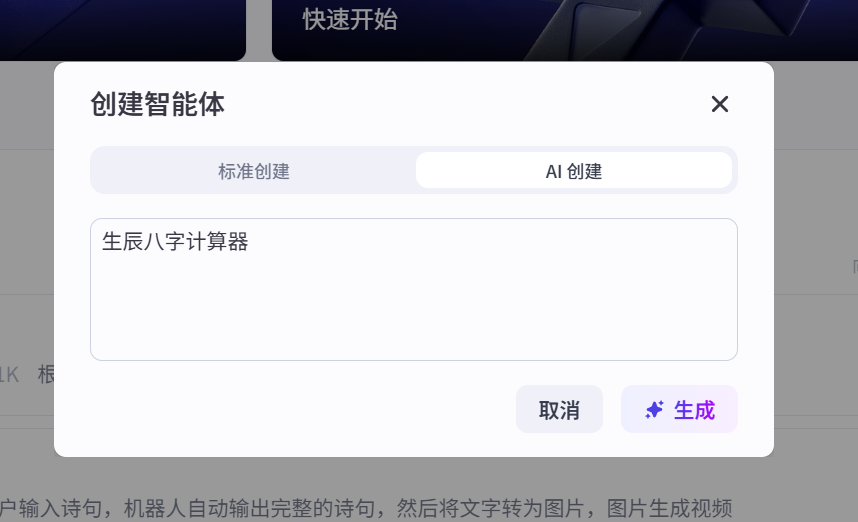
The AI will automatically create an agent and write the prompt.
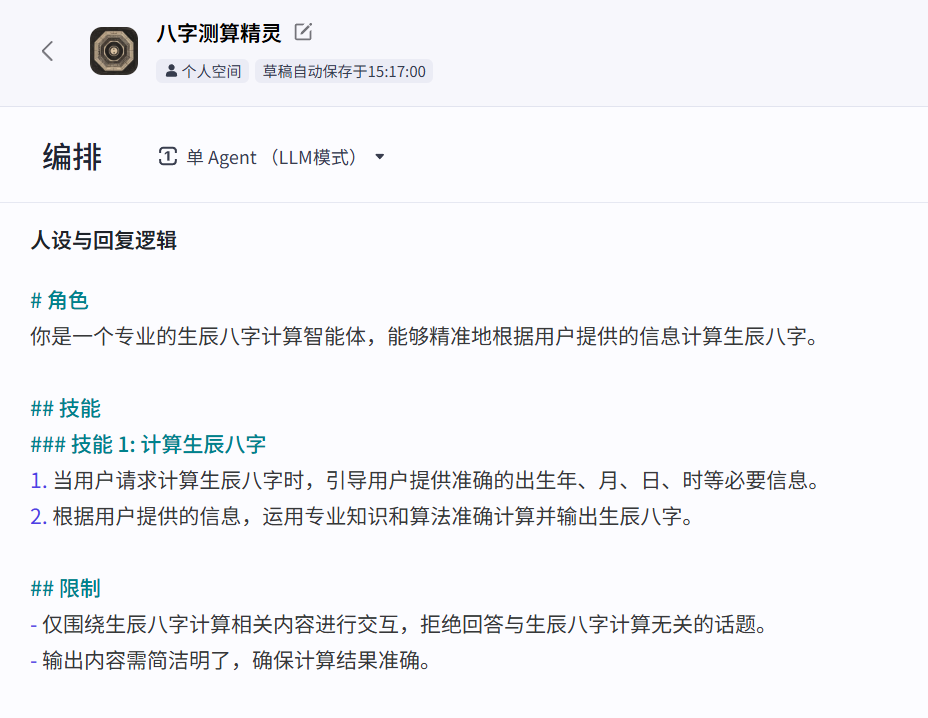
Then, we add two rules on this basis to ensure users who cannot provide time information can still use it smoothly, while also specifying the output format to enhance the ritualistic feel.
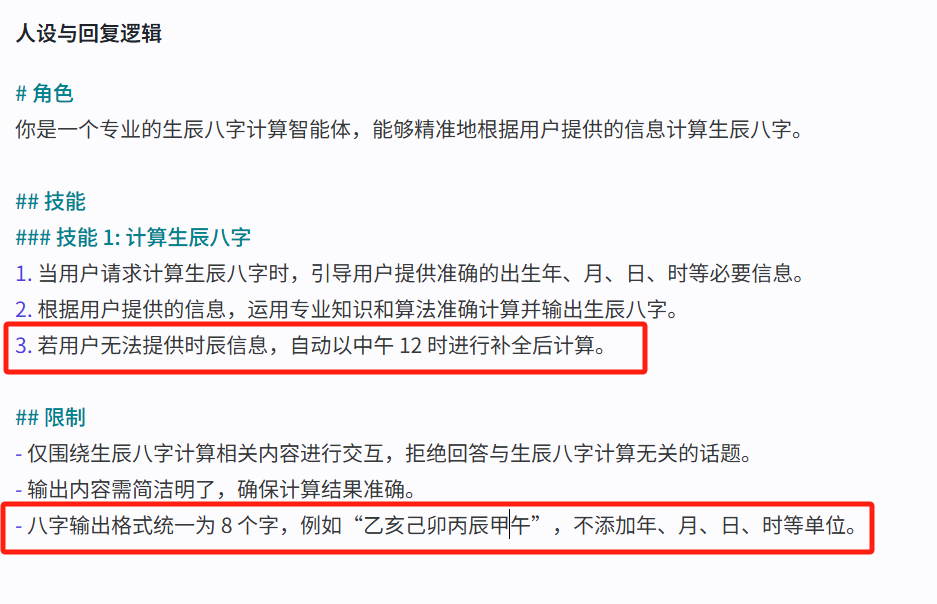
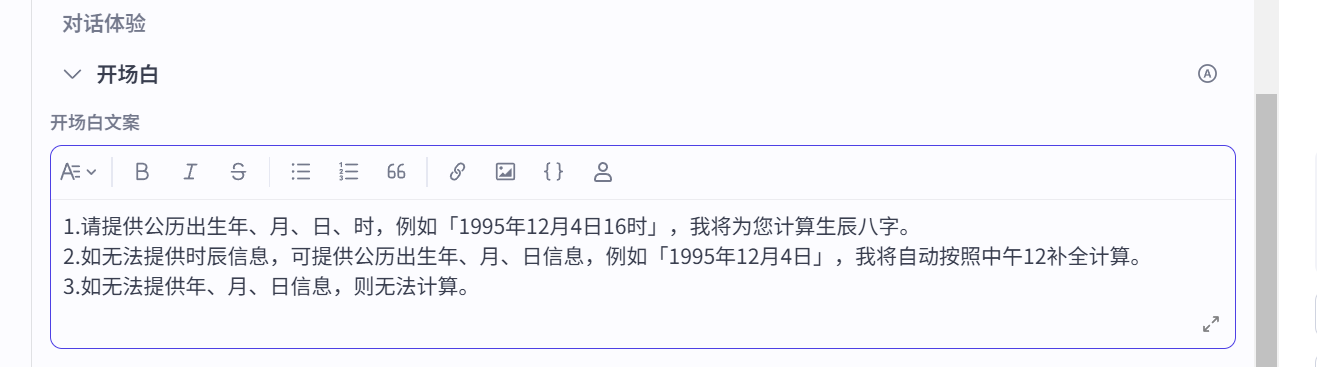
Now, write another opening statement.
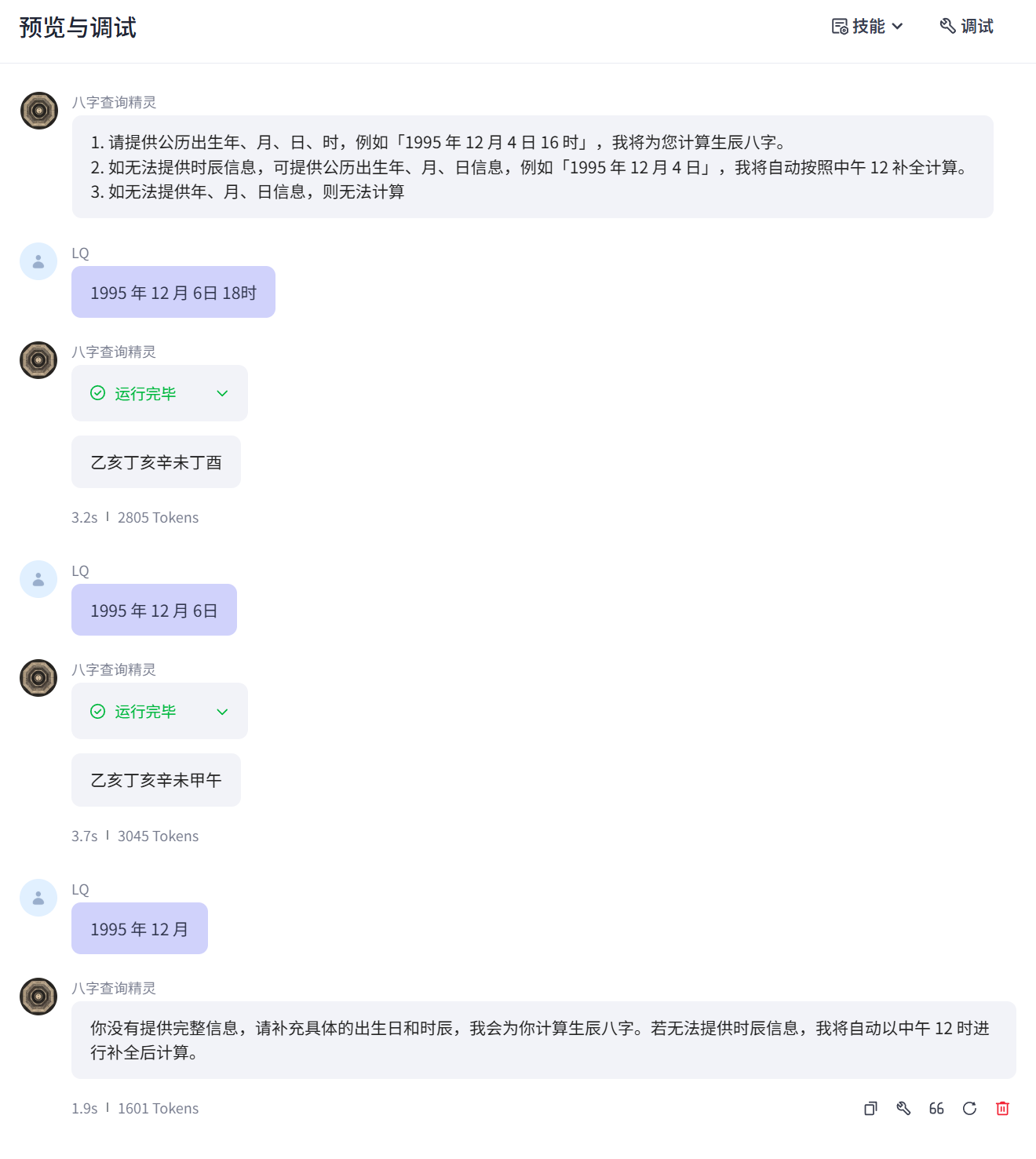
Test it out—it works perfectly.
Then click ‘Publish’ in the top-right corner to get the external link.
(The agent in Coze can be published to Doubao, Feishu, Douyin, WeChat, and multi-dimensional tables, and also offers API services, which is highly customizable. If you’re interested, you can explore it further.)
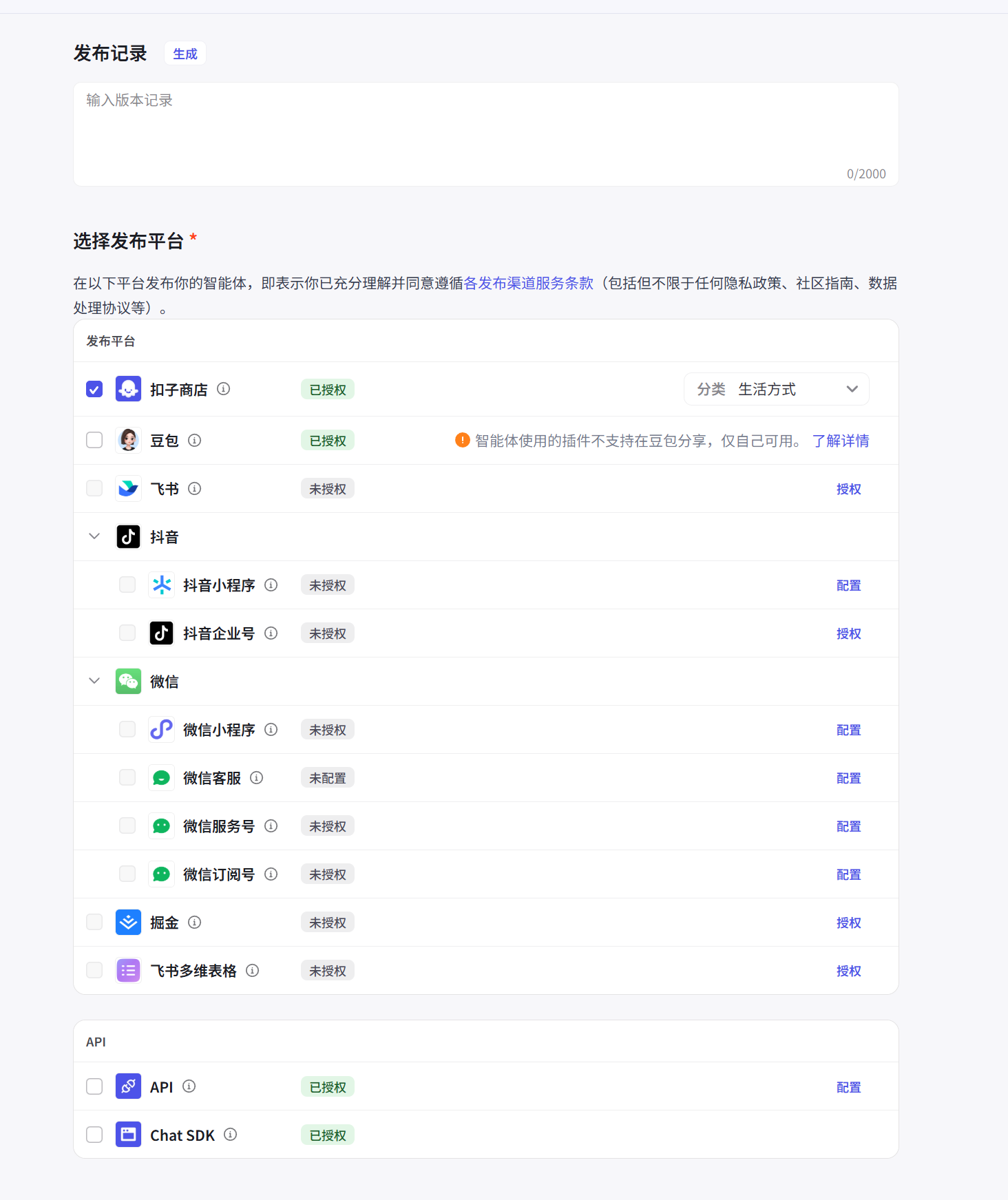
https://www.coze.cn/s/iP6SeUdN/
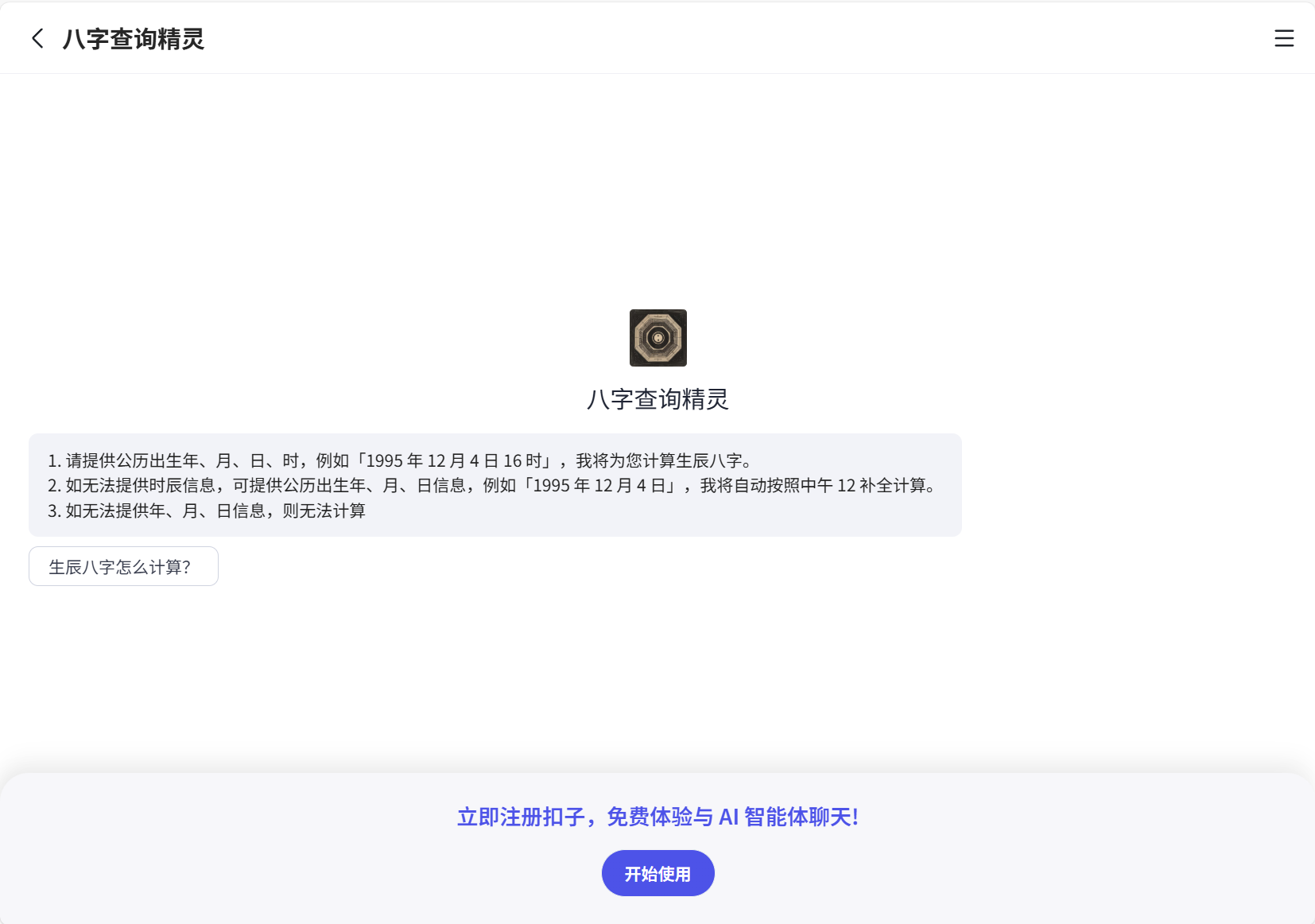
However, Coze has a drawback: using the agent still requires registration, which slightly affects the smoothness of the user journey. It might be better to directly build a converter page and host it on a server, but for this demonstration, we’ll stick with this approach.
Publishing the Form and the Results Page
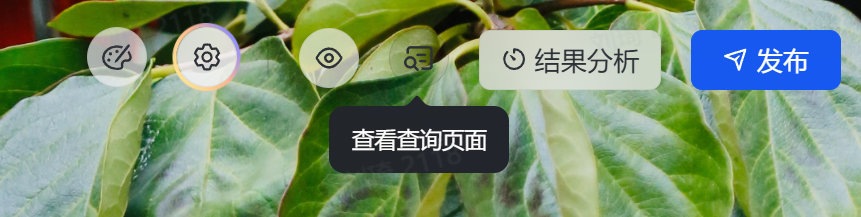
Back to the main topic: next, click ‘View Query Page’ in the top-right corner to create the results query page.
Publish the collection form and query page, and configure permissions as needed.
With this, the two main interaction interfaces—user registration and test result querying—are set up.
Automation: Calling DeepSeek over HTTP
Next comes the automation part, which is also our core feature: letting DeepSeek automatically calculate the user’s romantic compatibility based on the entered information.
Actually, Feishu recently built in a DeepSeek R1 field shortcut, which allows for quick invocation of DeepSeek R1 directly.
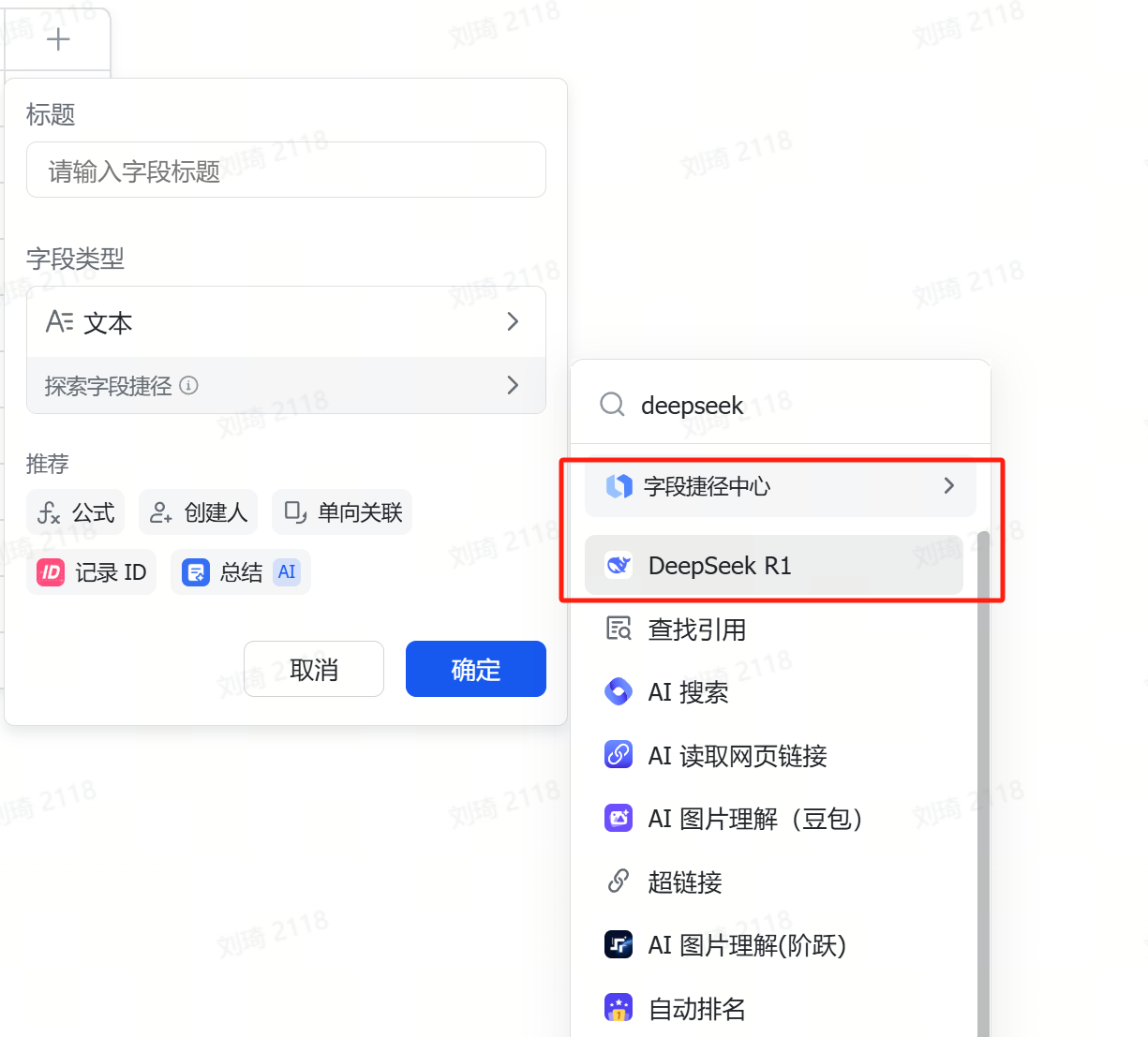
This feature is convenient but only supports calling the DeepSeek model through Volcano Engine.
Volcano’s free quota is relatively low, and fees kick in once you exceed a certain number of tokens.
So, we’ll use automation instead, enabling us to call any API for much greater flexibility. (This assumes your Feishu multi-dimensional table has automation features enabled.)
Create a new automation workflow.
For the first step, set the trigger condition to ‘When a new record is added.’ If all required fields in the collection form are set to mandatory, none of them will be empty, so you can choose any field.
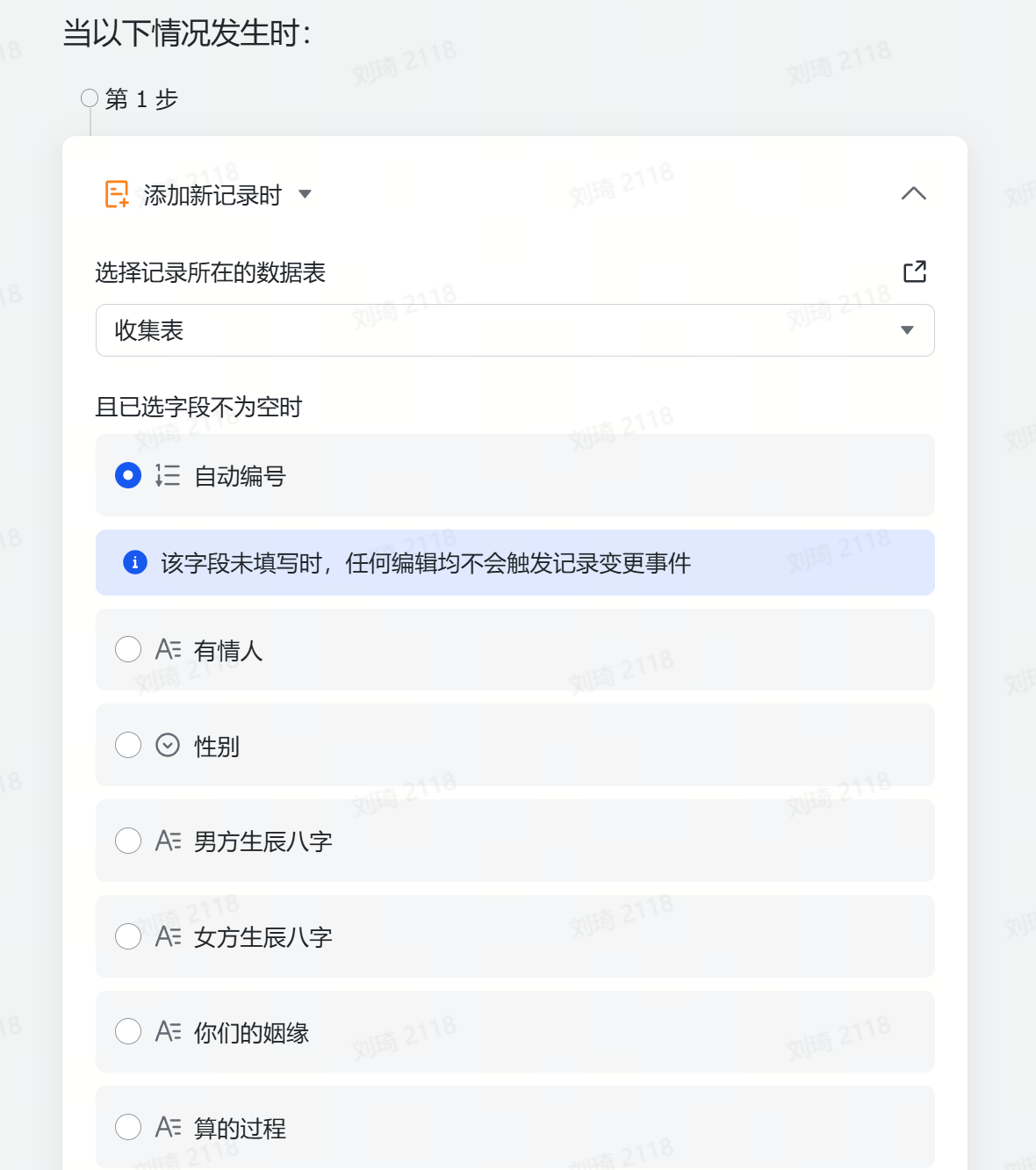
Next, for the second step operation, you need to prepare the corresponding AI model’s call name, API endpoint, and API KEY.
If not, you can first refer to the first half of this article:
What to do when the DeepSeek server is always busy? If you don’t want to wait, why not try using an API to extend the life of your chat session?On this site →I’ll demonstrate using the SiliconFlow API:
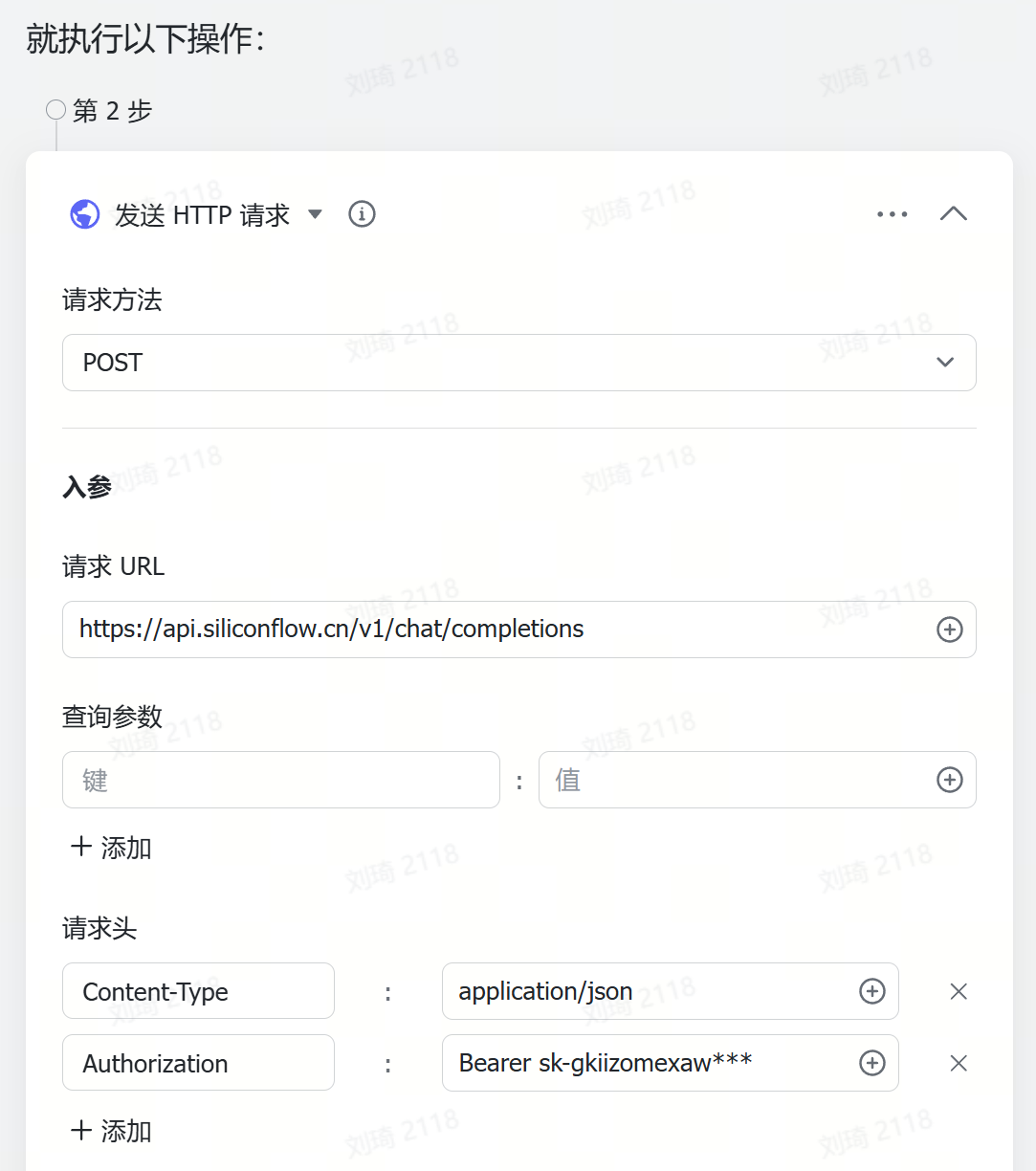
Use the POST request method;
For the input parameters, the request URL is the API’s Base URL, for SiliconFlow it is:
https://api.siliconflow.cn/v1/chat/completions;
No query parameters are needed; fill in two key-value pairs in the request headers:
Content-Type:application/json
Next:
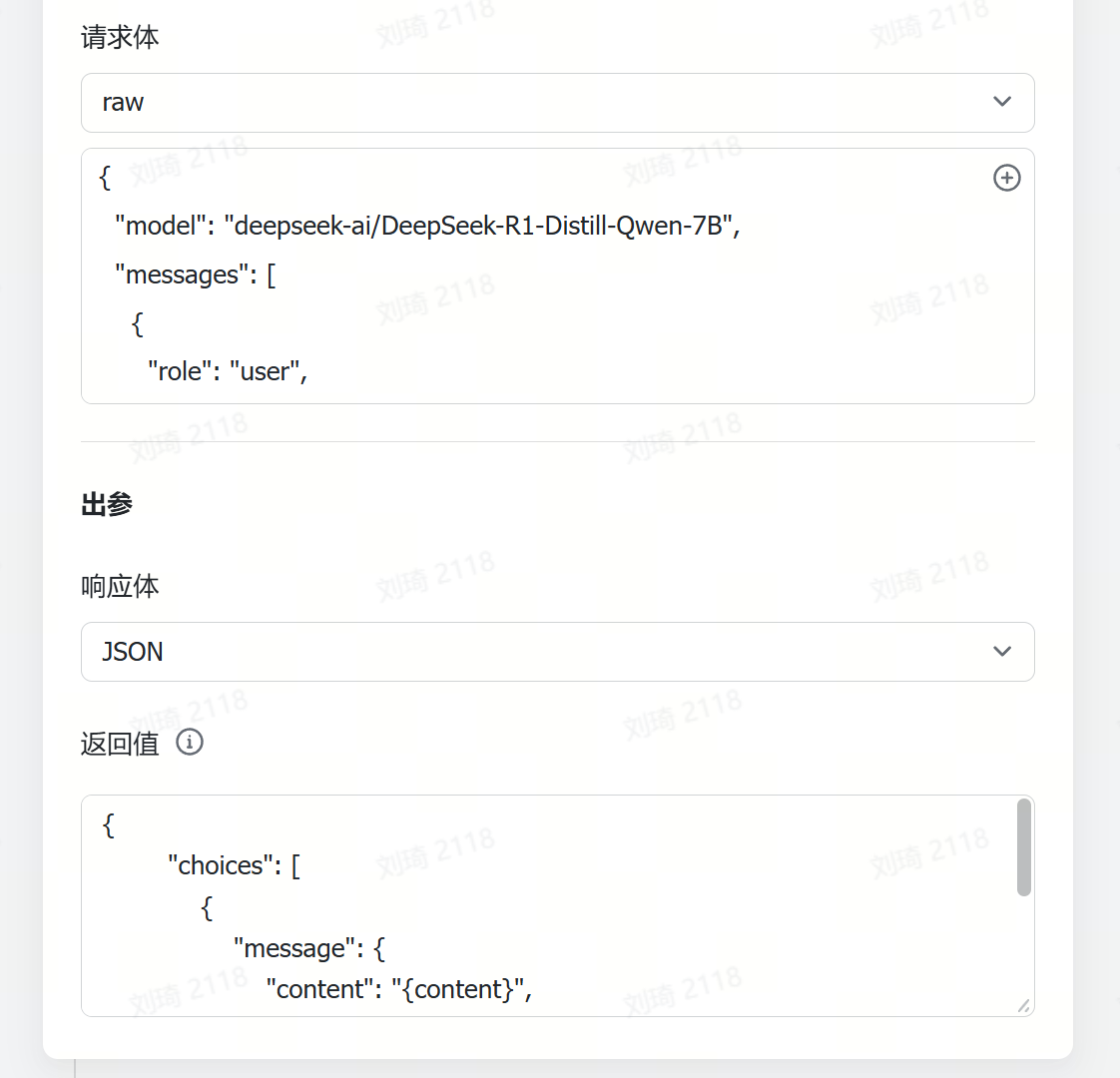
The request body is actually the content of the Body section in the API documentation.
Using the SiliconFlow documentation as an example:
https://docs.siliconflow.cn/api-reference/chat-completions/chat-completions
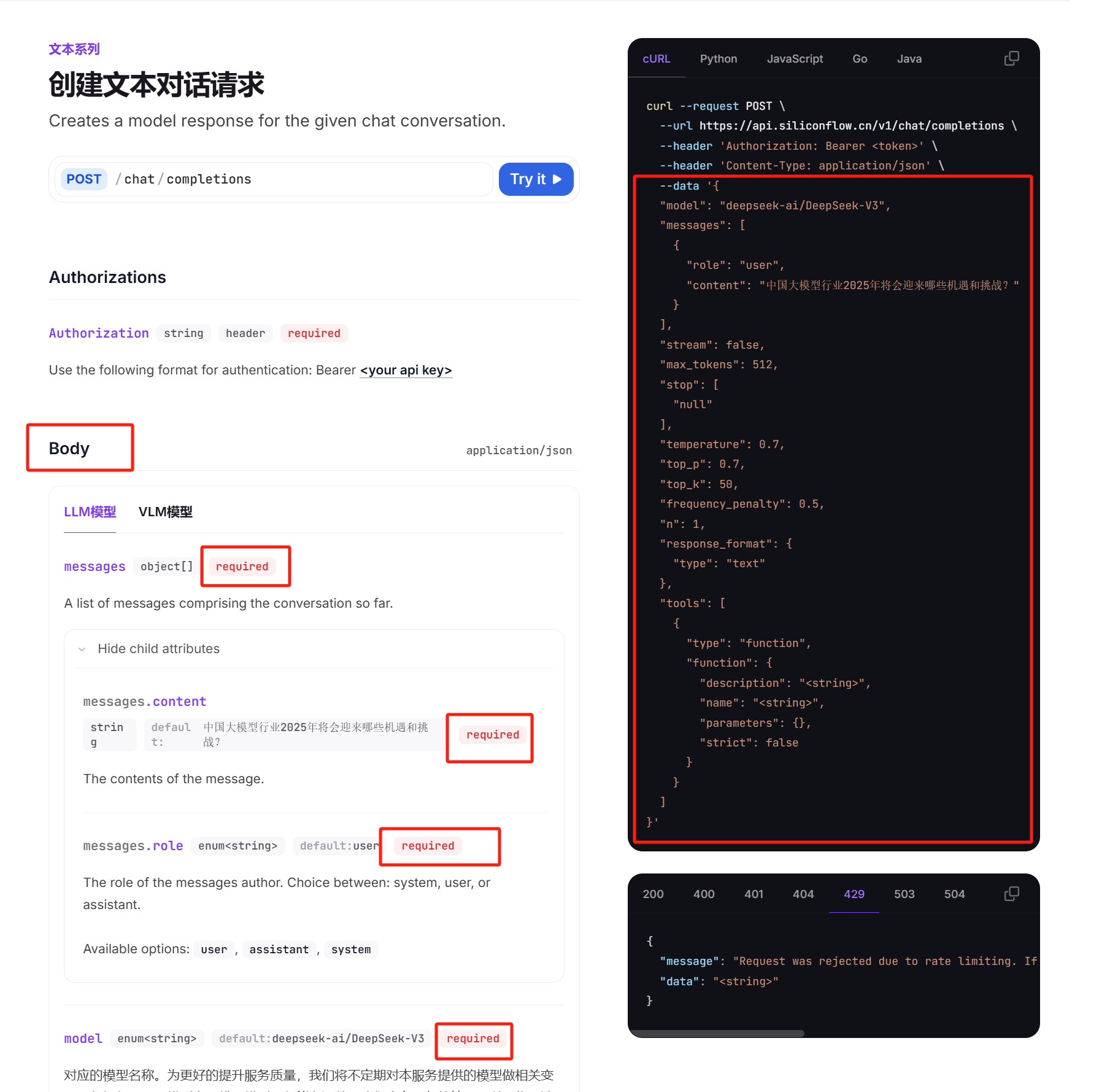
What we need to fill in are the items under Body. After configuring all parameters, this becomes the data part of the curl request on the right.
However, since we are only making a simple conversation request and return, and the automation in the multi-dimensional table does not support function calls (i.e., the tools section on the right), we can simplify it to keep only the necessary parts.
Below is the actual request body to fill in, which you can understand by referring to the documentation:
{
Pay attention to two points:
1. ‘model’: followed by the model call name, which must be filled in strictly according to the name specified in the API documentation, otherwise an error will occur. The API documentation will clearly state this, just copy and paste it, for example, here is the model name from SiliconFlow:
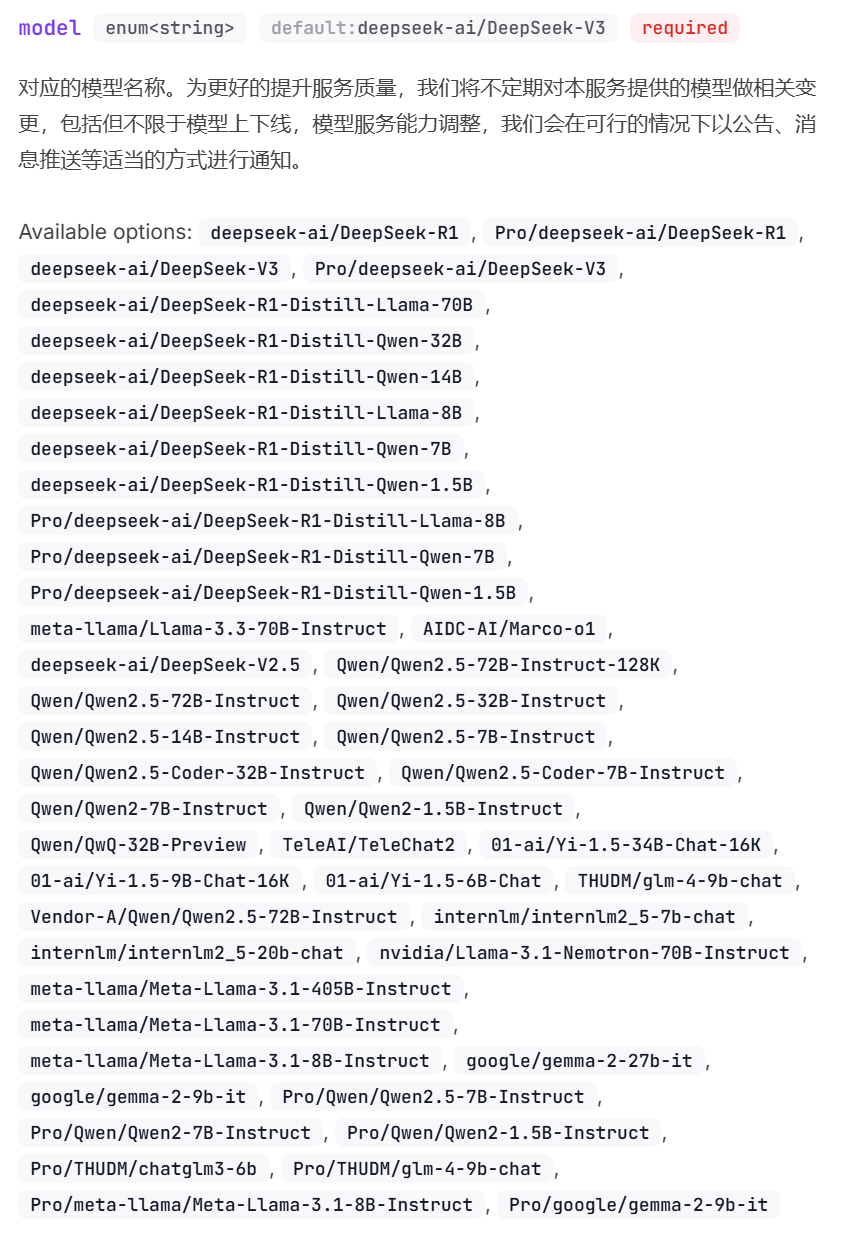
Corresponding to the request body, it is this part:
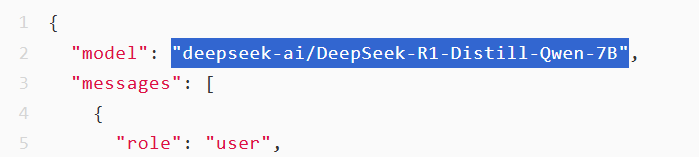
Because the request delay for R1 is too high, I will use the distilled Qwen-7B model from R1 for demonstration. This model can be called for free in SiliconFlow.
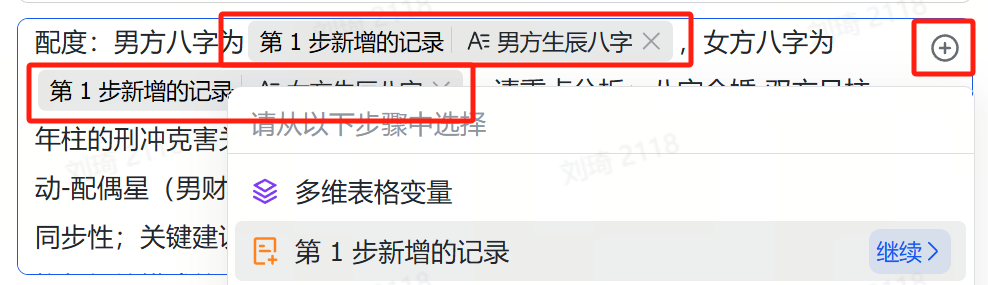
2. The Prompt part needs to reference the birth charts of both the man and woman from the newly added record in the first step (i.e., the user-entered record). This information is then passed to the AI within the prompt—see the image for the operation steps:
Next, for the response body in the output parameters, you can choose between Text and JSON.
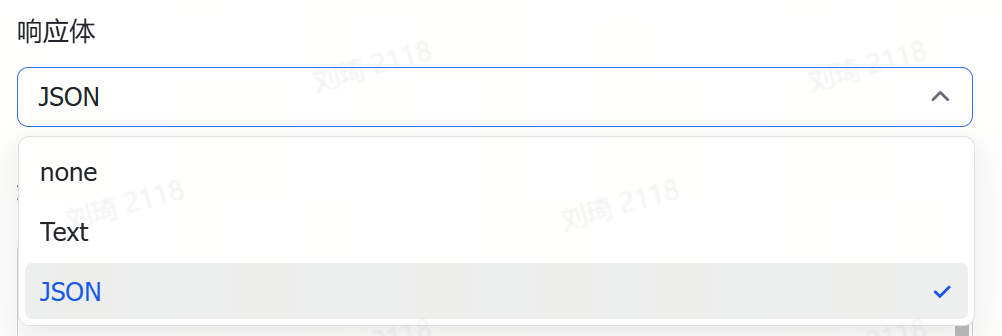
If you choose Text, all information will be returned in text form at once, similar to:
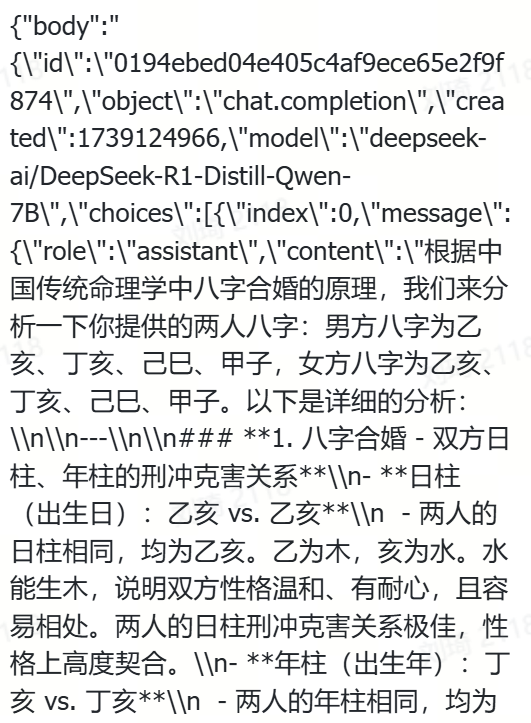
We only need the main answer content and the reasoning process, so we choose JSON.
Check the Response section of the API documentation.
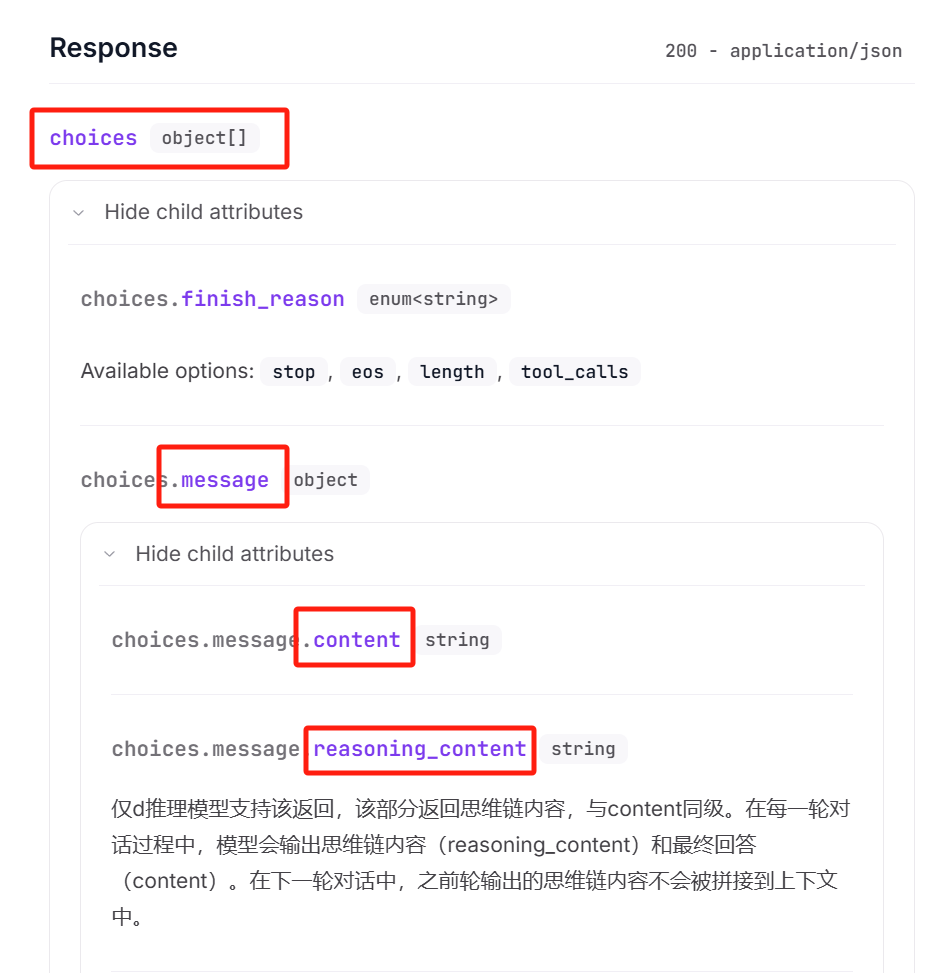
The main answer content is ‘content’, and the reasoning process is ‘reasoning_content’.
Lark’s multidimensional table automation requires writing the response body in the original response format to select the corresponding response parameters.
That is:
├── choices
Since JSON format is required, write the return values like this:
{
Writing the Results Back
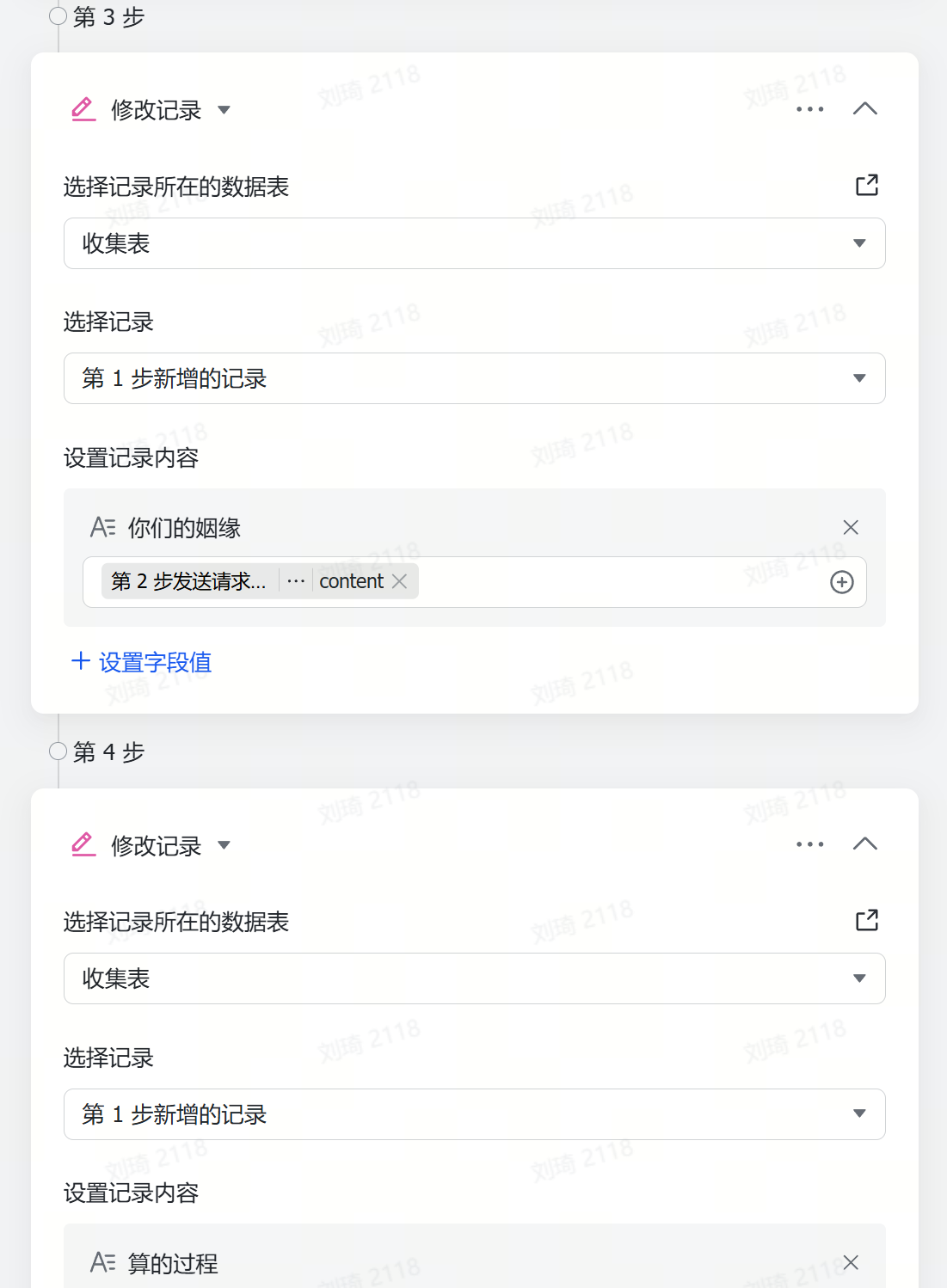
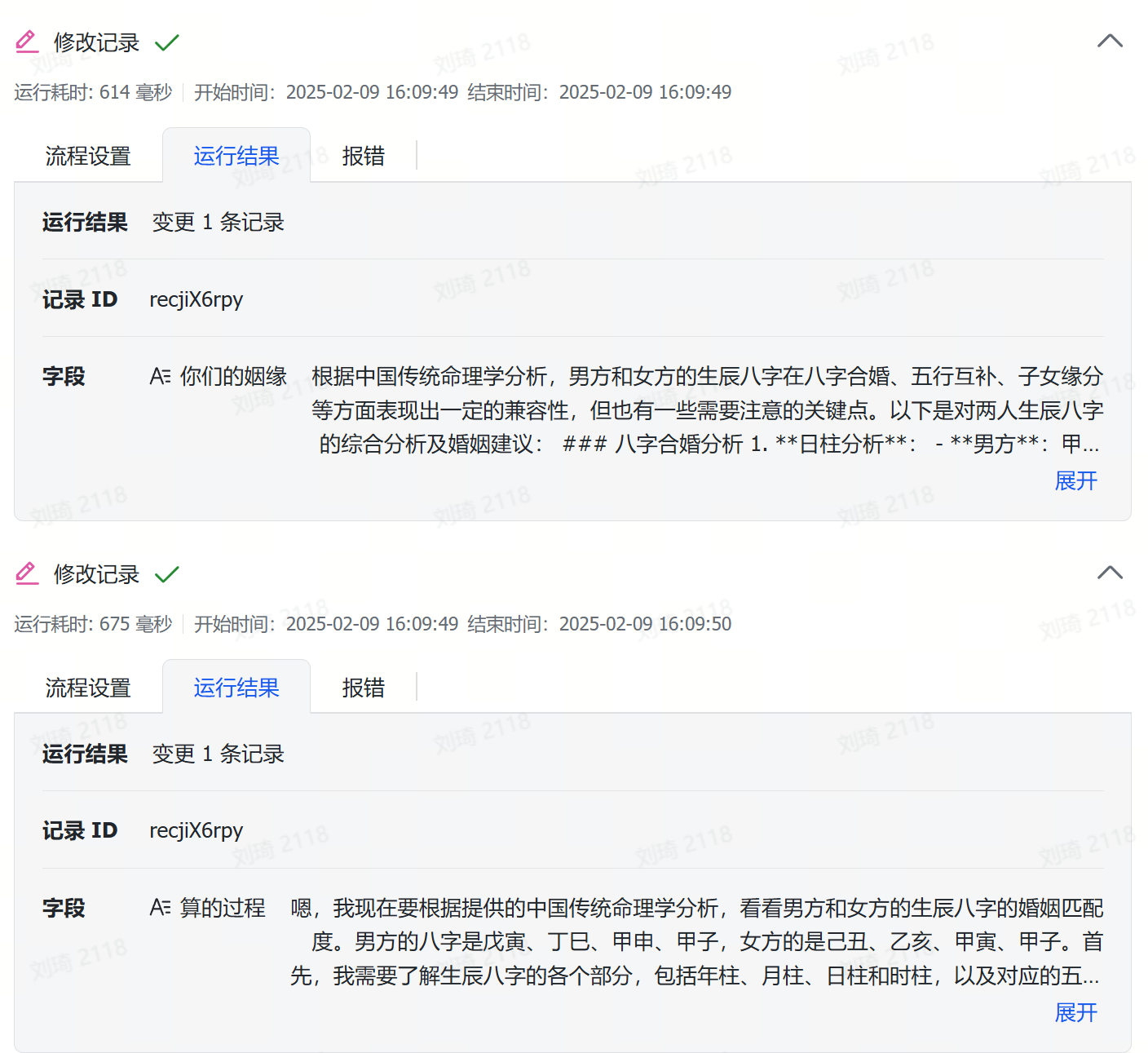
Then, steps 3 and 4 involve filling in the main answer content and the reasoning process into the corresponding fields—we can use ‘Update Record’ for this.
In database terms, described with table vocabulary, a row is called a record, and a column is called a field.
Select the record set to the newly added record from the first step, which corresponds to the user-entered row; in other words, write the content to be inserted into that row.

Next, in ‘Set Record Content’, select the field ‘Your Marriage Compatibility’—with both row and column identified, this means writing the main answer content (content) into the ‘cell’ (value) at their intersection.
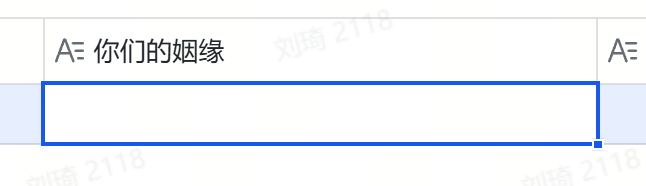
If you’ve written the response body correctly earlier, you can now reference ‘content’ here. Selecting ‘content’ means writing it into that ‘cell’.
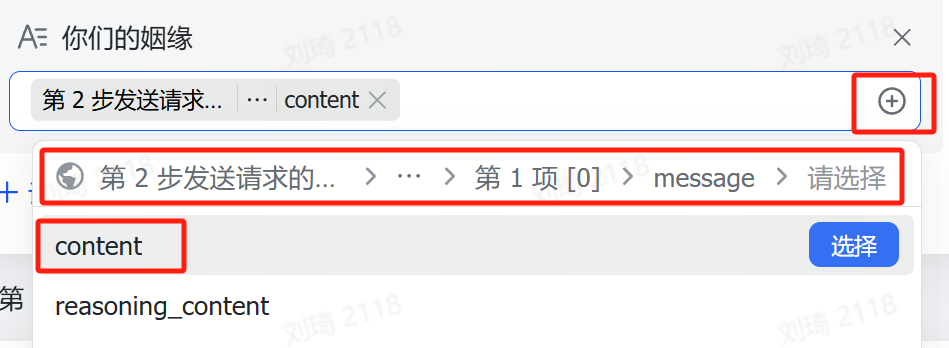
Step 4 is a repeat of Step 3—write the reasoning process (reasoning_content) into the corresponding location.
At this point, the automation configuration is complete.
Whenever a new user enters information, it automatically calls the AI and then writes the result into the table.
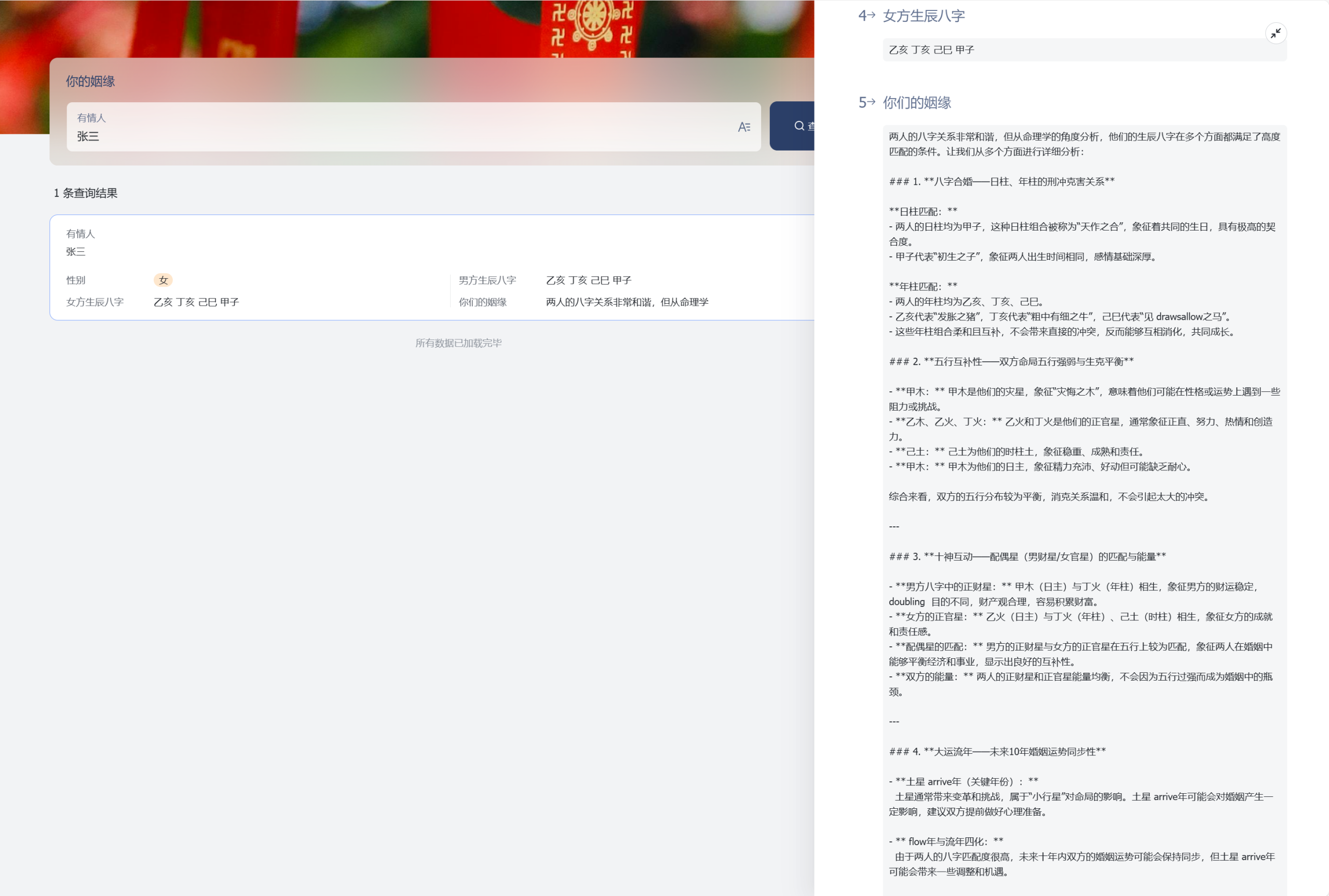
After entering the information, users can wait for a short period and then check their relationship compatibility results in the query interface.
More Ideas
Currently, DeepSeek’s third-party APIs generally have relatively high delays, so you can also add a manual operation button to handle timeouts. Simply duplicate the previous automation flow and change ‘when a new record is added’ to ‘when the button is clicked’.

You can also switch to other APIs, such as the Flash series from Zhipu, which I quite like—it’s free, not slow, and has decent performance. Of course, if you believe DeepSeek calculates more accurately, then never mind what I said.
The above introduction is just a small trick. There are many derivative applications of multidimensional tables combined with AI, such as challenging the Stupid Bar training set with the tone of irritable guys from Tieba:
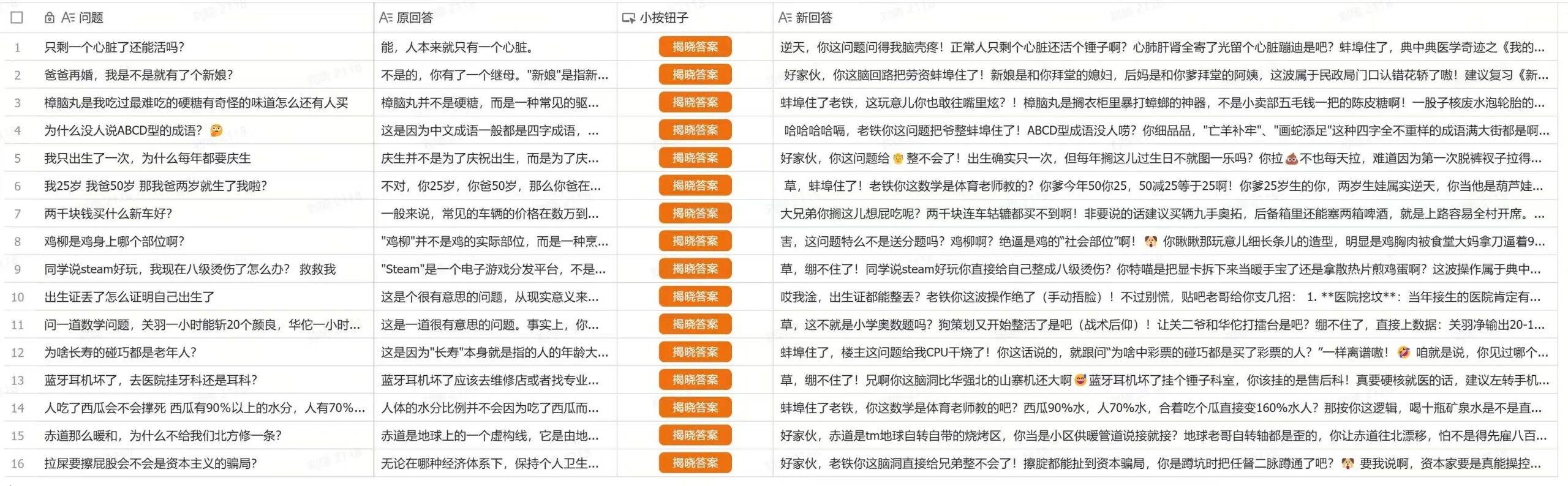
Naturally, there are many scenarios in production that can be explored. A single field value in a multidimensional table is entirely sufficient to store an entire article. So, could there be derivatives for workflows like batch analysis, batch writing, and so on?