This project was actually started a few months ago.
I’ve just completed a major update over the past couple of days, restructuring it for improved stability and fixing issues with duplicate API billing caused by message loss or restarts. Now it’s officially released.
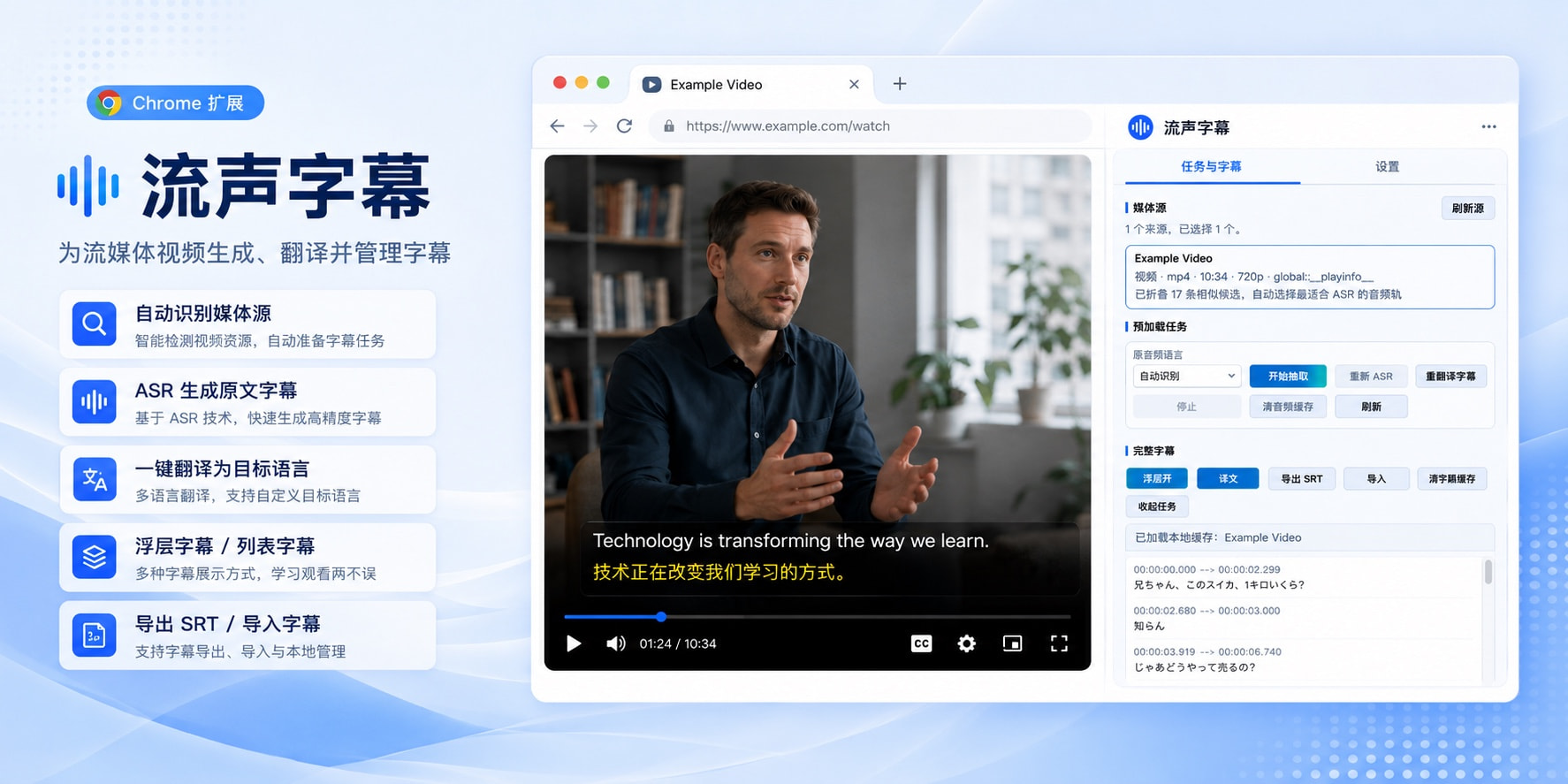
Developed by Vibe Coding, the project is open-source.
The browser media sniffing is derived from Cat Catch, audio processing uses Webffmpeg, and subtitle processing references implementations from projects like WhisperX, Speaches, faster-whisper, stable-ts. Thanks to the above projects.
The source code repository is here:
https://github.com/Liu-Bot24/liusheng-subtitles
You can also install it directly from the Chrome Web Store:
https://chromewebstore.google.com/detail/ipcmkanhjahdpnacnjabkmlhggekkegm
The functionality of this project is as the title states: Automatically generate subtitles for streaming videos that lack them.
A heads-up is necessary: Liusheng Subtitles supports most common web videos you encounter while browsing, but it does not support videos protected by DRM or specific platform policies, such as typical Netflix and YouTube videos. However, videos on YouTube mostly come with auto-generated subtitles, so there’s little need for ASR there. Transcribing and then translating might be less convenient than directly using plugins like Immersive Translate.
This product takes the form of a browser extension, allowing you to initiate subtitle generation directly on the page where the video is playing, without needing to open a separate third-party app, which is very convenient. Simultaneously, the entire subtitle generation process is a pre-processing pipeline: it first extracts the audio, then performs recognition and translation, and finally overlays the subtitles back onto the player. Therefore, the overall latency and experience are close to native. Moreover, because it’s pre-processed, this solution is generally significantly cheaper than directly integrating live translation models.
When you’re browsing the web and come across a foreign language video without subtitles, you can use this extension.
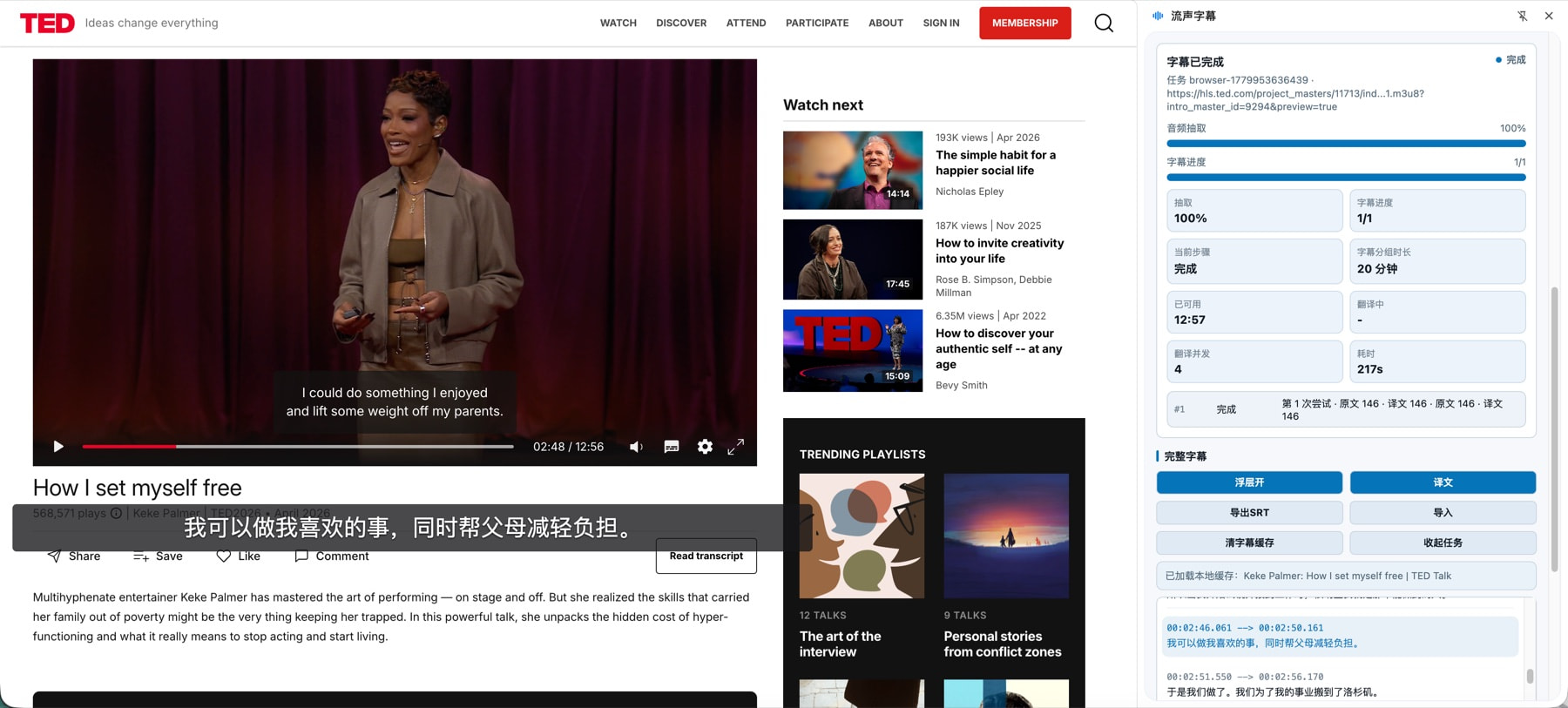
In most cases, the extension can automatically select the correct duration and appropriate bitrate audio, extract it via webffmpeg, and perform ASR recognition. If the automatic selection fails in个别个别 (specific) cases, a manual media source selection function is retained.
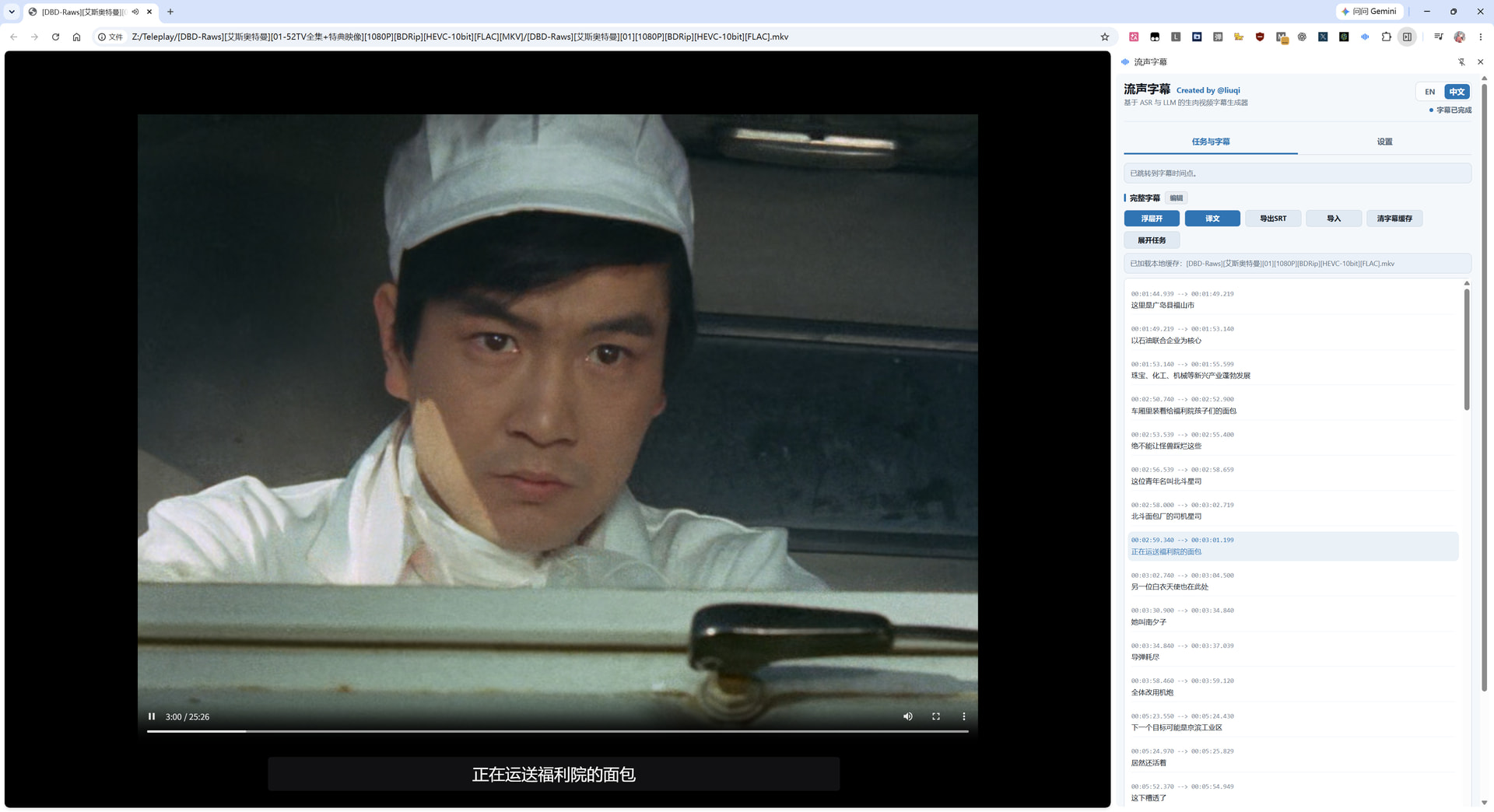
After ASR recognition, it calls your pre-configured LLM to translate into the specified target language. The subtitle overlay window can display the original text, translation, or both. Simultaneously, the sidebar on the right can display the complete subtitle list.
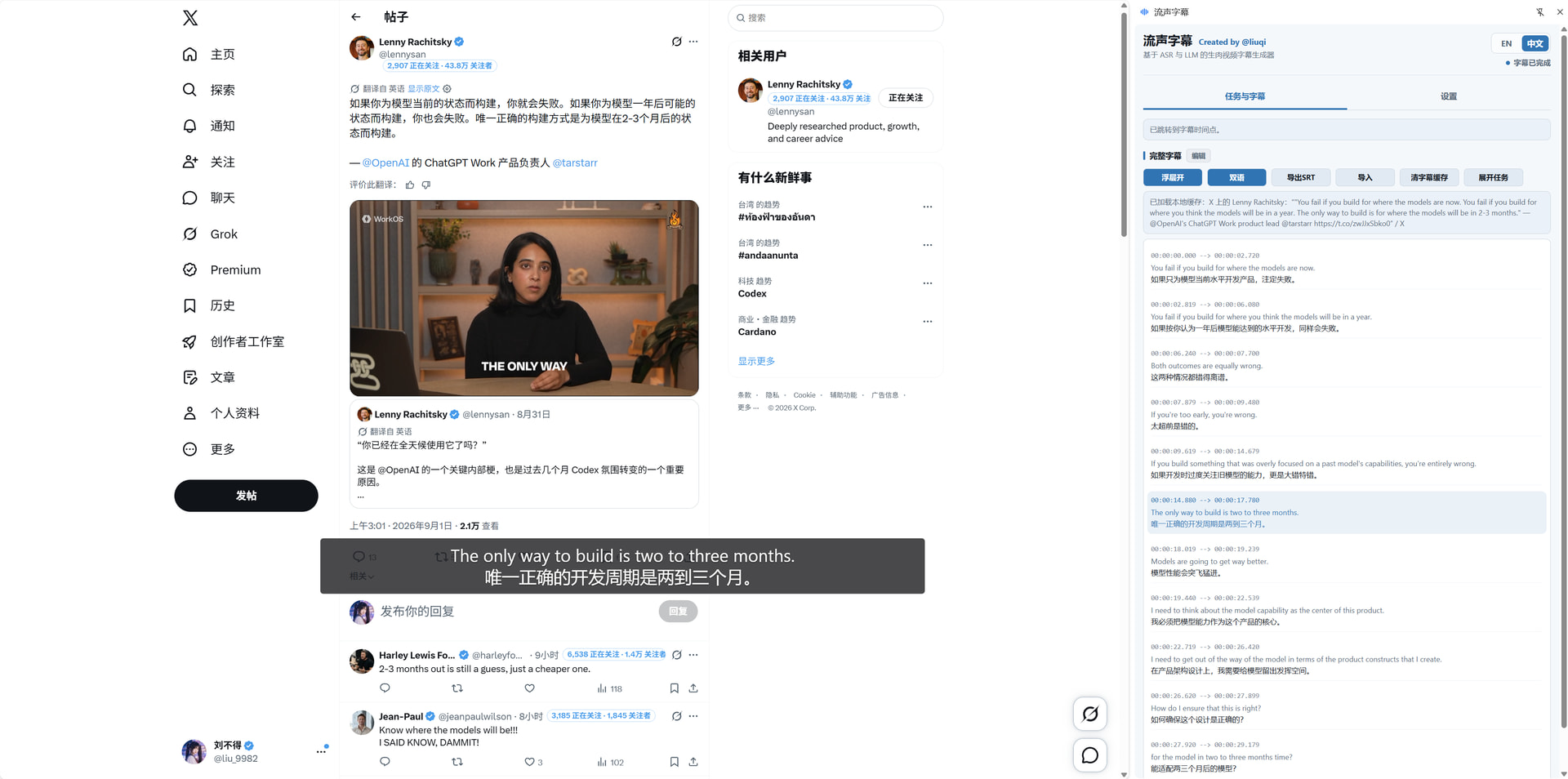
You can double-click items in the sidebar subtitle list to jump to that point. After subtitles are fully generated, they can also be manually edited, and SRT export is supported.

If you prefer to use only the overlay window, that’s fine too; the sidebar can be closed.
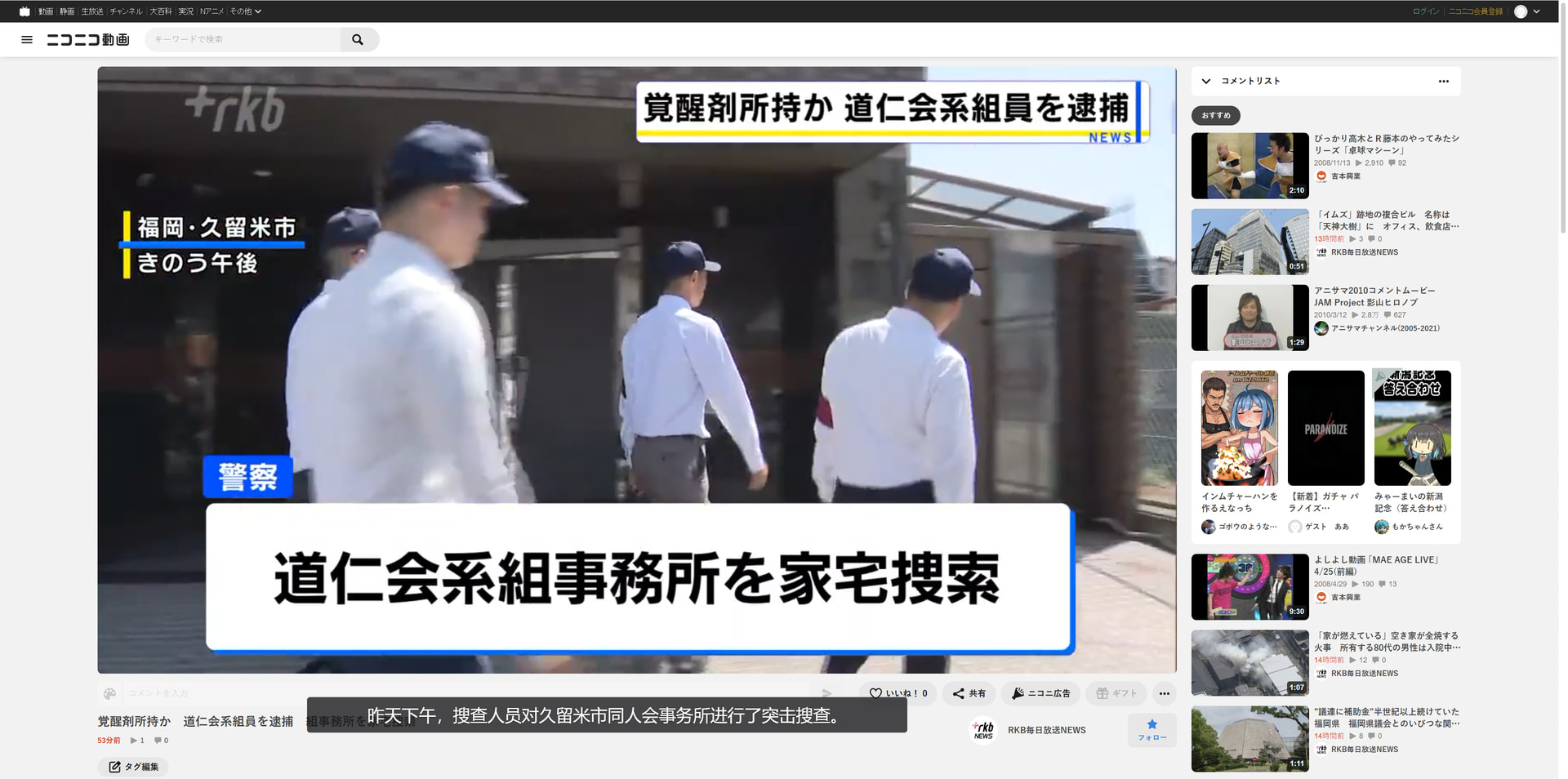
The extension itself does not provide model access services, so the ASR model and LLM need to be configured by the user.
ASR models support the Whisper series and FunASR. LLMs support OpenAI and Anthropic-compatible formats.
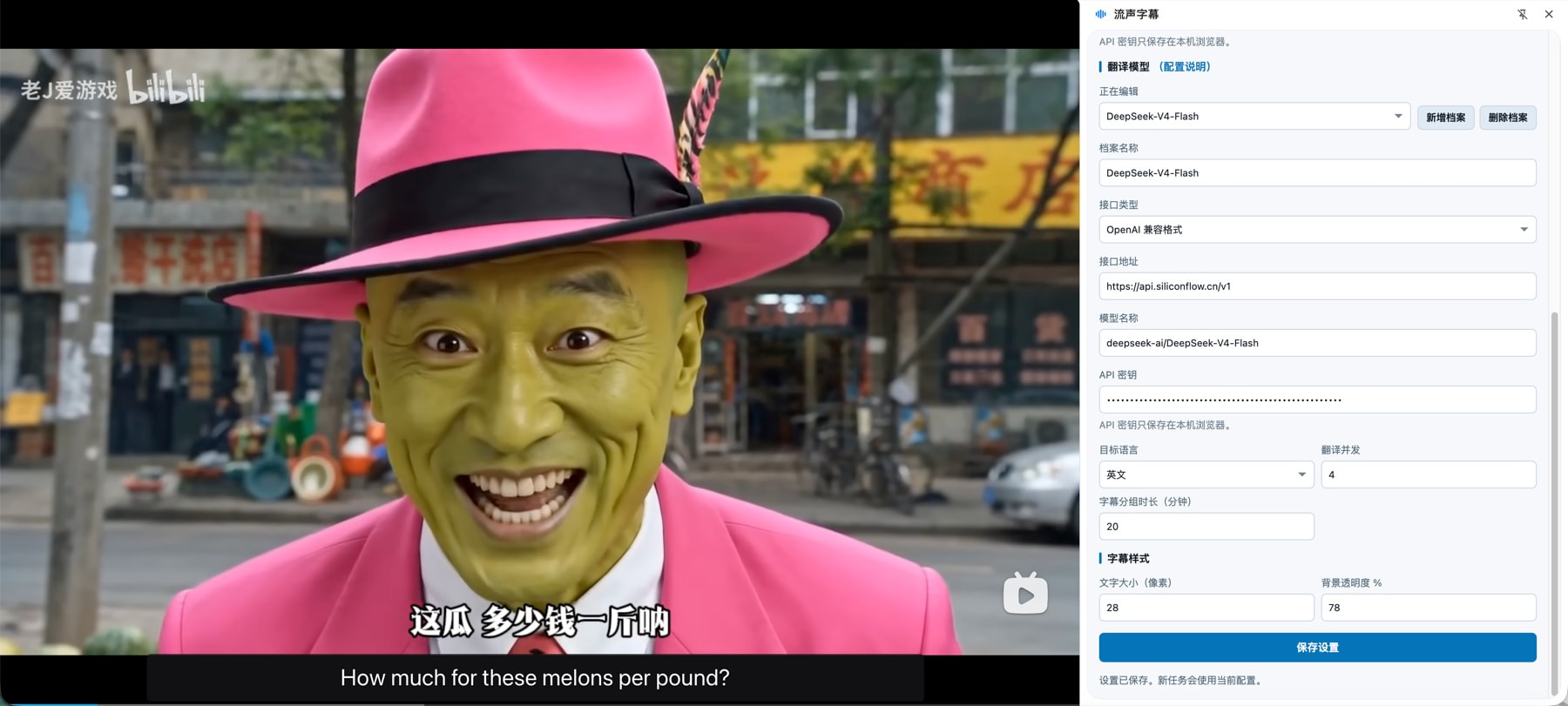
For my own use, I generally deploy Speaches ASR locally via Docker, using the model Systran/faster-whisper-large-v3.
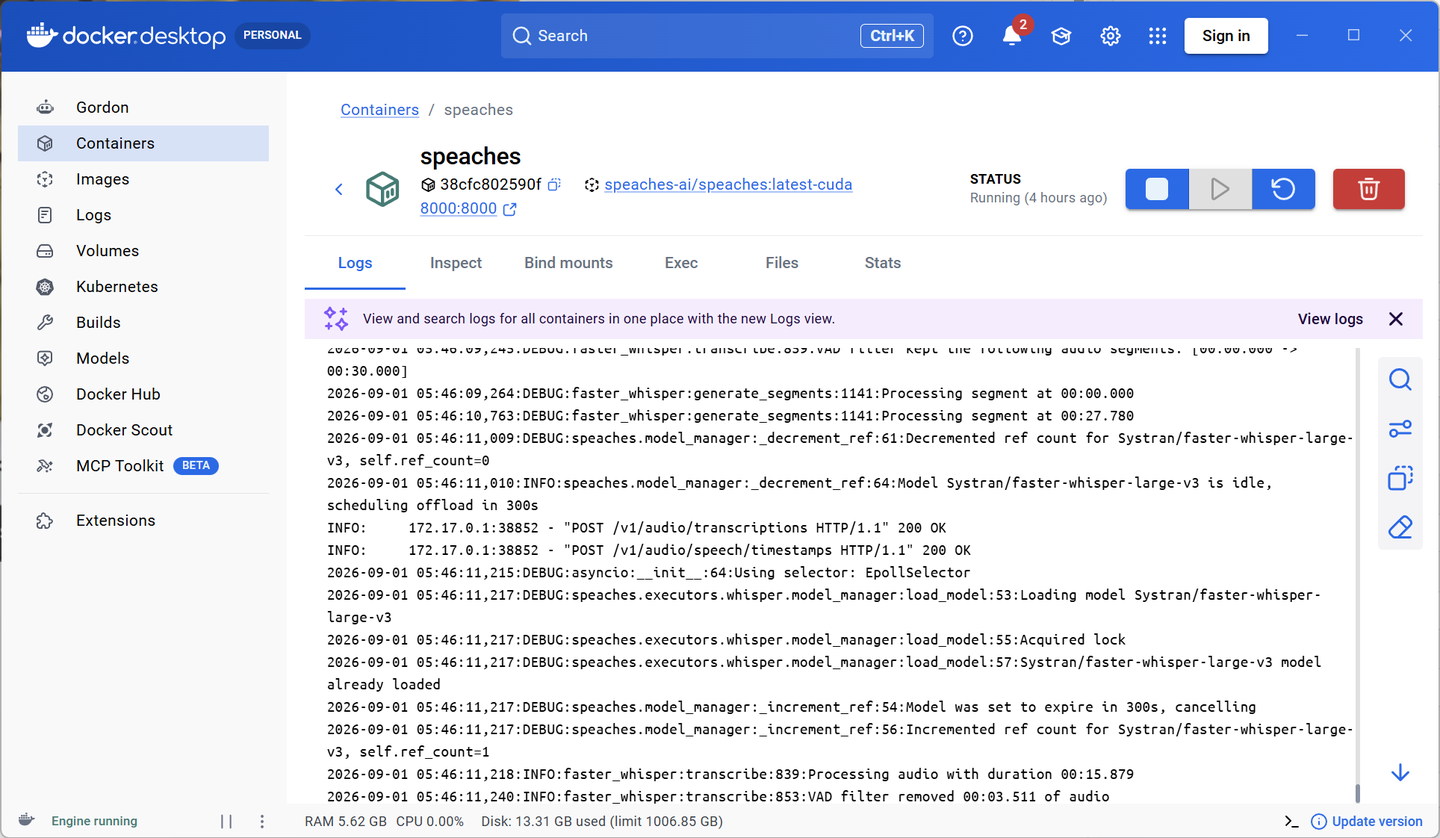
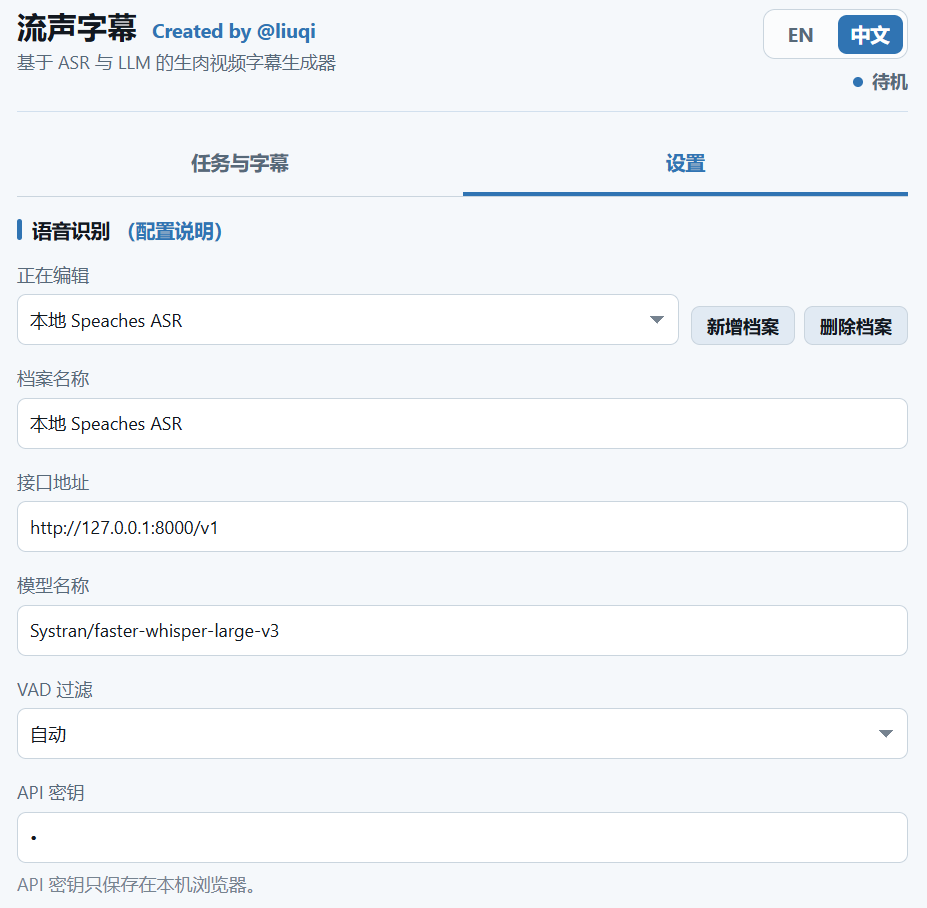
If you don’t want to deploy locally, you can also use Groq’s Whisper, which offers relatively good cost-performance.
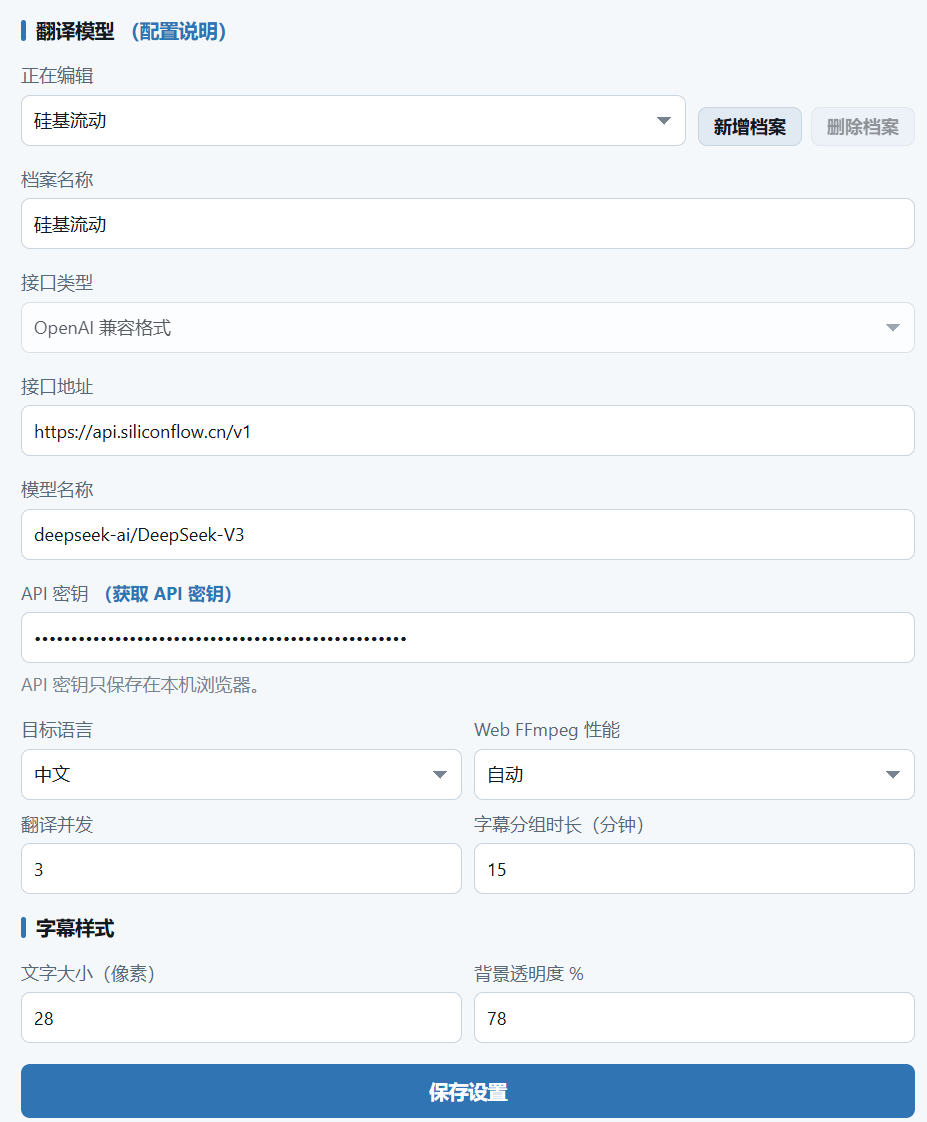
For translation models, generally using cheaper older models like Deepseek V3 is sufficient, and even models with lower parameters are often fine. The free credits from platforms like Silicon Flow can last a long time.
If you want a completely free option, local deployment is also possible. Since it’s not real-time translation, waiting a bit longer for the translation to complete before watching doesn’t affect the viewing experience.
VAD filtering can generally be left on automatic. It will auto-enable for supported cases to reduce hallucinations in silent segments. If low-volume whispers in a video aren’t being recognized, you can manually turn it off.
It also supports generating subtitles for local videos, simply by dragging the local video into the browser to play it.
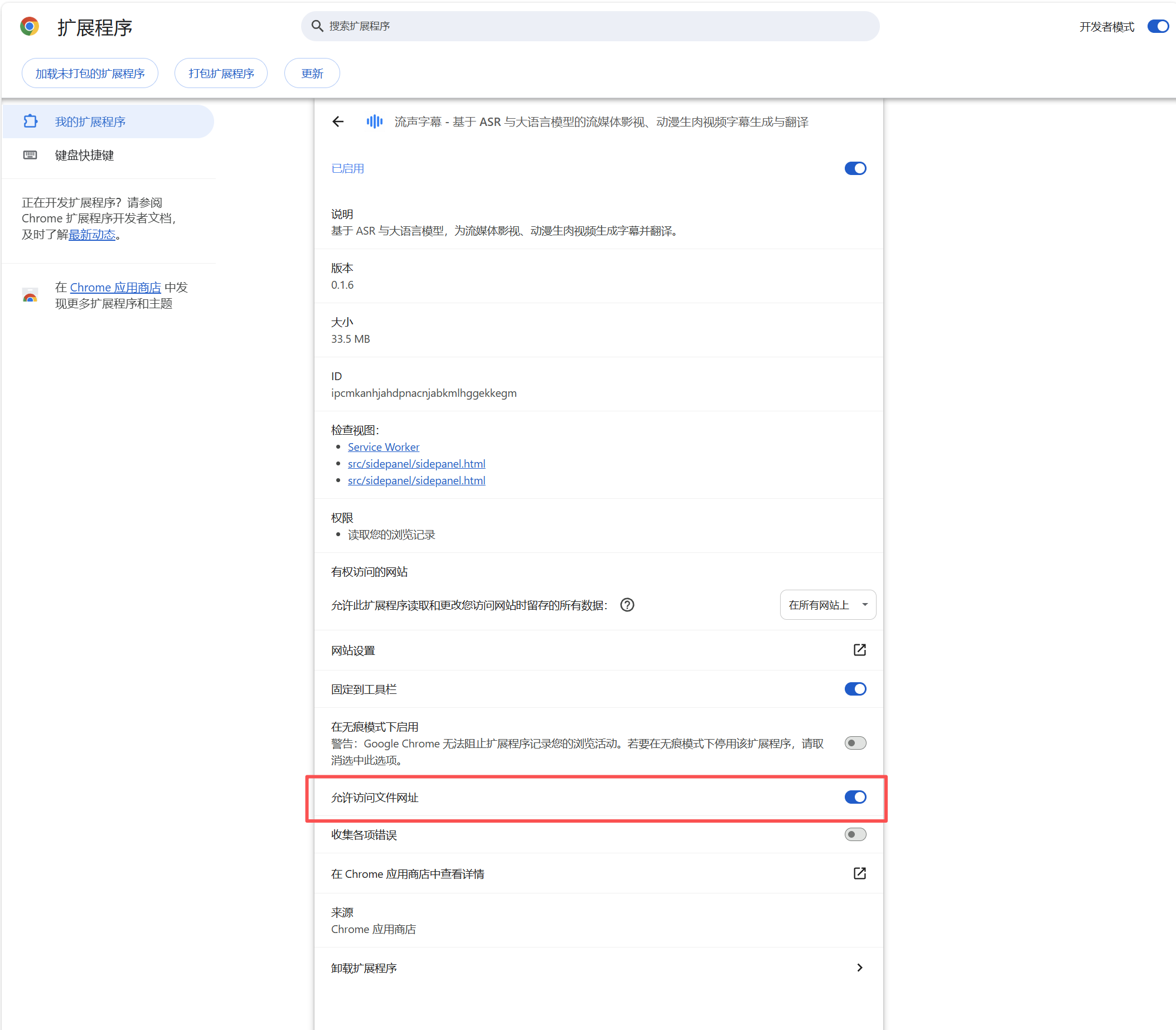
It’s just slightly more cumbersome: you need to go into the extension details and manually enable “Allow access to file URLs.”
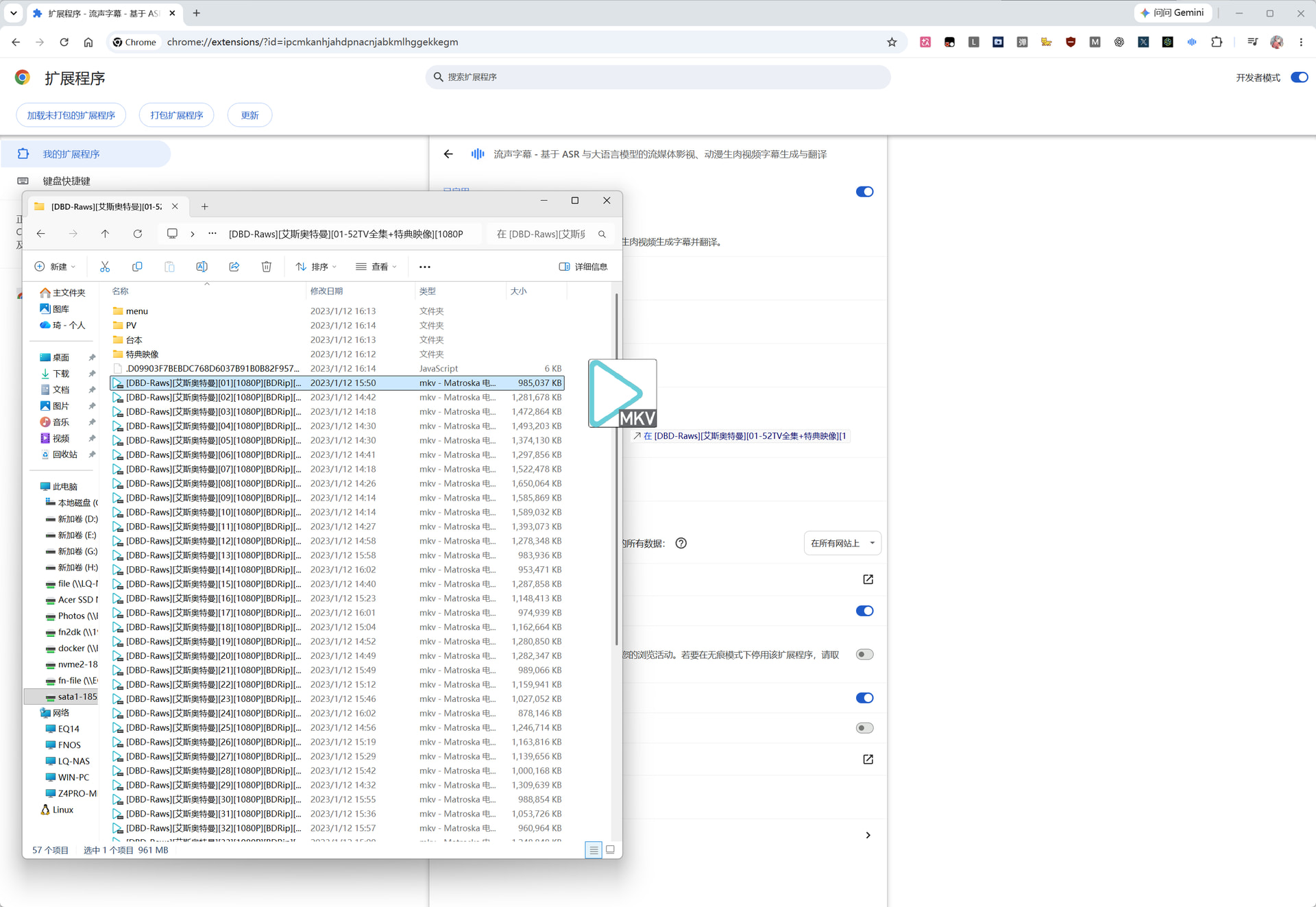
Then manually drag the video into the browser to open it.
After that, use it step by step as usual.
However, it’s原则上 (in principle) recommended for临时 (temporary/occasional) use because there are actually more and simpler local solutions available. Moreover, you can use the full-fledged ffmpeg without performance limitations, and directly using an AI Agent for processing might be more convenient. If you truly need to batch process local files, the interface might反而 (conversely) seem redundant. This is also why I didn’t create a desktop version and chose the browser extension form factor instead.
That’s all.
Welcome everyone to try it out, use it, modify it, and give it a Star.