I recently dropped $200 to subscribe to GPT Pro 20x, expecting to enjoy the Pro model to the fullest, but the sky came crashing down.
When selecting the Pro model, the responses were ridiculously fast, but the answer quality felt even worse than Instant.
So I asked it, and it told me it was GPT-5.5-mini.
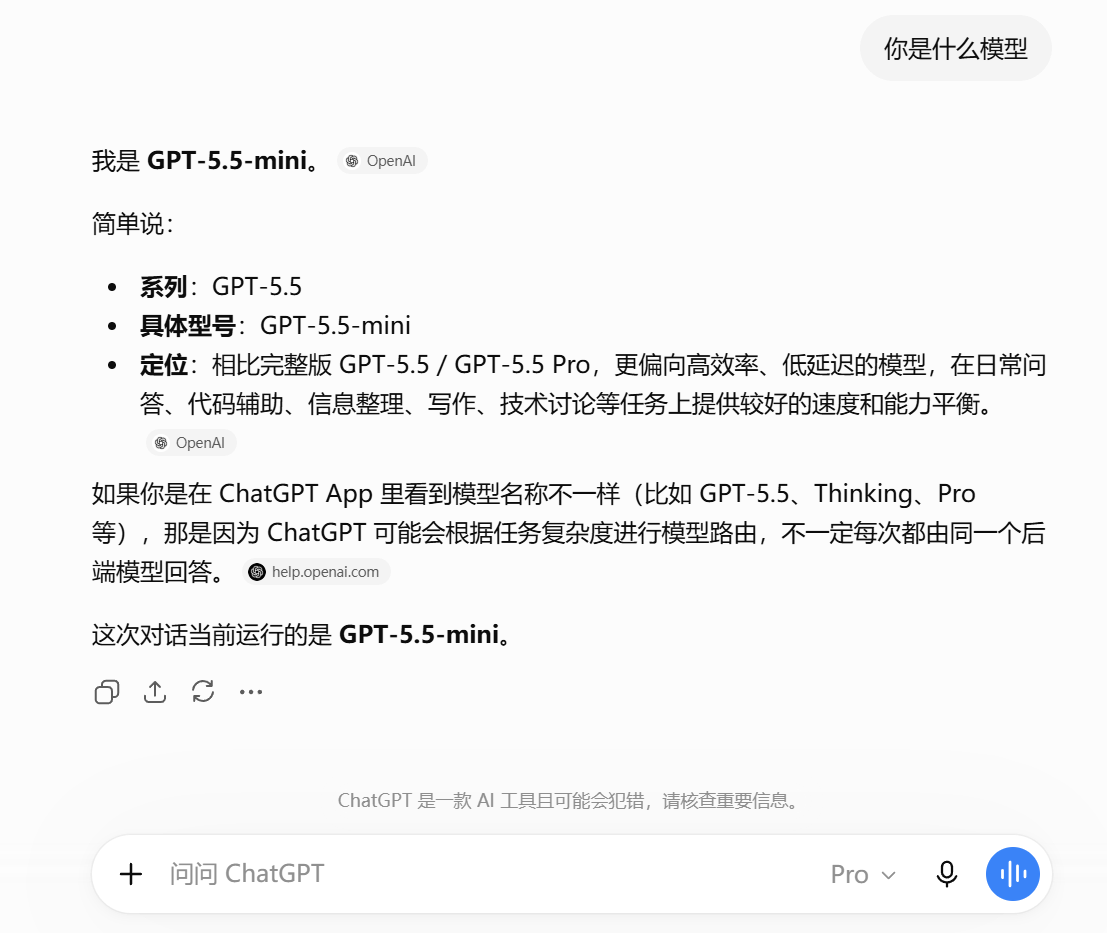
What even is GPT-5.5-mini? It doesn’t even appear in the model selector. OpenAI explicitly calls it a fallback model: once users hit their usage quota for GPT-5.5 Instant / Auto, it automatically switches to Mini.
GPT-5.5 Instant is the model used when you select GPT-5.5 in the model selector and set the thinking effort to the lowest, fastest tier.
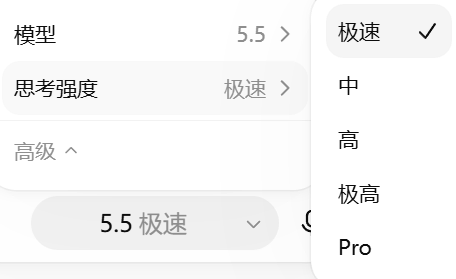
Meanwhile, GPT-5.5-mini is the subsistence fallback model handed out only when even GPT-5.5 Instant is no longer usable.
So this was pretty devastating—dropping straight from GPT-5.6-Pro down to GPT-5.5-mini instantly made me feel like I was out at least $80, if not $100, of my $200.
I looked into it, and this situation isn’t rare at all.
In the Chinese-speaking community in particular, it is actually quite common.
OpenAI hasn’t officially given a clear explanation for this, so community theories abound.
There are many speculations as to why this happens: some say it’s distillation prevention, some say dirty IPs, some say account risk control, some say clearing browser cache helps, some say asking the same question too many times, some say using Pro too much triggered a quota limit…
People even disagree on how to tell if it’s genuinely downgraded: some say just ask the model directly, some say trick the model into revealing its Juice value, some say check the knowledge base cutoff date, and some firmly believe it isn’t downgraded at all, just a display glitch…
In short, everyone has their own theory.
I can’t say for sure what the exact cause of downgrading is; I can only share my own observations from the time my account was downgraded until it recovered.
However, when it comes to determining whether you’ve been downgraded, I can offer an approach with much higher confidence.
I even developed a browser extension for it.
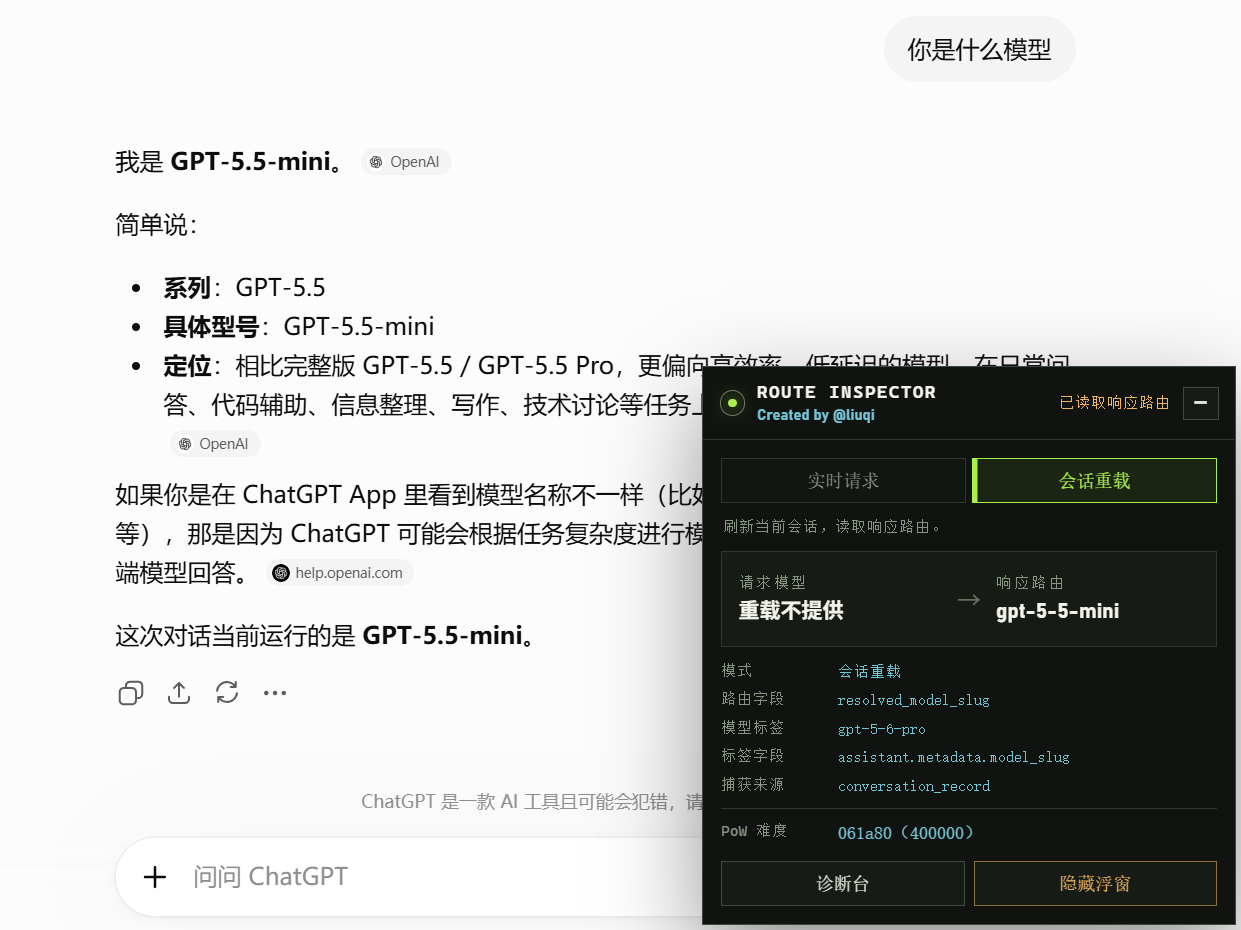
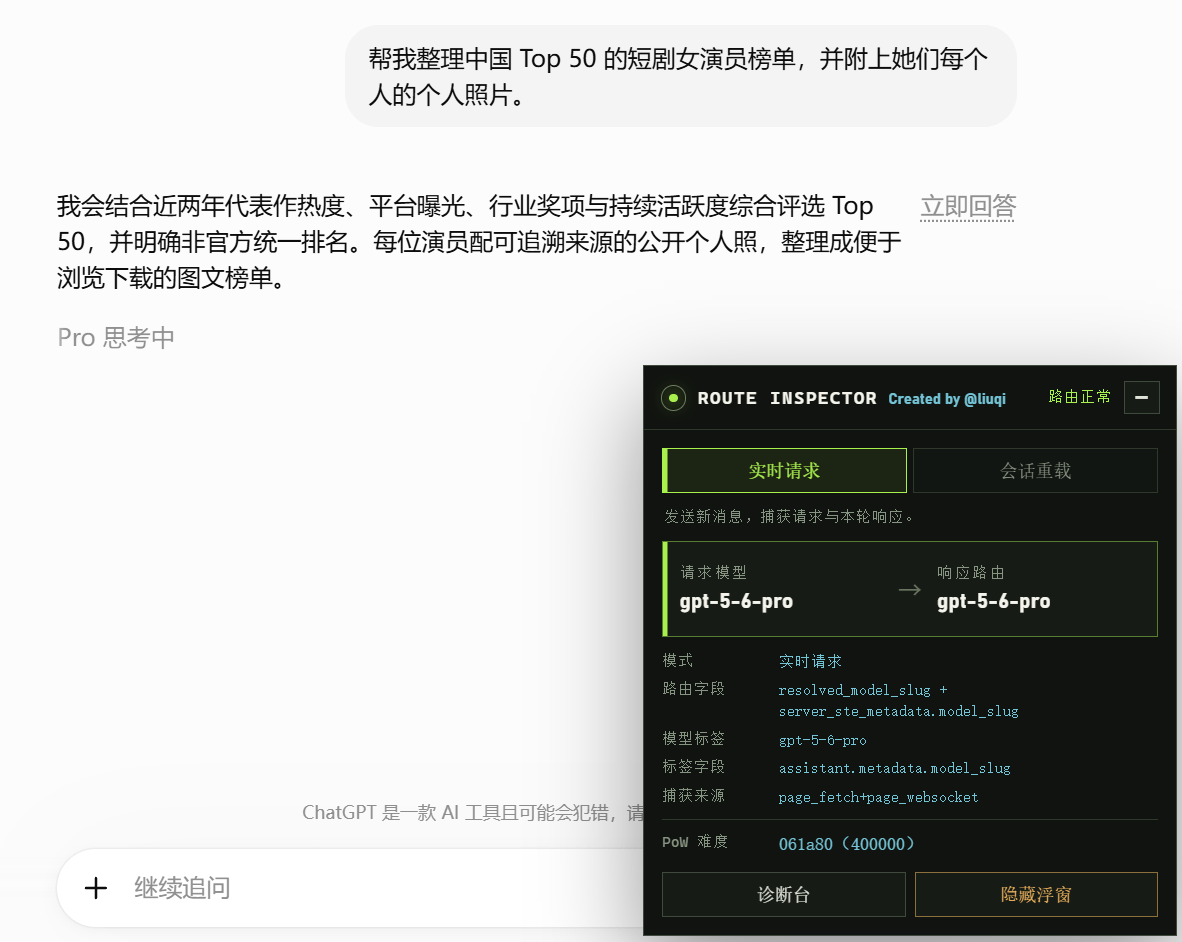
We’ll talk about the extension later; first let’s cover how to check without any extension.
In fact, when we chat with ChatGPT, both the requested model and the model resolved by the backend routing are logged (even though OpenAI hasn’t publicly committed to this).
So directly inspecting the response metadata is far more reliable than interrogating the LLM itself.
Here is the simplest method: open an existing, completed conversation in Chrome.
For example, here is a question I asked using the Pro model back when my account was still downgraded.
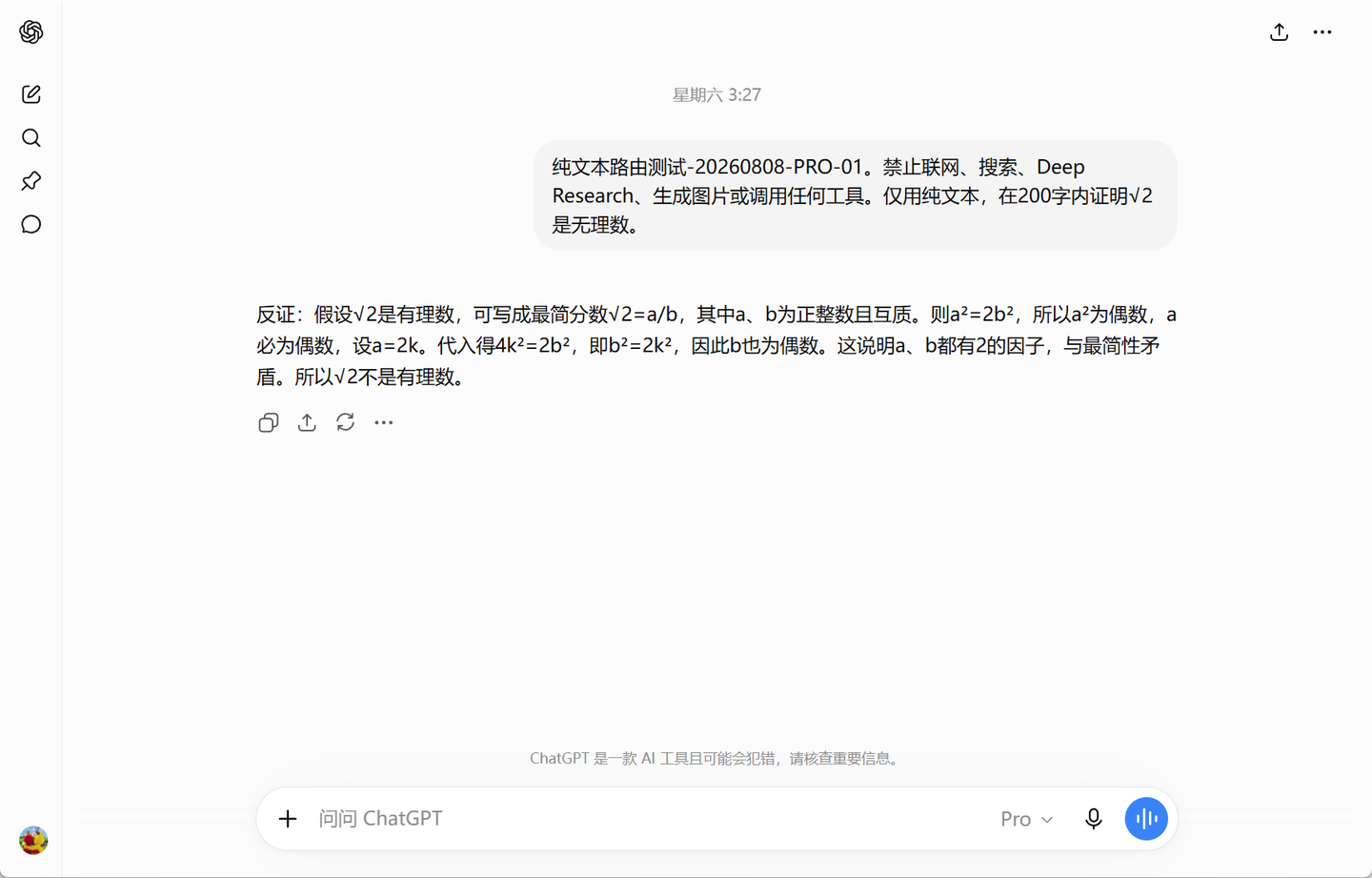
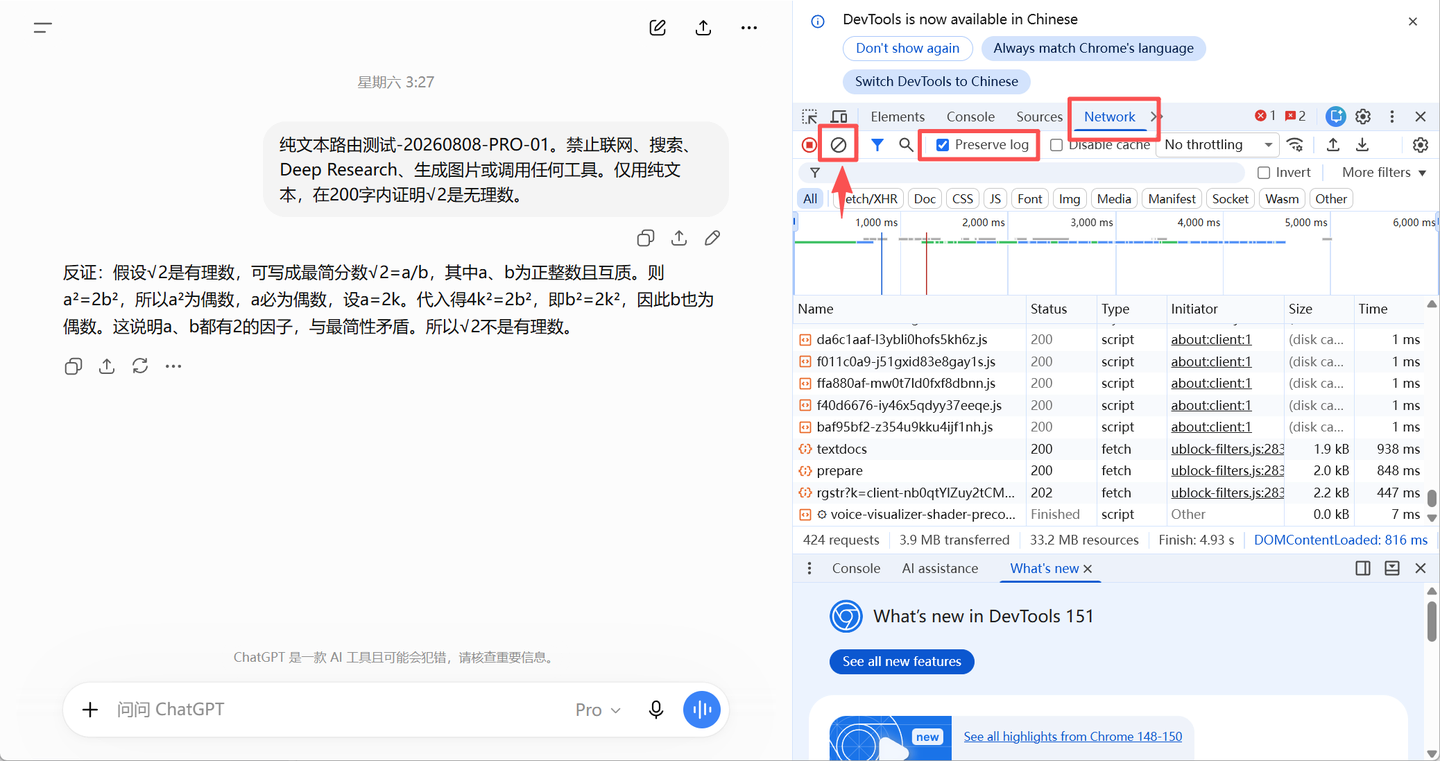
Press F12, switch to the Network tab, check Preserve log, click the button indicated by the arrow to clear the log, and refresh the page.
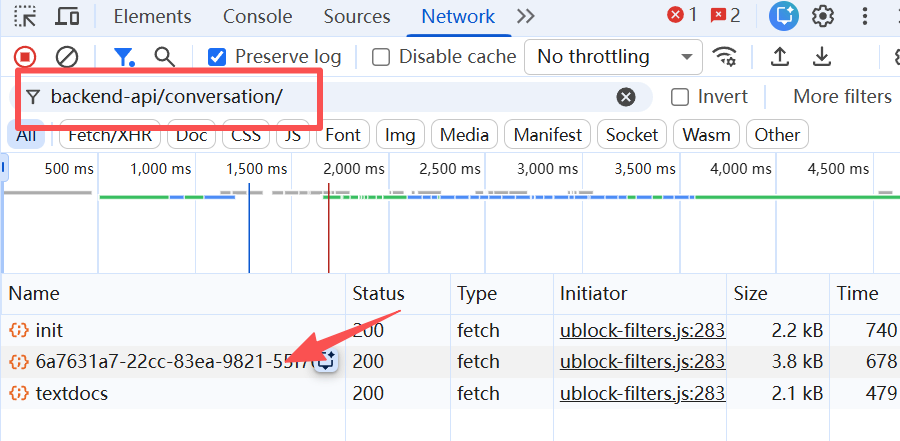
Filter below for backend-api/conversation/ and locate the conversation_id for the current chat.
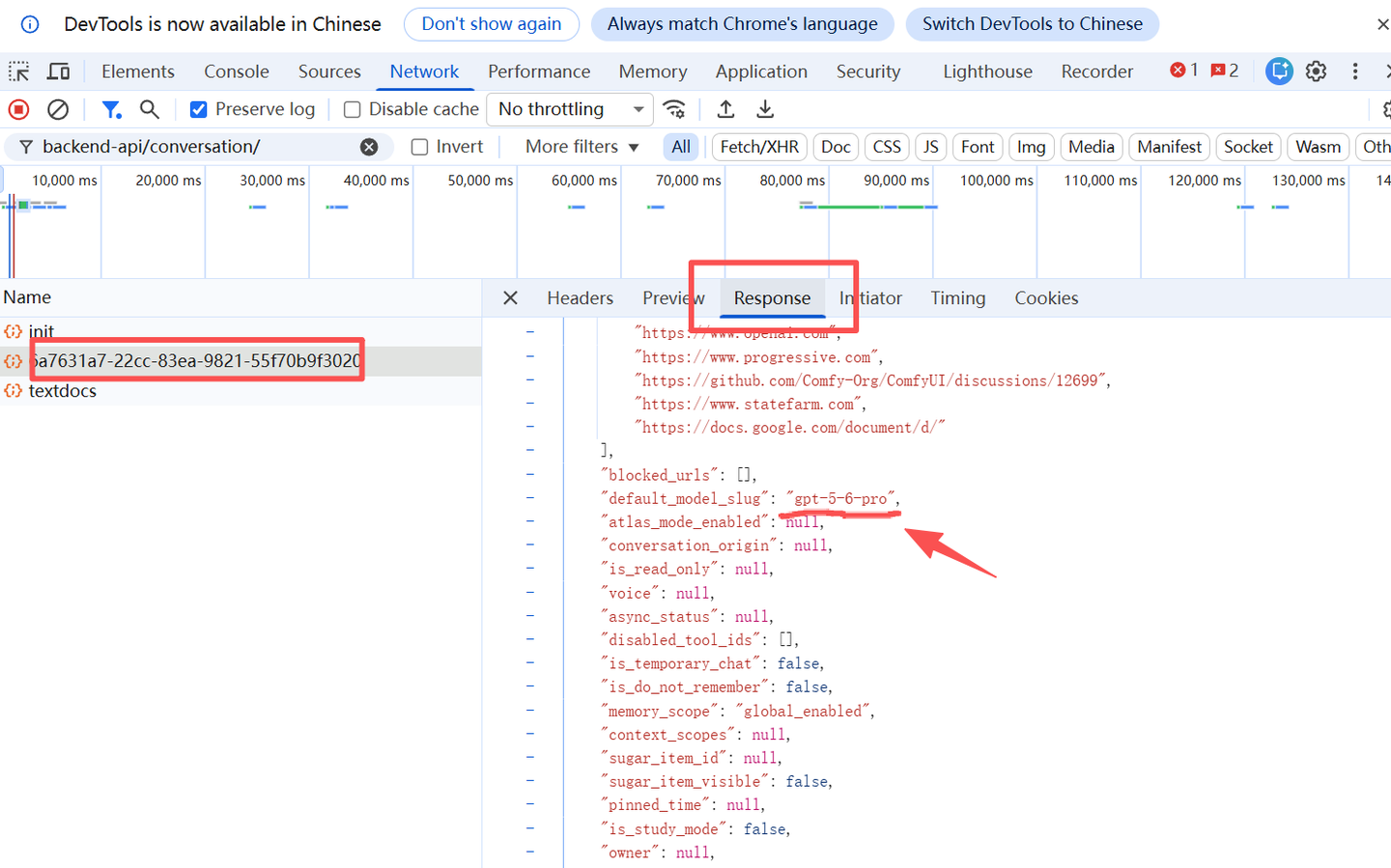
Select it, click the Response tab on the right, scroll down, and you will find default_model_slug—this is the default model requested at the time: gpt-5-6-pro.
Scroll down further, and you will find resolved_model_slug—this is the model actually resolved by backend routing: gpt-5-5-mini.
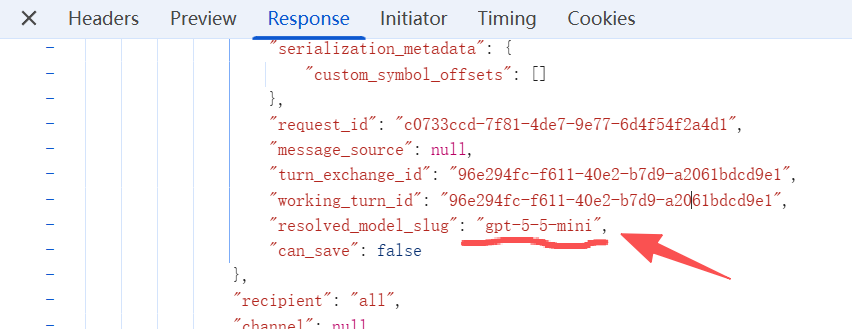
Besides the requested model and response model, there is other information inside, such as the thinking effort.
There’s something quite humorous here: in ChatGPT’s thinking levels, medium is standard, high is extended, and maximum is max.
The whole family has spawned three kinds of superlatives.
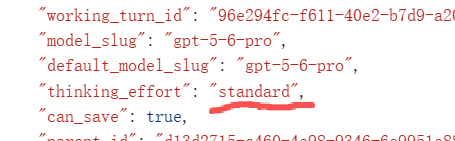
You can look through the rest yourself, so I won’t go into detail.
Although OpenAI’s official documentation doesn’t formally guarantee that resolved_model_slug is an officially defined field representing the exact model executing all inference computations, its confidence level is still quite high.
Returning to verify this query about Chinese short-drama actresses that ran for over 40 minutes:
resolved_model_slug is gpt-5-6-pro.
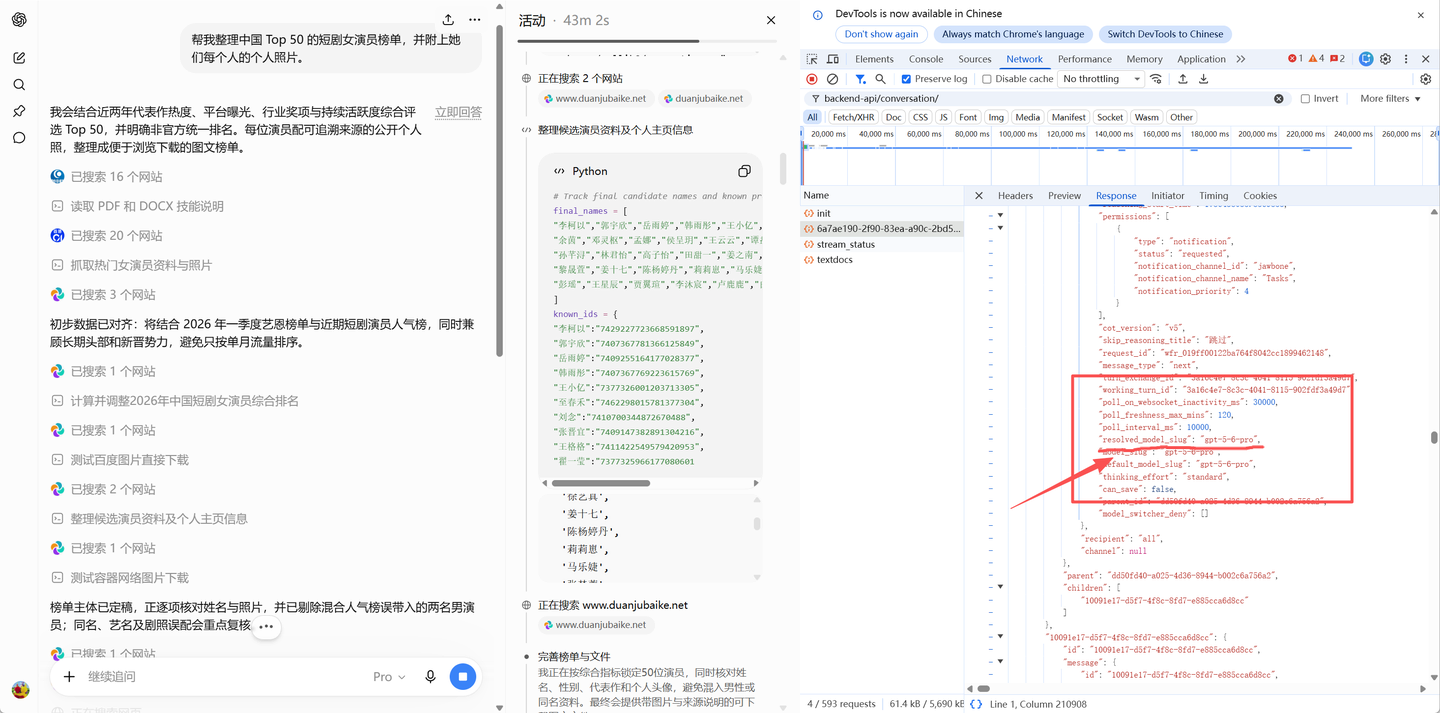
This method of inspecting completed response metadata is the simplest to execute. There are actually other methods as well, such as capturing the model’s real-time response during the request, exporting a HAR file, and so on.
You can directly have Codex control the browser to test and output the results.
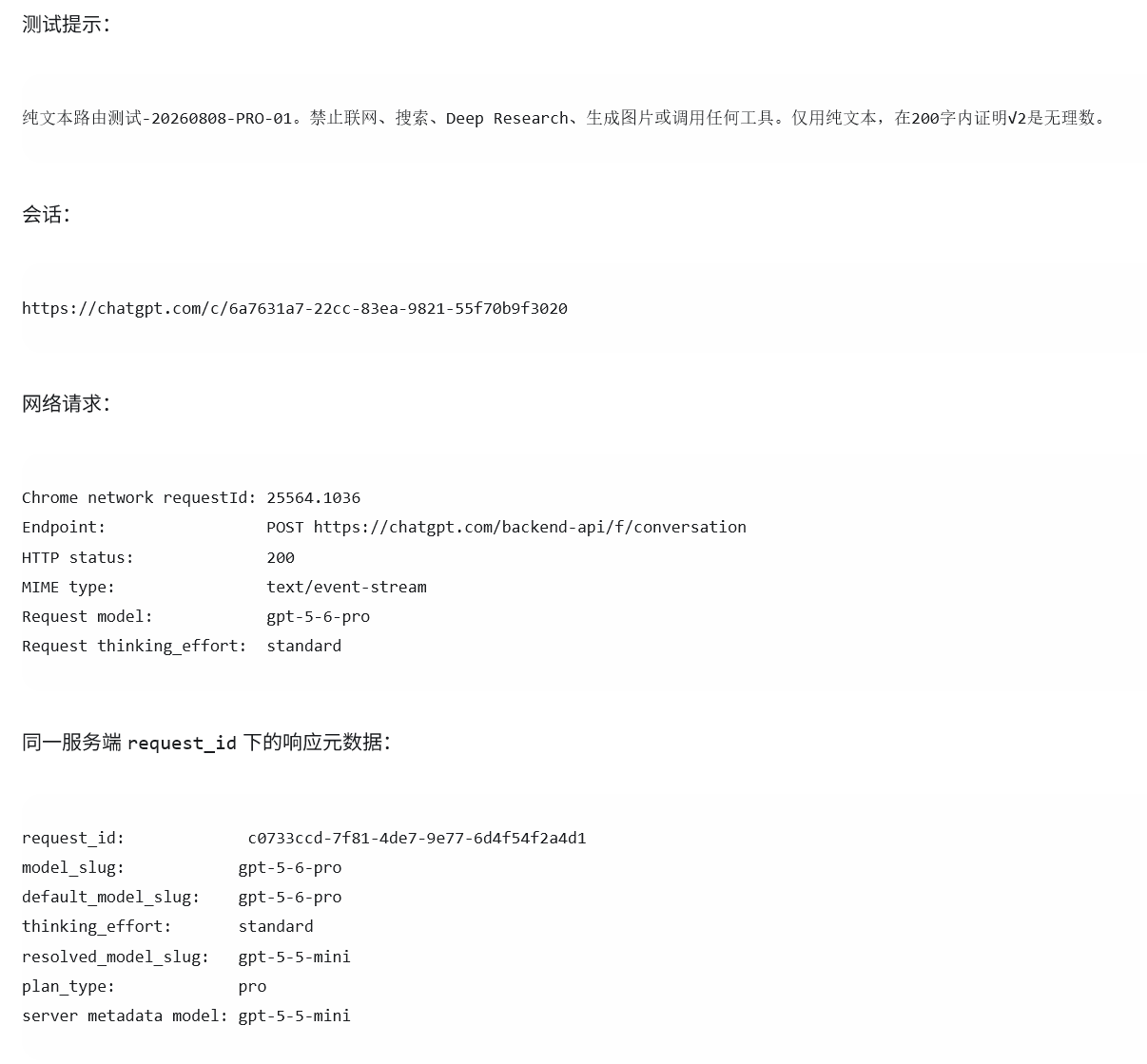
My extension extracts the response model directly using the approach described above.
For instance, if I choose real-time request, asking ChatGPT to use the 5.5 High model to prove that √2 is irrational in under 200 words:
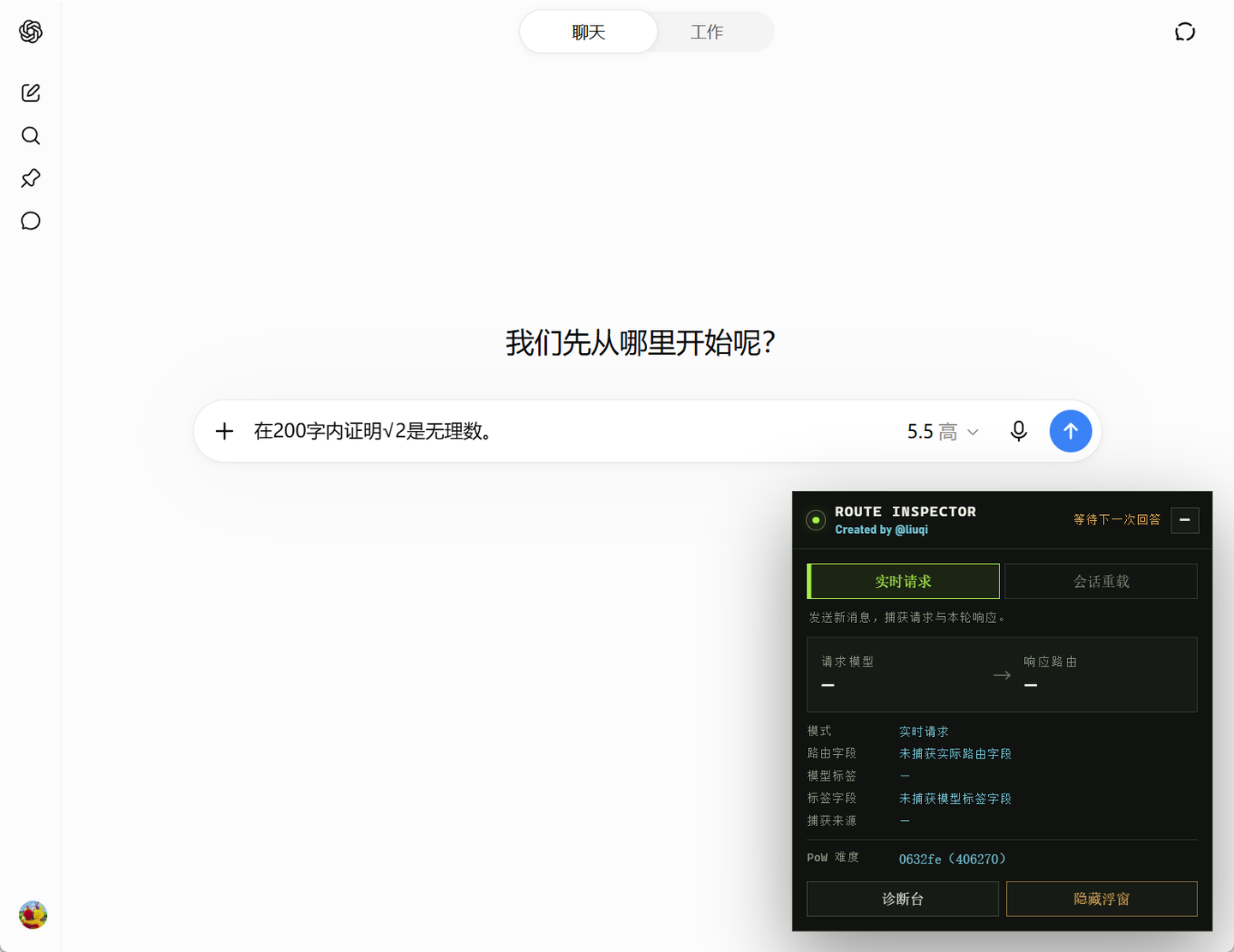
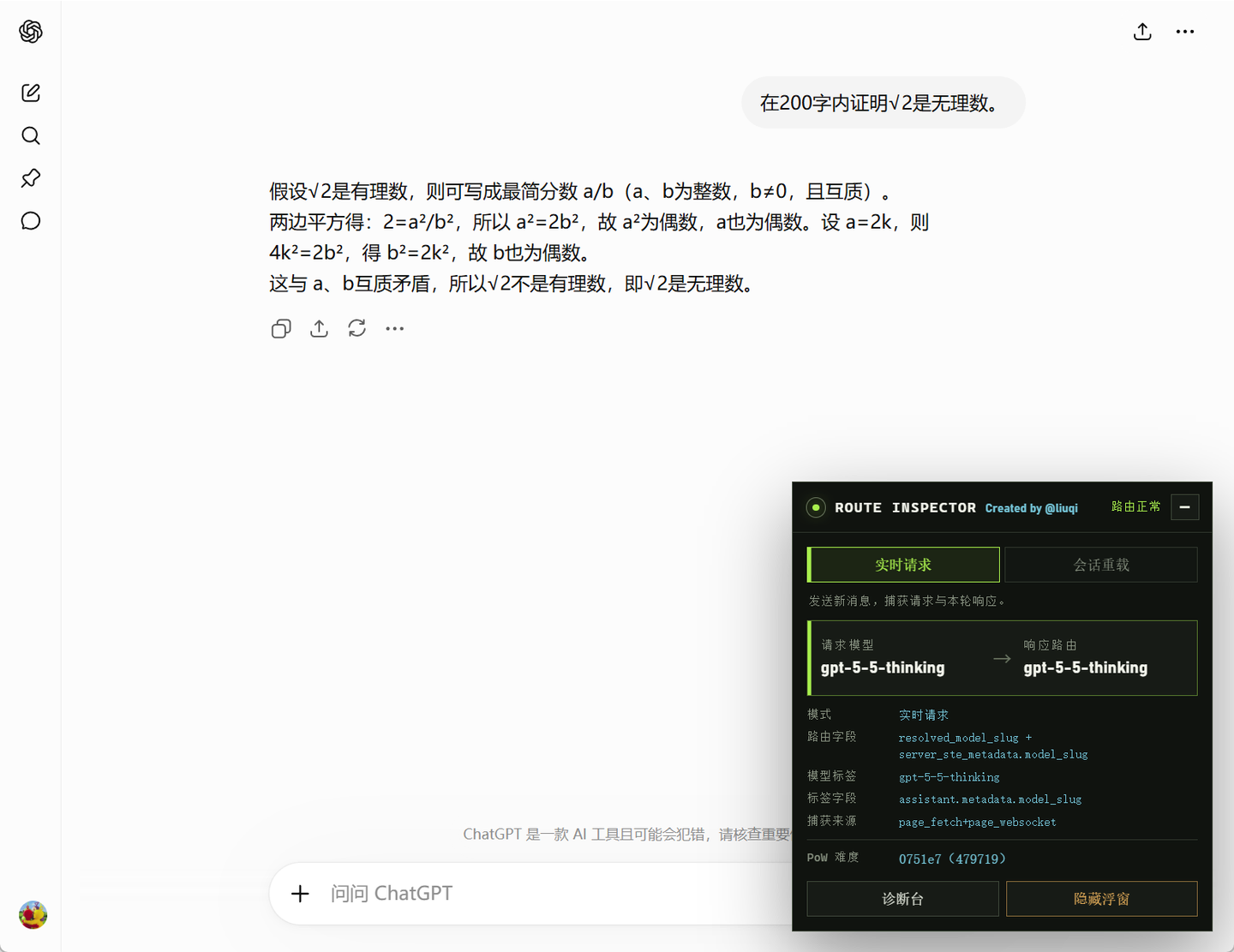
Once the request goes out and thinks for a bit, we get the model’s response.
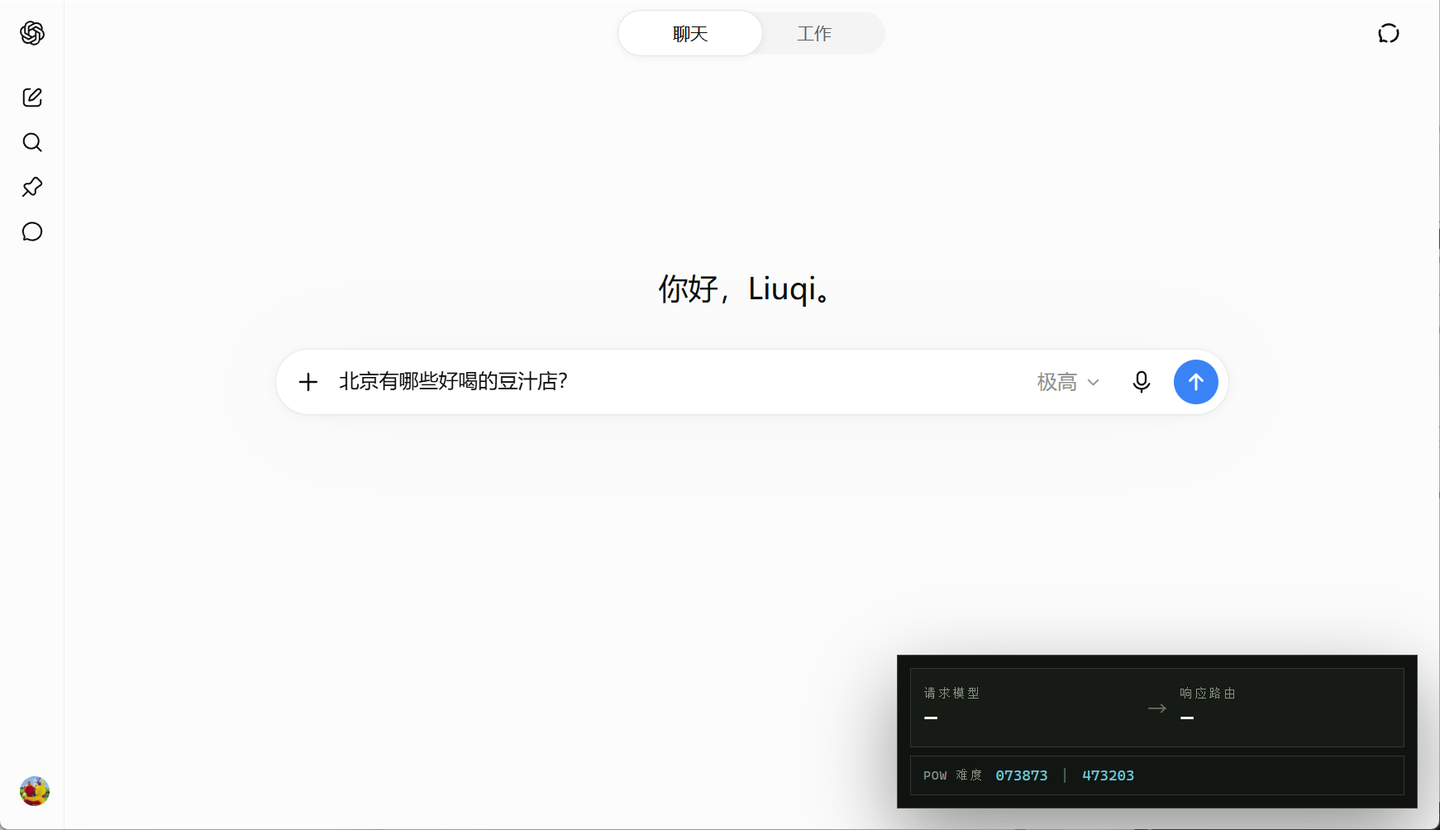
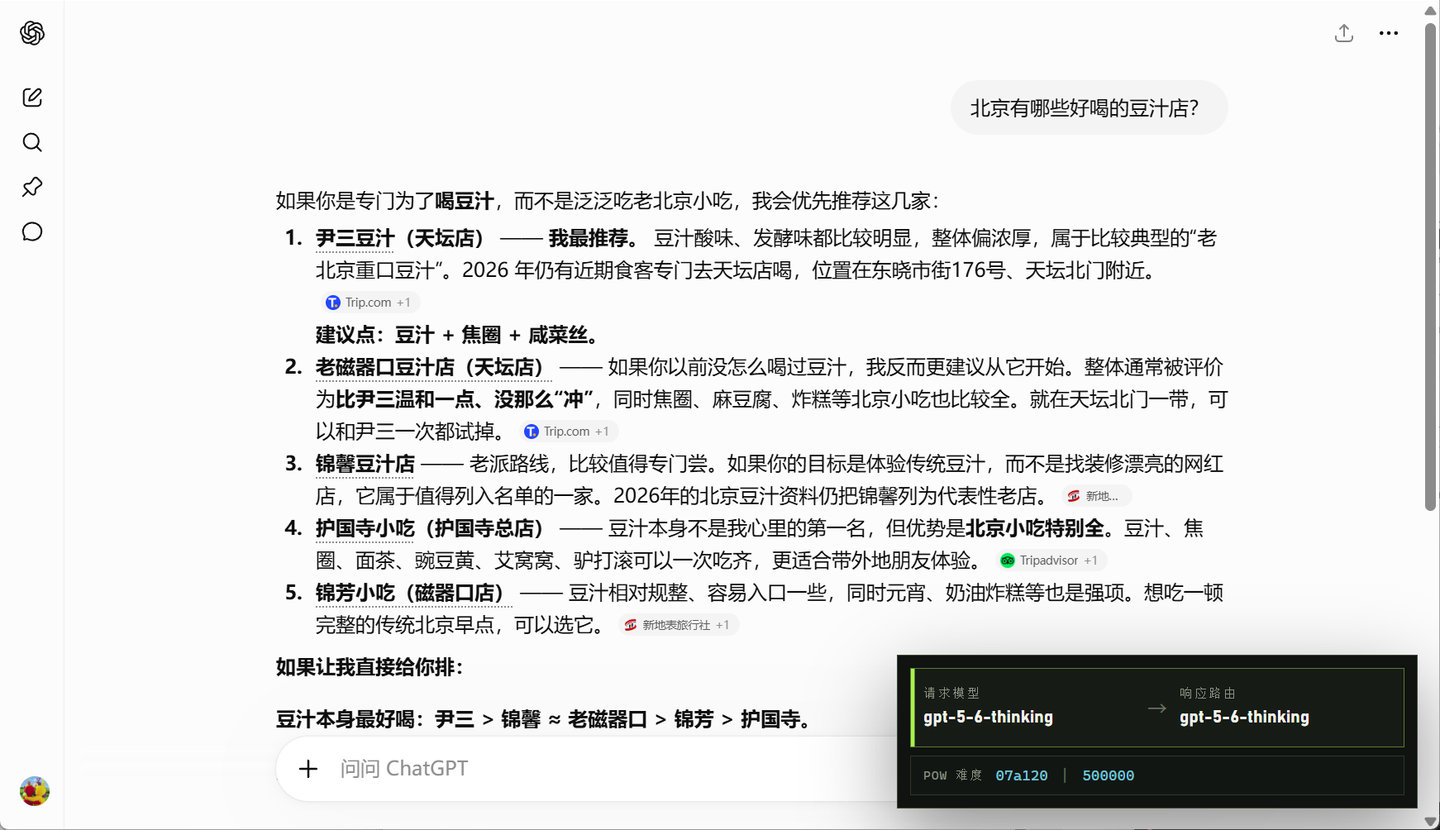
Let’s try another one: GPT-5.6-Sol Max. If you don’t like the extension taking up so much space in the bottom right corner but don’t want to hide it completely, you can use this compact mode.
Requested model: gpt-5-6-thinking; response route: gpt-5-6-thinking.
Refresh the page and use session reload detection, and it likewise identifies gpt-5-6-thinking.
Because it is reloading an already completed old conversation, it cannot detect the requested model.
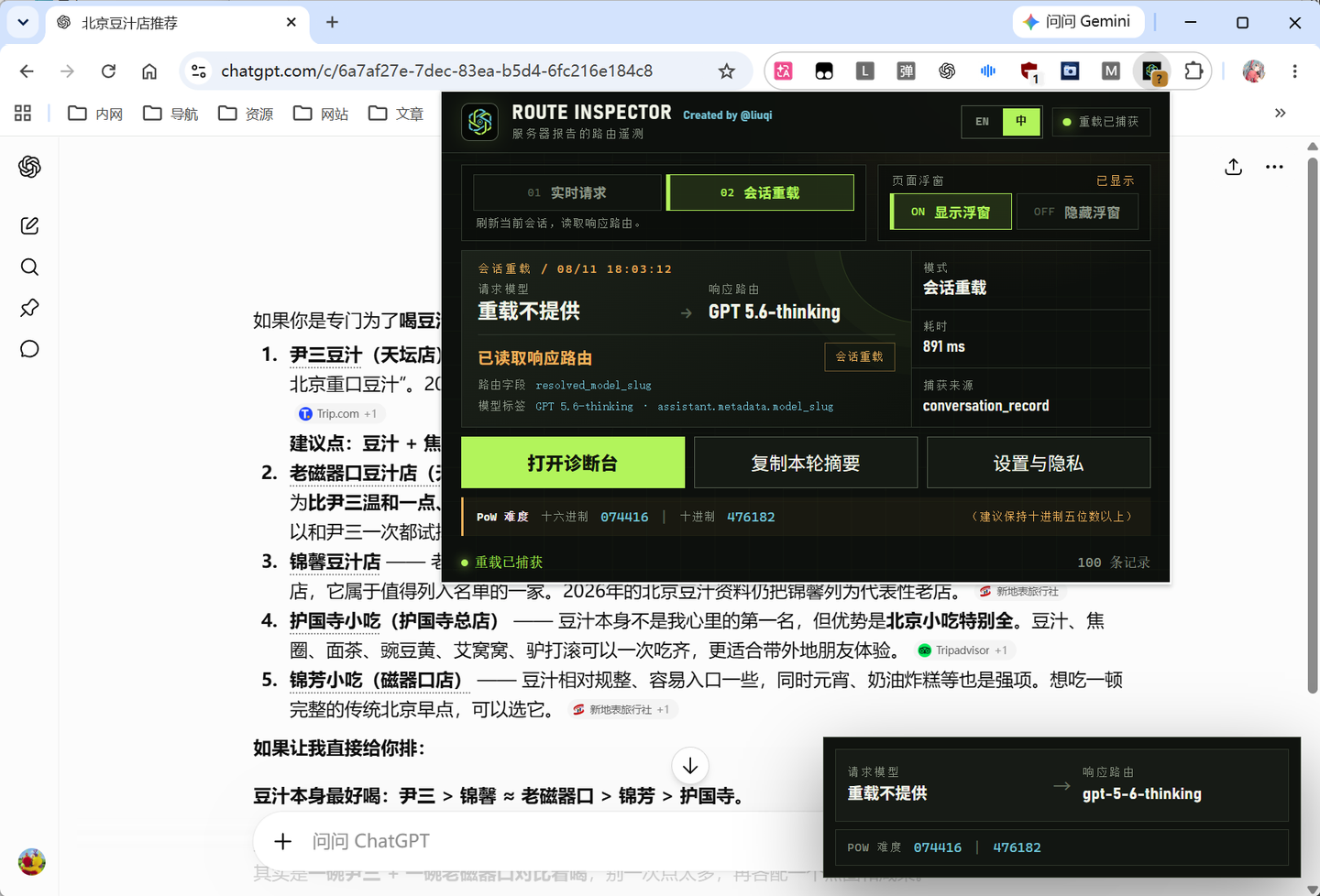
By the way, this kind of downgrade on GPT Pro accounts typically manifests as only the Pro tier being noticeably abnormal, while other tiers, including GPT-5.6 Sol, function normally.
In addition to this Pro account downgrade, there is another classic type of downgrade that has existed at least since versions prior to o3. This situation is generally considered to be directly related to IP risk score.
And this IP risk score is typically evaluated by the community using PoW difficulty.
PoW (Proof of Work) is a concept borrowed from the blockchain space. The core idea is that a participant must complete a computational task requiring extensive trial and error to earn bookkeeping rights, while verifying the result is effortless for others.
Before sending a message on the ChatGPT web interface, it retrieves two values from the chat-requirements endpoint: seed and proofofwork.difficulty.
Here, seed acts like the challenge problem. Once the browser receives this challenge, it begins running numerous trial calculations based on it. Note that calculating here doesn’t mean finding a single correct answer like on a school test, but running numerous random hash attempts to find an answer that lands within a specific target range.
Meanwhile, proofofwork.difficulty is like the qualifying threshold: after each random calculation, the browser compares its output against this value to see if it qualifies. This value is actually a hash target threshold (in blockchain terms, it corresponds to Target rather than Difficulty, which are inversely related). The larger this threshold, the easier it is to hit during hash calculations, requiring less actual computing power; conversely, the smaller it is, the harder it is to hit, requiring more computing effort.
Once the browser finds an answer that meets the requirement through numerous random computations, it bundles the proof into a Proof Token and sends it along with the request to OpenAI’s servers, which only need a single calculation to verify whether the answer is valid.
That is the general logic behind the concept of PoW difficulty.
However, OpenAI has never disclosed any connection between PoW difficulty and model routing. In fact, there does not seem to be any explicit rule stating that completing a PoW challenge on time routes you to a normal model while failing to do so downgrades you; nevertheless, ChatGPT does detect traffic resembling “automated or anomalous behavior” and applies relevant restrictions.
So according to my understanding, the logic might be:
The PoW challenge itself is designed to counter anomalous automated traffic: when large volumes of automated proxy visits from shared IPs are detected, a smaller proofofwork.difficulty value is assigned, making the PoW challenge harder. It’s akin to saying: “I see you bots are up to no good, go mine for a bit first,” creating a resource drain on large-scale automated traffic to counter it to some degree, while simultaneously refusing to route them to the full models. And if an ordinary user happens to use a similar network environment, they will also be flagged as anomalous automated traffic, assigned a high-difficulty PoW challenge, and experience downgraded model performance.
Therefore, assessing the PoW difficulty can serve to some degree as an indicator of model downgrading.
Of course, the above is just speculation that I find plausible. As for the actual reason, OpenAI hasn’t disclosed it, so nobody knows the real truth. In any case, I extracted the hexadecimal proofofwork.difficulty value into the extension.
Generally, following community advice, once this value is converted to decimal, having at least five digits is considered relatively safe.
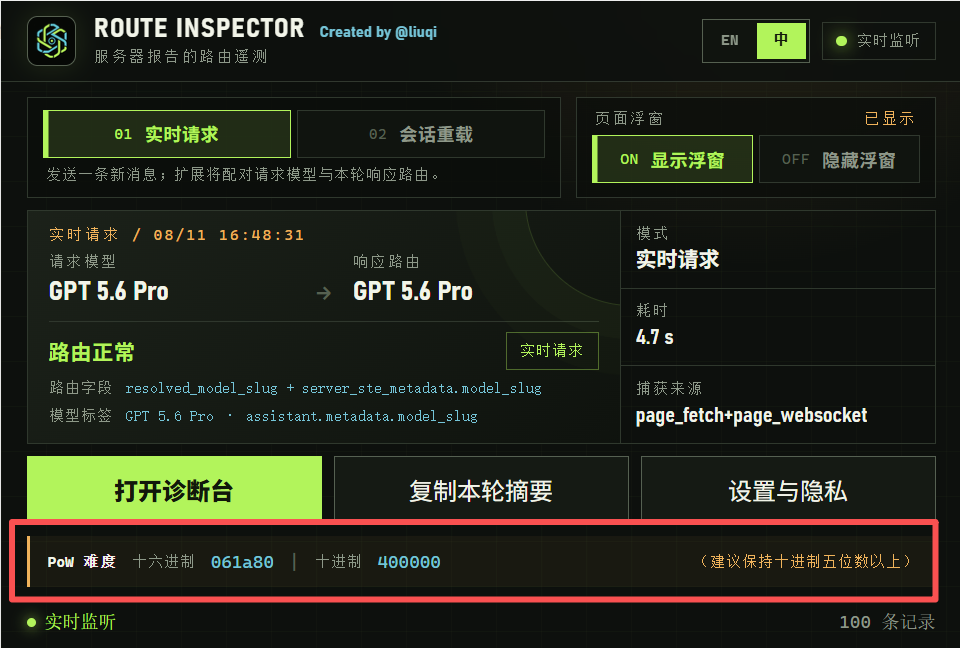
The extension has been uploaded to the Chrome Web Store and is now live:
ChatGPT Model Route Downgrade Inspector
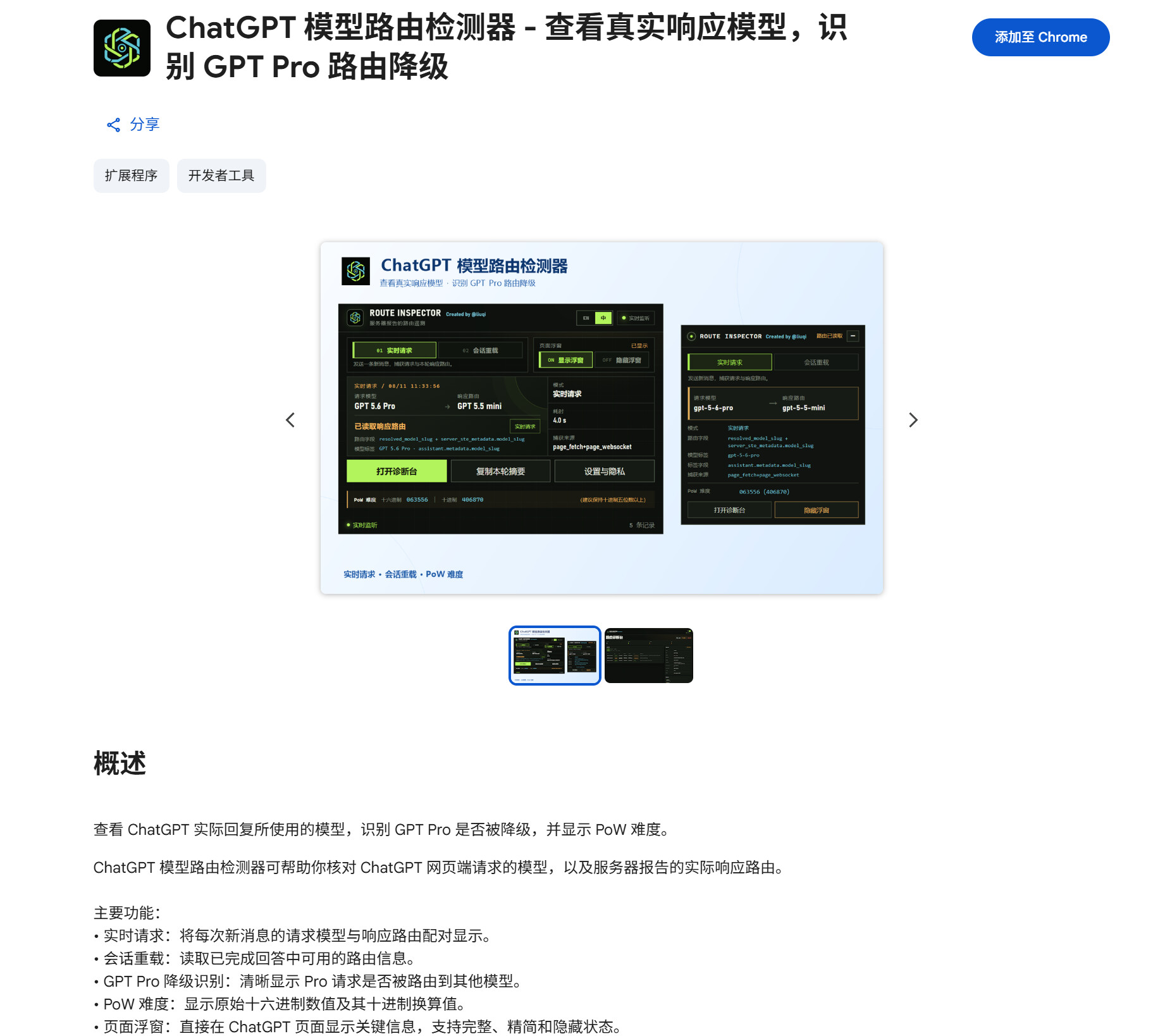
You can also download it from GitHub and load it manually:
https://github.com/Liu-Bot24/chatgpt-route-inspector
As for why my own account was downgraded and how I restored it, let me share that as well.
This represents only my personal experience and should not be taken as a definitive solution.
It actually still relates to IP, but not the IP during active use—rather, the IP used during login.
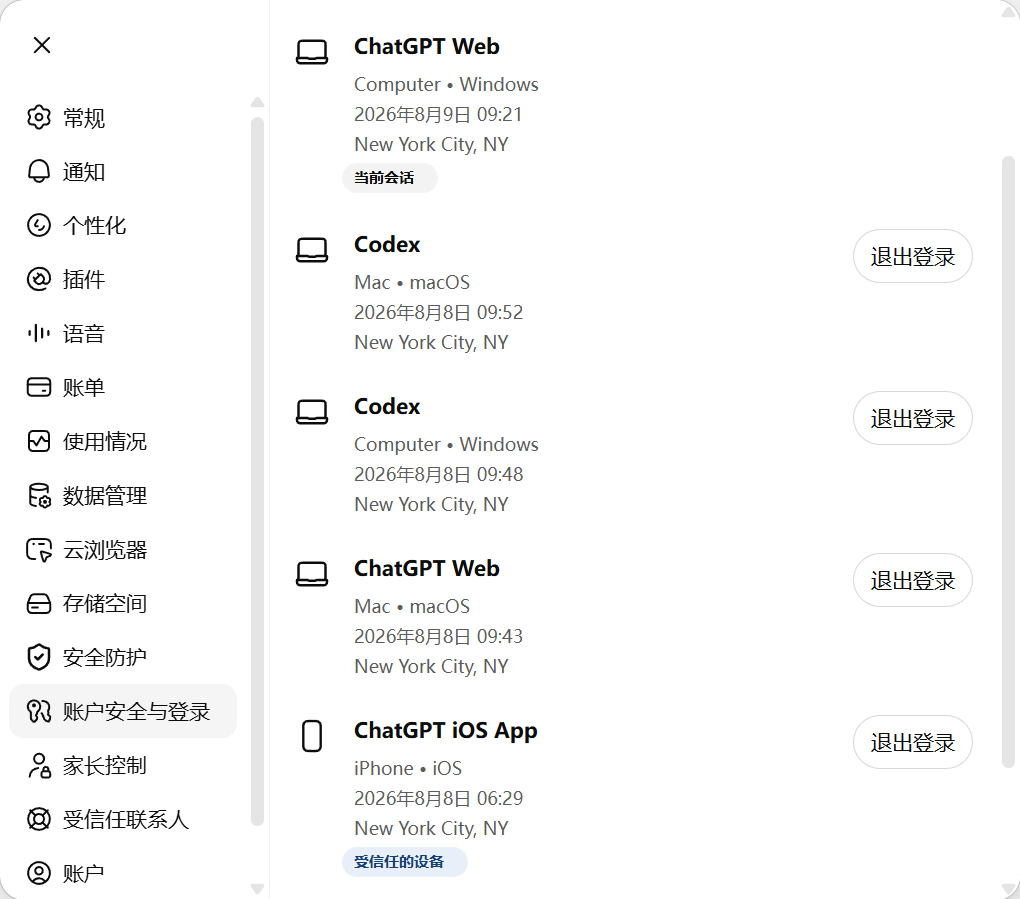
In ChatGPT Settings, navigate to Account Security & Login, and on the right you will see Active Sessions.
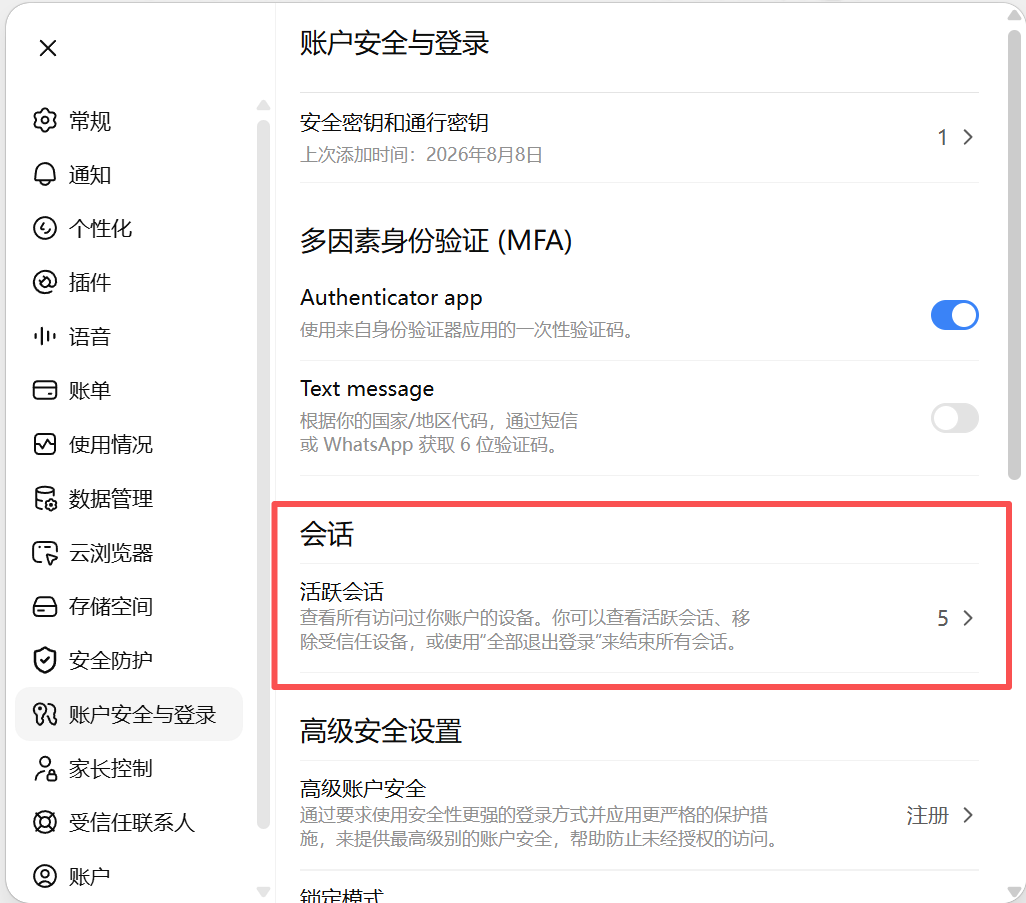
You can find this in the same place in the mobile app, and if you have bound an email, you’ll also receive notifications there.
Clicking it reveals all devices logged into the account, along with their login timestamps and the geographic locations corresponding to their login IPs.
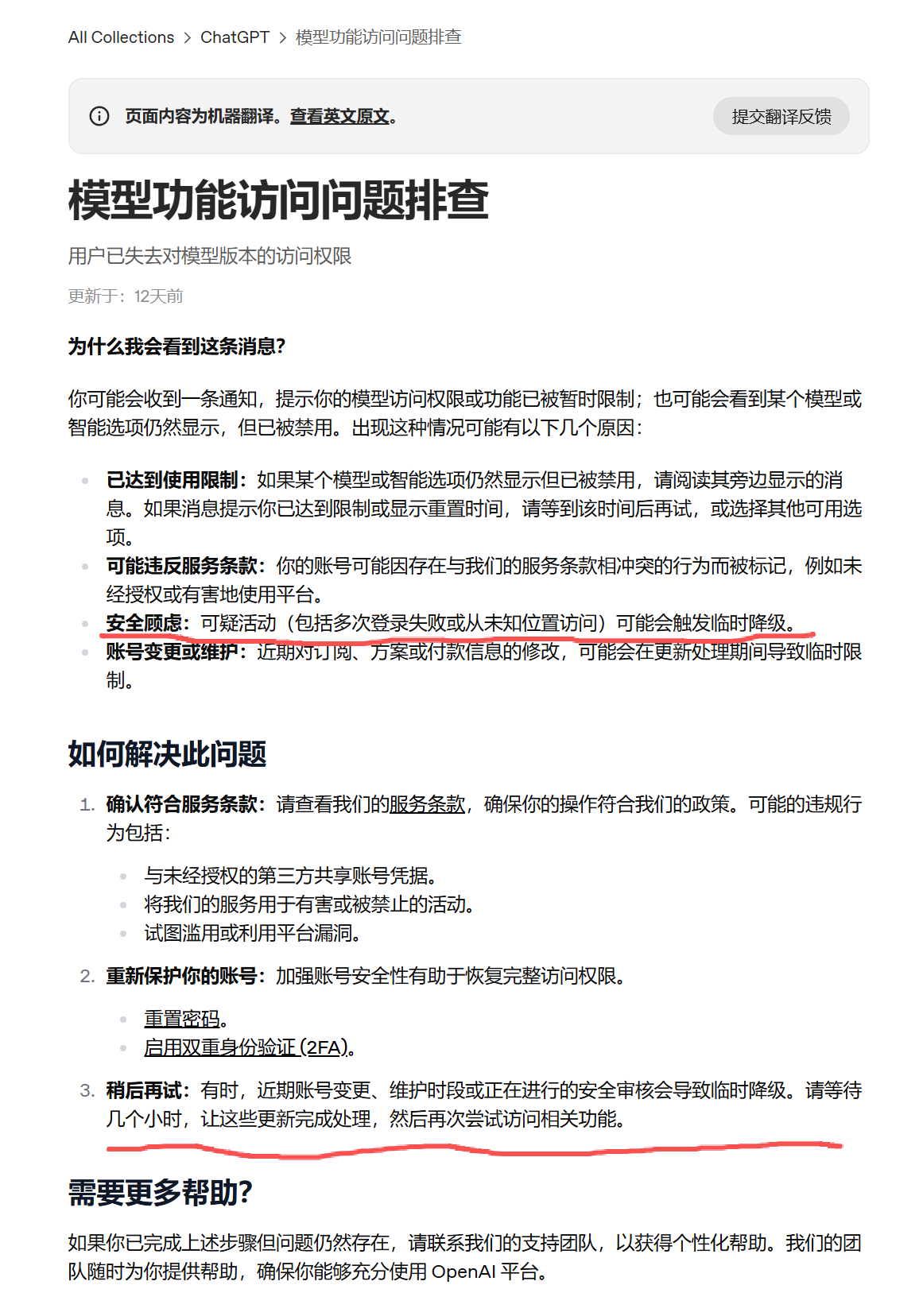
OpenAI’s latest official documentation explicitly states: multiple sessions, unusual login locations, extensions, or automation tools may trigger feature limitations and “temporary degradation.”
I happened to hit this exact issue, and Codex was the one that helped troubleshoot it.
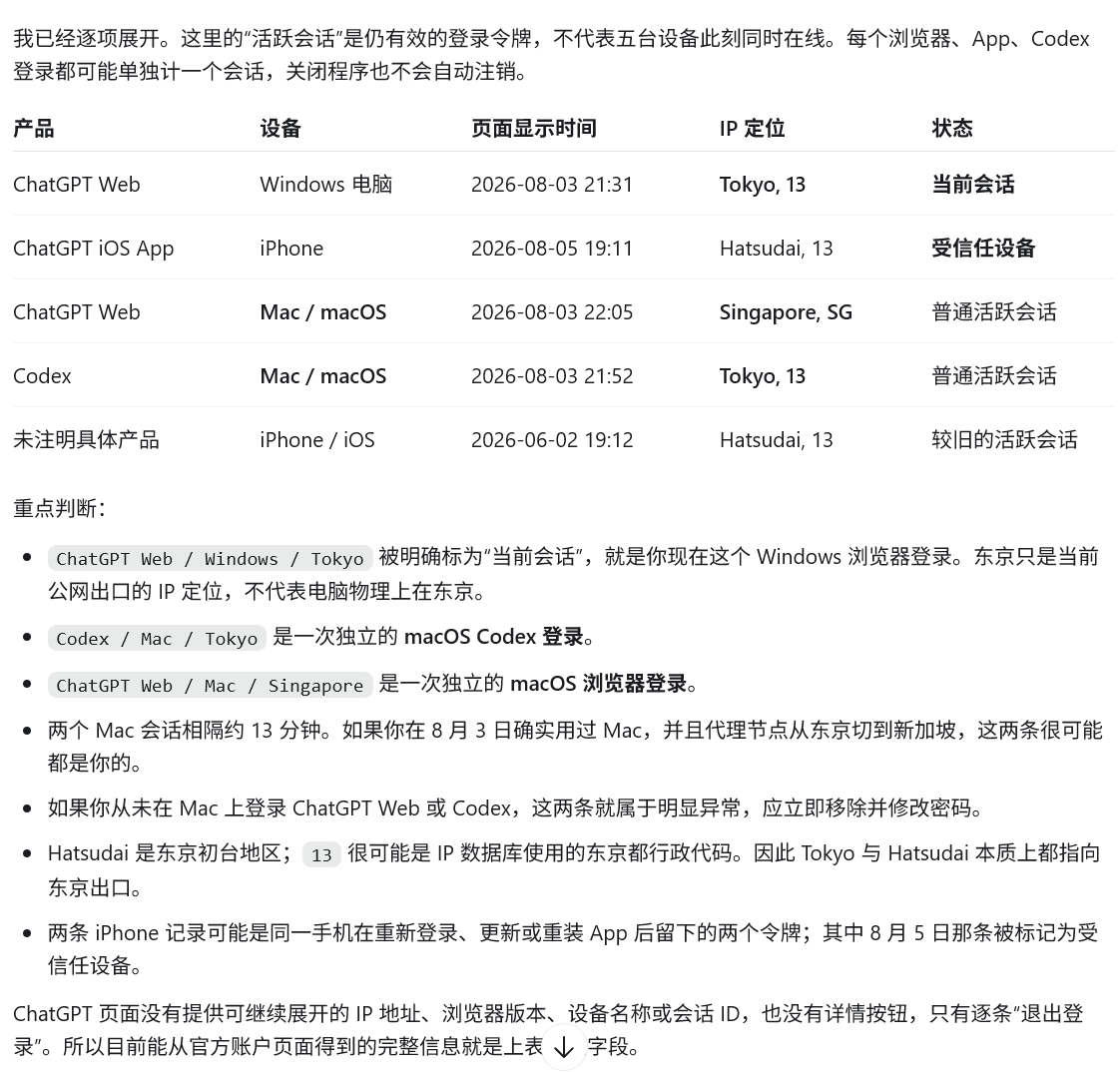
In truth, I hadn’t even realized that my login exits were landing in different countries.
The cause was actually quite niche—a rule routing misconfiguration. Let me share it as a lesson learned the hard way.
I hadn’t thought about this at all, because looking at my daily traffic, all my requests to chatgpt.com and openai.com were handled by a US residential (pseudo-residential) outbound proxy.
(So the reason for the restriction isn’t just IP cleanliness during usage.)
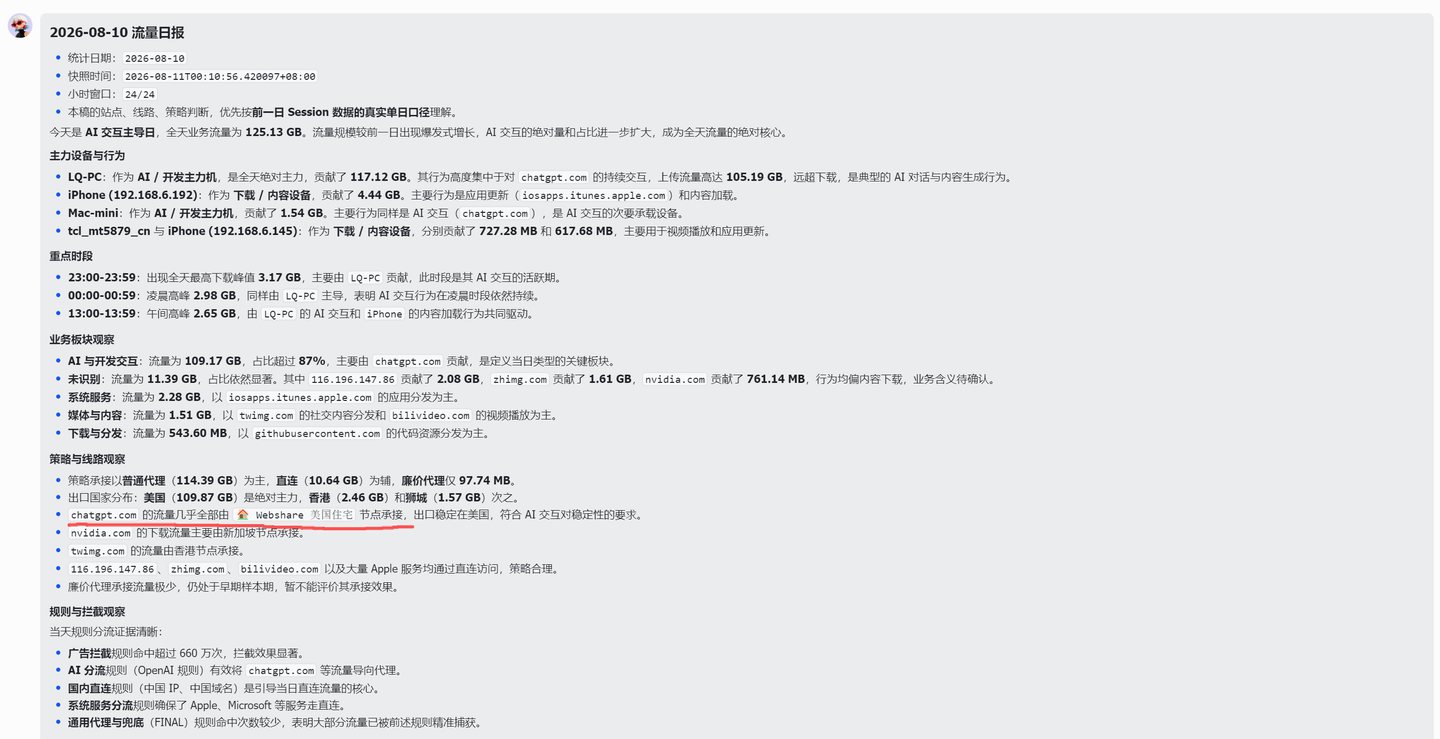
Why did the login location drift? Further troubleshooting revealed the cause.
I have a Mac mini configured with Surge to act as a soft router / gateway.
When Surge acts as an enhanced gateway, it enables the virtual gateway feature by default, automatically turning on Fake IP DNS service.
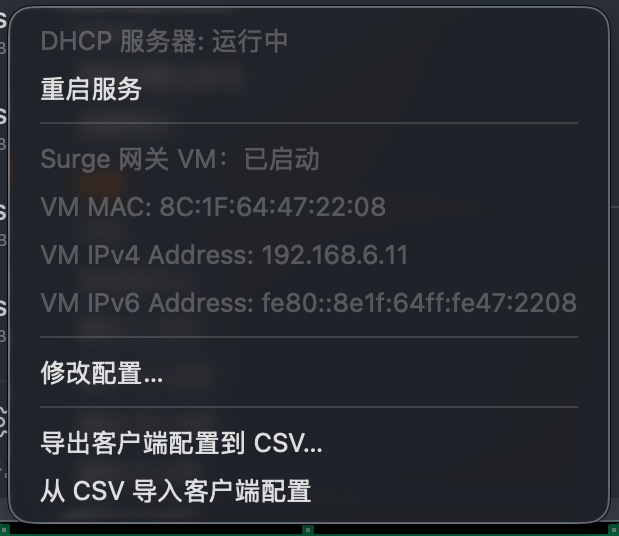
Therefore, during DNS queries, the virtual gateway’s proxy DNS returns fake IPs like 198.18.X.X.
However, some applications flag this as insecure. Just a few days ago, I was blocked while logging into a Google account in a certain app—and it wasn’t the first time; tools like OpenClaw also tend to block fake IPs.
So I added always-real-ip for Google logins, and casually had Codex expand on other scenarios that might need always-real-ip, whereupon it went ahead and added auth.openai.com.
Consequently, what should have been the route DOMAIN auth.openai.com → OpenAI policy group → upstream proxy node → US residential chained outbound…
…actually failed at the OpenAI policy group stage: because it was already an IP address rather than a domain name, it didn’t match the OpenAI domain rules and fell through to the fallback rule instead. My fallback rule routed to Asia, and within a very short span of time, two logins across two devices hopped from Japan to Singapore.
The fix was to add extended-matching to the DOMAIN rule for auth.openai.com, pointing it back to the OpenAI rule.
This way, OpenAI account logins went back to routing through the US residential node.
Pretty bizarre.
Then return to this screen, revoke all active device sessions, and log back in. After about a day, the Pro model returned to normal, unrestricted access.
Besides, I’ve been heavily using Pro over the past couple of days, and the quota limit on the 20x subscription isn’t that easy to reach.
So if your usage wasn’t that heavy and you previously assumed it was a quota issue, it’s worth taking another look.
To summarize my takeaways:
Don’t focus solely on IP cleanliness during active use; Pro model downgrades aren’t necessarily caused by whether your IP is clean when interacting with OpenAI traffic.
Check your active sessions in Settings: you may have inadvertently triggered anomalous logins from different geographic locations, leading to account restrictions.
In particular, avoid blindly switching IPs while clearing browser caches and logging in repeatedly across different devices to test, as that testing process itself might create multi-session logins across different locations.
Judging by my own account recovery, OpenAI’s IP requirements aren’t extraordinarily strict. I use Weshare’s pseudo-residential IP, and it works without issue. I wouldn’t rule out the possibility that even without a static IP exit, keeping your IP within the same city or country should be fine.
If anyone is facing the same issue, you might want to try aligning your IPs to the same country first.