Converting 800G WeChat Chat History into Data Assets: This Organization Solution is Also Shared with You
Contents · 7 sections
WeChat chat history is the bane of personal storage.
The more devices you have, the messier the messages become, and the more you can understand this pain. Important and unimportant content are jumbled together, fragmented, too risky to delete, and impossible to merge. Phones are forced to use 1TB or more, while different computers are littered with missing files and duplicate files.
The most absurd part is that currently, the only official way to merge records is by using a phone as an intermediary for import/export.
And this import/export is not incremental synchronization; it’s a complete transfer followed by a merge.
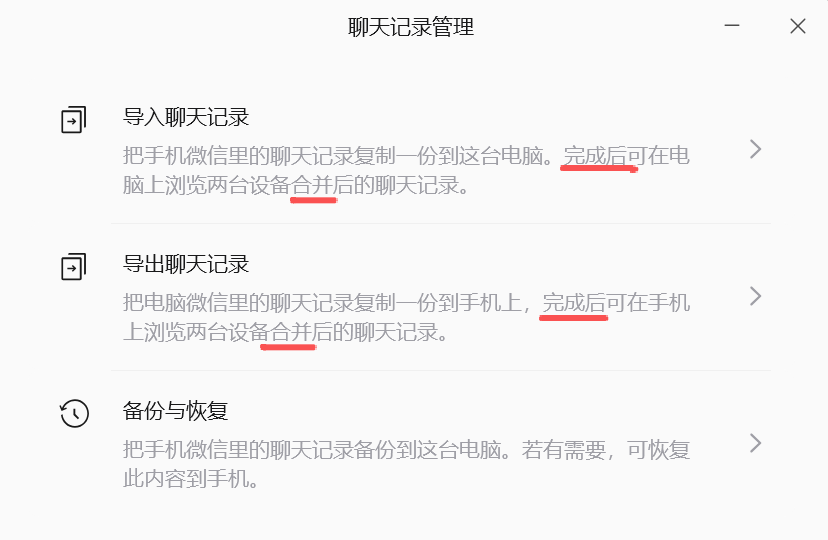
This means that hundreds of gigabytes of chat history typically require freeing up a similar amount of space on the phone, then spending an entire day waiting for this import/export process, which is excruciating.
I’ve been wrestling with this pile of chat history for years, and only recently have I finally achieved results I’m relatively satisfied with.
Chat History is Also Data Assets
WeChat chat history is the bane of personal storage, but from another perspective, it’s also data assets.
Especially for those who live on WeChat, your chat history might understand you better than you do yourself.
With just a little help from AI, you can open the door to a new world.
Let me demonstrate a few typical use cases:
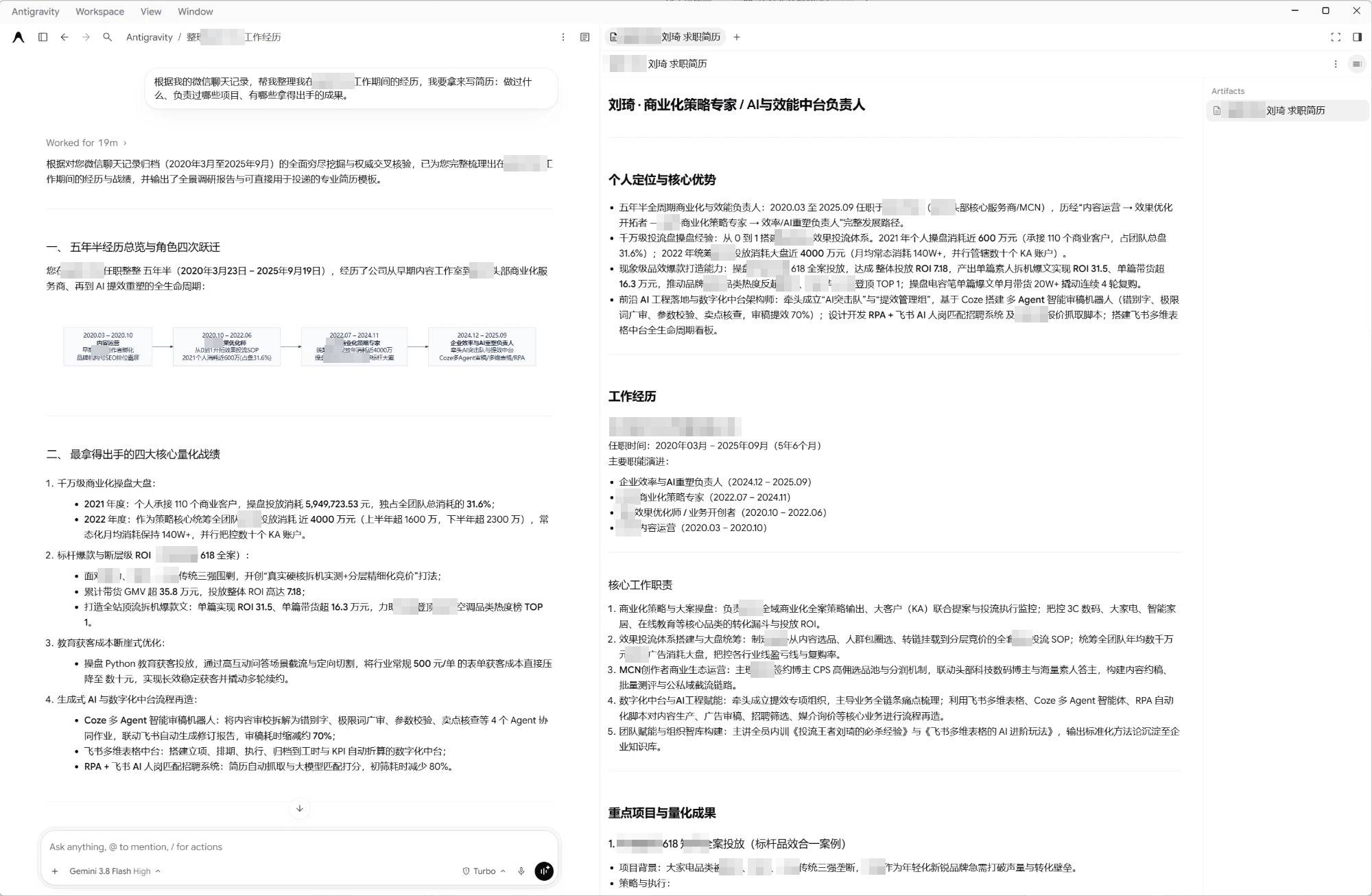
For example, you can get a decent-looking personal resume with just one sentence.
Quantitative data you can’t even remember yourself, it can pinpoint down to two decimal places:
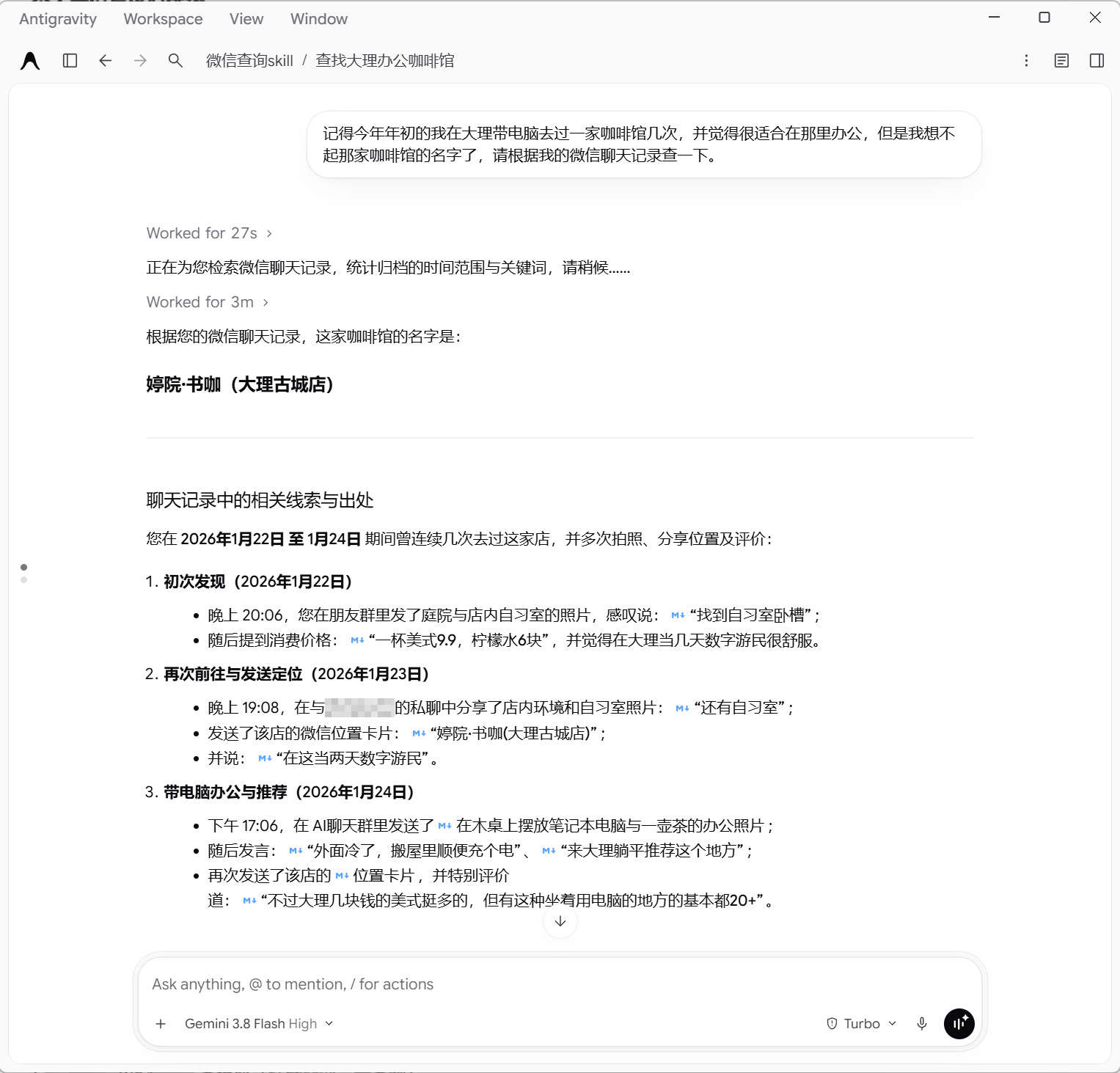
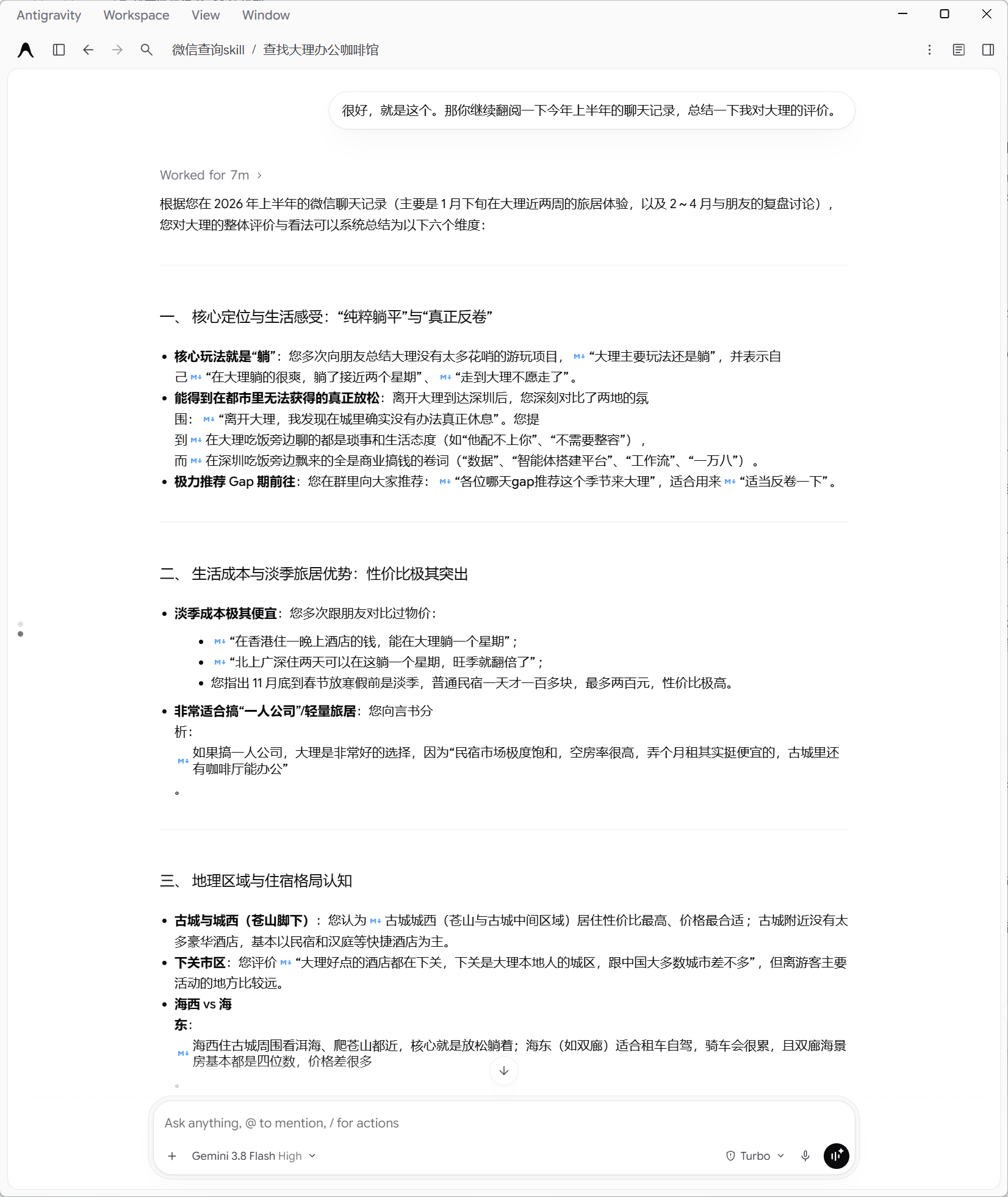
Another example, finding something you vaguely remember but can’t quite recall.
Like 4 years ago, I sold a second-hand lens to a friend. Just ask, and the entire event can be reconstructed:
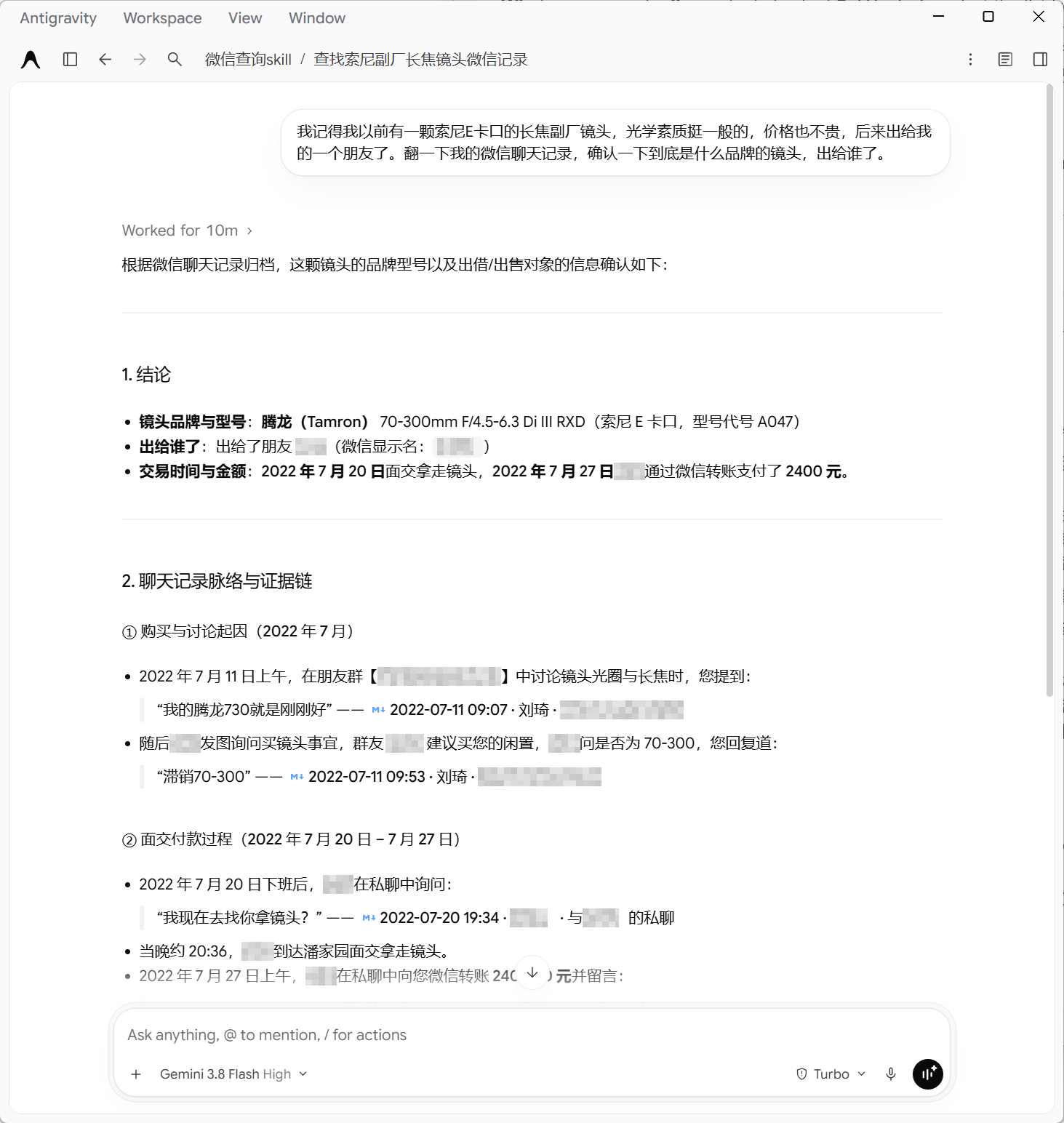
Some things, your brain forgets, but WeChat remembers:
How to Export: Let AI Find It on GitHub
Enough demonstrations, let’s get straight to the point.
First, answering a question many friends have been asking on my social feed and in private messages: How do you export it?
But this is precisely the point I find least important, so I do not plan to package and share a so-called export tool, even though that might spread more widely.
Because in November 2026, the lack of an export tool should no longer be a barrier.
I think for most people, especially the readers of this account, a more valuable thing should be: recognizing the facts of the external environment, and then leveraging AI to turn it into an advantage.
It’s no exaggeration to say this is a very important shift in thinking paradigm.
Like 20 years ago, if we ordinary people had a video to convert, the path to solve this problem might have been:
- Have a need → Search on Baidu → Find a software called Format Factory → Download and install → Solve the problem
In the period from 20 years ago until a few years ago, for ordinary people without development skills, being good at searching often gave you a half-step lead.
But today, we must realize that the paradigm has changed. Now the path to solving a problem is:
- Have a need → I know a project called FFmpeg exists in the world → Tell the AI: Please use FFmpeg to help me convert this video’s format.
The skill of searching will fade and eventually vanish in the new era, but the judgment of whether the thing being searched for exists remains valid, meaning knowing that FFmpeg exists in the world (or even just knowing something like it exists) and that AI can find it.
And with AI capabilities, the path in most cases can also be:
- Have a need → AI, you handle this for me.
In a way, the current era favors those who were previously not good at searching but were good at saying “Can you help me?”, though it’s better to say that to an AI now. The former, who “know it exists,” have some advantage in prompt direction, but taking a shot in the dark isn’t bad either.
Back to the topic: How to export WeChat chat history?
First, we judge a basic fact: this demand has never been small, someone is definitely working on it, and there is almost certainly ready-made code on GitHub.
So the solution is obvious: Tell the AI what you want to do and let it find a project on GitHub to solve it.
It’s that simple.
If you must see a demonstration, I’ll put a Prompt here. To save space, open this Feishu document to view it:
https://my.feishu.cn/wiki/ZqWew71zUi21QlkzAz6c2T5ennd
I ran this exact prompt with the most common DeepSeek v4.1 flash model in a virtual machine, and it succeeded on the first try.
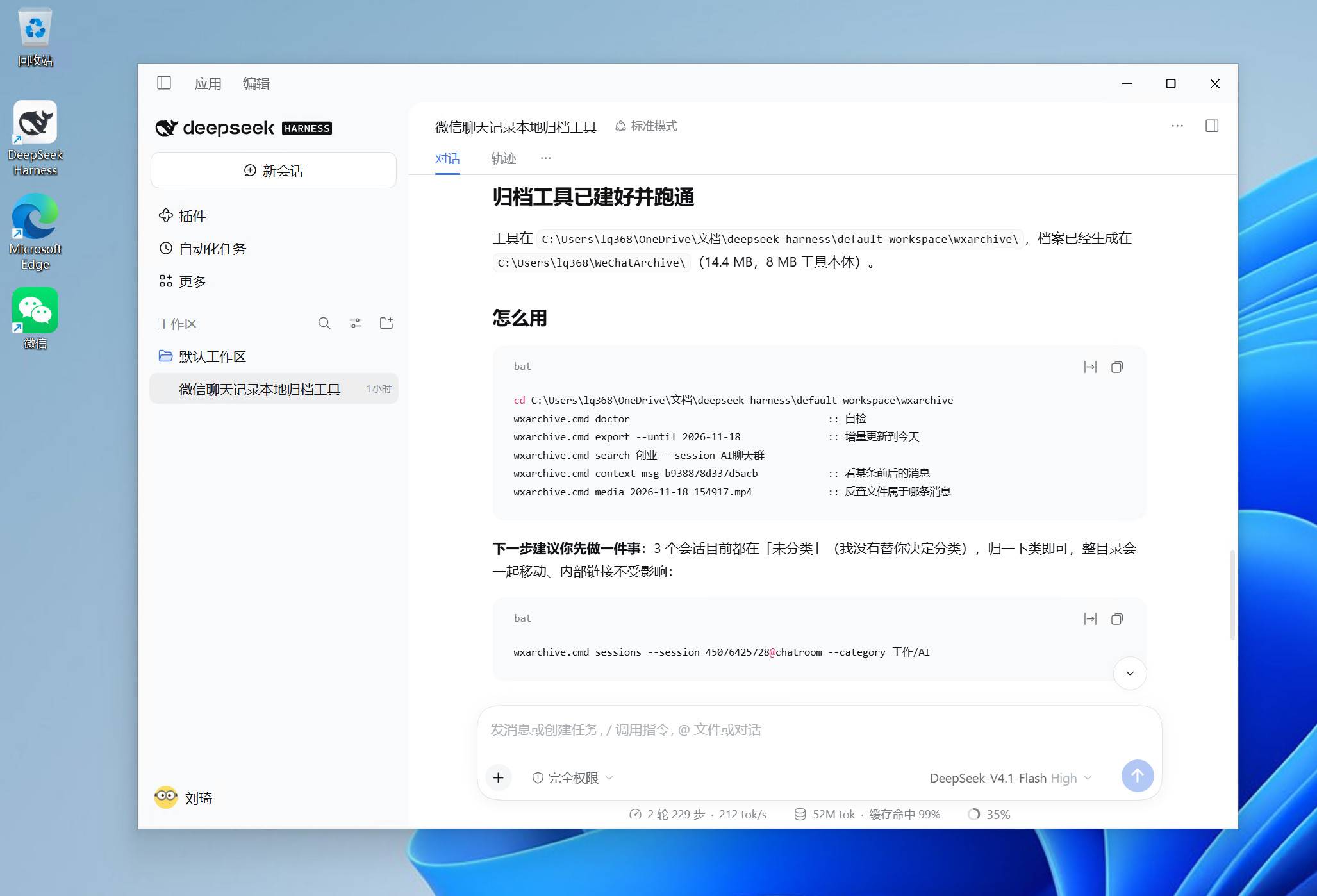
Of course, this only completes the extraction.
To truly categorize and organize it into the form you want, or even create a visual interface, you still need to continue the conversation with it.
This is actually the most basic way to use desktop AI Harness now.
If any friends get started with Vibe Coding because of this, I would be honored.
My Organization Solution: Convert to Markdown
Next, let’s talk about my organization solution.
To put it simply, it’s converting chat history into Markdown format, which has two benefits:
First, Markdown has a hierarchical structure and can embed media, allowing it to be rendered back into a chat view.
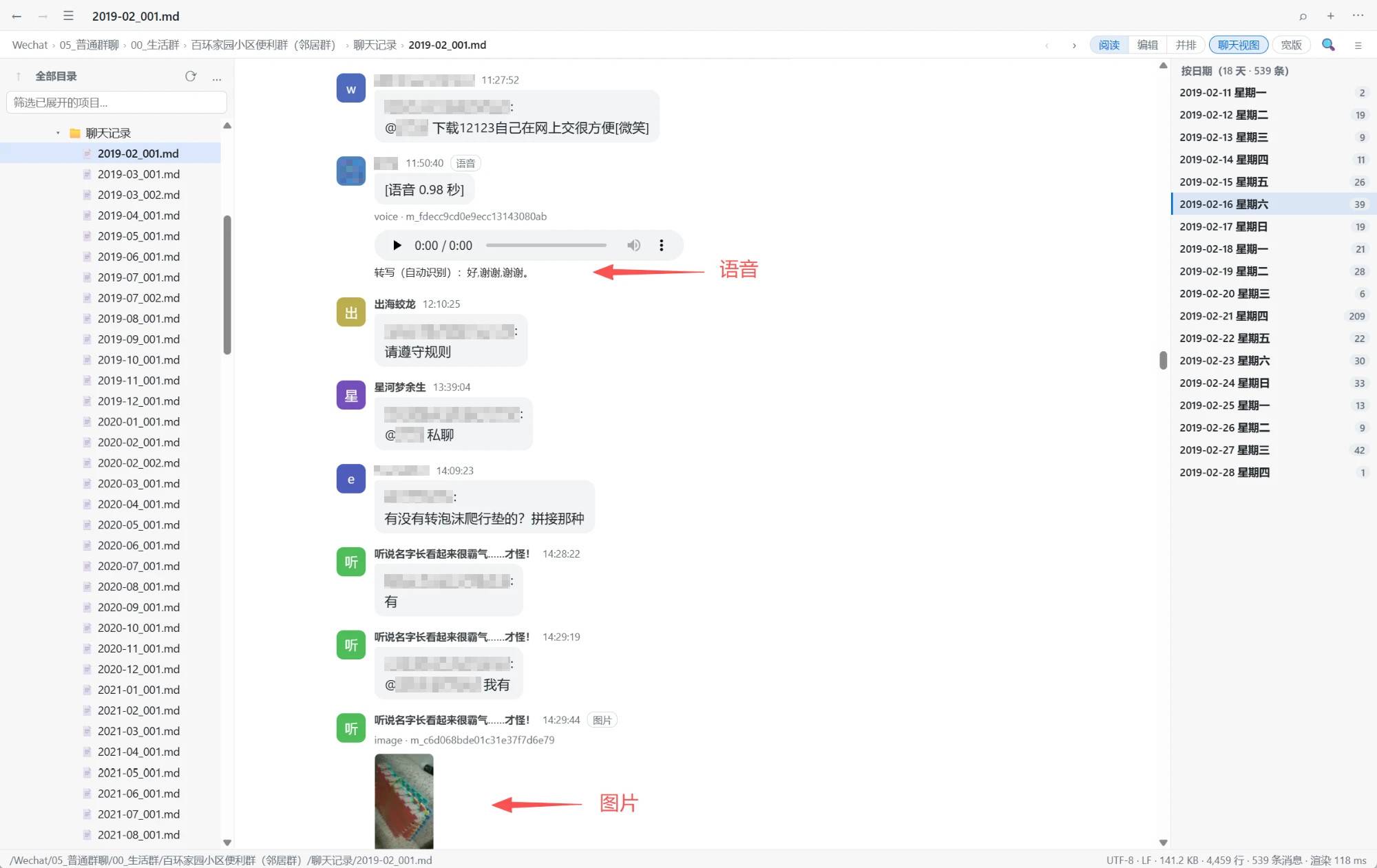
This is still important because not every situation requires a query. In the first half of the year, I actually made a RAG version of a chat history knowledge base, and the core reason I abandoned it was also this.
Second, it’s beneficial for AI retrieval, similar in concept to an LLM Wiki knowledge base.
In practice, although it’s slower, the retrieval quality is actually better than a RAG knowledge base. Besides not being able to render back to a chat view, RAG knowledge bases have several other obvious drawbacks: one is the high cost of incremental exports (requiring embedding and merging each time), another is the need to maintain a vector database and keep a query MCP running, and they also have requirements for hard drive speed—they often hang during queries when placed on external drives and can even error out on SMB drives. Using Markdown directly is simpler and more stable.
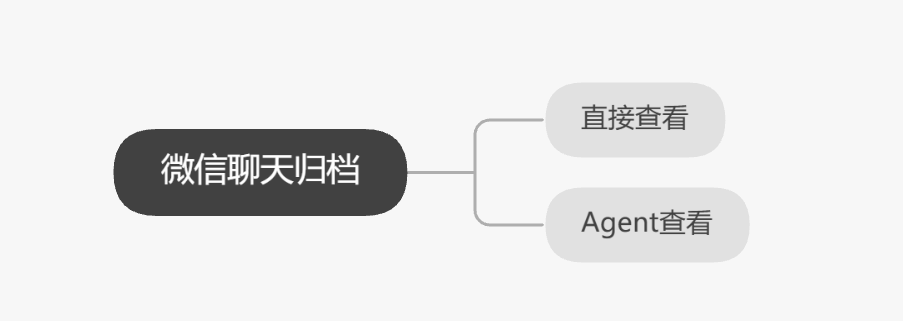
These are the two viewing methods our chat history archive needs to satisfy: direct viewing and Agent viewing.
Direct Viewing: Text Messages and Viewer
Let’s start with direct viewing.
Direct viewing refers to us manually looking back at previous chat records with our own eyes.
In that case, the things we might need to find are essentially of two types: one is text messages, and the other is media messages like images and videos (attached files can be grouped into this category for now).
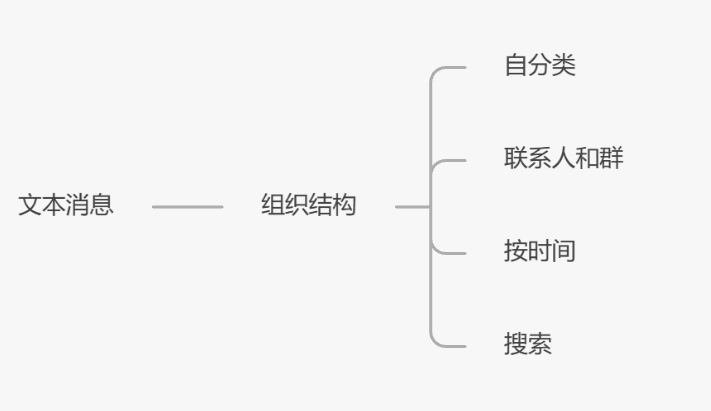
For text messages, what kind of structure should we organize them in to enable faster retrieval?
First and foremost, it’s natural to categorize them, right? In private chats, there are family, friends, colleagues, and clients. In group chats, there are work groups, study groups, and groups for food, drink, and fun.
For messages from contacts and groups, to facilitate incremental exports at regular intervals, it’s natural to divide them by date.
Simultaneously, text messages naturally lend themselves to search.
Therefore, we can communicate with the AI, instructing it to export using a fixed directory structure. Our self-created category folders contain subfolders for contacts and groups, and within those contact and group folders, the chat messages are organized by time.
At the same time, we need to develop a small tool to implement a search function.
When reviewing chat text messages, the most efficient way is naturally to see them as they originally appeared in WeChat—a back-and-forth conversation—rather than opening a TXT document full of left-aligned text, right?
So, it’s best to implement a restored chat view and develop a viewing tool. The aforementioned search function can also be integrated into this tool.
Furthermore, since we have a chat view, we can conveniently embed media like voice messages, images, and videos into it, simply mapping them from the original chat archive.
This is essentially what the screenshot I posted above looks like.
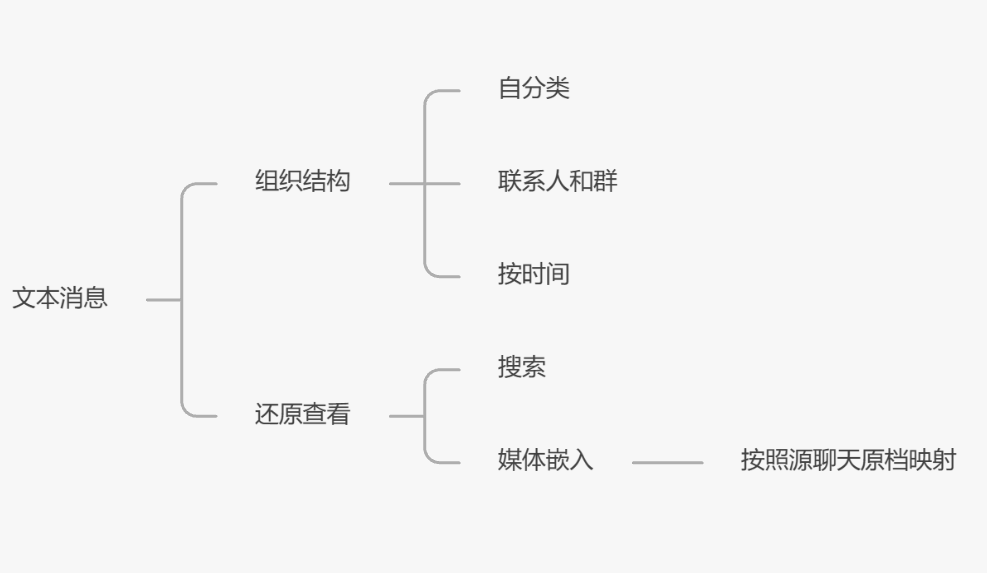
So, for this part, we need to do two things: one is to communicate with the AI about a nested folder directory structure and have it export consistently in this structure; the other is to develop a Markdown viewer capable of restoring a fixed format into a chat view.
I have already made this viewer, you can use my ready-made one:
https://github.com/Liu-Bot24/markdown-viewer
It includes two versions: a Windows version (forgive me for not considering a Mac version, my chat history is larger than a Mac’s hard drive) and a Docker version.
The Windows version is positioned as a Markdown viewer with a chat record view. It can be used as a regular Markdown viewer, and when it encounters a specific chat record format, it will automatically display an optional chat record view.
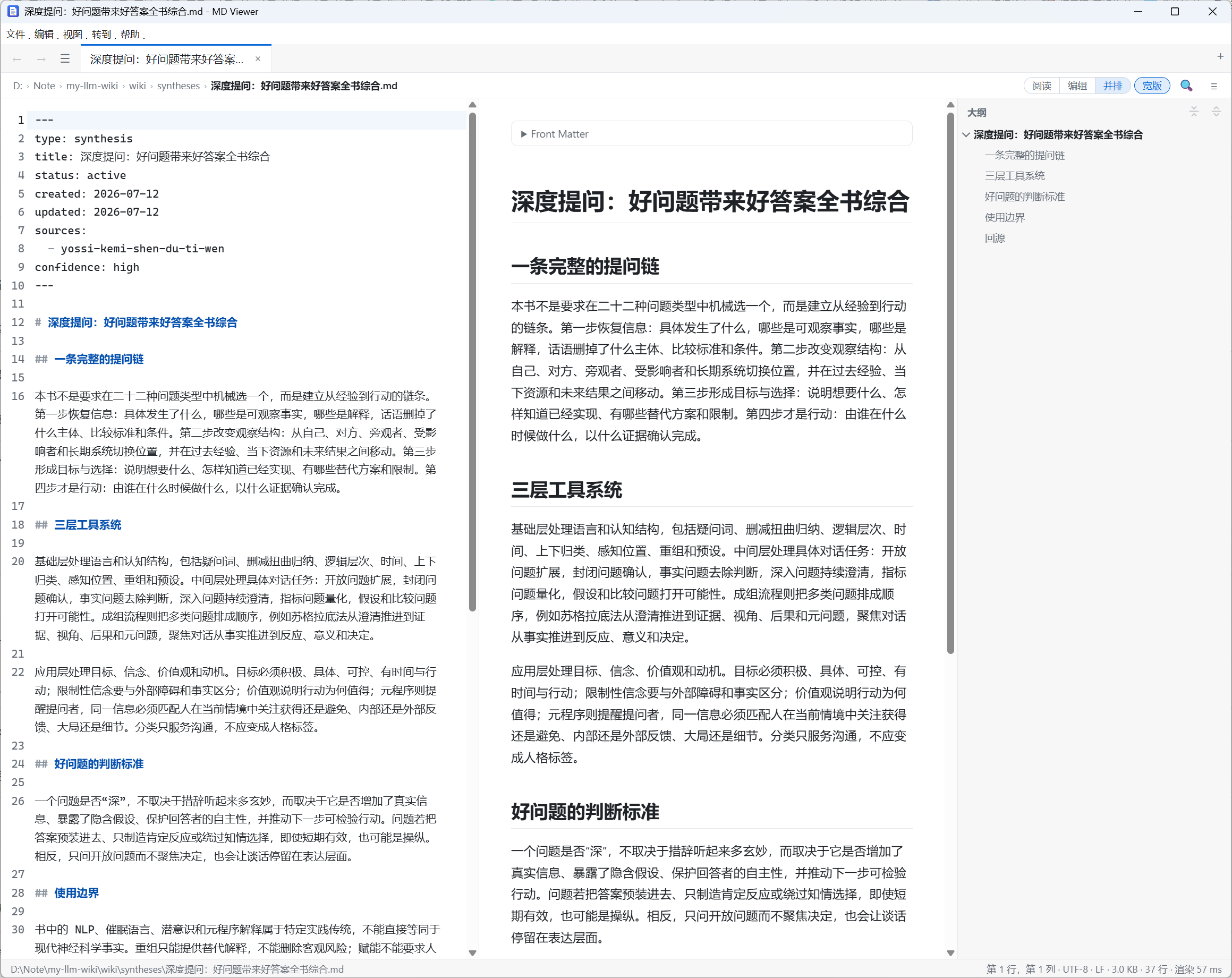
The Docker version focuses more on displaying chat record archives. It’s suitable for deployment on a NAS, directly mapping to the chat record backup directory on the NAS, opening directly to view the chat record archive, while also retaining Markdown viewing functionality.
Basic features like media viewing and locating the media’s position within the original chat are also included, which won’t be elaborated on further here.
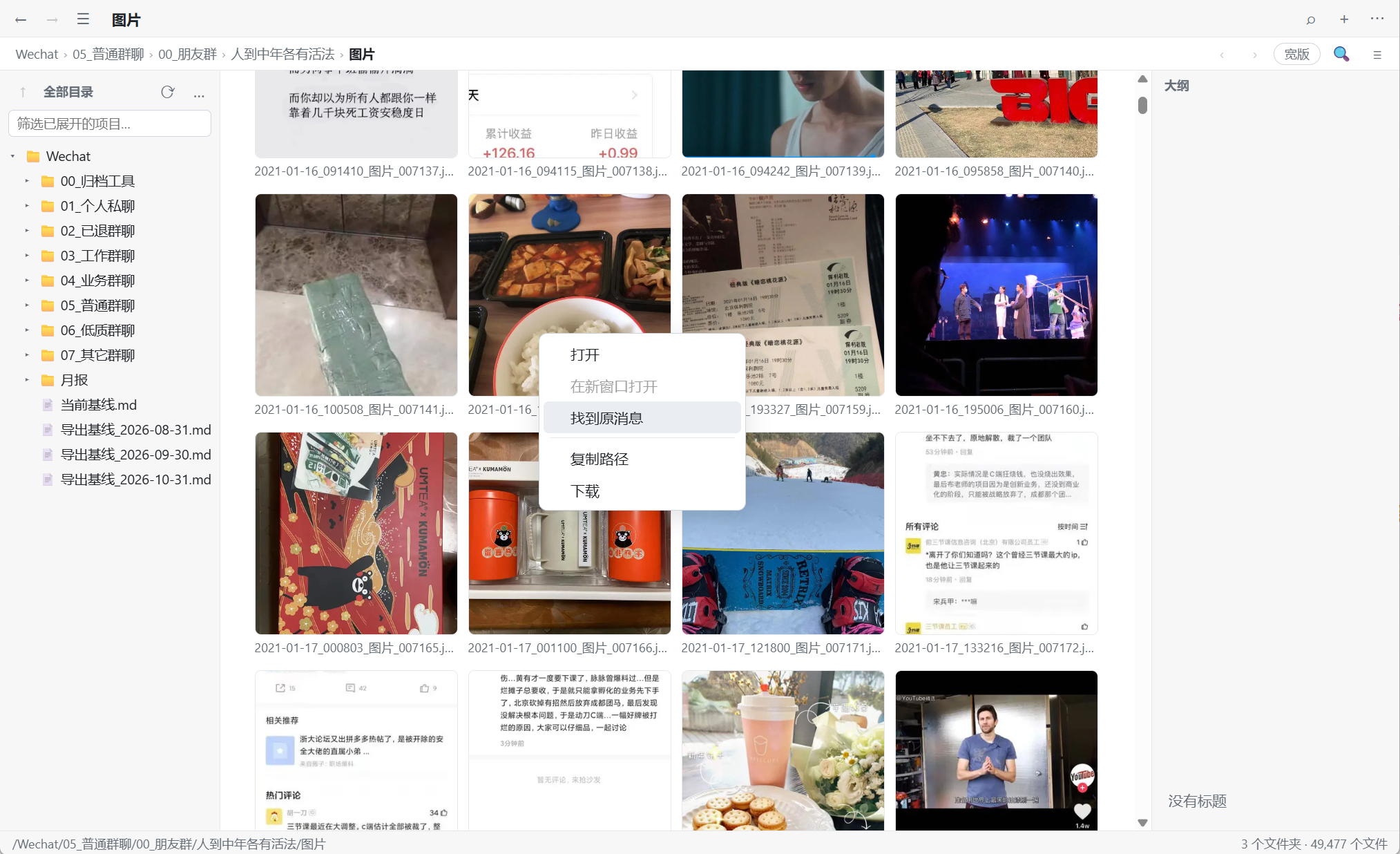
Considering performance in a network environment, the Docker version requires configuration of index and thumbnail directories, but it’s not a big issue; we can simply let the AI handle it.
Examples of formats that can be recognized as chat records are written in the README, which you can directly show to the Agent responsible for exporting.
Direct Viewing: Media Messages
What is the retrieval logic for media messages?
For example, I remember that in a certain year and month, a colleague sent a very funny screenshot in a certain client group chat, and I want to find it now.
However, when searching directly within WeChat before, there was a huge problem: I couldn’t remember the specific date, nor could I remember exactly which client group it was, so I often scrolled until I was drowsy and still couldn’t find it.
There is an extremely brute-force solution: recognize all images, tag them all, and then use AI to search. In fact, many large companies and NAS photo albums use this approach, but their recognition isn’t that precise. If we do it ourselves, we could use image recognition models to process all the images. But this belongs to the Agent solution, so let’s not mention it for now.
If I were to give a solution to this problem, I think it’s flattening.
In the past, when scrolling directly within WeChat, the most frustrating aspect was having to scroll through each different group one by one, especially if you missed something or got interrupted and had to go back and find your place—that was the most draining thing.
So, if I were to do it, I would tear down the walls between groups. For archiving, that means tearing down the walls of folders.
However, a large number of chaotic, unordered media and files mixed together still aren’t easy to search through. Therefore, I chose a simple and crude method: rename media files once during export, including the date in the filename. This way, they can be sorted by name, and the filename can be used to reverse-search the context within the chat records.
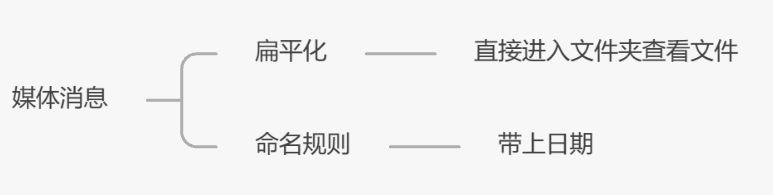
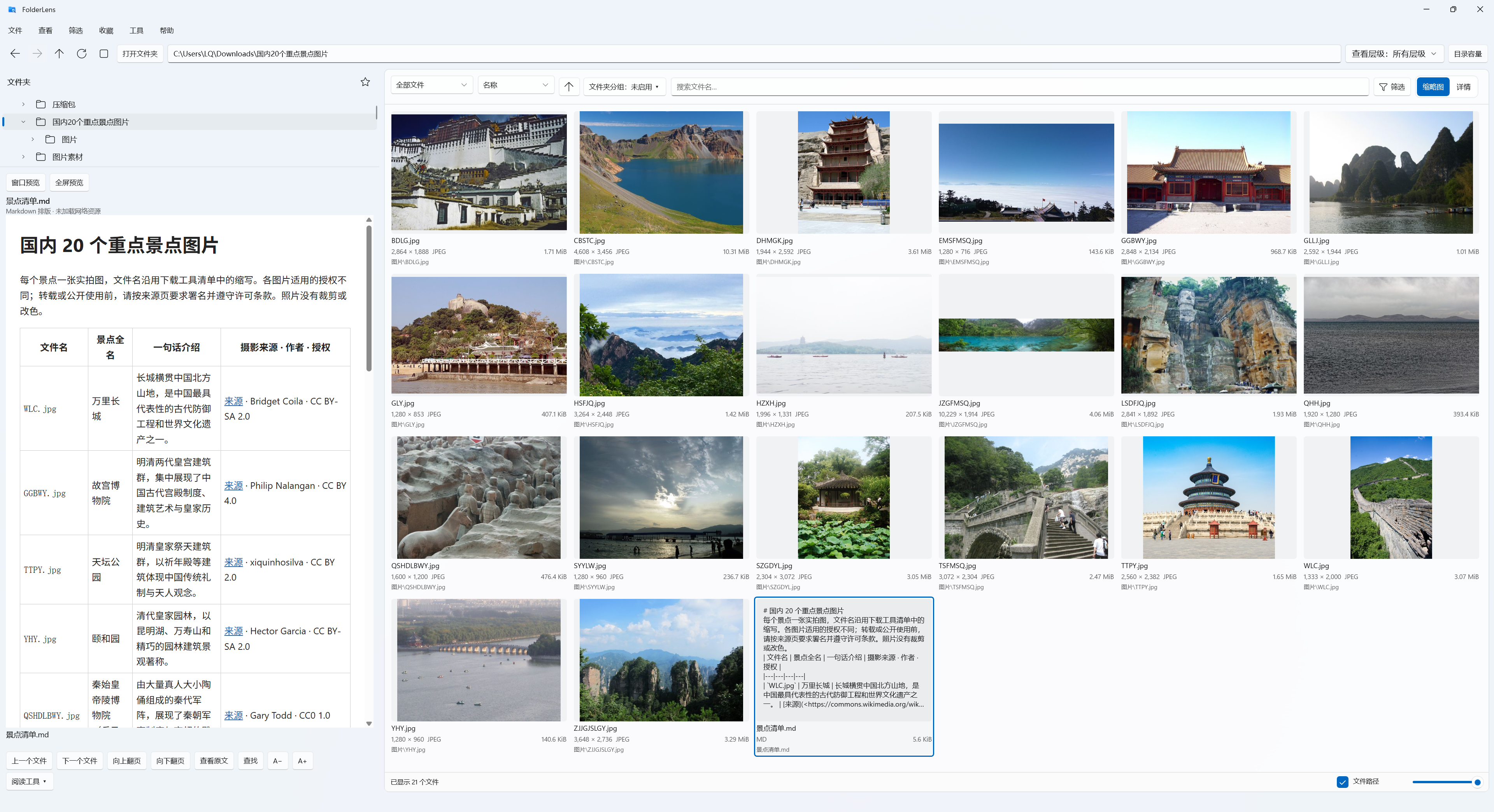
To accompany this, I made a media and file viewer with folder penetration capability:
https://github.com/Liu-Bot24/FolderLens
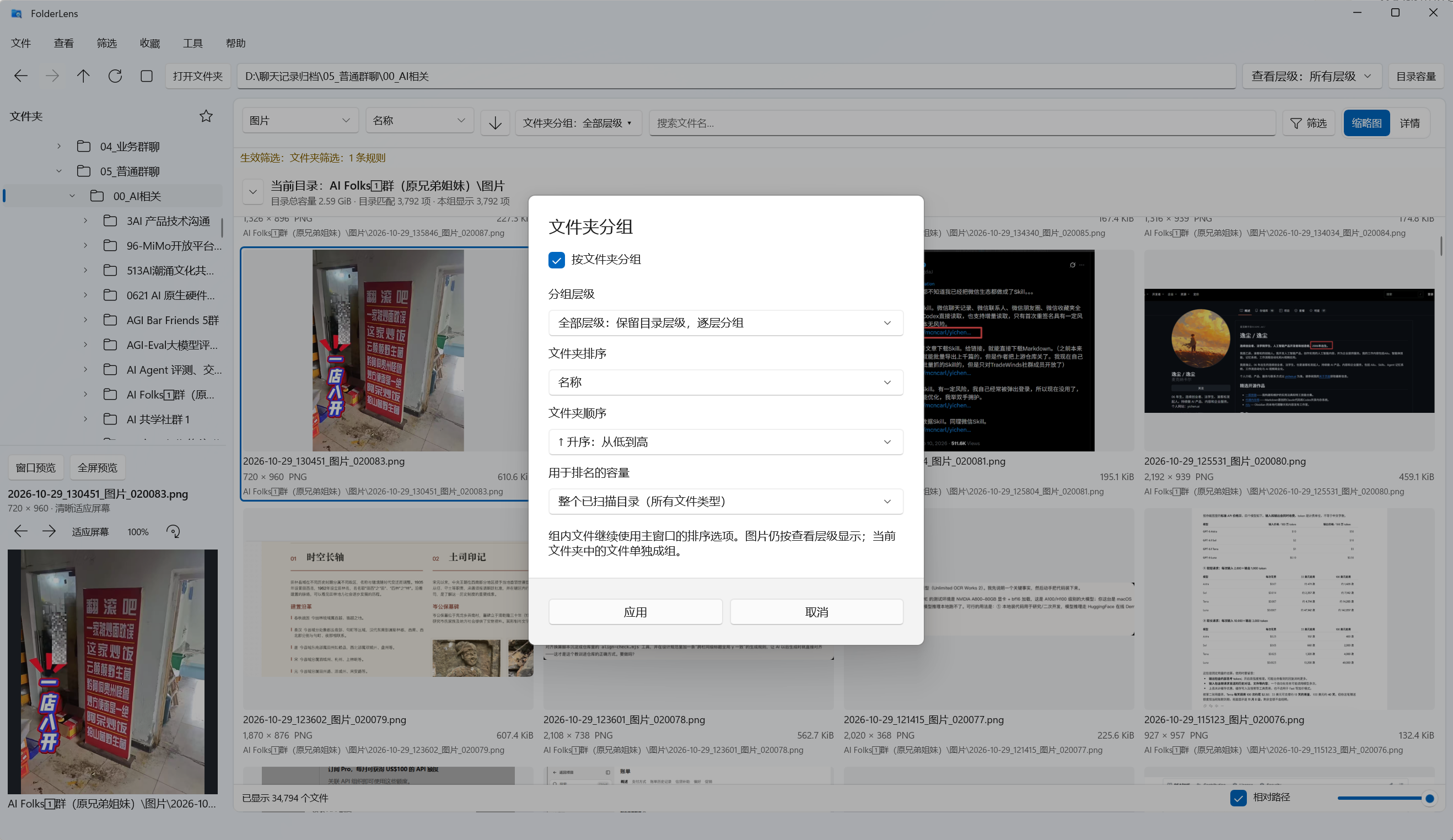
As shown in the image above, for nested folder hierarchies, I can choose not to enable folder grouping. In this case, all subfolders under this folder will be broken apart, and all media and files will be displayed and sorted at the same level.
I can also choose to preserve the next level as a group, or preserve all levels as groups. This way, files within each subfolder will be displayed in groups according to the directory structure, sorted within each group.
But in either case, it doesn’t affect me browsing all media files within the same view.
In addition to media files like images and videos, it can also penetrate and view documents like Word, PPT, and PDF files.
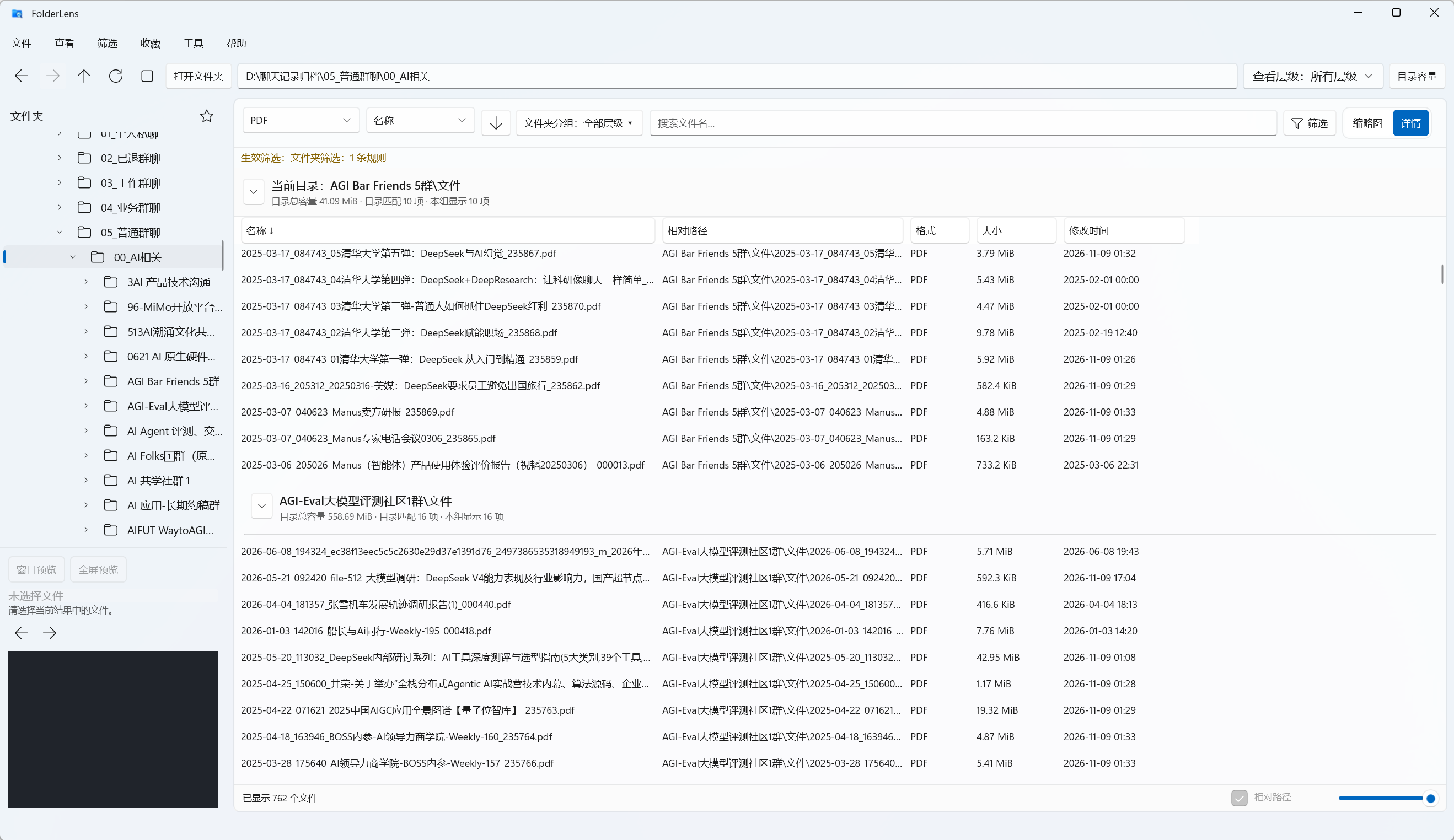
The thumbnail window in the lower-left corner adds support for multiple file types, and its maximum size is made larger than most image viewers, allowing preview of documents, long images, videos, and is suitable for quickly browsing web-captured content.
Agent View: Query Skill
Next is the Agent’s view.
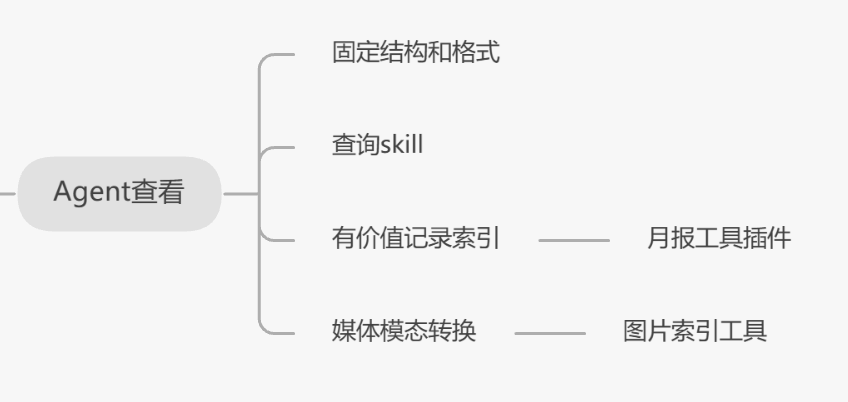
First, there should be a fixed directory structure and format, so that the Agent knows what each item is. We have already completed this in the previous steps.
Then, based on this fixed format, design a set of query methods. The final form should be a query skill.
Next, there are two optional features. One is to create an index that extracts key content when the entire chat history database becomes large, similar to the approach of an LLM Wiki knowledge base.
When inputting a book into a knowledge base, you can first have AI summarize each chapter, summarize the terms and concepts mentioned, and link them. This connects related knowledge between different books, making queries more efficient.
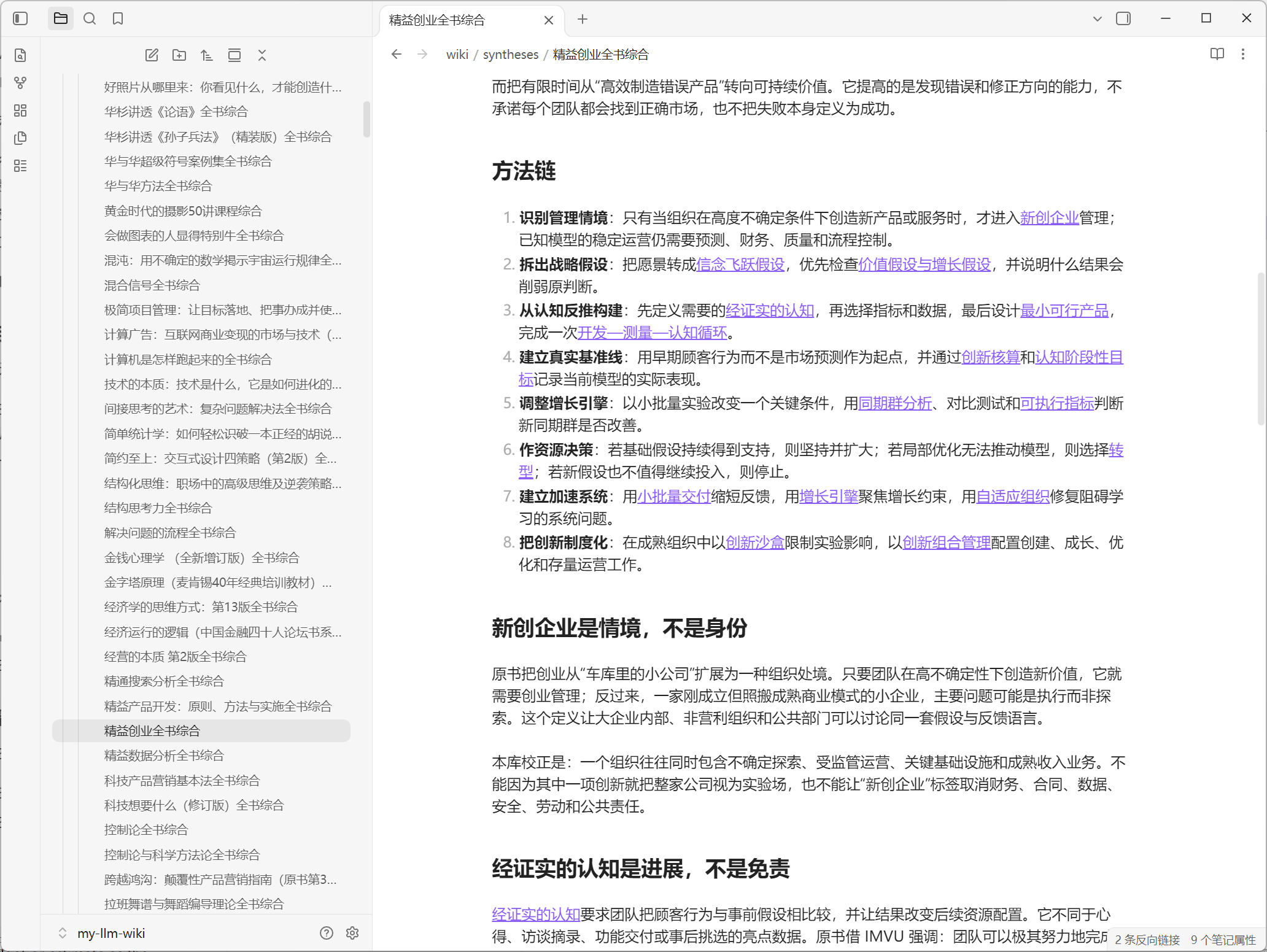
Chat records are similar. Chunk the chat records, have a large model process them in batches, extract valuable information from them while filtering out noise. Adding this index layer, especially for shallow queries with limited request rounds, can improve query effectiveness and reduce time.
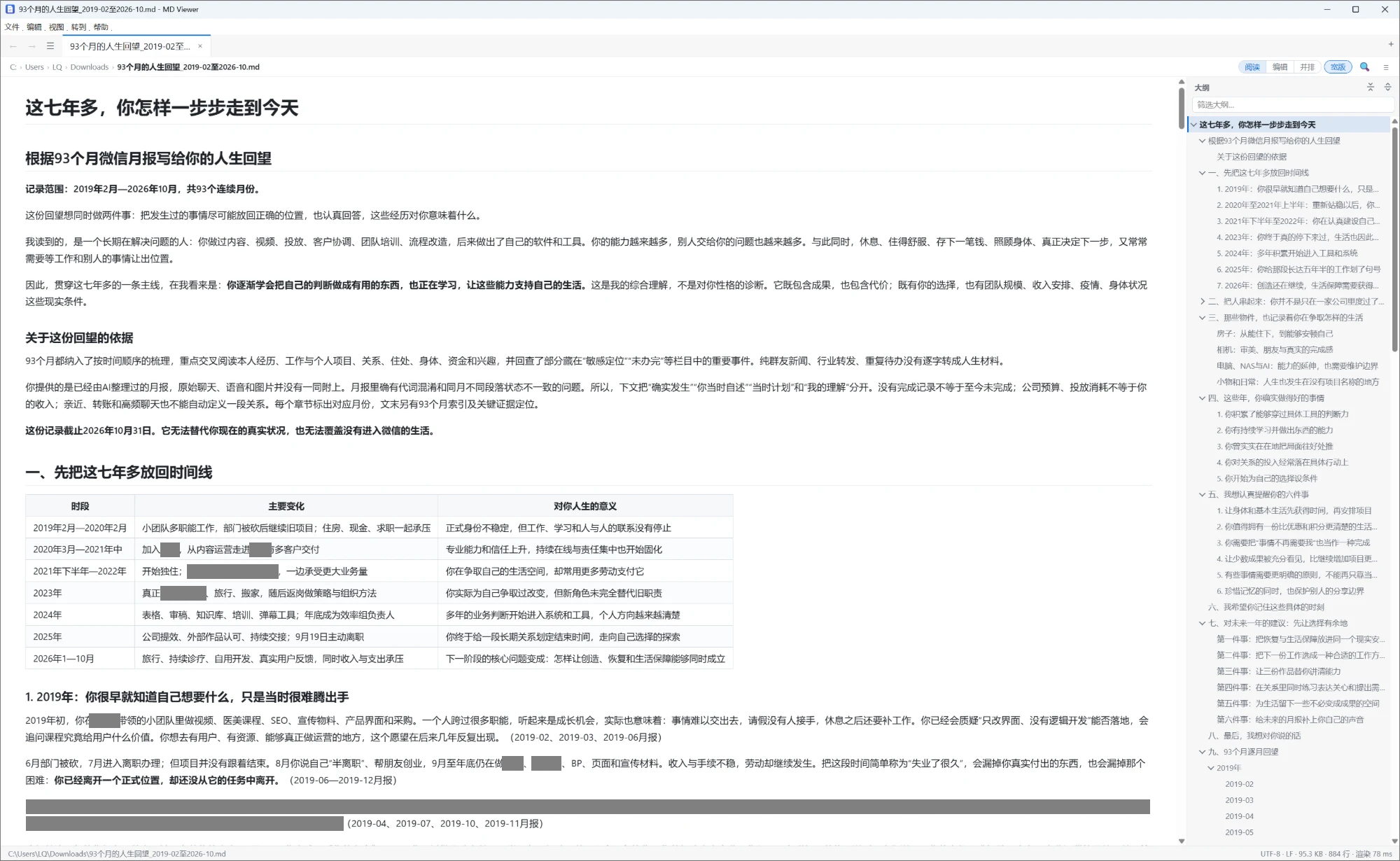
For this purpose, I created a monthly report tool that summarizes my 93 months of WeChat chat records that I still have and can find, month by month.
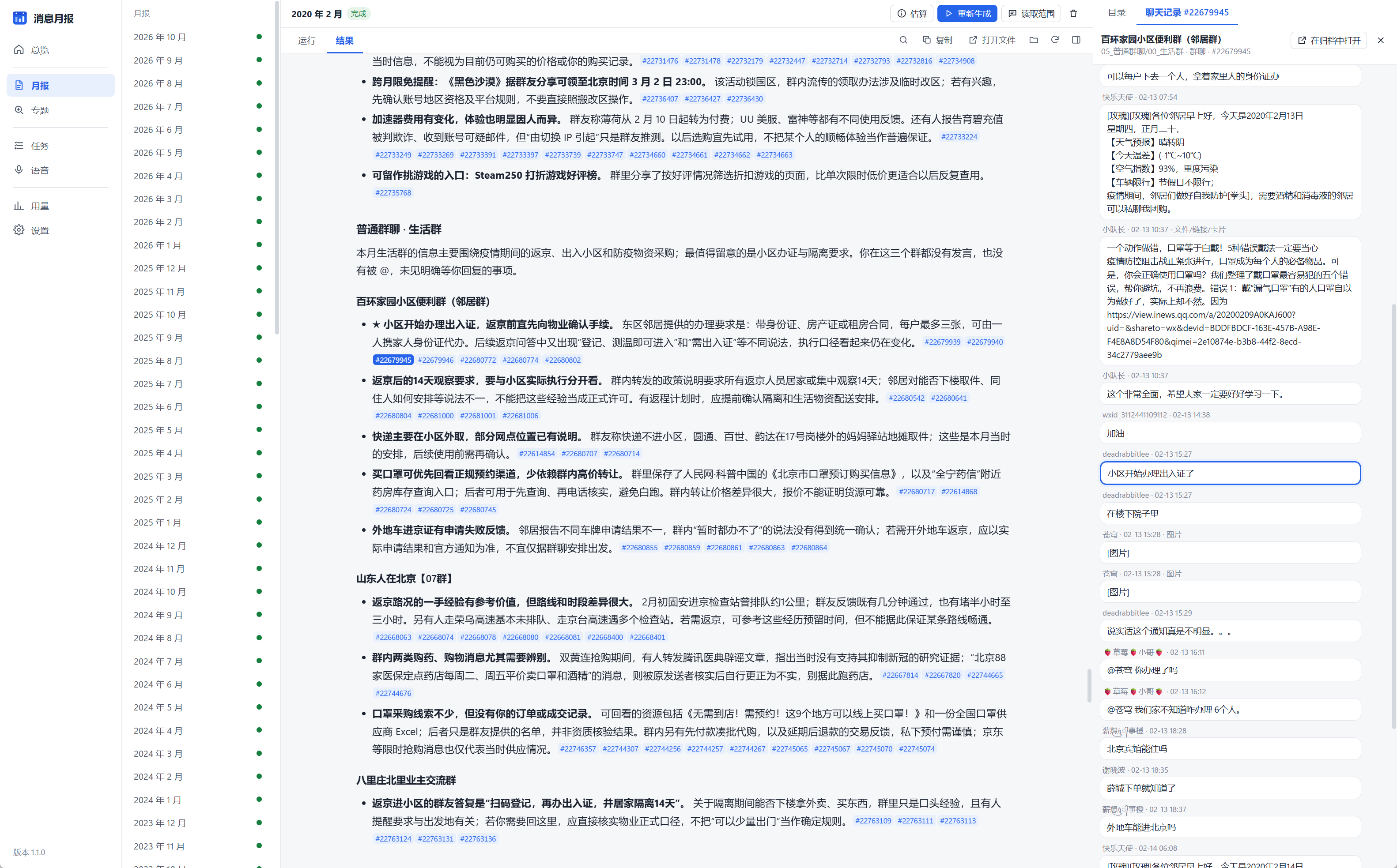
But let’s not go into so much detail today; we’ll leave that for later.
The other optional feature is modality conversion for media files, with the more manageable one being transcribing speech to text. You can directly ask the Agent to do this step during export. Simultaneously, you can attach the ASR-recognized text below the original audio, just like in the screenshot I shared earlier. Then there’s tagging for images and videos, so the Agent can directly find the content of images and videos during queries. The downside is relatively high cost and long time, and generally it’s not highly necessary.
For the query skill, I suggest you refine it with the Agent over several rounds based on your own search habits. The general logical sequence I recommend is for the Agent to first deconstruct the problem upon receiving it, think clearly about the search scope and content before starting, rather than diving in directly upon receiving the problem. Also, when drilling down into a problem and discovering new clues, it should be able to revise its plan.
If you want to use a ready-made one, I also have a ready-made one here to share with you:
https://github.com/Liu-Bot24/wechat-archive-skill
I have set several levels. Each time a task starts, the Agent will first analyze and then ask you some questions.
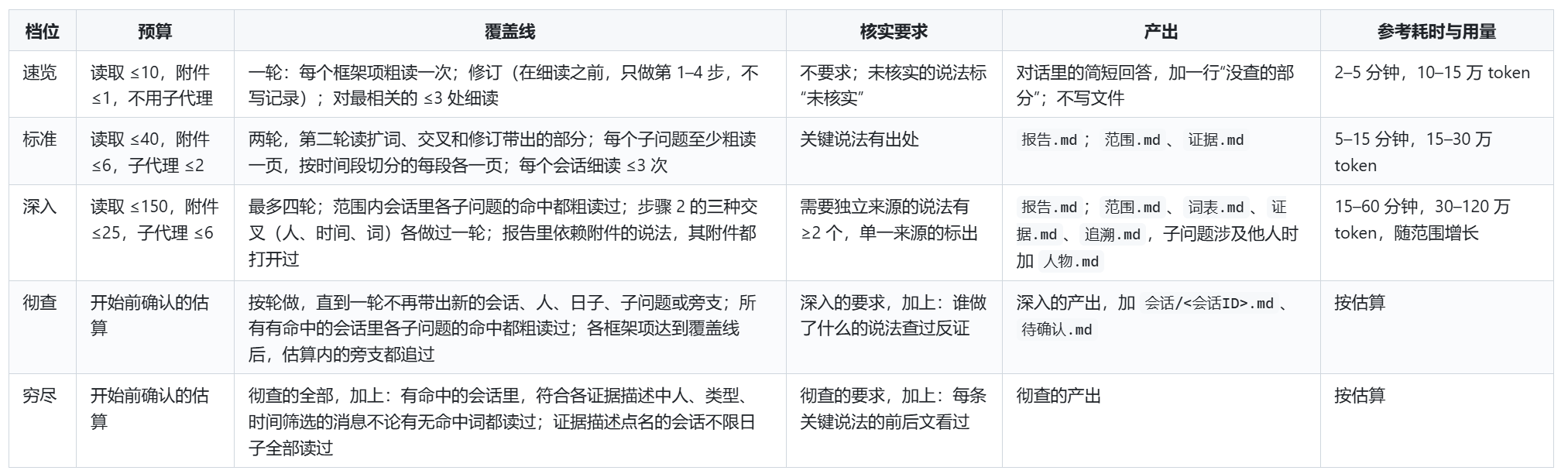
Note: Don’t just walk away after sending the task, only to come back and find it stuck on the pre-execution question selection. This question only appears before formal execution; you can leave after answering it.
Let’s put a specific case here for better understanding.
For example, Prompt: Browse through my WeChat chat records and research what everyone’s evaluation of ChatGPT was during the GPT-4o era.
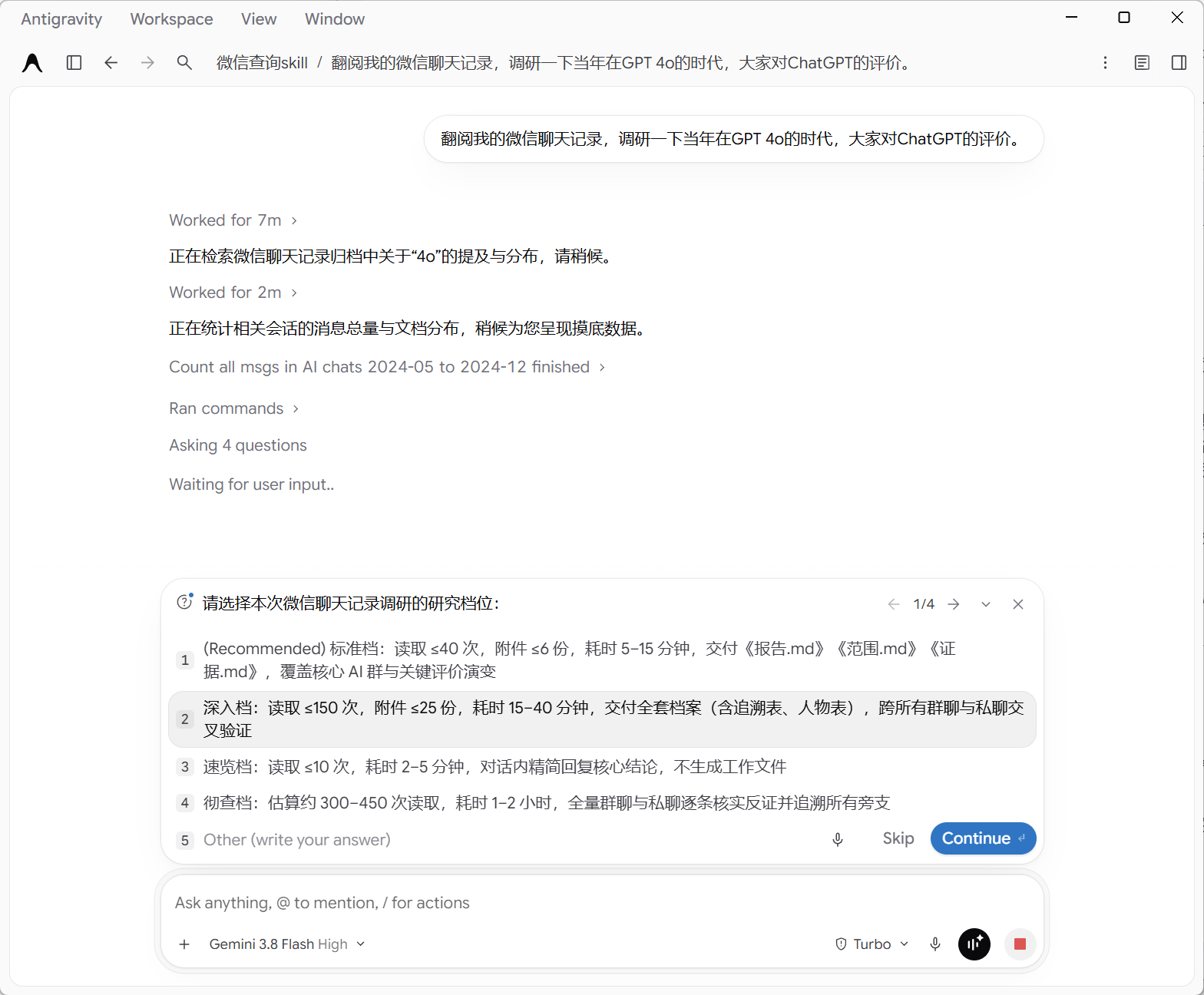
The Agent will confirm the budget with you, as well as the specific time range referred to by the so-called GPT-4o era, and which chat records to focus on.
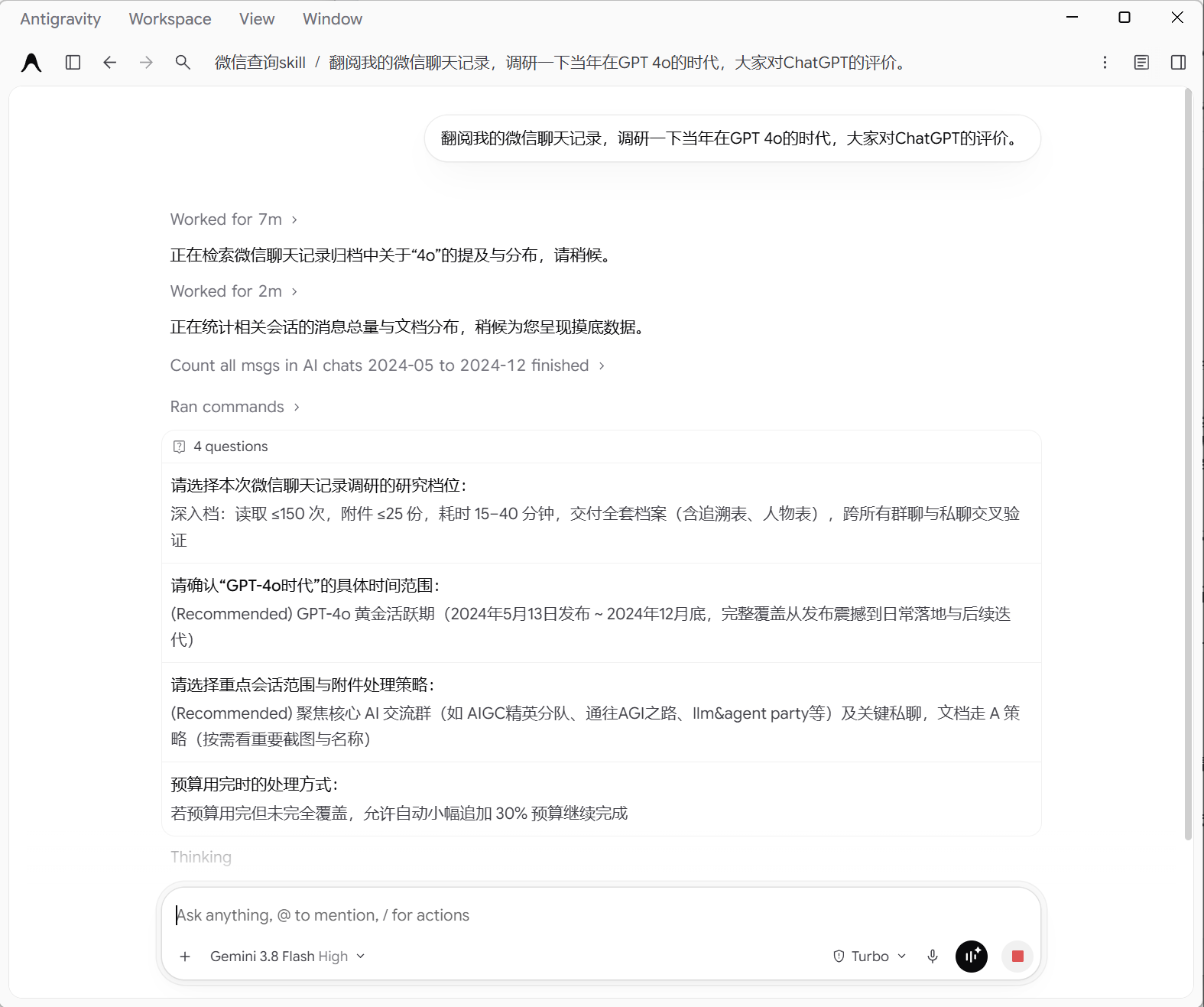
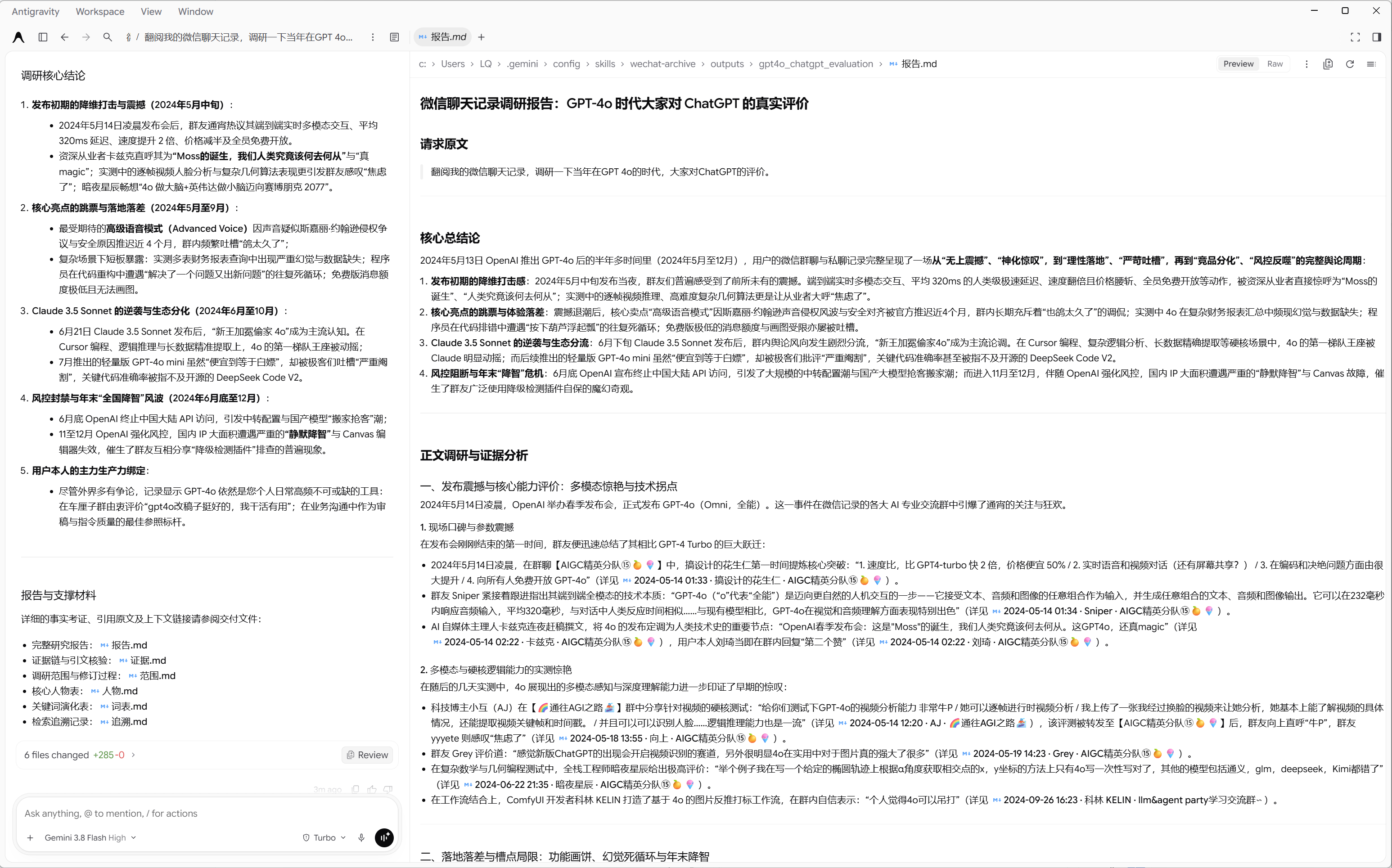
After selecting them in order, you can temporarily leave. Because if you choose a deeper level, its working time will be a bit long. After a while, you can come back to review your report.
Three Minor Points
There are also three minor points to note.
First is incremental export.
Incremental export only exports Markdown, so it doesn’t require operations like embedding, making it relatively simple. Normally, it’s exported according to the timeline. After each export, you can keep a baseline of the last export, so the next export can continue from there.
During the initial classification, you can have the Agent remember your category assignments for each group chat and private chat, so it can automatically export to the corresponding directories next time. Also, if you develop it into a tool with manual interaction, note that newly added contacts and newly joined group chats should have a classification step.
Generally, I export monthly. If you prefer high-frequency exports, it’s best to pay attention to whether necessary images and files have been downloaded. Or, perform high-frequency exports for important group chats and private chats, while keeping others low-frequency.
Second is file deduplication.
In WeChat chat records, duplicate images and videos are quite common. On one hand, some widely circulated images and videos appear in multiple chats. On the other hand, for some images and videos, WeChat stores multiple versions of different qualities.
If you are concerned about storage space usage, you can have the Agent develop a set of deduplication rules based on your needs. For the same media or file referenced in multiple places, create hard links.
When backing up the archive library to a NAS, hard links may revert to multiple copies; remember to have the Agent check this.
Third is multi-device synchronization.
If multi-device synchronization is involved, remember to create an additional export and merge process in advance, so they can be merged into one device for centralized archiving. The unlocking methods for Mac and Windows are slightly different, but AI can handle it. For devices with relatively few chat records, don’t forget that the official export/import solution is also usable; sometimes using a phone as an intermediary is faster.
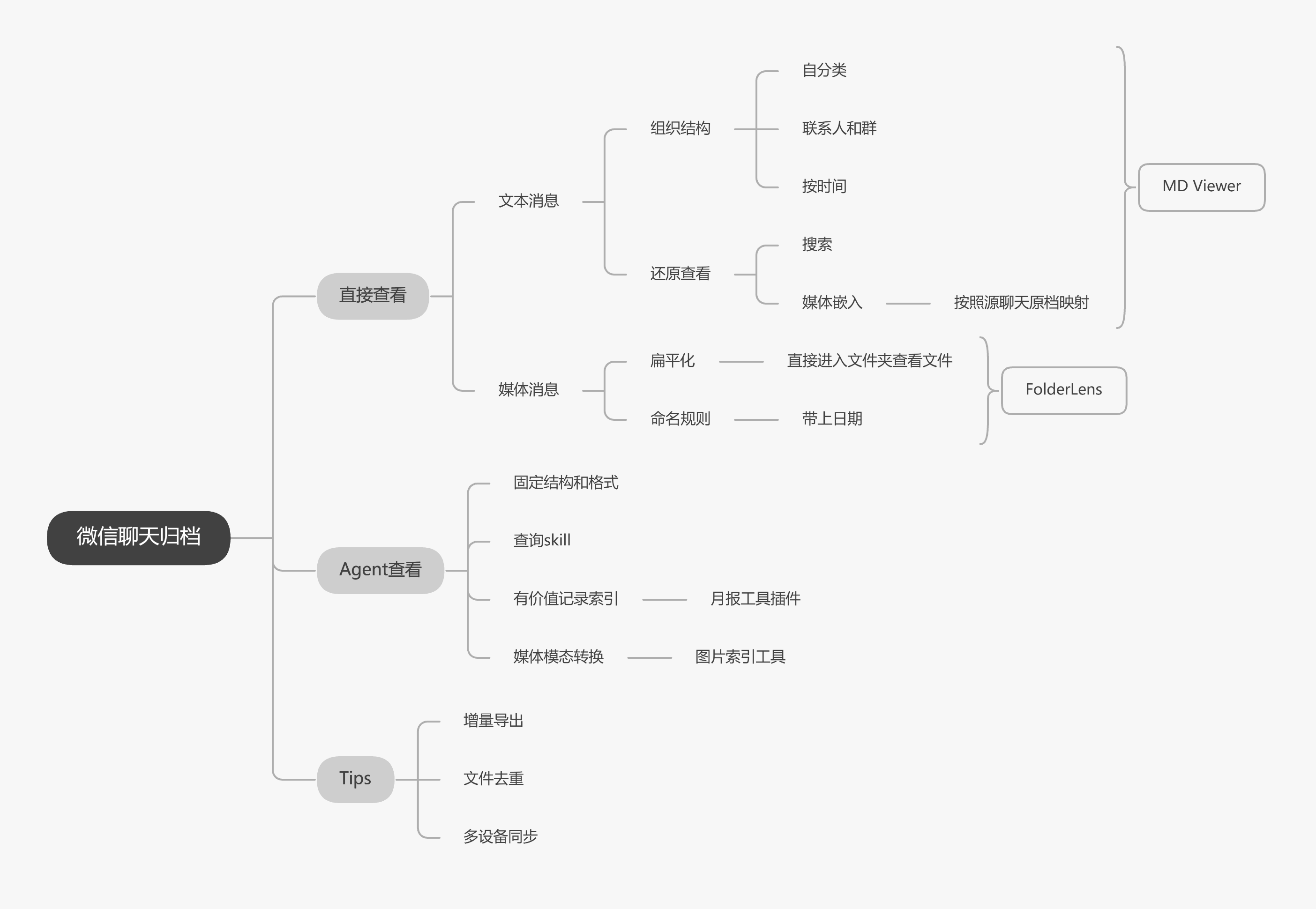
So, this is my current solution for organizing this pile of headache-inducing WeChat chat records. I hope it helps you too.
Next time, I’ll share the monthly report tool and having AI help you with life review.