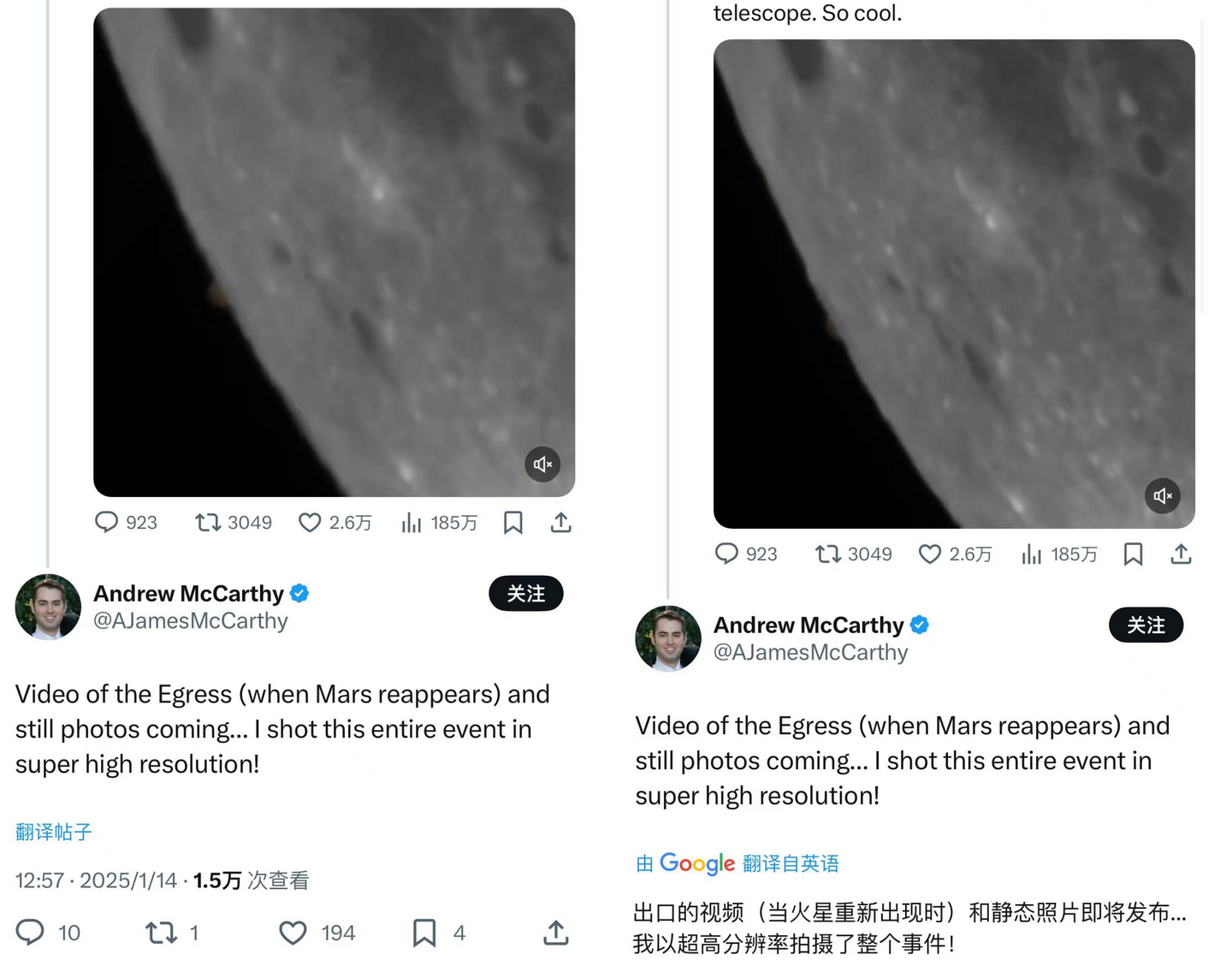
Immersive translation is not a new concept, and it has two main advantages:
First, you can choose to keep the original text, allowing you to compare the original and translated versions side by side, which is convenient for understanding or learning.
Second, you can opt to call large language models, which can produce more comprehensible, human-like output for complex texts unsuitable for machine translation.
If your browser has an AI assistant plugin installed, it likely includes this feature, such as Doubao and Zhipu Qingyan.
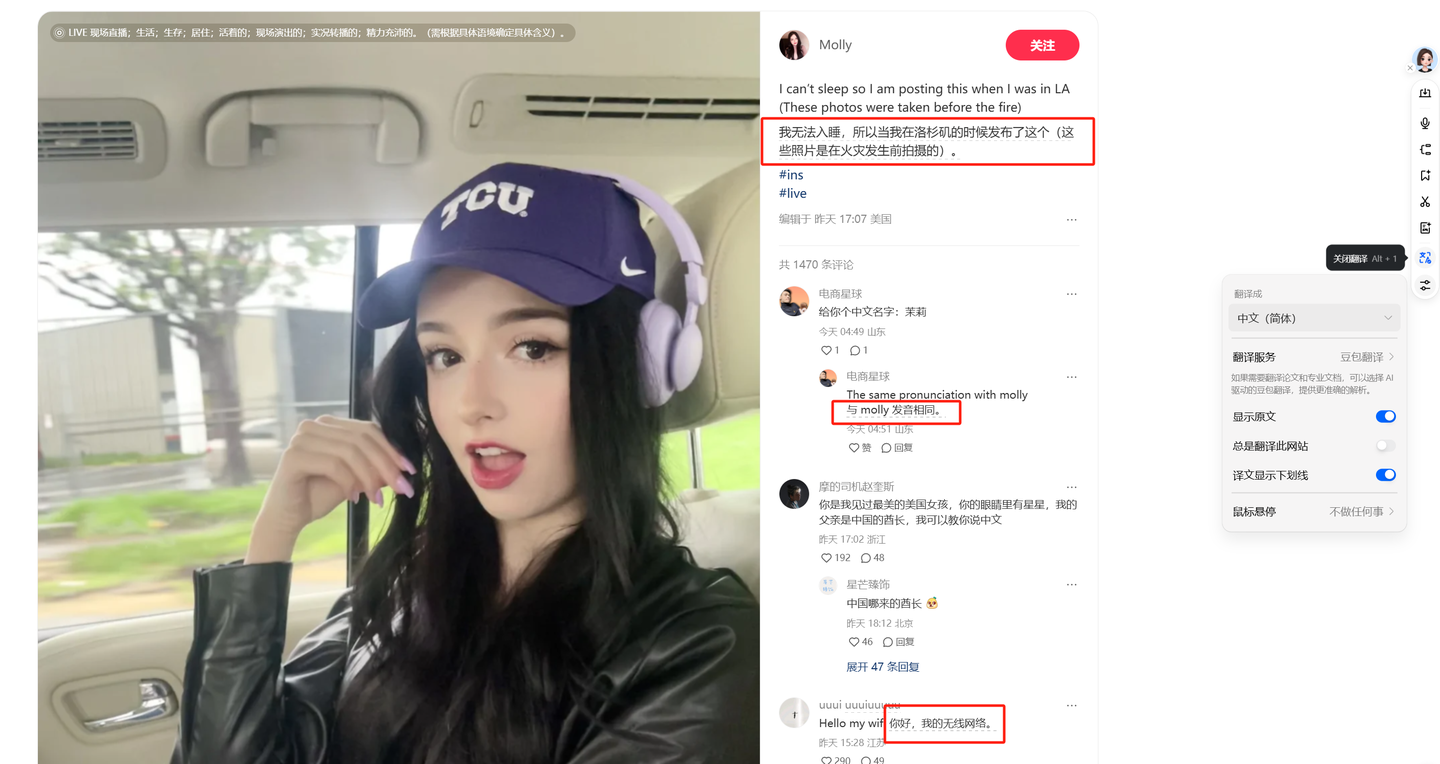
Typically, you can find the translation function in a floating bubble or sidebar. For example, the screenshot below shows the translation entry point in Doubao’s floating bubble—the underlined Chinese text circled in red is the translation result. If you prefer using the sidebar, opening it will also show a prompt to translate the page.
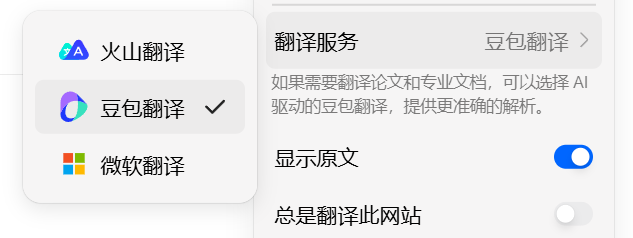
In addition to calling Doubao, translation services can also use standard machine translation without large models, such as Microsoft Translator.
Zhipu Qingyan is similar to Doubao, with entry points in both the floating bubble and sidebar.
However, Zhipu has fewer settings; it cannot use machine translation, and the current plugin version does not support translation annotations.
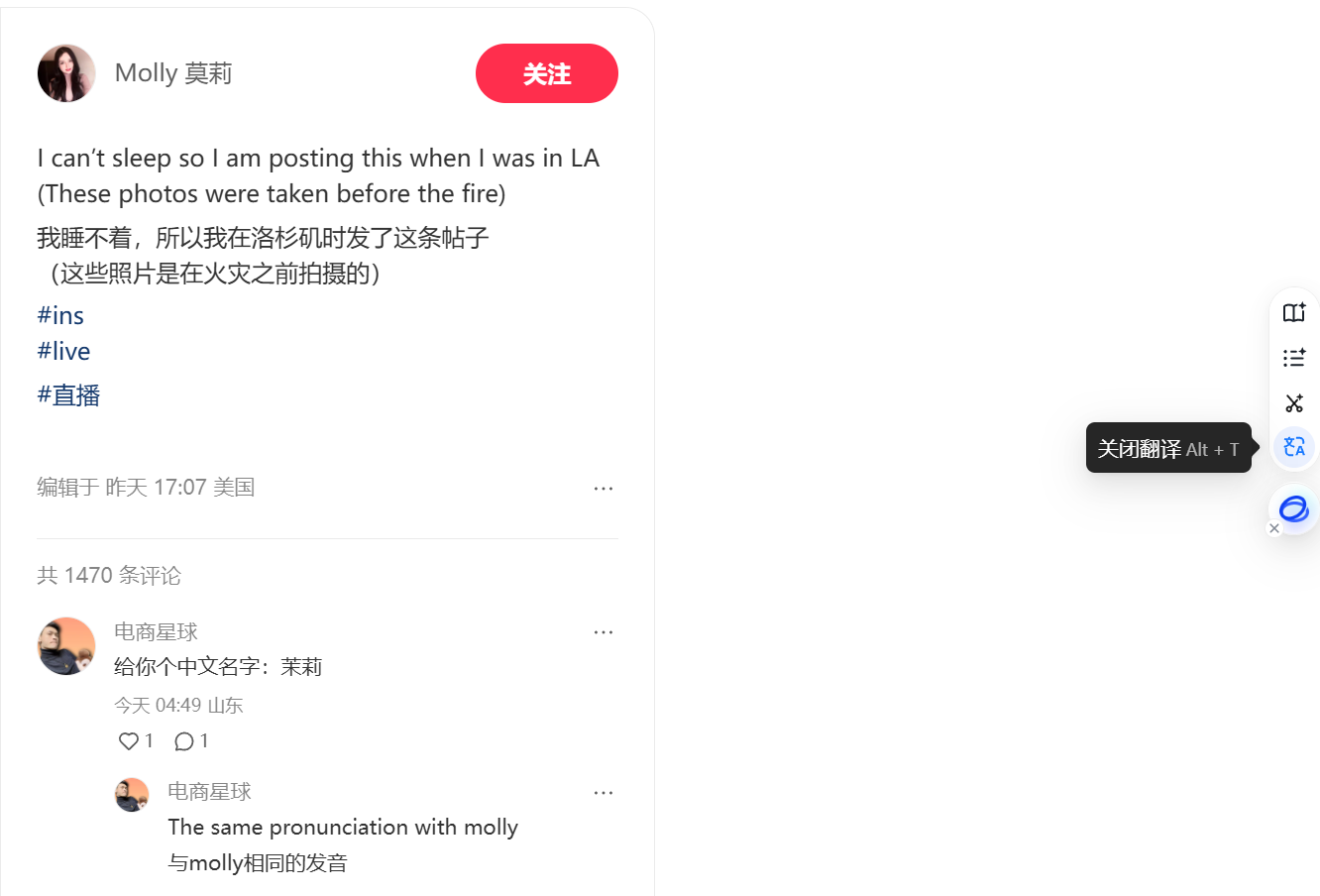
I personally prefer using the Glarity browser extension.
There are a few points that make it more comfortable for me: ① Machine translation can use Google Translate ② It calls large models via API, allowing you to choose which model to use ③ The translated text has more style options.

If you don’t mind a slightly more involved process, you can refer to my approach:
First, install the extension from the Chrome Web Store.
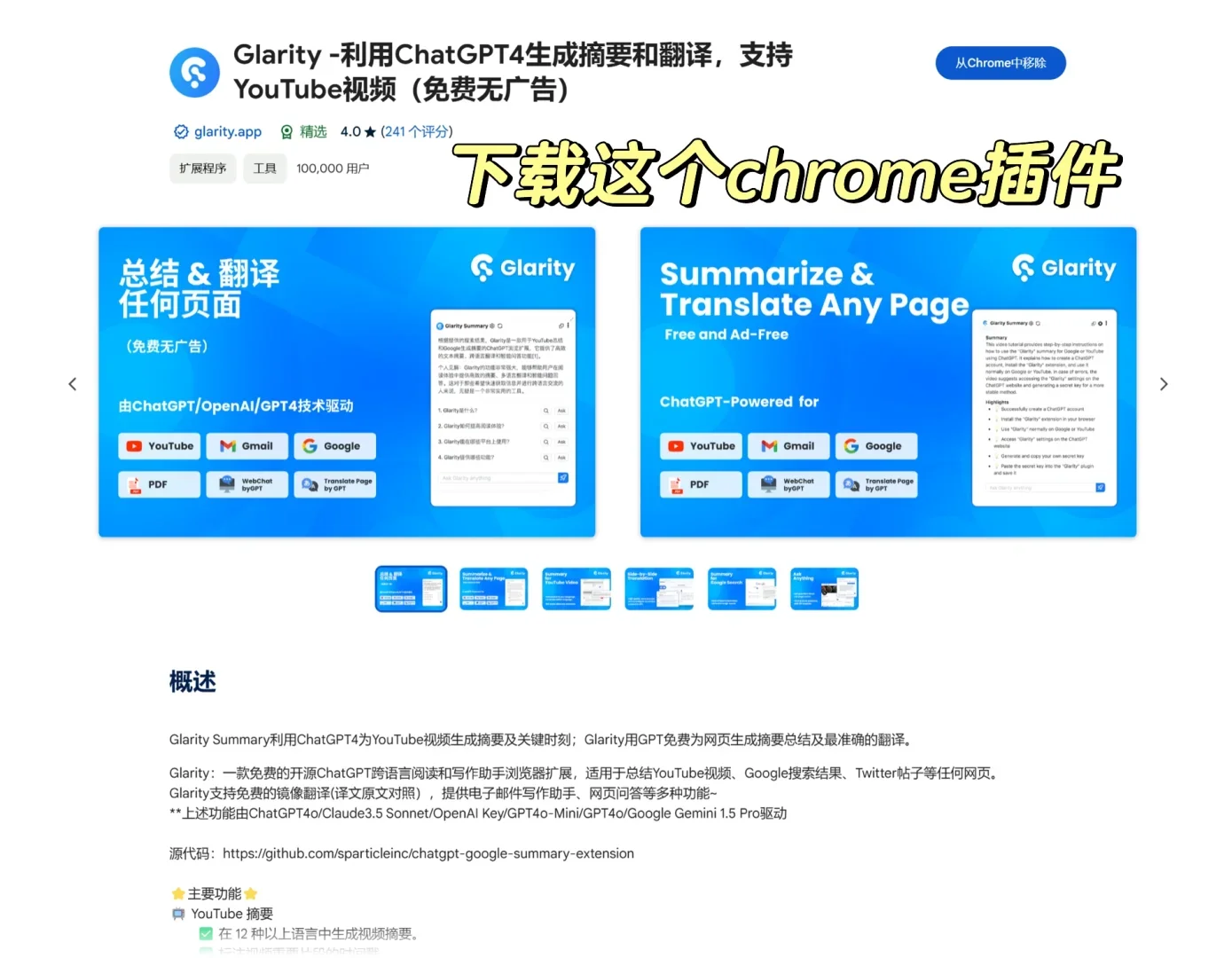
Then, if you are willing to pay, you can directly subscribe to their membership to gain the ability to call large models like GPT-4o/Claude 3.5 Sonnet/Gemini Pro.
Of course, I prefer not to pay. Glarity also allows you to use your own API Key and endpoint, so I choose to fill in a custom API Key.
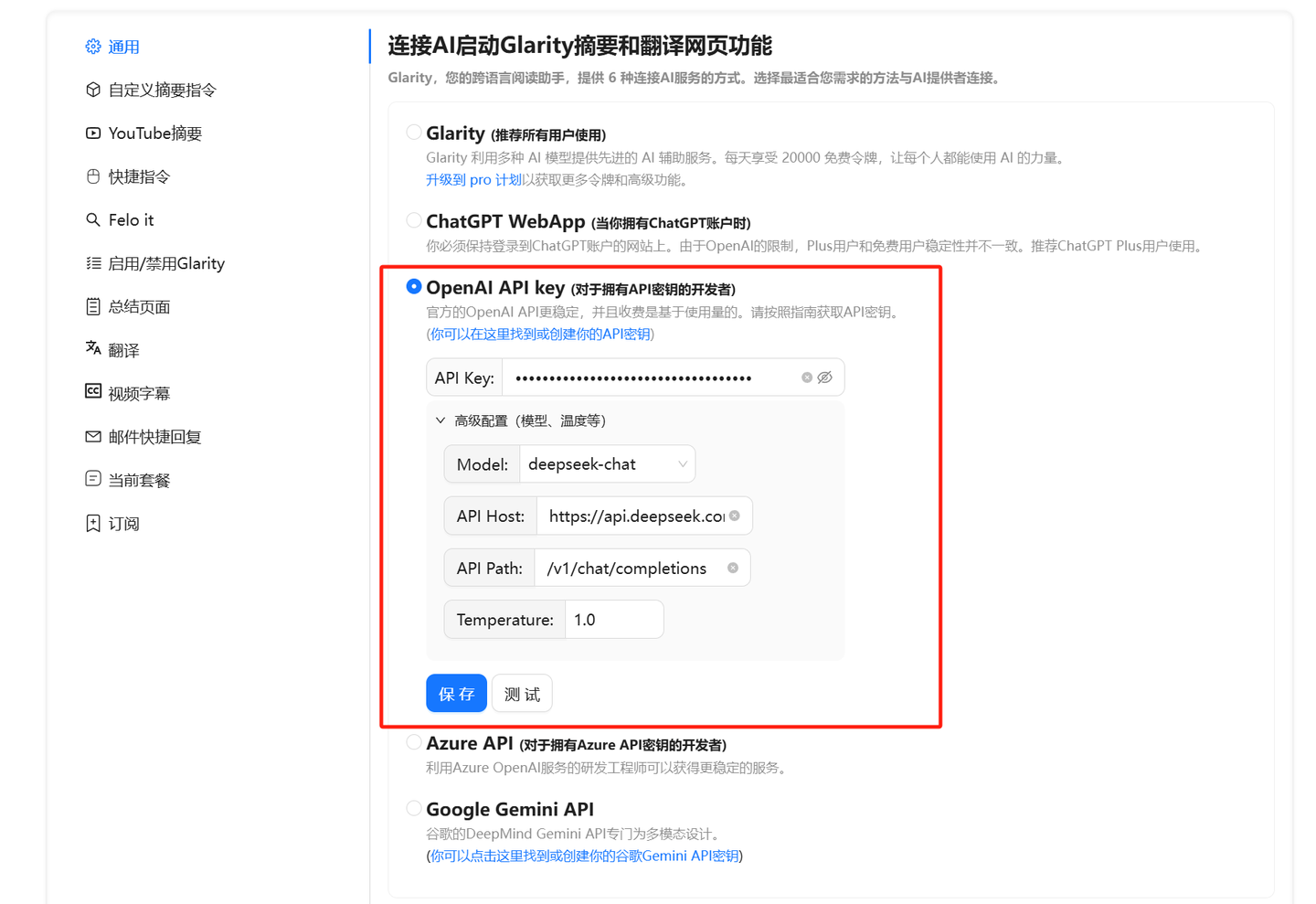
Technically, it only supports API Keys from OpenAI, Azure, and Google Gemini, but we can use One API to convert almost all large models on the market into OpenAI’s API format. Therefore, as long as it supports OpenAI’s API and allows custom API endpoints, it effectively enables calling most AI large models available.
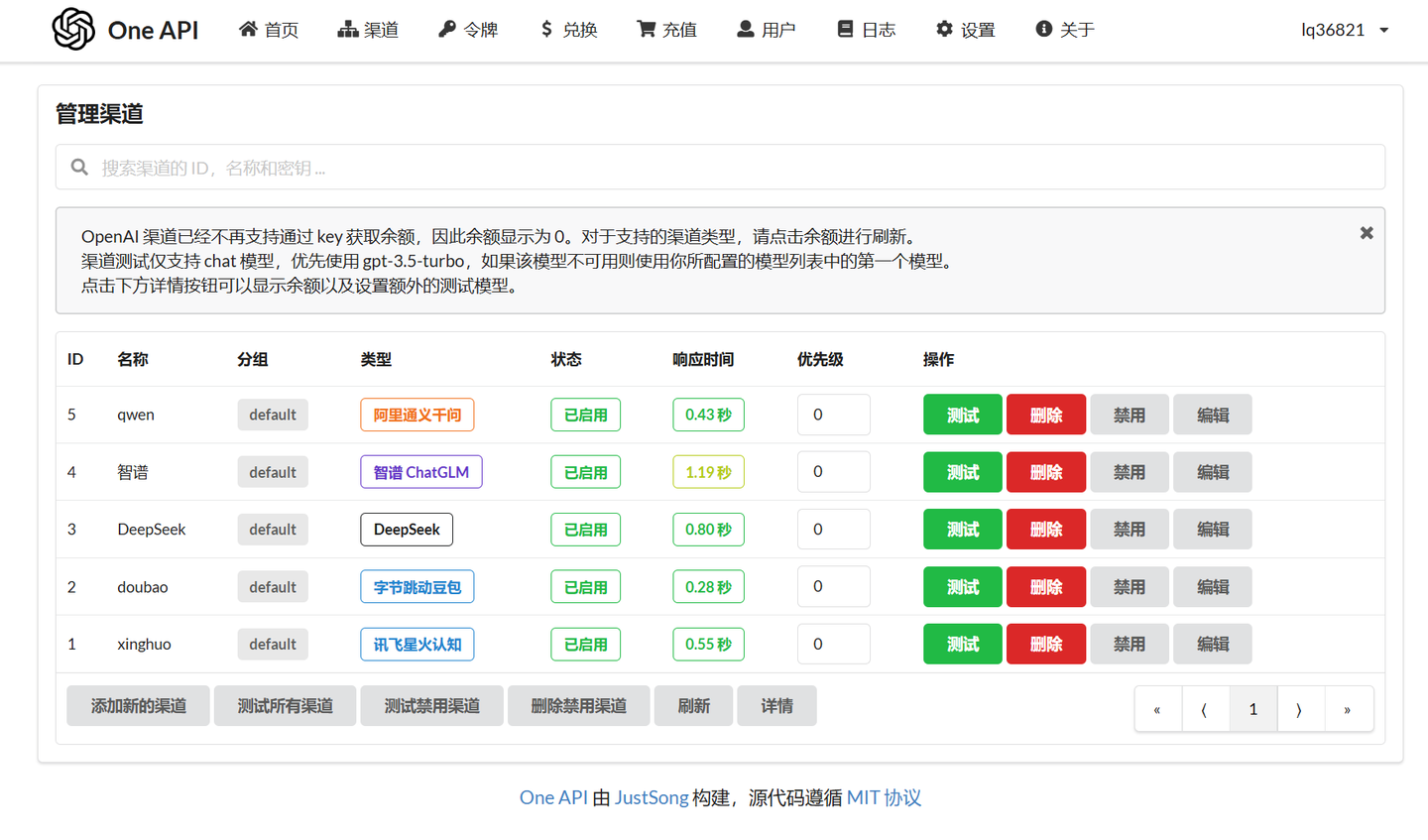
One API is a bit complex and won’t be detailed here; instead, I recommend using DeepSeek.
First, DeepSeek’s capabilities are strong enough. Second, DeepSeek natively supports OpenAI’s SDK (Qianwen also does), so it can be used directly without One API conversion.
Go directly to the DeepSeek official website to register and select the ‘Access API’ option on the right.
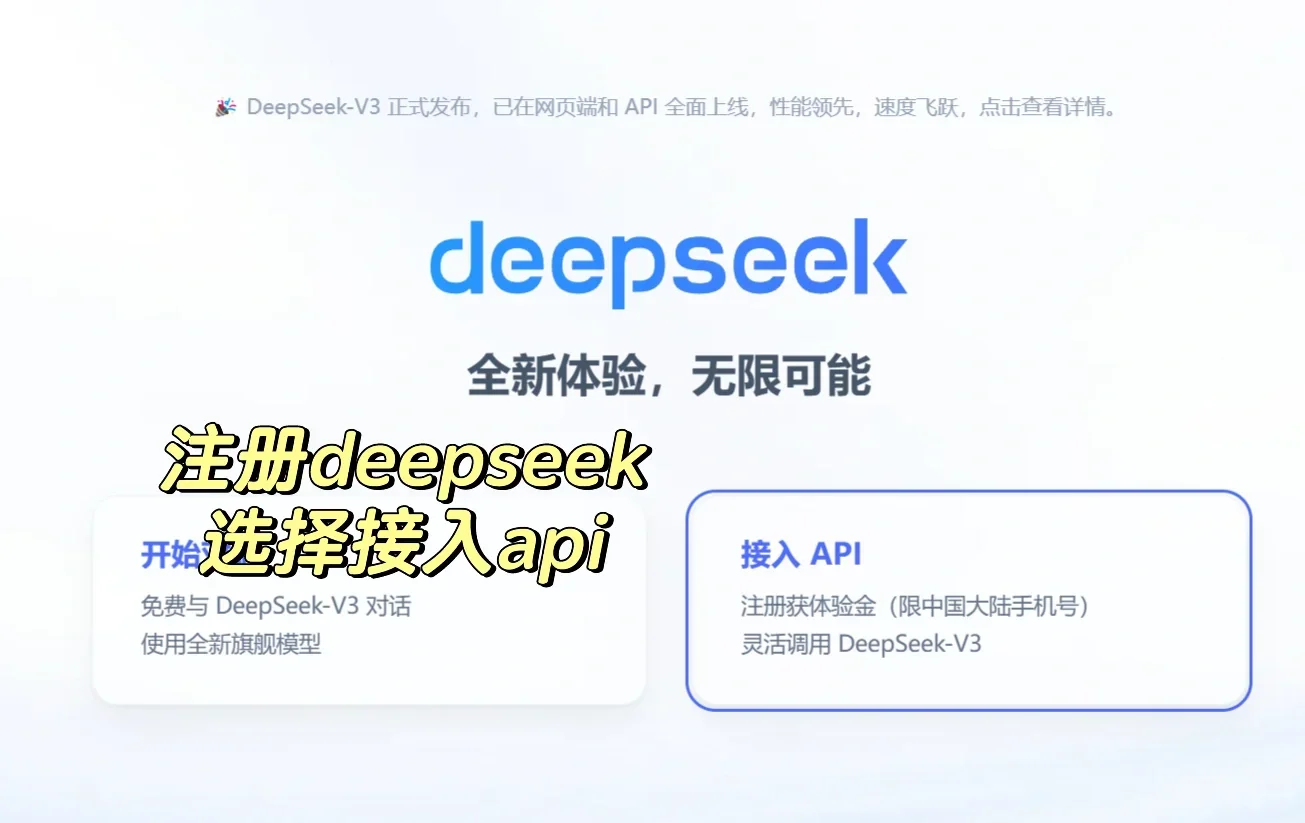
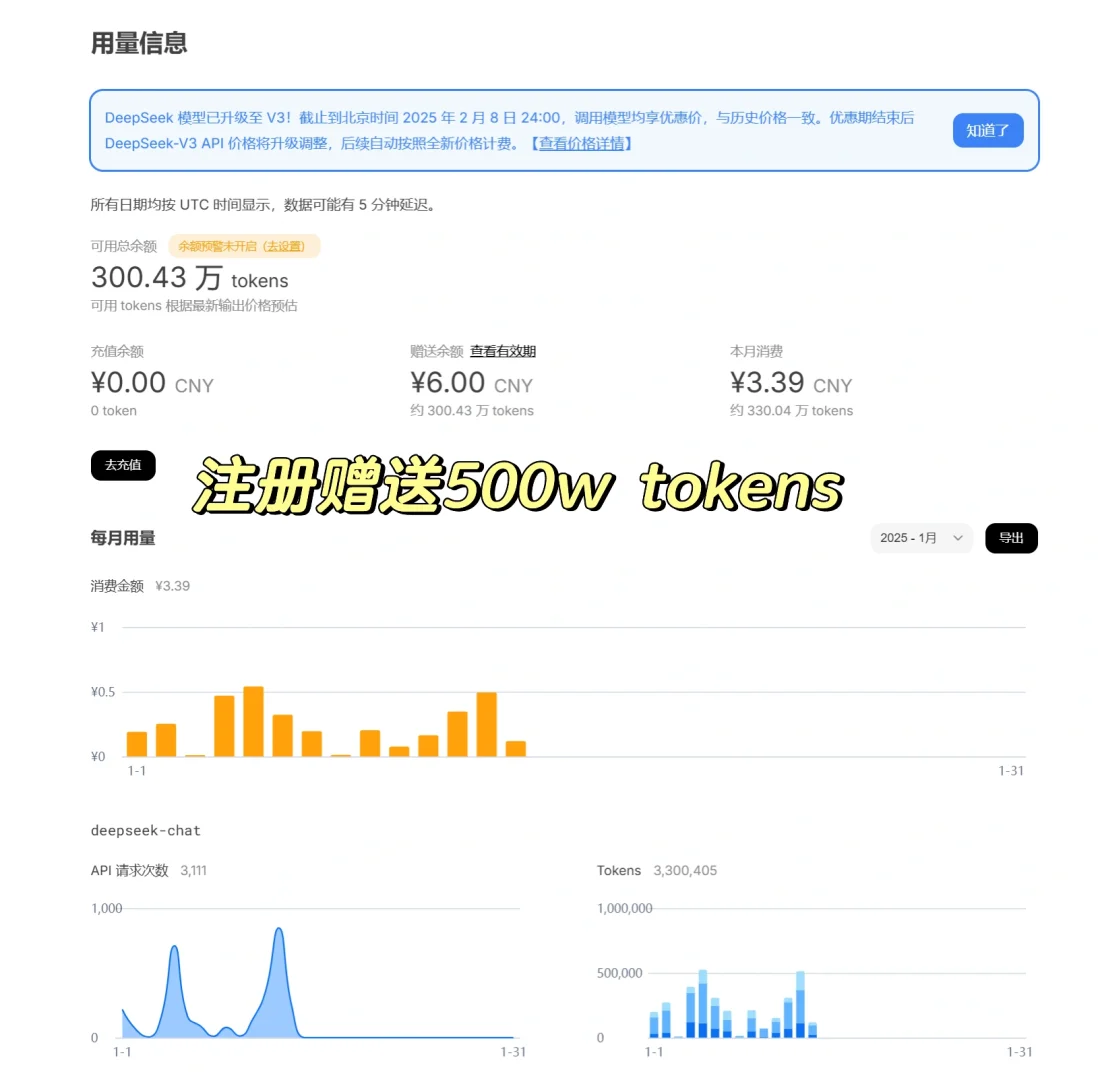
After registration, you get a free balance of 10 yuan, equivalent to about 5 million tokens, which can last a long time if used only for translation.
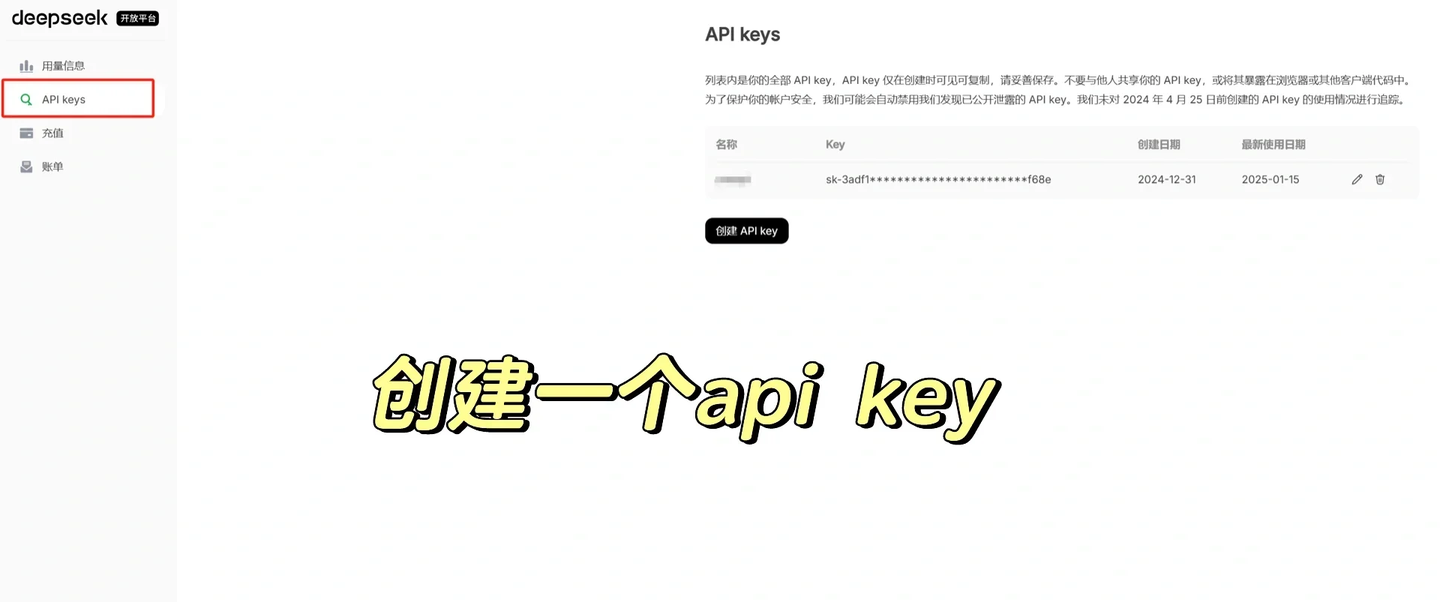
Then, on the left side of the page, select ‘API keys’ to create an API key.
Return to the Glarity settings interface and fill in the fields as shown in the image below.
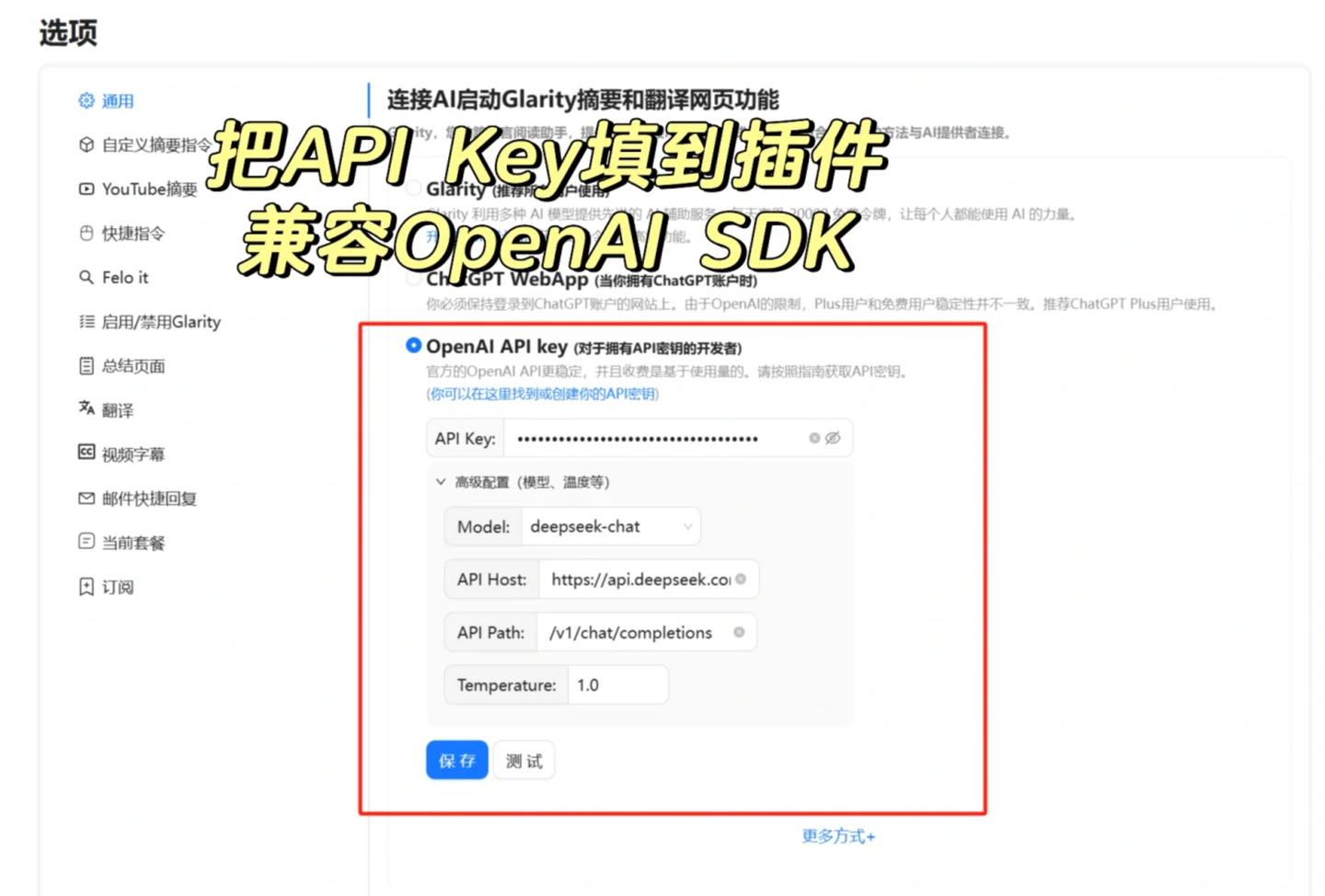
Model:deepseek-chat
API Host:https://api.deepseek.com
API Path:/v1/chat/completions
Temperature:0.7-1
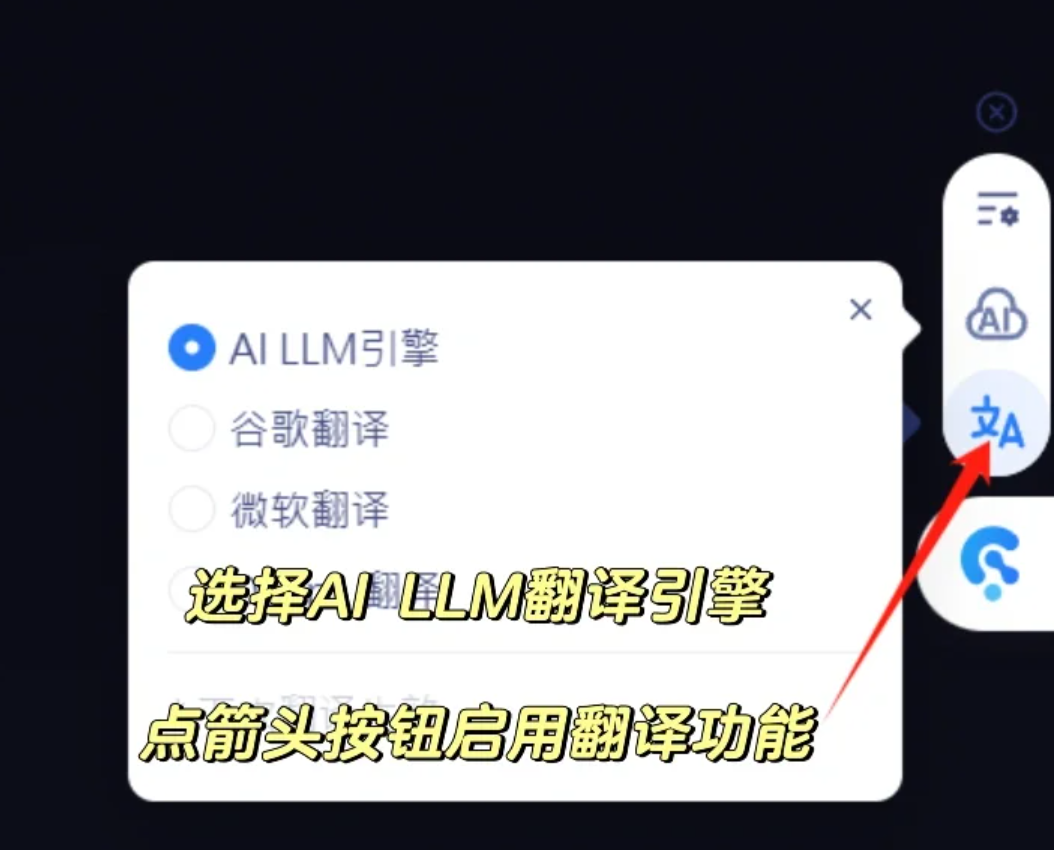
If using AI translation, select the first AI LLM engine; if machine translation is sufficient, choosing Google Translate also works.
When calling DeepSeek via API, its content moderation for sensitive text is less strict. Especially in translation scenarios, some content that prevents Doubao and Zhipu from working, such as titles of certain Japanese films, can be translated normally using this approach.
There are also more style options for the translated text, such as bold, italics, underline, and highlight—for example, I prefer using green highlights.
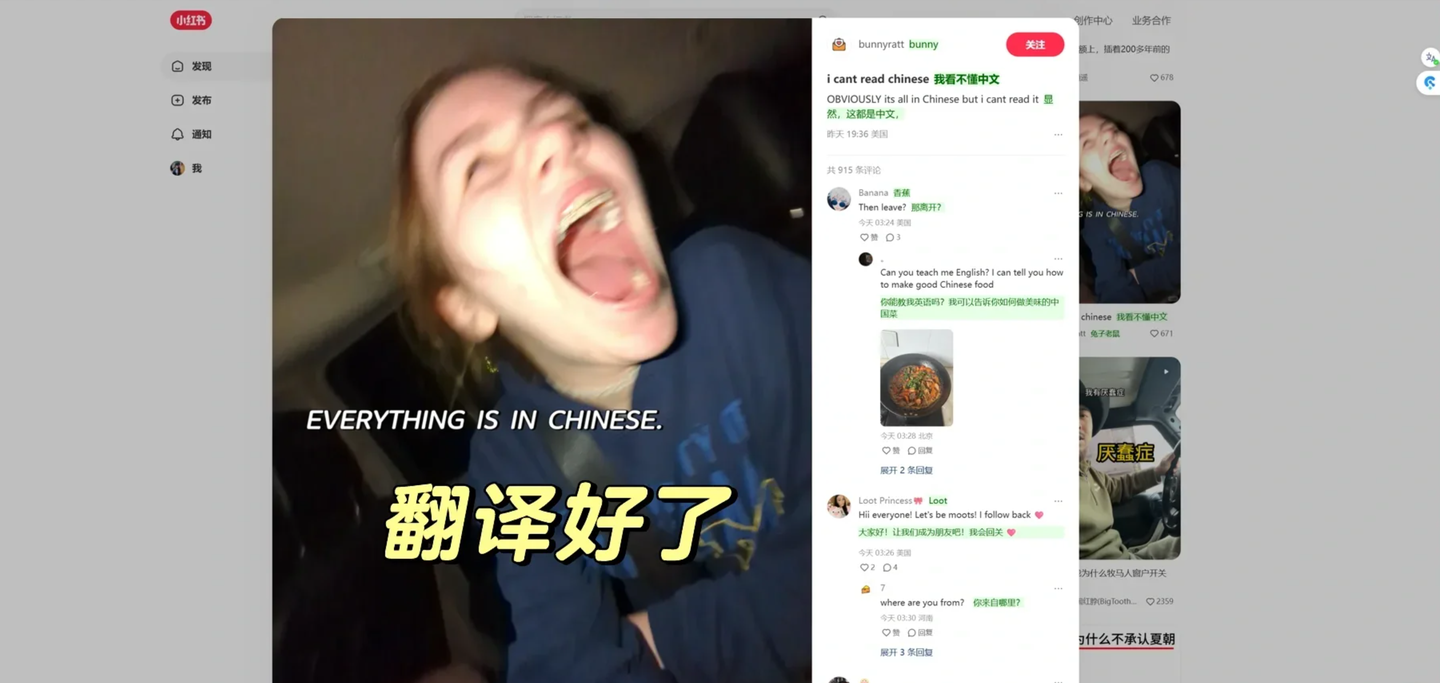
Glarity also has a key feature worth mentioning separately: Quick Commands.
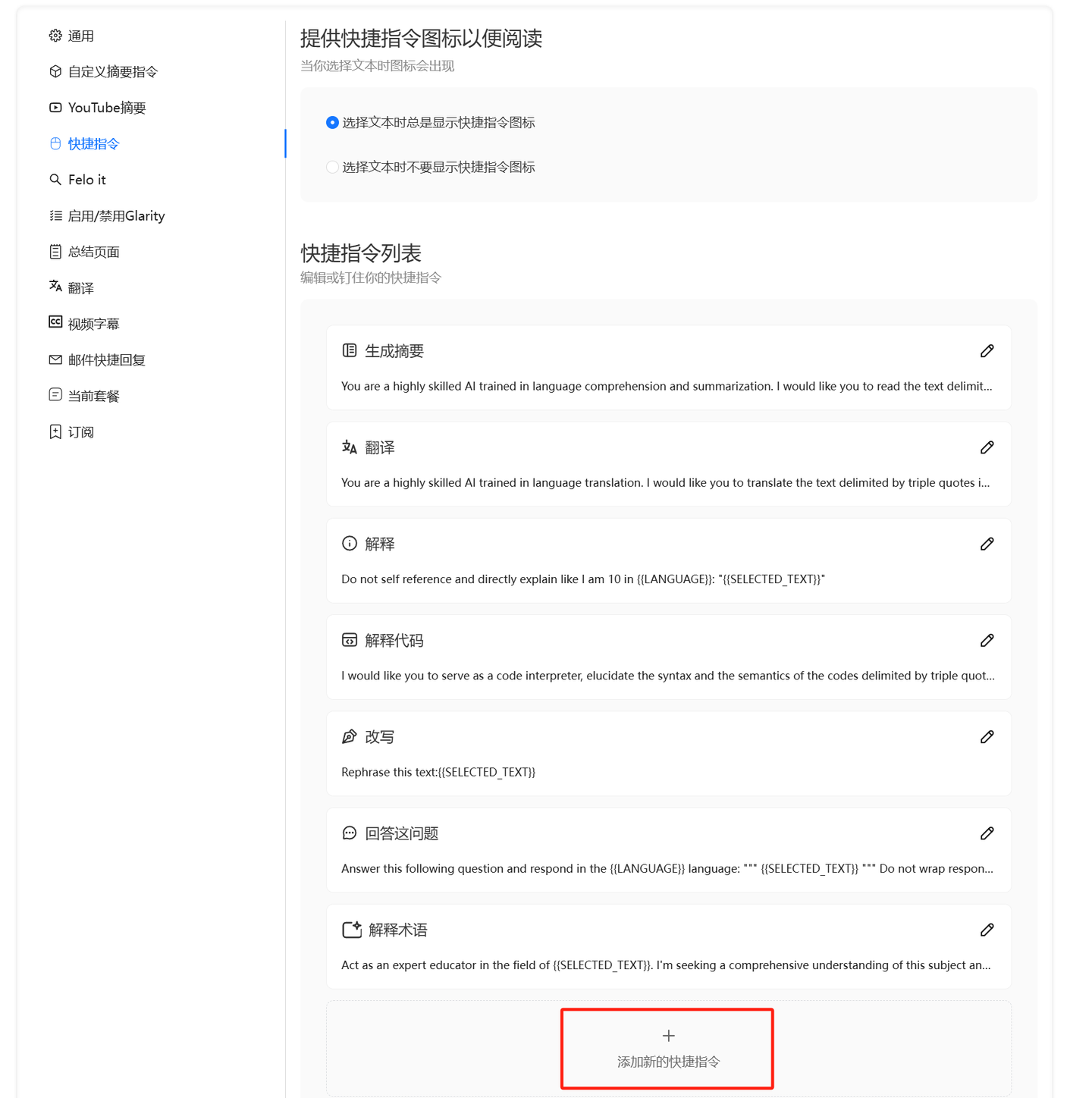
With Quick Commands, you can quickly process selected text using a large model, and it supports custom prompts. If you have a lot of content in your browser that needs formatting, analysis, or processing by a large model, this Quick Command feature will be very efficient.
(PS: Doubao also has this feature, but it uses Doubao’s model.)
Of course, for Xiaohongshu, immersive translation has its limitations: it only works in web browsers.
If you want to see foreign language translations directly in the app, you will have to wait for official action from Xiaohongshu. This is not without precedent, as the X app has a built-in translation feature.
Once the preceding protocols are finalized, implementation will be swift.