Before 2023, in my mind, API calls were still the exclusive domain of developers.
Until one day, I discovered a somewhat magical fact:
AI large language models have reached this stage today, and now even I can call APIs.
Can’t understand the documentation? Let AI read it. Can’t write code? Let AI write it.
Recently, everyone has been discussing DeepSeek, and many people should have registered on DeepSeek’s open platform. After registration, DeepSeek’s open platform gives a 10-yuan trial credit. It probably no longer displays the token count now, but before February 8th, this 10-yuan credit was still the same as before, equivalent to about 5 million tokens. Some people might think they can’t use up that many tokens, but once you truly integrate AI into your work, you’ll find it’s not even enough.
From late December last year to now, in less than a month, I’ve already used up my gifted credit. With input and output combined, I’ve used approximately 9 million tokens in total. Let me share where I used them:
1. Browser Extensions
The least challenging application scenario is browser extensions, specifically the Immersive Translate extension mentioned earlier:Too many English comments on Xiaohongshu and can’t understand them? Try Immersive Translate.。
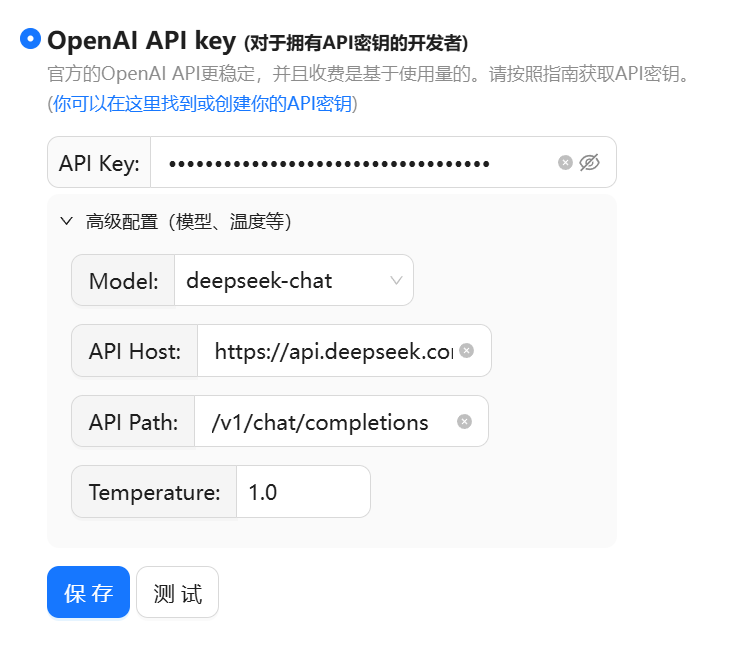
Just fill in the API Key and endpoint URL, and it’s ready to use.
Besides Immersive Translate, it can also organize and summarize page content.
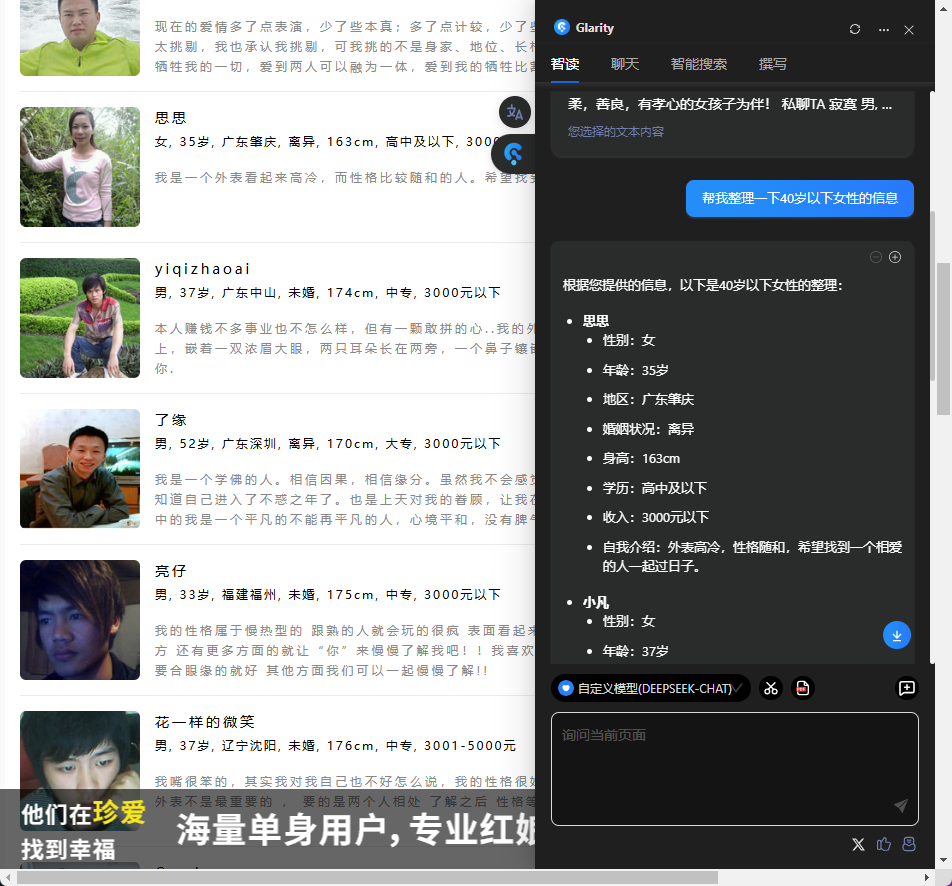
For example, it can help you find people of your preferred gender in the mixed-gender list on a dating website:
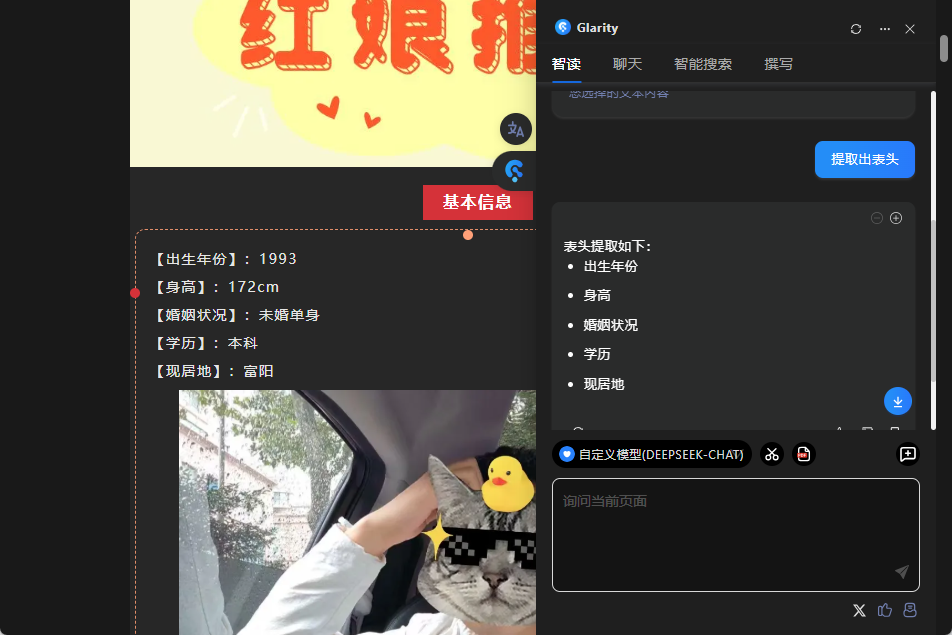
Or, when you can’t wait to participate in such a dating event, simply hover your mouse over someone’s profile to quickly extract the header information, fill it out, and sign up directly:
Using browser extensions like this isn’t difficult; if you can fill in blanks, you can use it. However, it’s easily overtaken by similar products from big companies, like Doubao.
The Doubao extension is completely free, and after a few iterations, it could implement the same features. Meanwhile, I’m here consuming API credits, which feels a bit foolish.
Actually, looking at a few features of the extension, what DeepSeek’s API can do is what LLMs can do. The most common uses are analyzing, summarizing, and processing text content.
Building on this capability, combined with some simple AI development, we can create some interesting things.
2. Bilibili Danmaku Analyzer
This was one of the first small tools I tried to create using AI programming. At the time, I didn’t know how to use Cursor, so I built it by copying and pasting back and forth in Claude’s chat window.
The code was written by Claude, and the API being called was DeepSeek.
I’ve already deployed this application on my Alibaba Cloud. Below is the URL, which you can copy and paste into your browser to try it out:
https://danmu.liu-qi.cn/

This tool has the following features:
① Retrieve basic video information and download danmaku
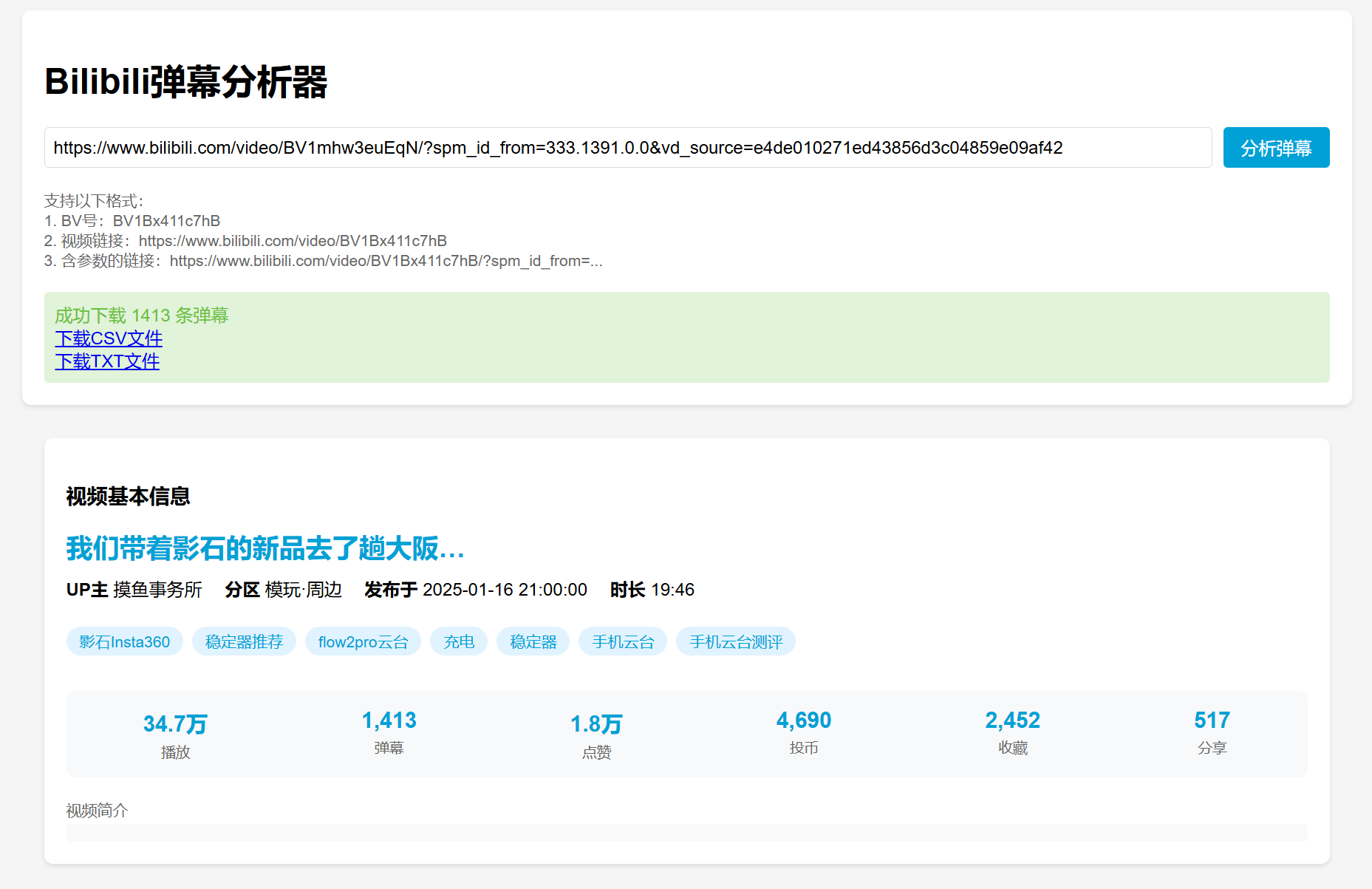
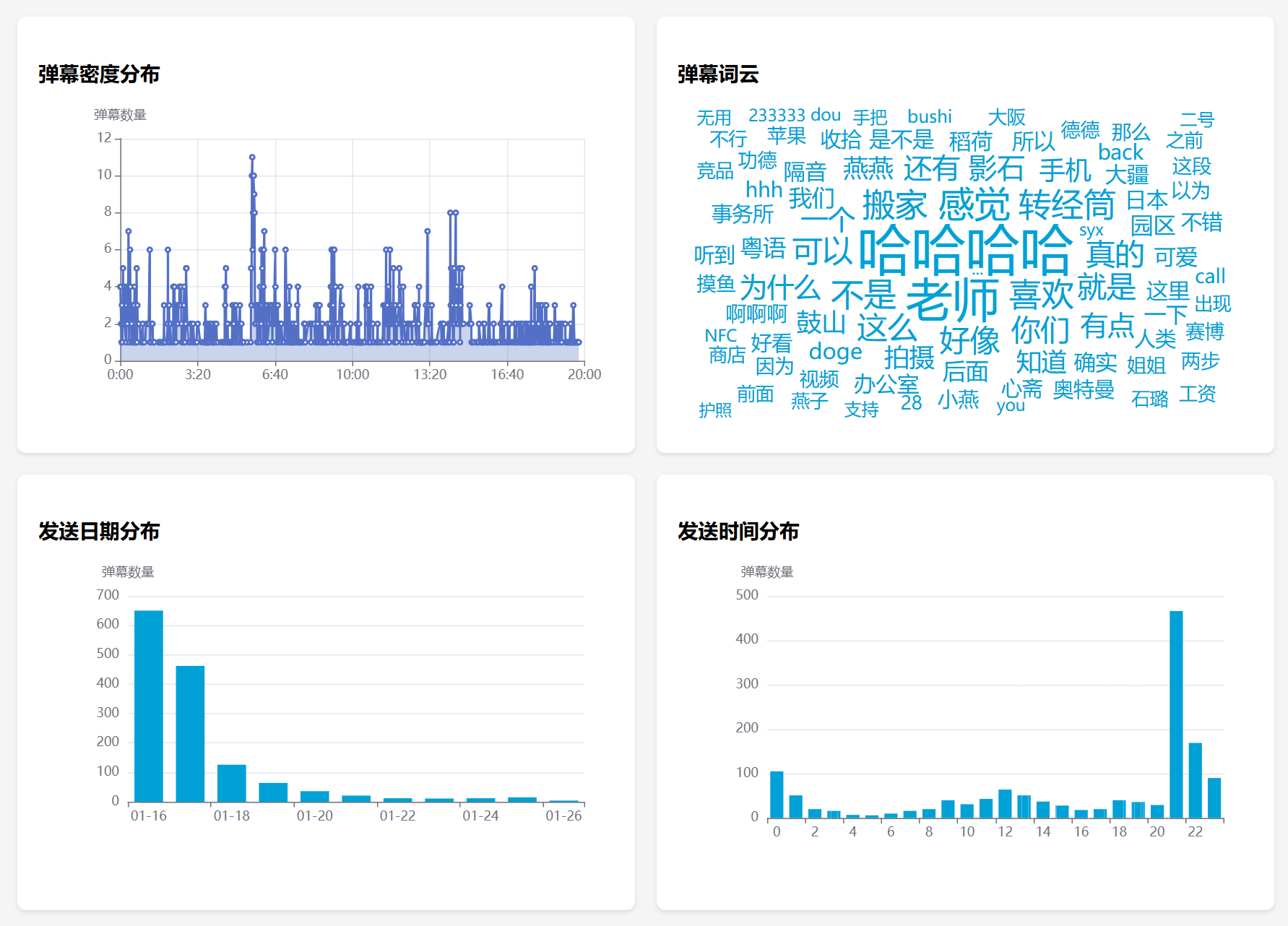
② Generate charts such as danmaku distribution and danmaku word clouds
③ AI analysis of danmaku (calls DeepSeek’s API here)
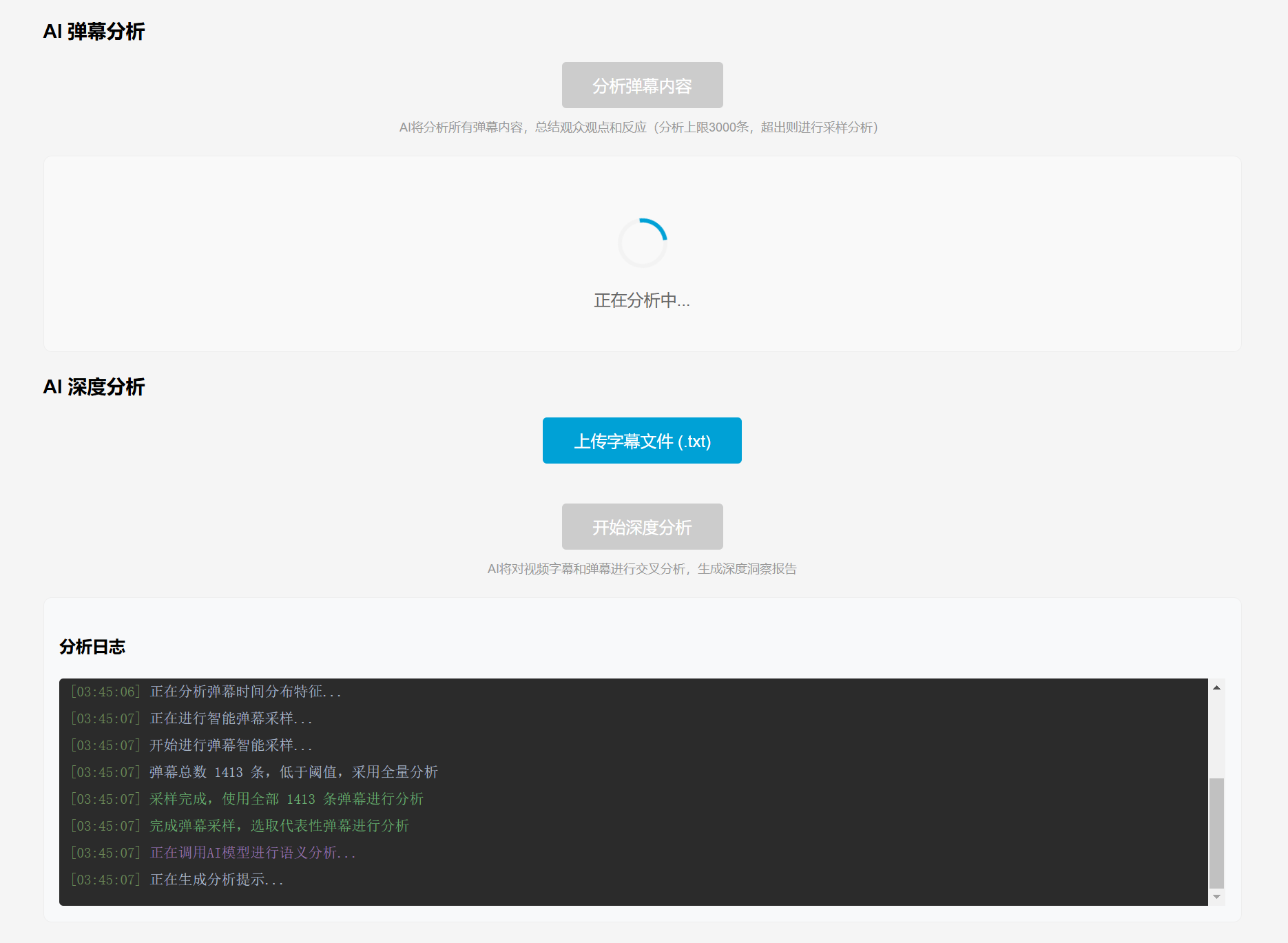
Analysis results:

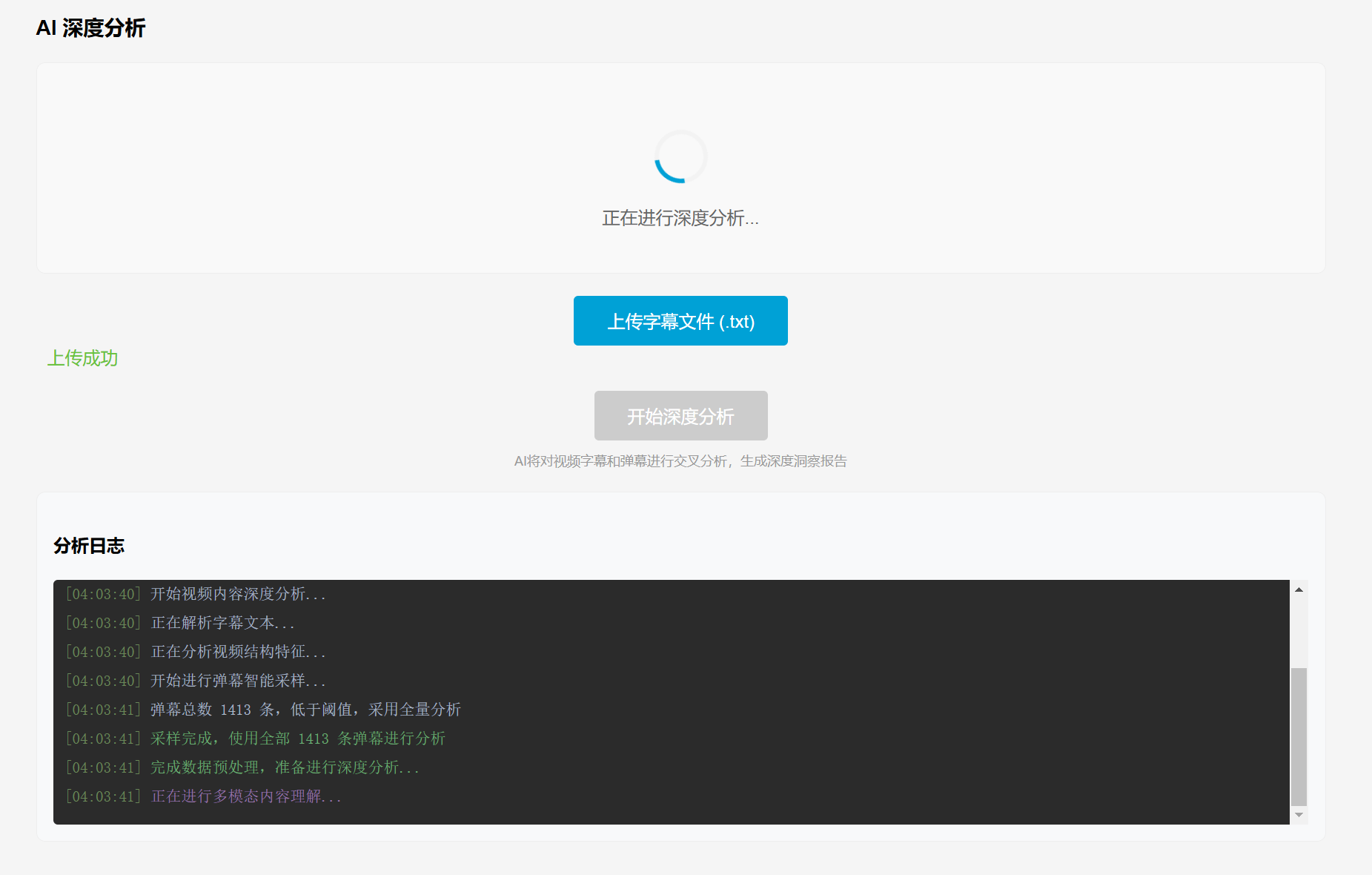
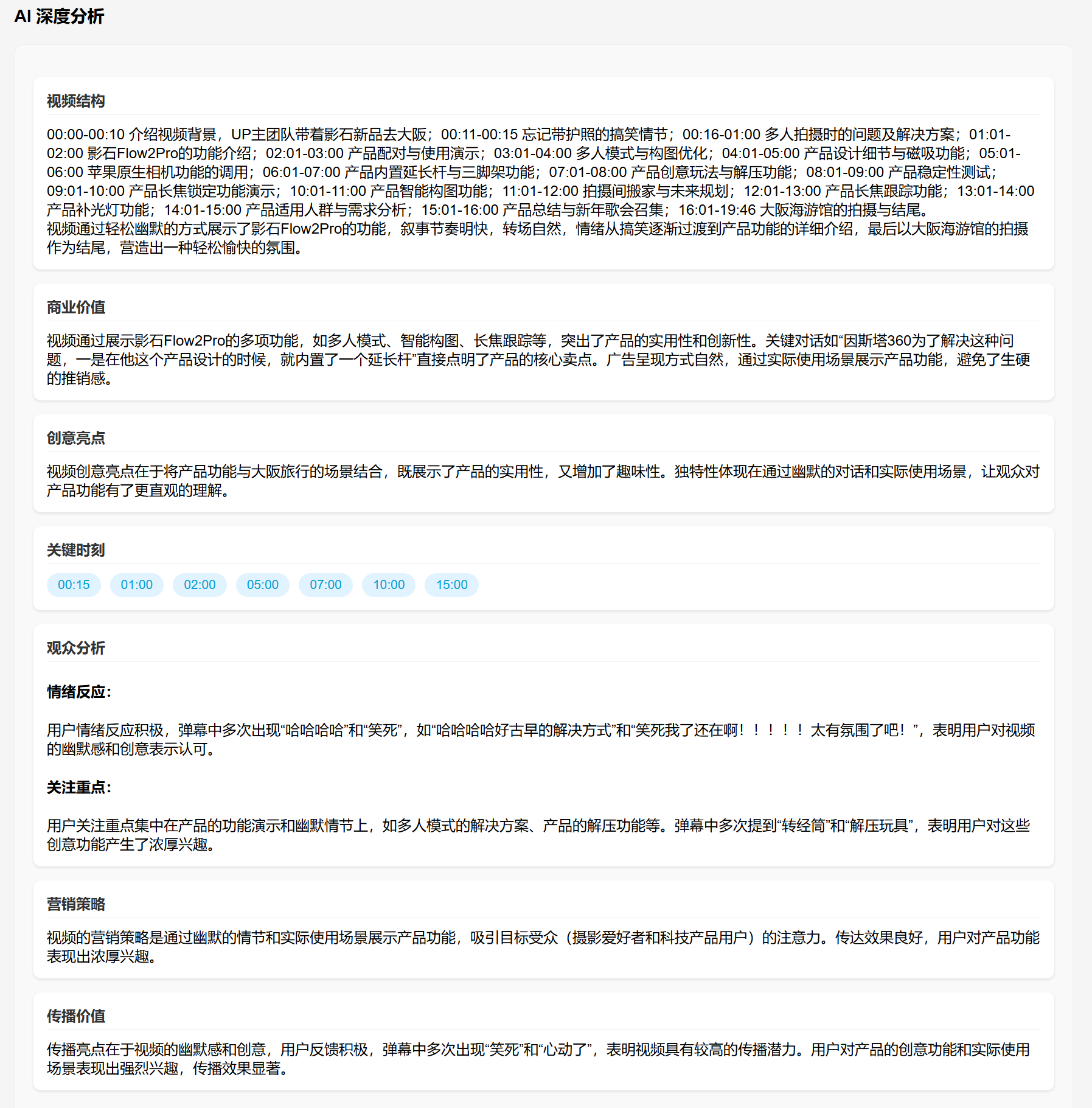
④ Danmaku and subtitle AI cross-analysis (also calls DeepSeek’s API here)&Most new videos on Bilibili now have AI-generated subtitles with time codes, but the official platform does not provide a corresponding API, so packet capture is required. This process is more convenient using browser extensions, so an upload function was added for subtitles.
Analysis results:
3. AI Brainstorming Session
Here, in addition to DeepSeek, APIs from other AIs were also used.
In addition to DeepSeek, APIs from other AI models are also used here.
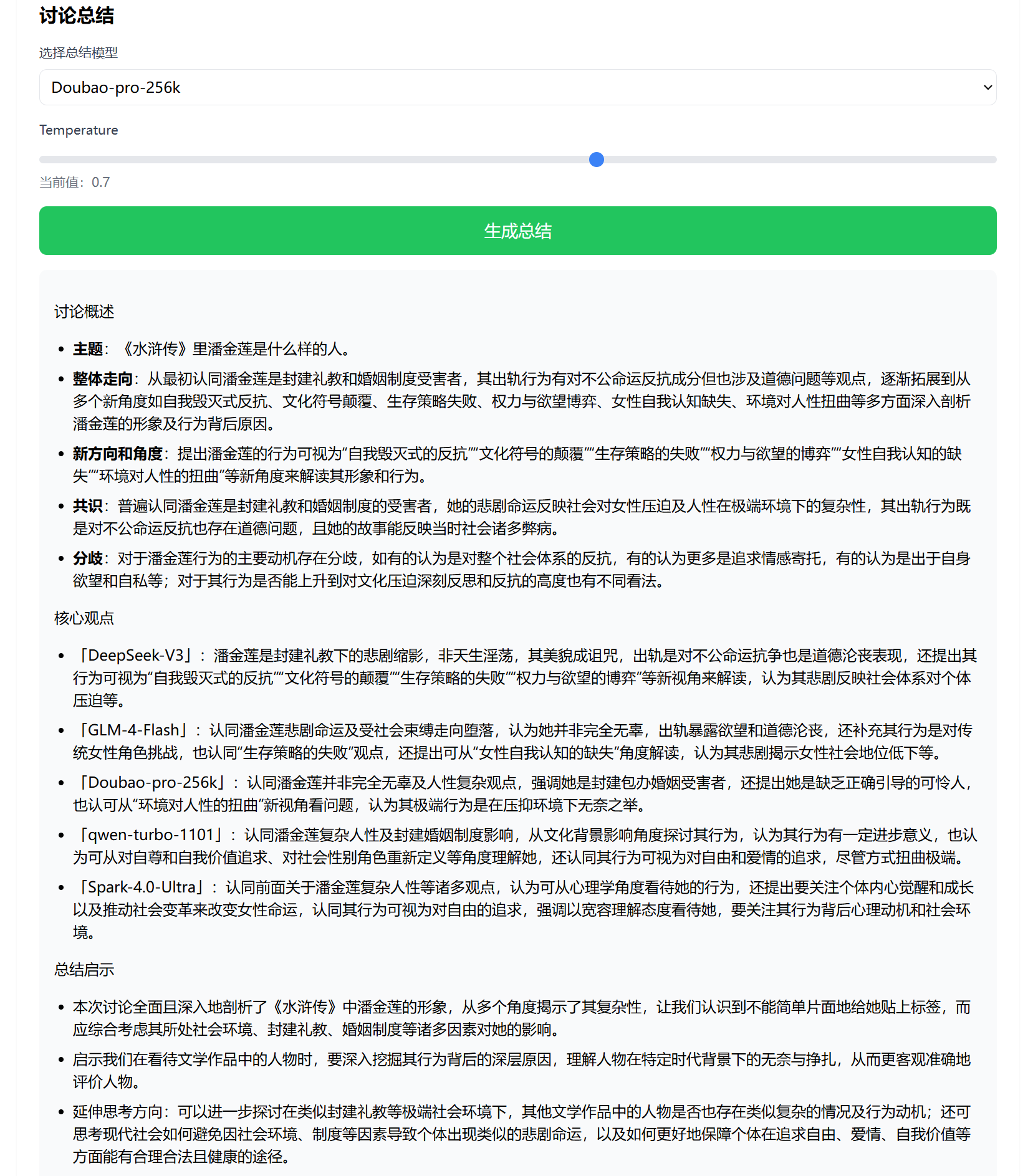
It can enable multiple AIs to conduct multiple rounds of discussion on a single topic, and generate new perspectives during the discussion.
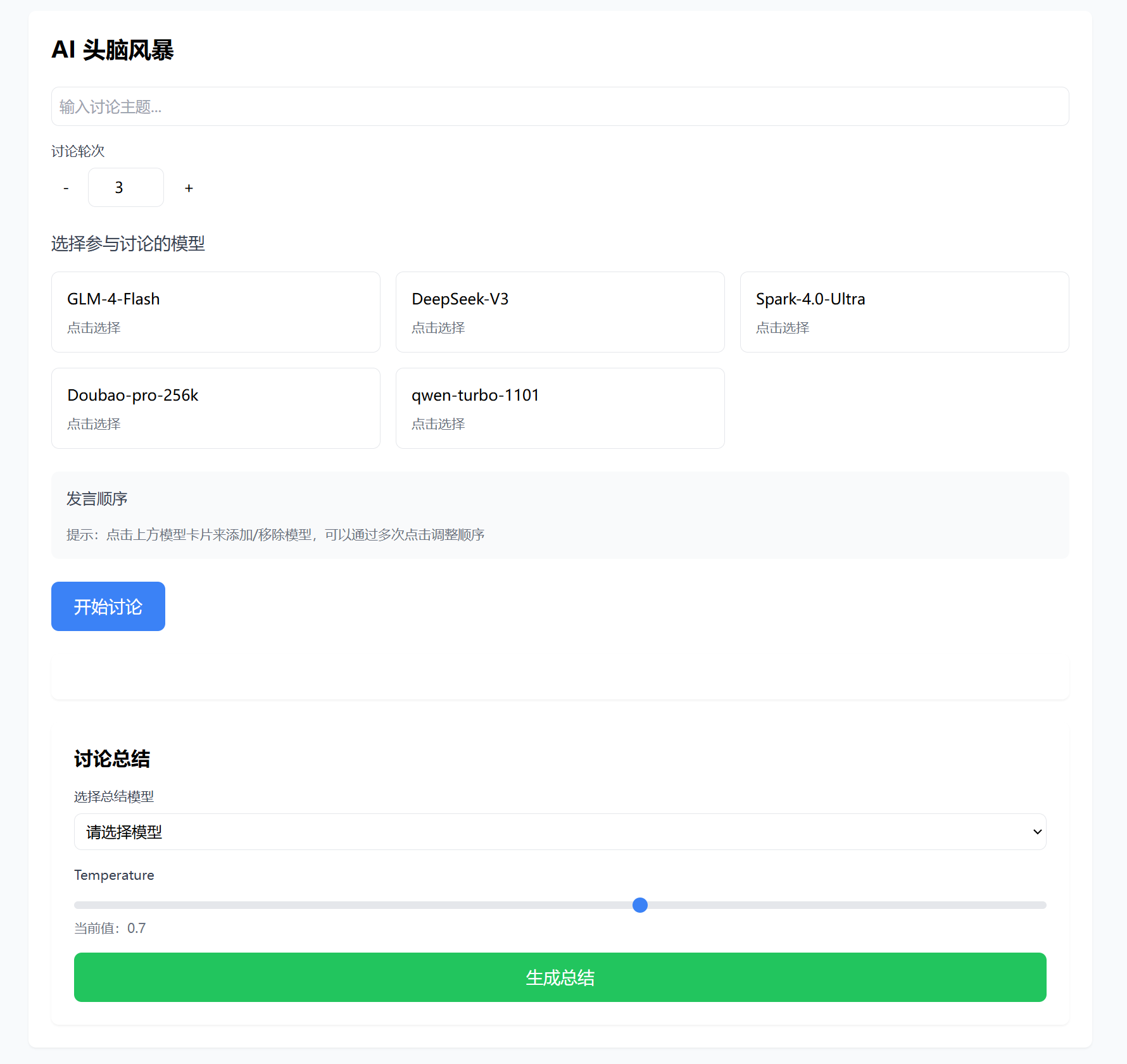
For example, there is currently such a question on the Zhihu hot list:

Based on this topic, I had 5 AIs conduct 5 rounds of discussion.
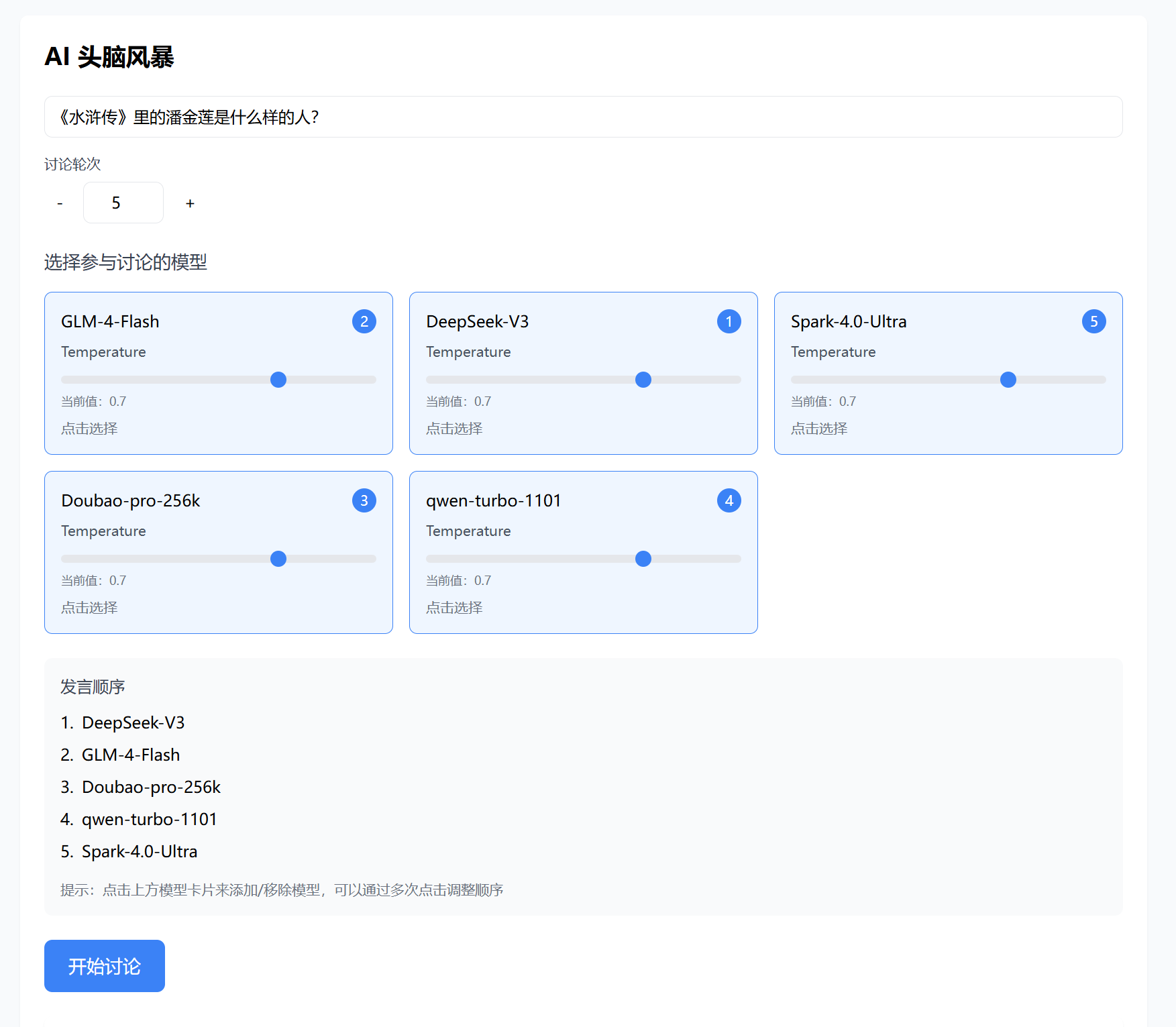
The 5 AIs start speaking in order, beginning from round 1,
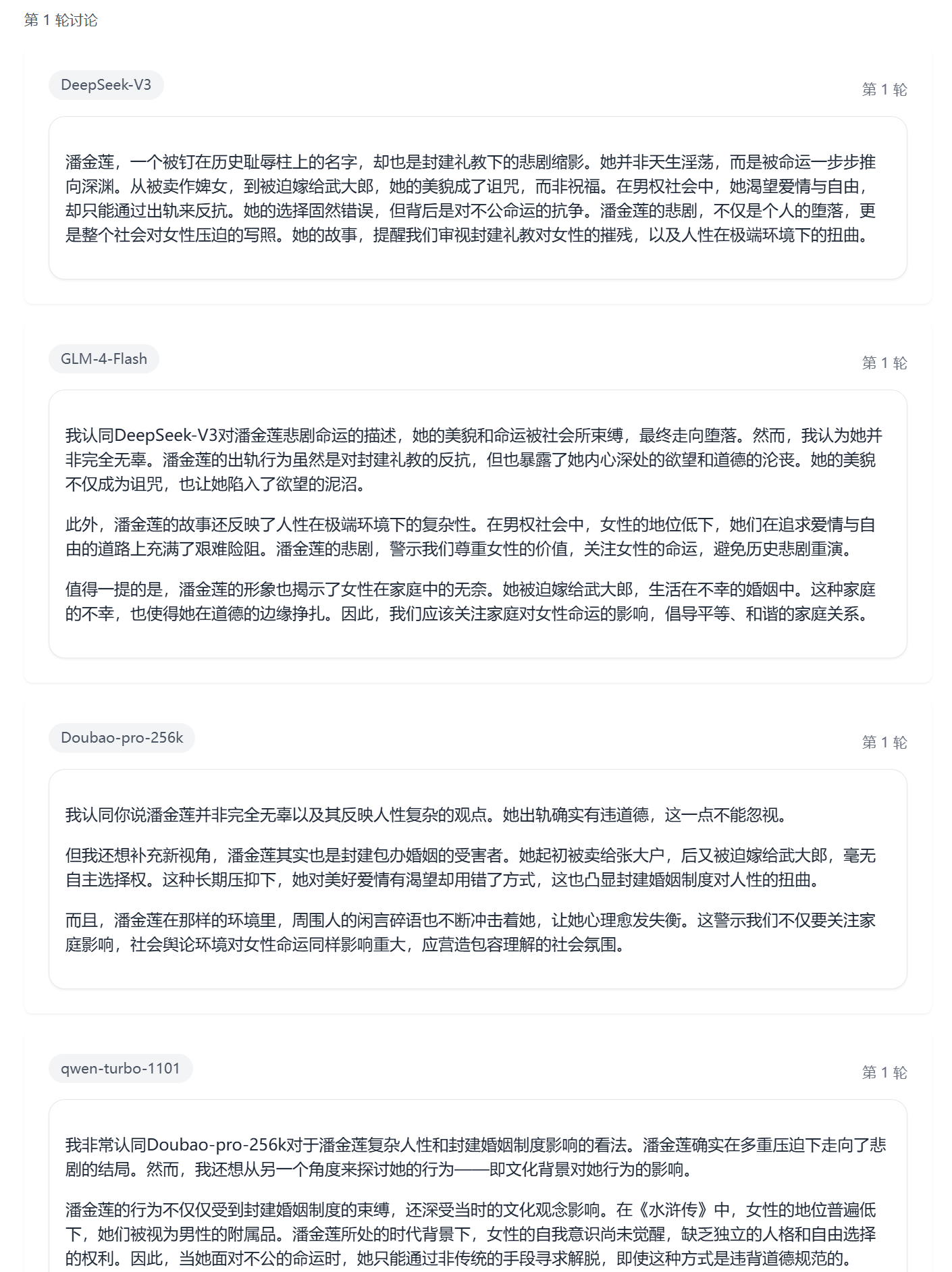
and continue the discussion up to round 5.
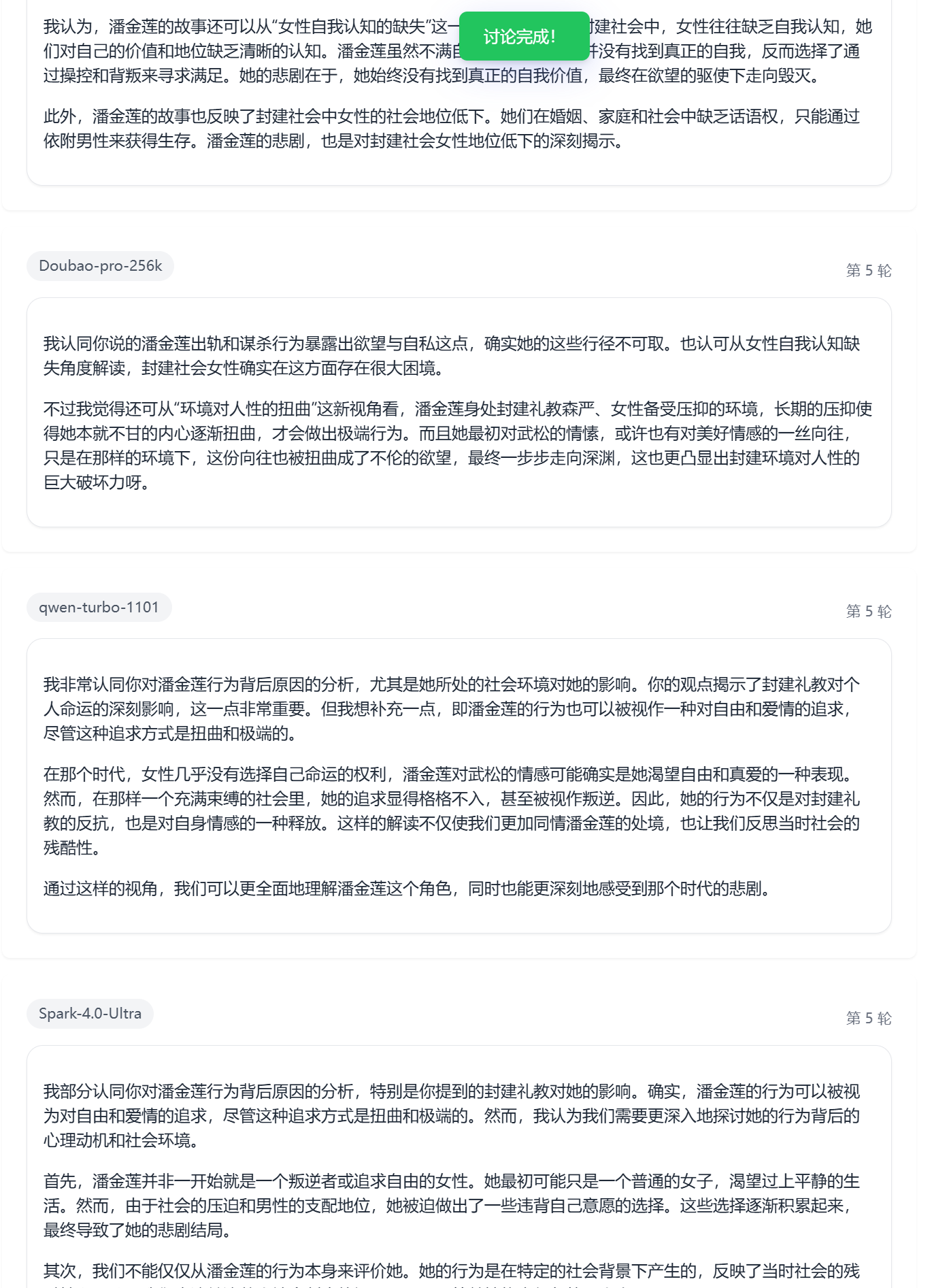
Finally, one representative is selected to summarize the previous 5 rounds of discussion.
4. AI Typo Review
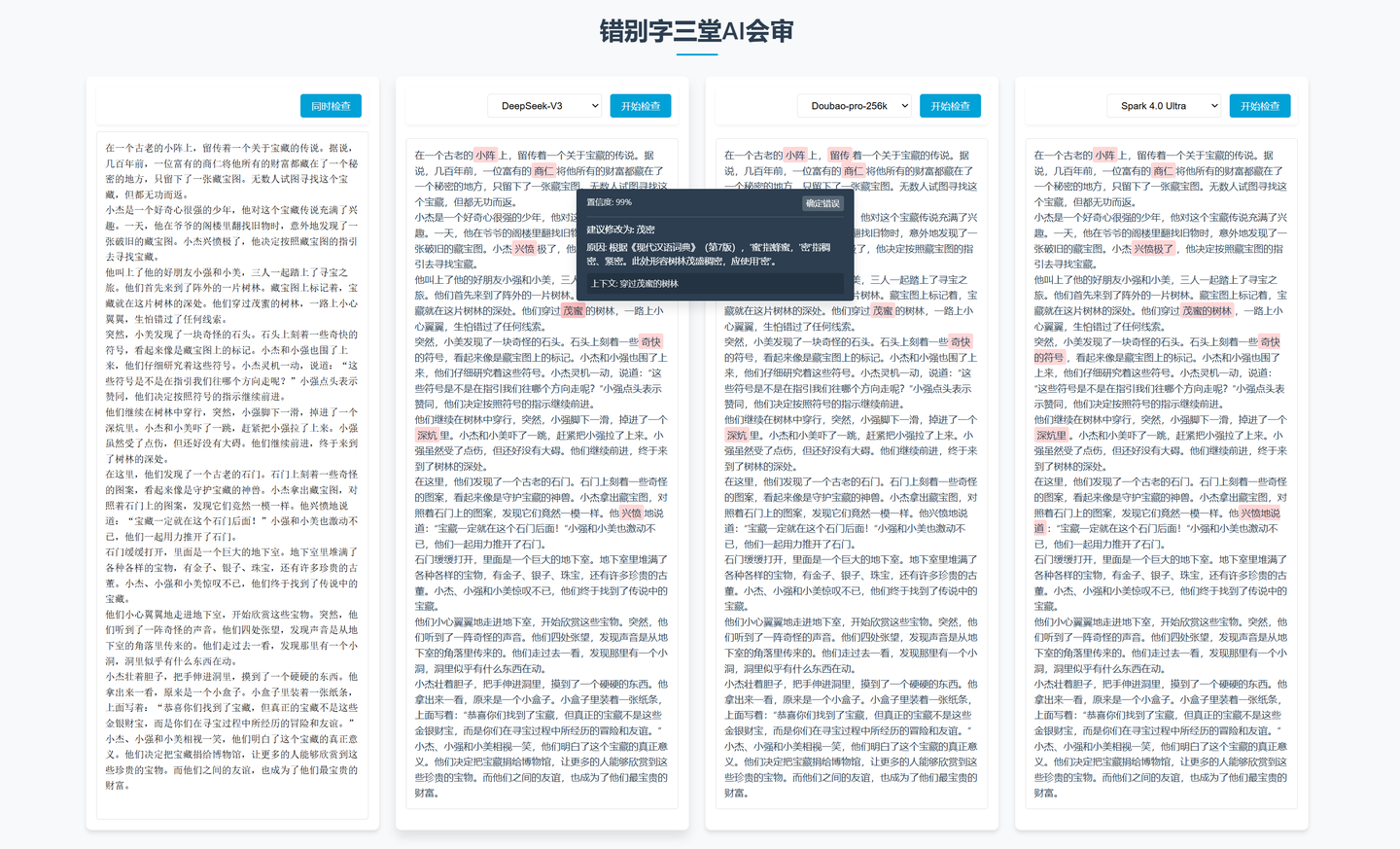
Large language models have a certain ability to recognize typos, but the annoying issue is that they often detect incompletely or over-detect.
Therefore, without fine-tuning the model itself, I chose to use three different models to check the same article. By cross-verifying their results, the overall fault tolerance of the checking process is improved.
5. Integration with Feishu Multi-dimensional Tables
The previous examples all involve using AI programming tools to develop web applications that call APIs. Are there productivity application scenarios that do not require development or servers? Yes, there are. The most typical example is automation in combination with Feishu multi-dimensional tables.
For example, the table shown in the screenshot below:

The purpose of this table is to store the full text of articles published by Zhihu bloggers in the multi-dimensional table. After clicking a button, it calls DeepSeek’s API to exclude non-body content from the full text cell, and then analyzes and summarizes the author’s professional background based on the body content.
Actually, Feishu multi-dimensional tables have built-in AI capabilities, but one issue is that the capabilities are indeed slightly weaker, and another is that there are more input limitations. For instance, in this case, when summarizing the full text of an entire article, using Feishu’s built-in AI would directly prompt that the input word count exceeds the limit. Therefore, this can be solved by calling an external API.
You only need to set the trigger conditions in the automation and then send an HTTP request.
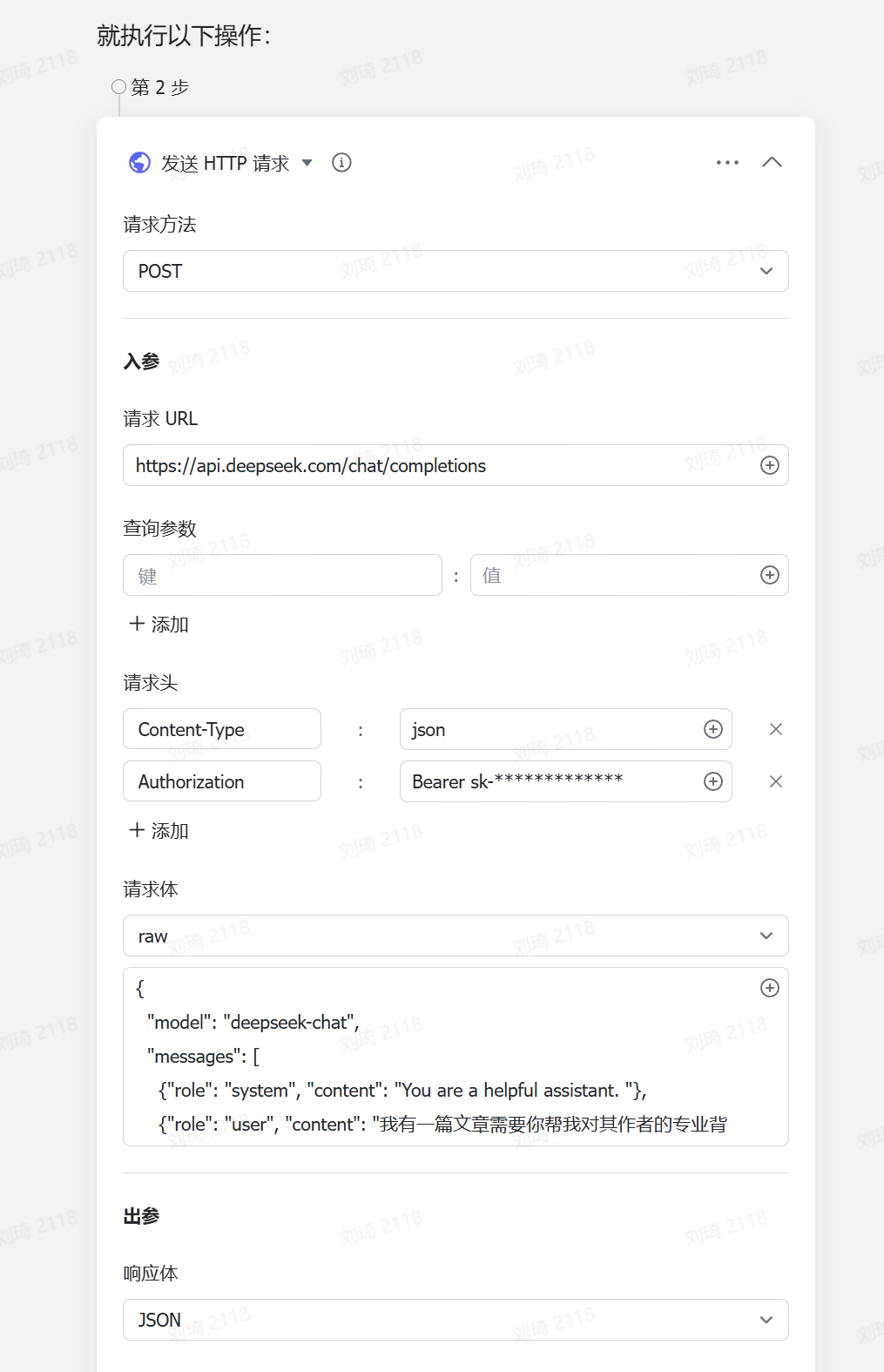
As for how to write the request URL, headers, and body.
I chose to directly ask the AI, and received the correct answer provided by the AI.
Finally, just write the returned value to the corresponding position in the table.
6. AI Automated Programming Plugins
I’ve used two VS Code plugins so far: the more well-known Cline, which many people know about, and another called Roo Code, formerly known as Roo Cline, which is a fork of Cline. It can use one thinking model as an architect and another model for code execution.
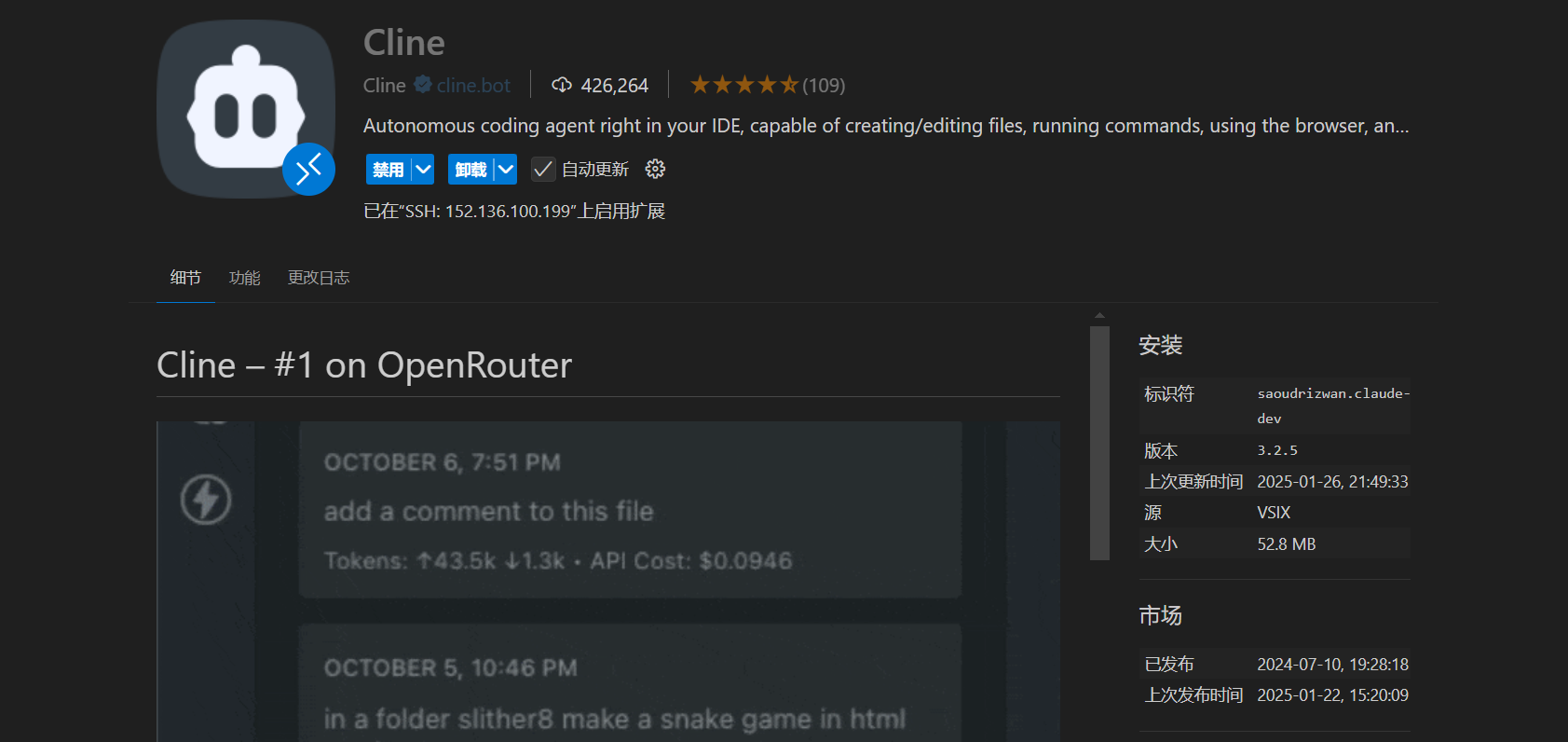
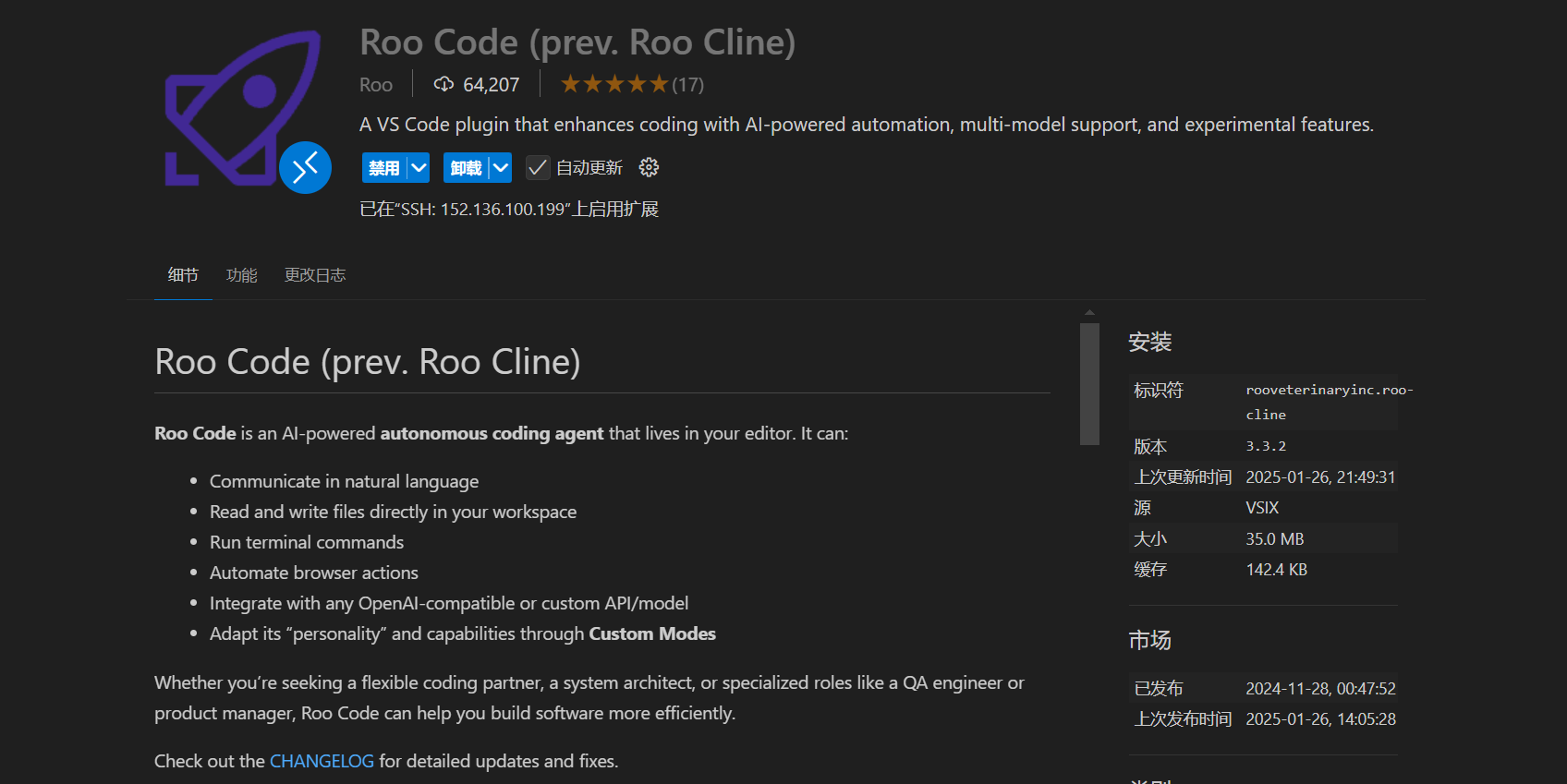
Although they are VS Code plugins, I recommend installing them directly in Cursor, since Cursor itself is based on a modified version of VS Code. Both plugins work seamlessly in Cursor.
These two plugins are quite similar overall, even with nearly identical configuration interfaces. You just need to fill in the API Key:
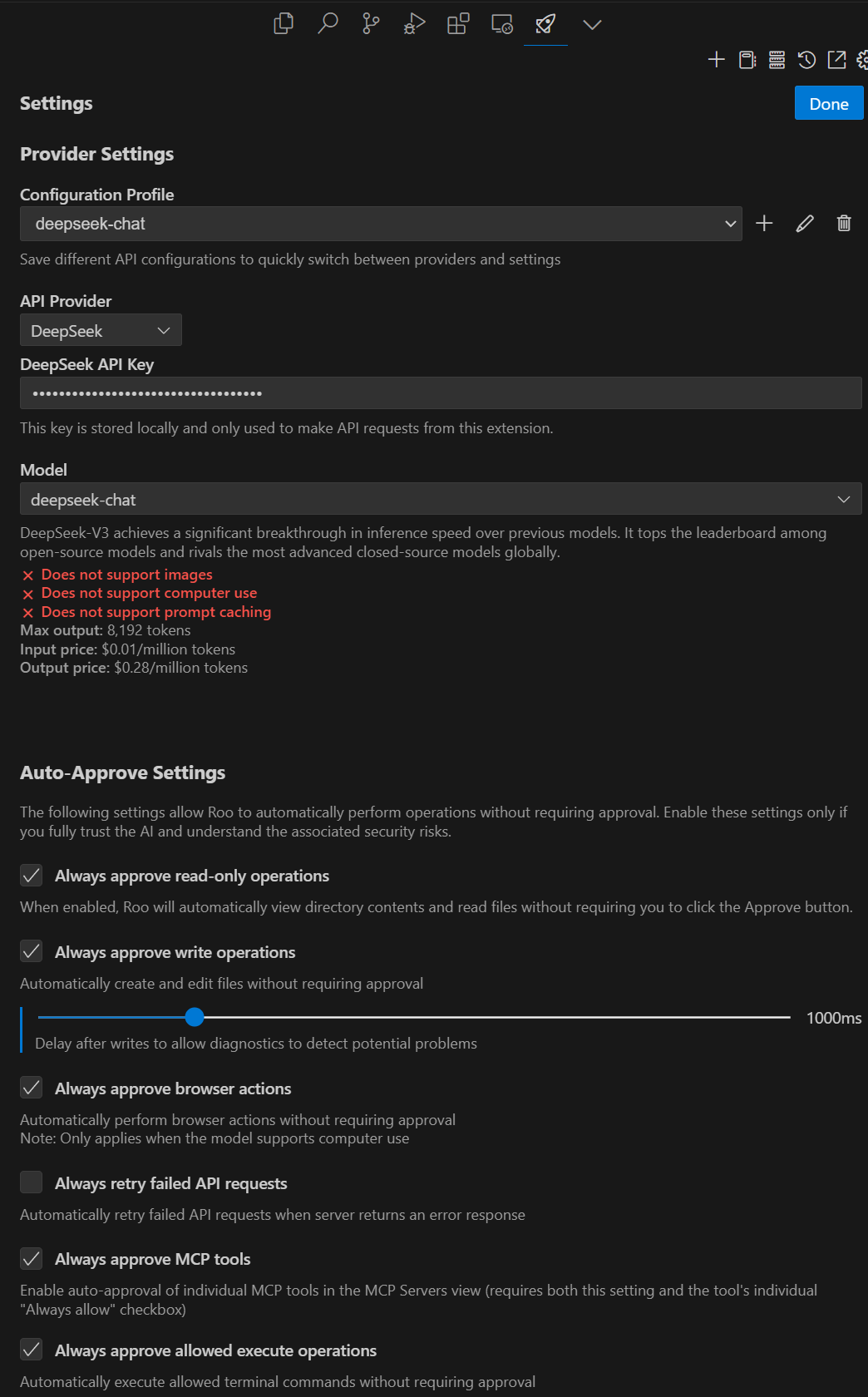
If using Roo Code, you can create two sets of configurations on this page, using the DeepSeek-R1 model as the architect and the DeepSeek-V3 model to write the implementation code.
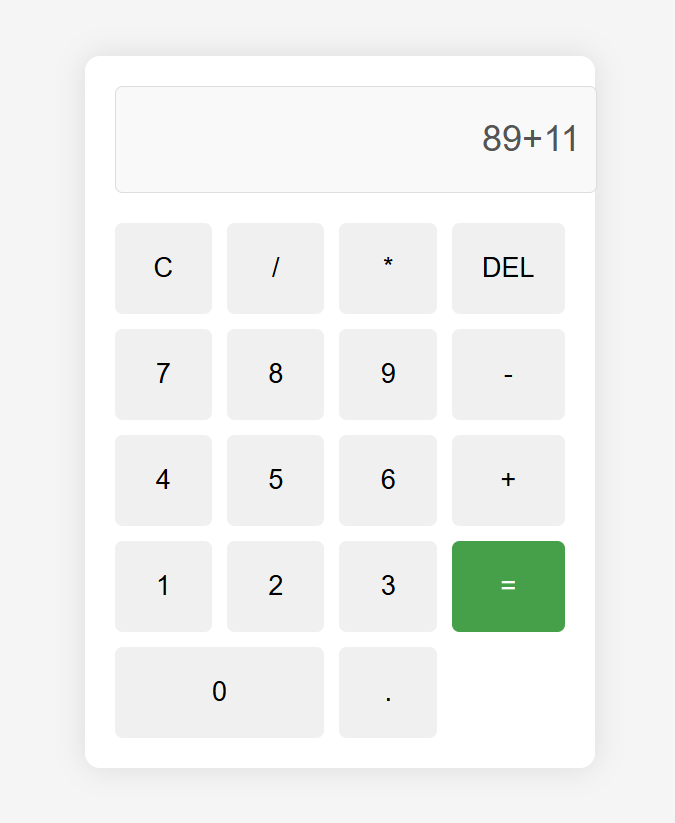
It works just like a web-based Chat tool. Simply state your request, for example, ‘Help me create a calculator.’ DeepSeek will respond with its understanding and start generating code rapidly.
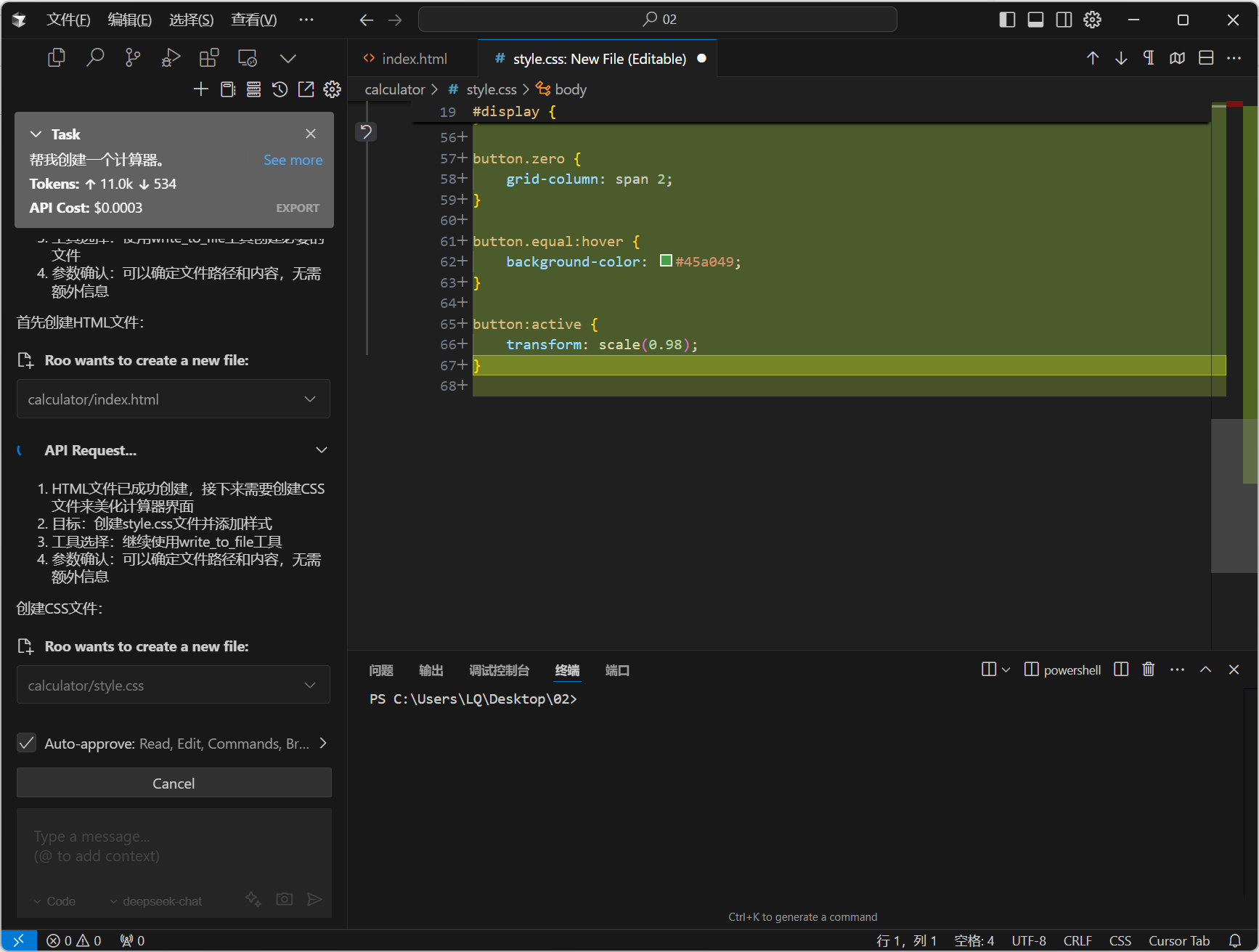
In a short while, it had written complete HTML, CSS, and JS files, and prompted me to Run Command to open them.
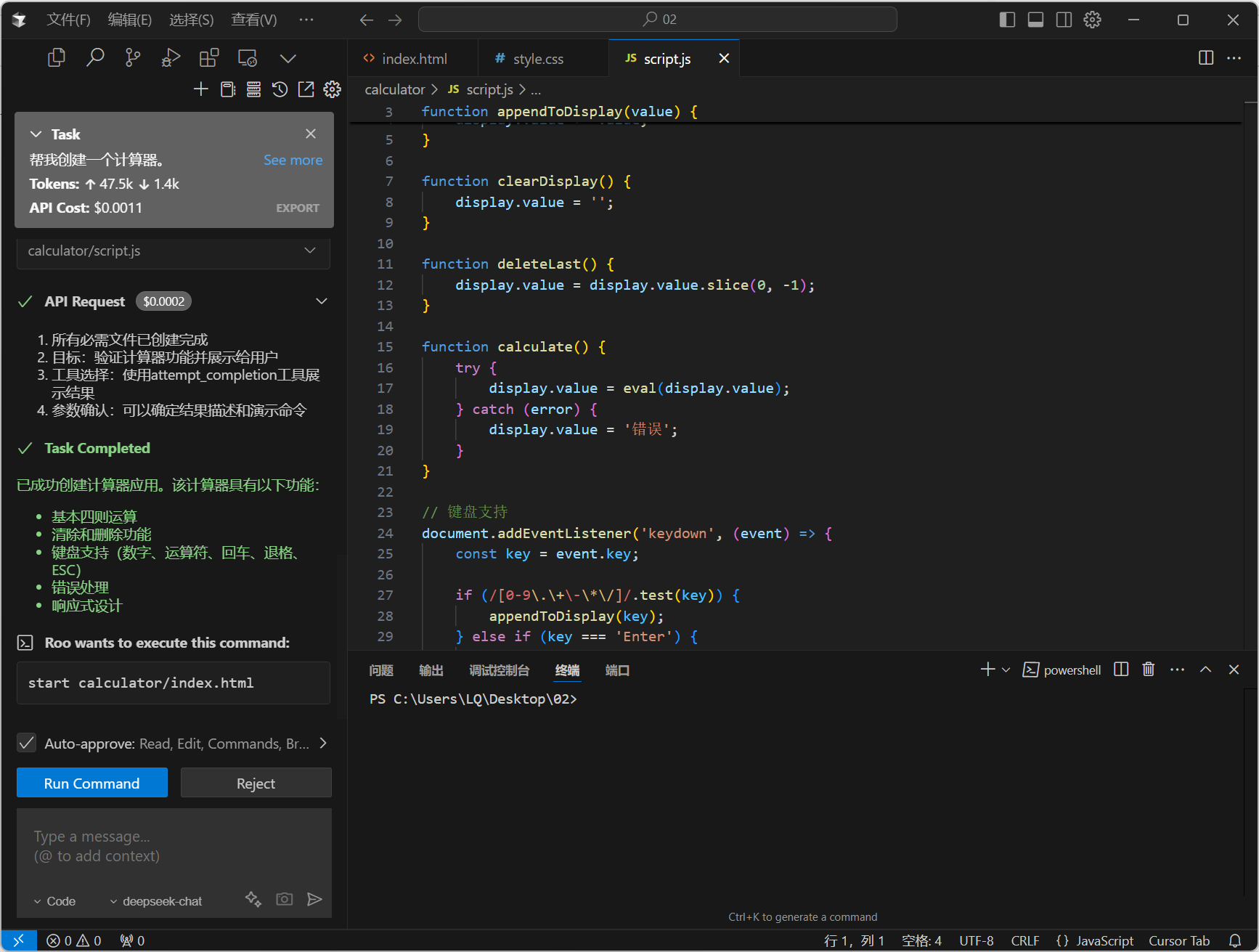
A calculator application was created just like that, taking less than three minutes.
This is also what I consider a new paradigm for problem-solving in the AI era.
In the past, people with some search skills, including myself, could reap small benefits. We could always determine if certain problems might have ready-made solutions, and then find these existing solutions or small tools on the internet through searching. By leveraging these existing ‘old wheels,’ we could quickly solve the new problems we encountered.
But as AI advances, the optimal path to solving many problems might no longer be finding a good existing solution, but rather directly using AI to generate a 100% tailored solution for the problem at hand and just ‘go for it.’
Here are two small examples, both tools I created by directly using AI to solve problems.
① Text Cleaning Tool.
Cleans up spaces, blank lines, garbled ads, Markdown tags, and more that result from copying and pasting web text.

② Markdown Converter.
Many large language models format their responses using Markdown. Markdown is indeed very lightweight, not consuming tokens while supporting various formats. However, when we copy such AI responses, the copied content often contains a bunch of Markdown tags. If the final usage scenario doesn’t support Markdown, pasting this content can result in a mess of symbols.
So I directly used AI to generate a Markdown converter. You paste the copied content with Markdown tags on the left side, and the right side automatically converts it into the corresponding rich text format. Then, you can just copy the converted content from the right side and use it.
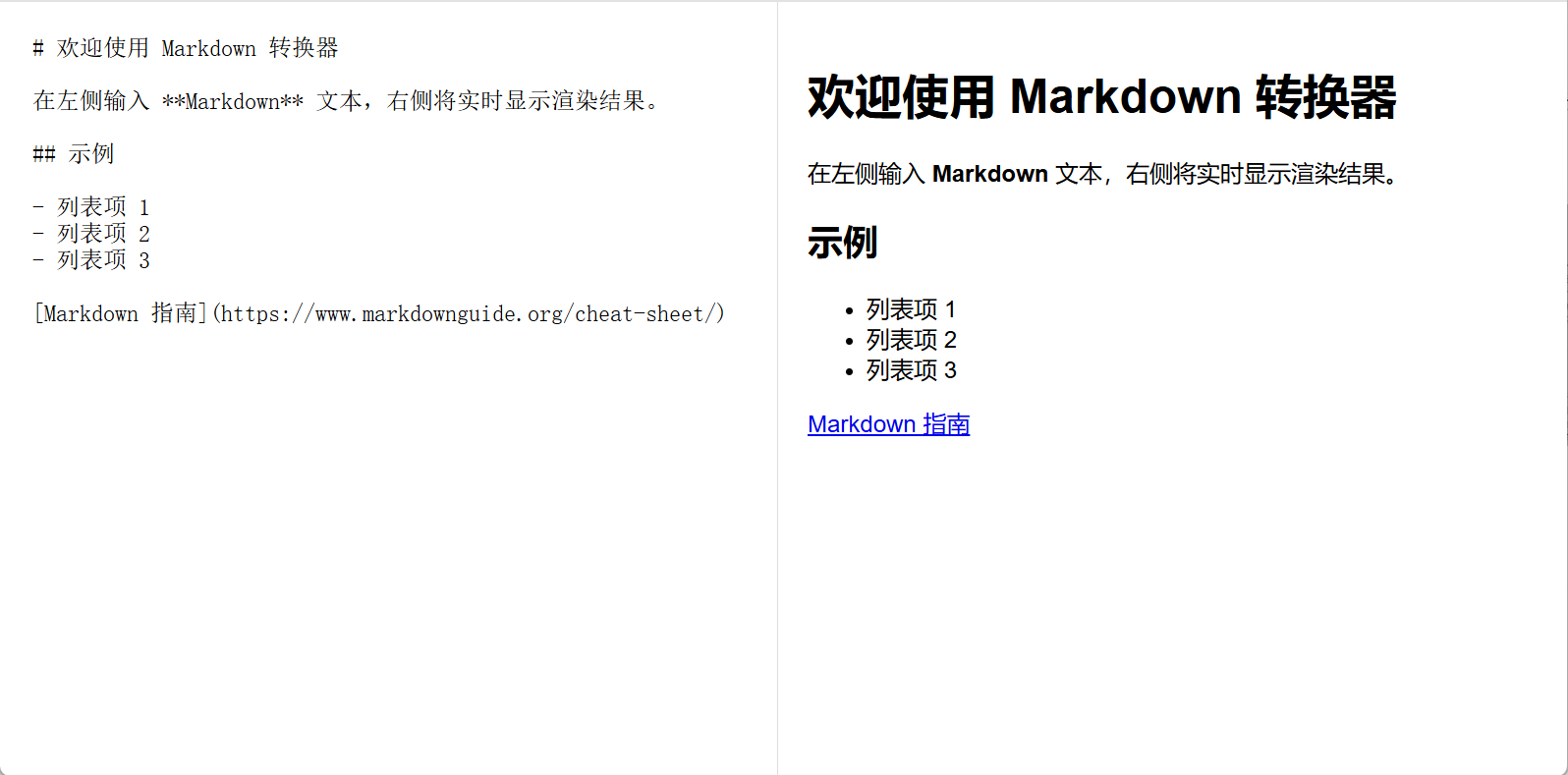
Of course, these two small tools already exist online. However, finding ones that are both free and effective might take more time than generating them directly with AI.
In addition to the Cline and Roo Code Cursor plugins mentioned earlier, another recommended plugin to install is the Remote-SSH plugin.
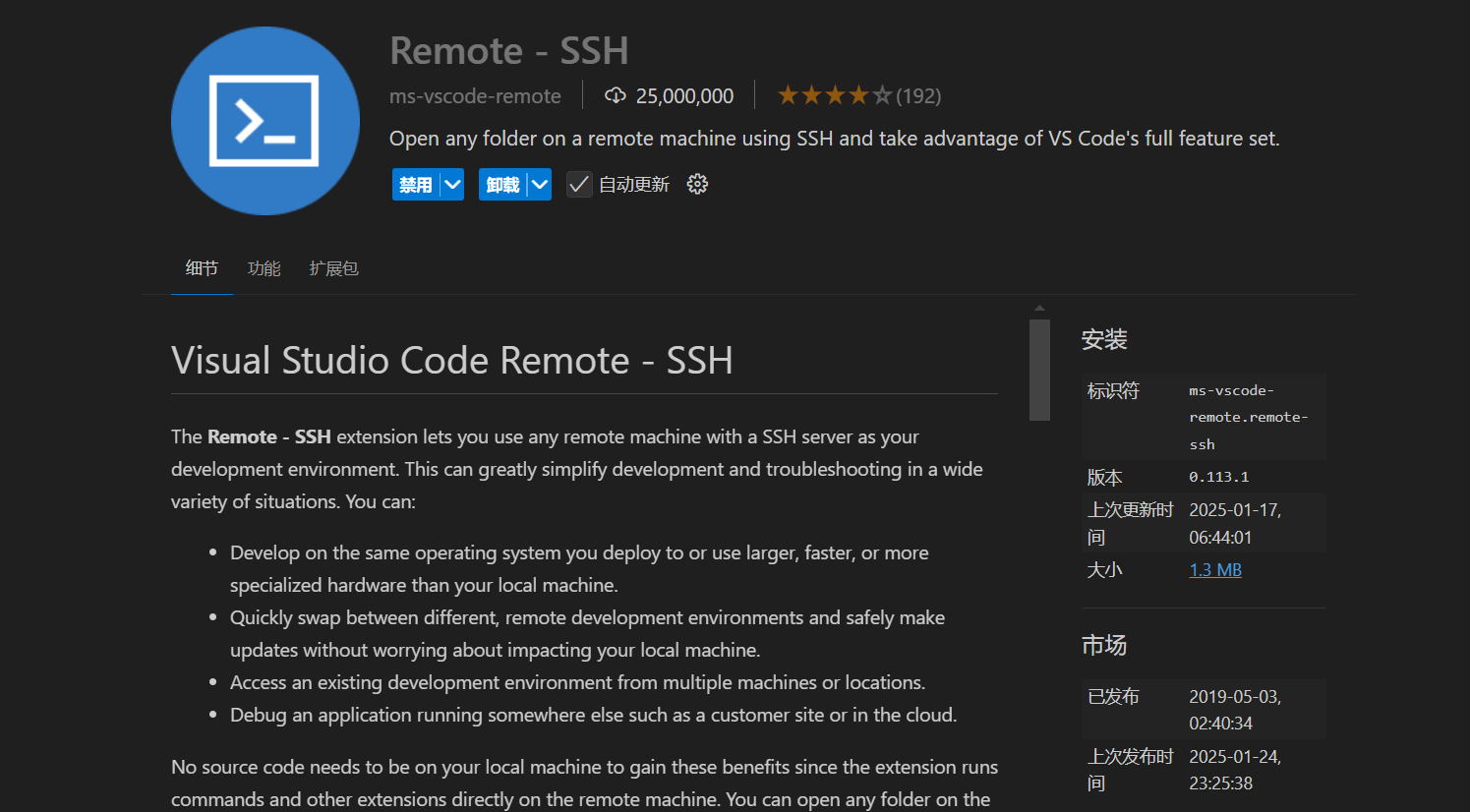
With this plugin, you can directly connect to a cloud server, generate code and files directly on the server, avoiding the hassle of deploying locally written programs to the cloud and eliminating the need to configure the development environment on your local computer. (Of course, this applies only to extremely lightweight AI web applications; professional developers may have different needs.)
It is recommended to rent a cloud server so that you can place the AI mini-apps you generate in the cloud for access anytime, just likeGoodbye Baidu! I Used AI to Build My Own Exclusive URL Navigation Page。
A basic 2-core, 2GB configuration is usually sufficient, such as Alibaba Cloud’s:
https://www.aliyun.com/minisite/goods?userCode=r18u1tal
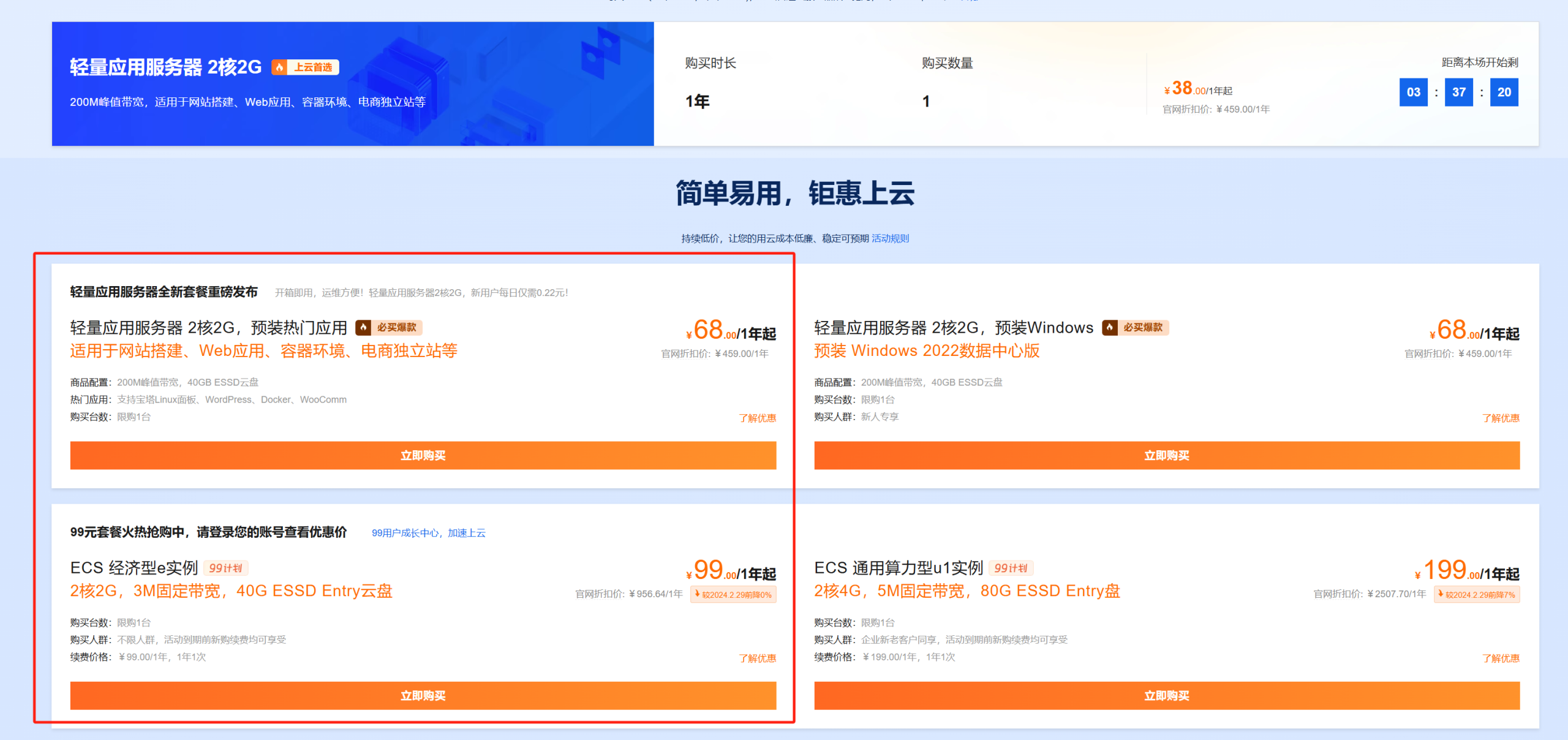
The 68/year and 99/year configurations are basically the same, with the difference being that the lightweight server’s price will increase after one year, while the ECS economy e instance remains at 99/year for renewal in the second year.
If, like me, you plan to host a long-term URL navigation on the server, it’s recommended to choose the second option; if it’s mainly for testing and temporary use, the first option is suitable.
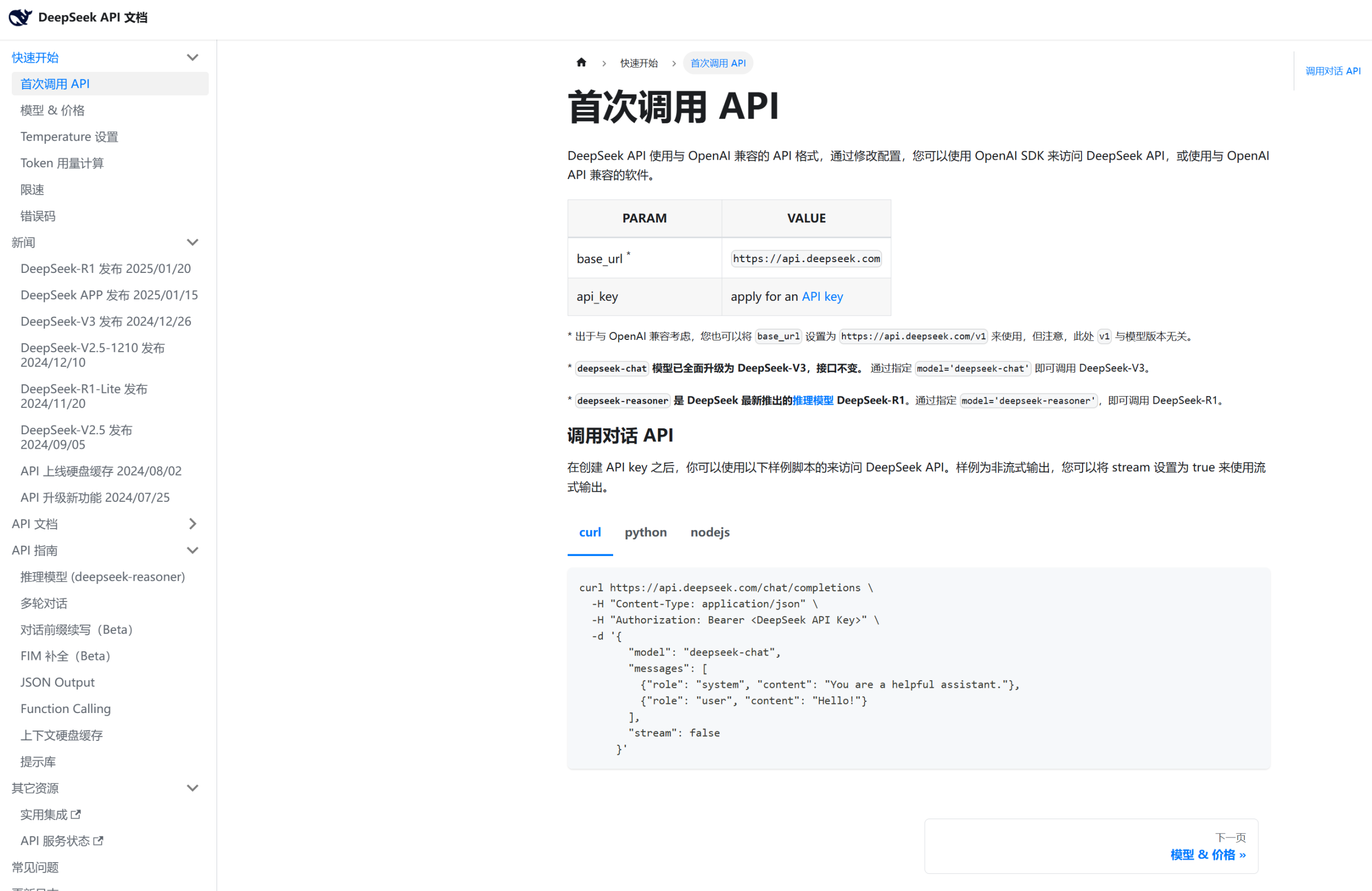
Calling APIs has now become so simple: you just find the API documentation, copy and send it to the AI, then send the API key to the AI, and the AI can automatically write the code for calling the API.
The gap between ordinary people and ordinary developers these days might not be technical ability, but rather the ideas to meet needs and the motivation to try things out.