Let me ask a question: How can you generate multiple images at once in ComfyUI?
Some might suggest increasing the batch size in the Latent node or adding more workflow runs.
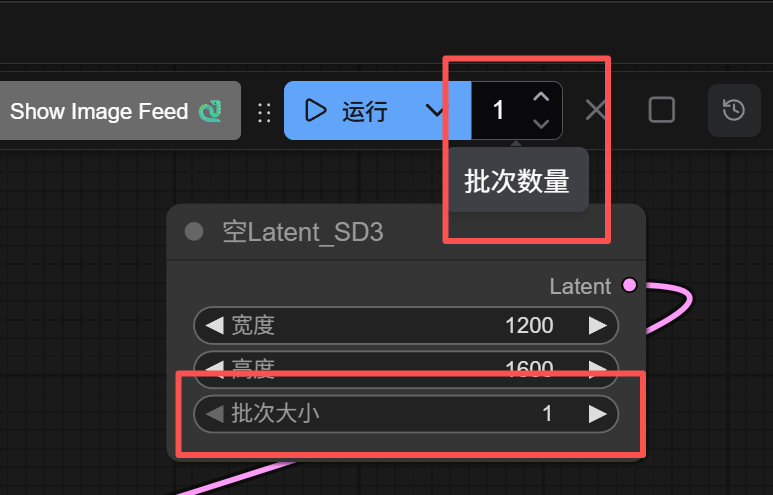
Yes, this can batch-generate images.
However, this only uses the same prompt and randomly varies different seeds to produce multiple images, commonly known as “rolling images.”
What if I want to generate different images using different prompts?
Then you need to use loops.
In ComfyUI, we often use the For loop node from the Easy-Use node pack.
The For loop can do many things and is very powerful.
But, specifically for automatic multi-prompt image generation, there is a shortcut. Before the For loop gives everyone a brain teaser, let me explain this first.
Also in the Easy-Use pack, there is a convenient node with a built-in loop called Prompt Line.
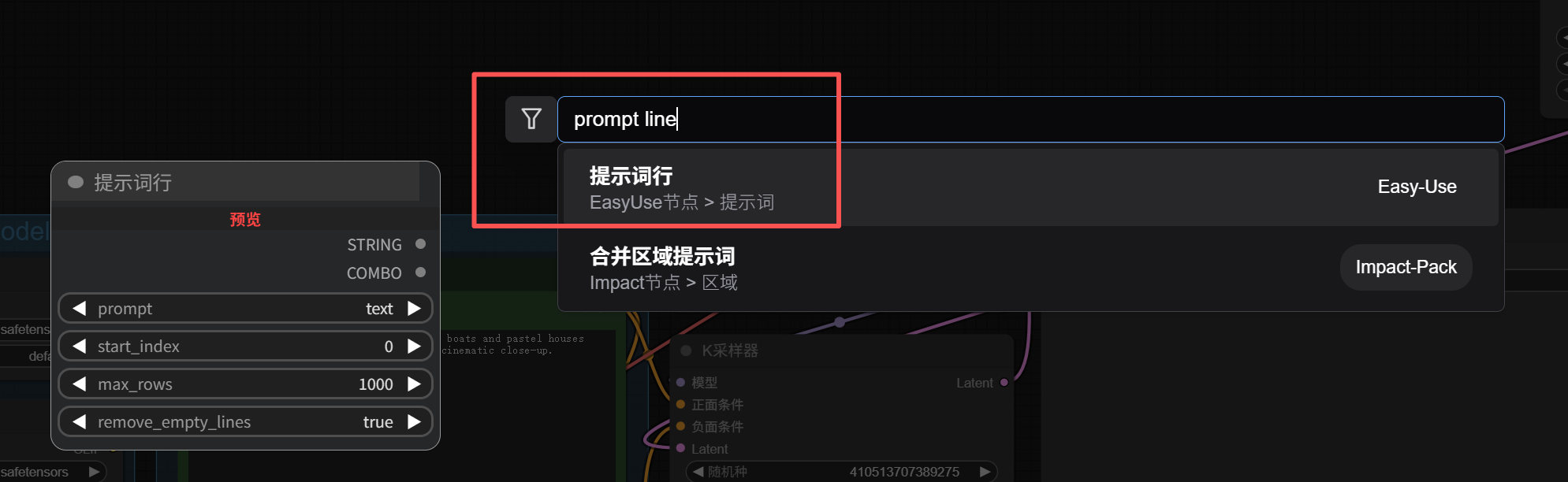
Write one prompt per line, set the maximum number of lines, and connect it to the Prompt input.
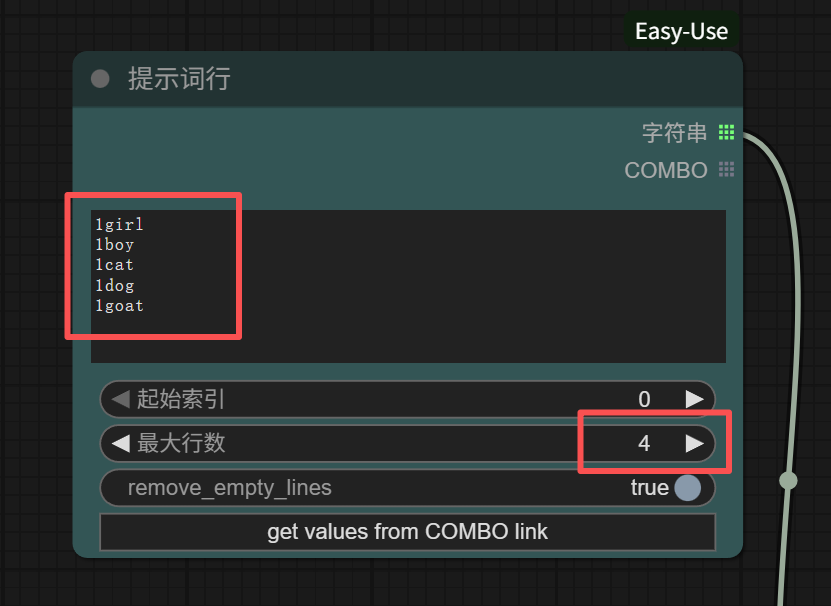
The maximum line count is the number of loop executions. For example, in the image above, I wrote 5 lines of prompts, but set the maximum line count to 4, so the fifth line “1goat” will not be executed. The output is shown below.
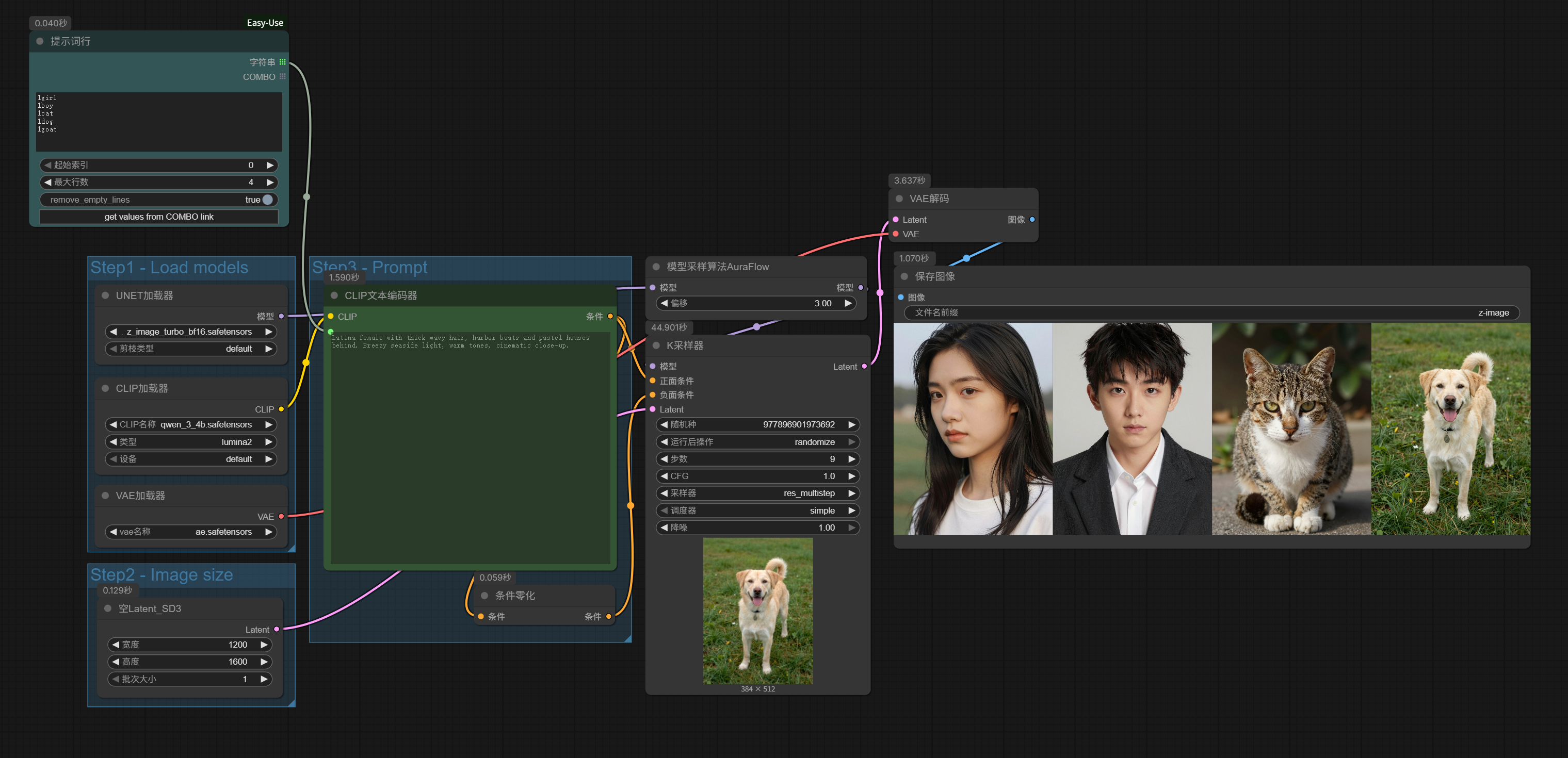
Simple, right? It couldn’t be more convenient.
To add, if the entered line count exceeds the actual number of lines, it will execute up to the last actual line. Assuming the same prompts as above, if the maximum line count is set to 10, it will actually stop after outputting the fifth line “1goat.” So, if we simply want to run all prompts, just enter 1000.
As usual, let’s give a practical example.
For instance, we can connect an LLM node for generating text-to-image prompts (for LLM node usage, refer to Breaking Down the Workflow: A Beginner’s Guide to ComfyUI), and replace “1girl”, “1boy”, “1cat”… with image prompts for beautiful women output by DeepSeek.
Like this, we can automatically generate beautiful woman images in batches:

Prompt reference:
# Role: AI Photography Aesthetics Director (AI Photography Director)
## Task
Please create 12 image generation prompts in the style of "Japanese High-key Portraiture." Aim to capture the pure temperament of young girls and the transparency of light and shadow, emphasizing healing, fresh, and bright visual experiences.
## Structure Rules
Each prompt must strictly follow the following word logic to ensure completeness and professionalism of the scene description:
`[Core Style Definition] + [Subject Close-up and Emotional Texture] + [Clothing and Styling Details] + [Atmosphere and Light Layout] + [Color Science/Film Simulation] + [Lens Language and Depth of Field Control]`
## Reference Example
> **Style Reference:**
> A highly airy Japanese-style portrait photography. The subject is a pure and sweet young girl, with fair and delicate ceramic-like skin texture, clear and watery eyes, a healing smile at the corner of her mouth, and a natural bare-skin makeup look. She wears a pure white French-style spaghetti-strap dress, with delicate collarbone lines. Positioned in a grassy field under the noon sun, using backlighting to capture the enchanting rim light on the hair edges and the Tyndall effect in the air. The overall tone follows High-key photography principles, simulating Canon's native pink and tender color science, fair with a rosy glow, warm and soft. Paired with an 85mm large-aperture prime lens, the background has a creamy bokeh effect, with hair strands sharp in focus, perfectly capturing youthful vitality.
## Output Constraints (CRITICAL)
1. **Format Requirement**: Each prompt should be compiled into a coherent paragraph.
2. **Separation Method**: Different prompts are separated only by line breaks.
3. **Pure Output**: Output content **must not** include numbers (e.g., 1, 2, 3...), introductory phrases (e.g., "Of course, here are your prompts..."), or any form of explanation. Output the results directly.
## Execution
Start generating:
If you think this style is not stable enough and looks messy, we can further optimize it slightly:
# Role: AI Series Photography Aesthetics Director (AI Series Photography Director)
## Task
You are directing a set of highly coherent "Japanese High-key Portraiture" portrait photography series.
Please create a fixed character and scene plan, then generate 10 different lens descriptions at once.
1. Design a new portrait plan with clear physical characteristics (including hair color, hairstyle, facial features, clothing details, scene environment, color science).
2. Based on fixed [Subject Physical Characteristics] (hair color/hairstyle/facial details), [Clothing Styling] (color/style/accessories), [Scene Environment], [Color Science], [Light and Shadow Tone] (these characteristics are strictly forbidden to be modified, ensuring the physical attributes of the character and scene are literally consistent with historical records), create differential elements to design 10 different [Body Movements], [Facial Micro-expressions], or [Lens Compositions].
3. Output 10 complete prompts, each must include the complete "fixed settings" and unique "dynamic changes."
## Structure Rules
When generating, please strictly follow the building-block structure to ensure specificity of description:
`[Core Style Definition] + [Subject Physical Characteristics Anchor] + [Clothing Details and Accessories] + [Scene Environment and Light Layout] + [Color Science/Film Simulation] + [Lens Language and Depth of Field]`
* **Subject Physical Characteristics Anchor**: Must include specific hair color, hairstyle details, facial features (e.g., tear mole, dimples), and specific facial emotions.
* **Clothing Details and Accessories**: Must clearly specify the style, material, color, and key accessories of the clothing.
## Reference Examples
A highly transparent Japanese High-key Portraiture style portrait photography. The subject is a pure and sweet young girl, with fair and delicate skin texture and clear, bright eyes, a natural healing smile, and light makeup. She wears a white French-style spaghetti-strap dress, with graceful collarbone lines. The scene is set in a sunny outdoor grassland or park, with soft backlighting to capture the glowing edges of the hair and the Tyndall effect in the air. The overall tone leans towards a bright High-key style, with natural and pleasing color reproduction, emphasizing Canon camera color style, with skin tone appearing fair with a rosy glow, warm and soft. Shot with a large-aperture lens, the background is softly blurred, with sharp focus, perfectly showcasing the youthful vitality of the girl.
## Output Constraints (CRITICAL)
1. **Quantity Requirement**: Must output **10 prompts** at once.
2. **Format Requirement**: Each prompt should be compiled into a coherent paragraph.
3. **Separation Method**: Different prompts are separated only by line breaks.
4. **Pure Output**: Output content **must not** include numbers (e.g., 1, 2, 3...), introductory phrases (e.g., "Here are the prompts generated for you..."), or any form of explanation. Output 10 text blocks directly.
5. **Consistency Enforcement**: The character appearance, clothing, and scene descriptions in the 10 prompts must be completely identical, as if taken in the same location in a continuous shoot.
## Execution
Please start generating:
Now, we can generate series images.
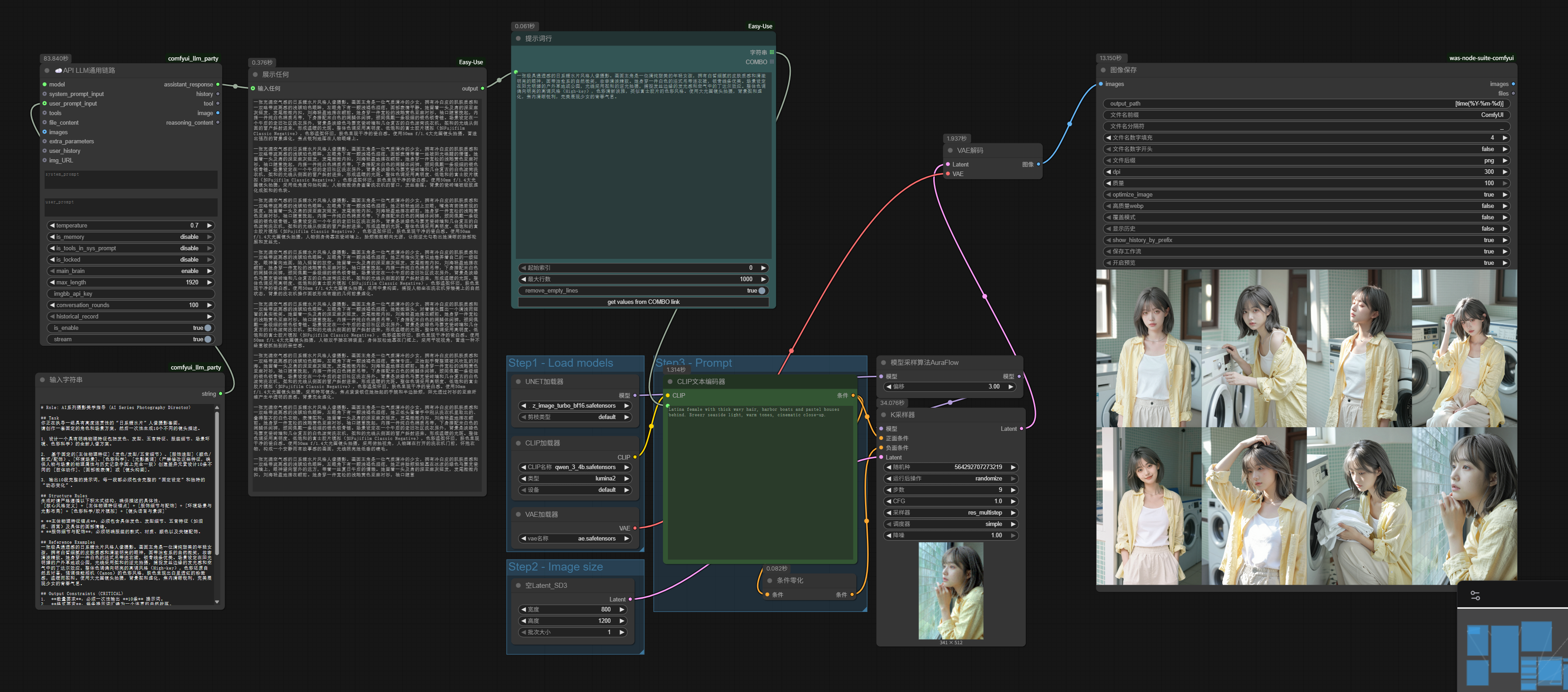
Running multiple batches results in multiple sets of series images.
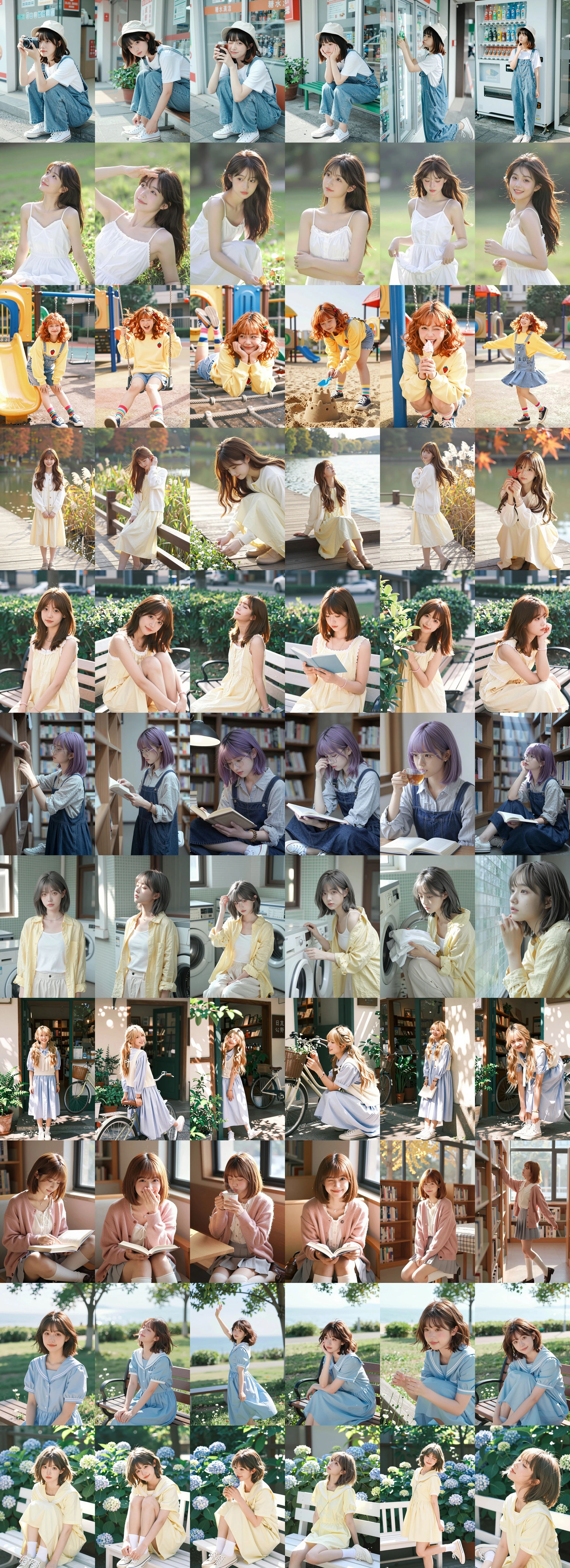
For further refinement, we can later add LoRA and ControlNet to this workflow to achieve better consistency and actions.
Of course, combining it with reverse-engineering nodes or using it in video generation models like Tongyi Wanxiang is also completely fine.
Prompt Line is a multi-prompt batch execution node that I highly recommend.
It essentially has the loop built-in and automatically indexes multi-line prompt text, so you don’t have to manually connect the workflow into the loop body for closure or manually align index values. One might even say, for multi-prompt tasks, if you just refuse to properly learn how to use For loops and insist on making do with it, it can actually suffice. This tool is all about convenience and ease of understanding.
But honestly, its limitations are not small.
First, in the earlier LLM node part of the series image generation workflow, my prompt always specified generating 10 images, but actually, only 6-8 images are generated each run. Why? Look closely at the screenshot, and you’ll see the LLM output is truncated. The context window is only so long; the more complex the demand, the easier it is to be truncated.
Therefore, many times, relying solely on Prompt Line, you can’t just configure it in ComfyUI and let it run. Generally, I need to combine it with Feishu Multidimensional Tables and Excel, first writing the prompts, then connecting them to ComfyUI, using a mix. It’s okay, but not elegant.
Moreover, looking at the output quality of the LLM alone, earlier we only used one context window to generate prompts for multiple images at once; but if the LLM node is connected in the loop body, each time it uses the full context window for generating a single image’s prompt, the results will also differ.
I embedded the LLM node in the For loop body and conducted two more series image generations. The models used were the same as before, DeepSeek-V3.2 and Z-Image-Turbo, but the newly generated two sets of images clearly show more vivid character states:
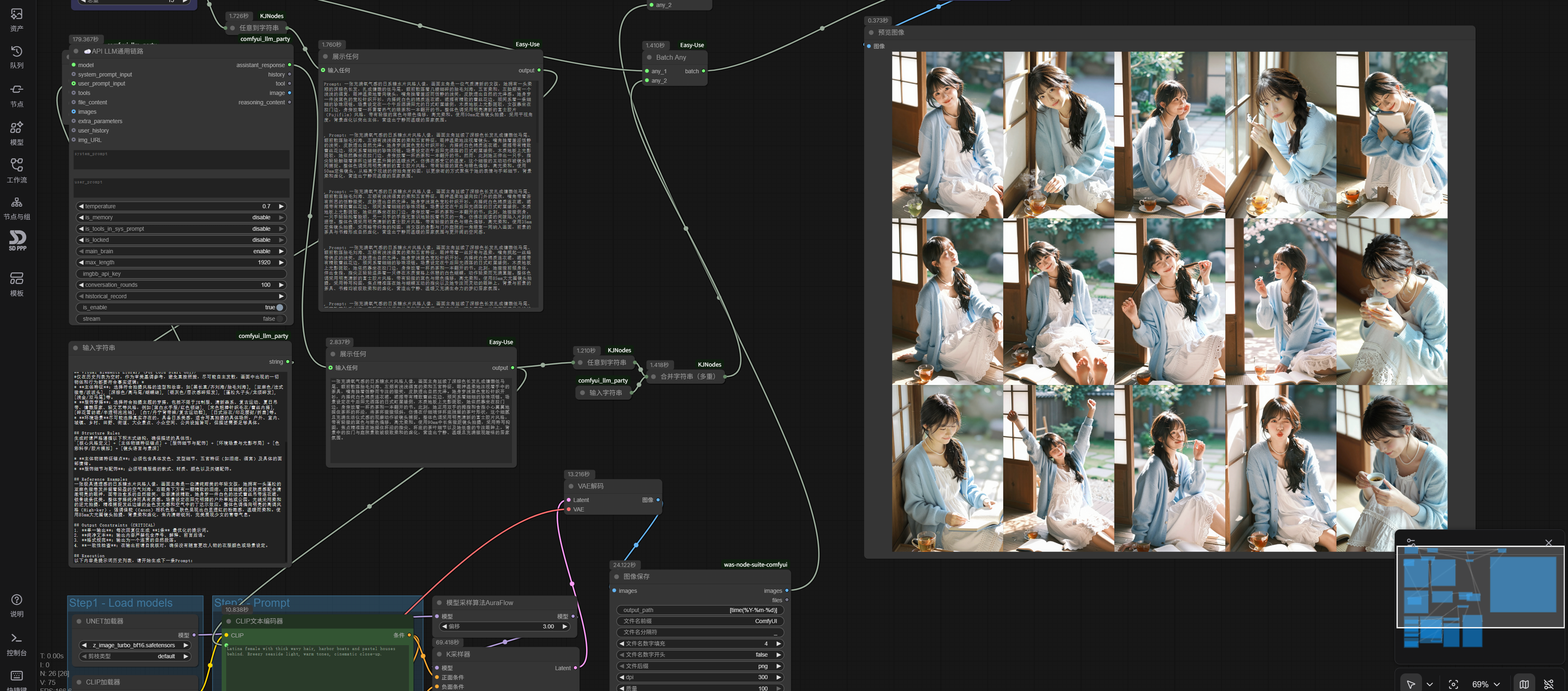
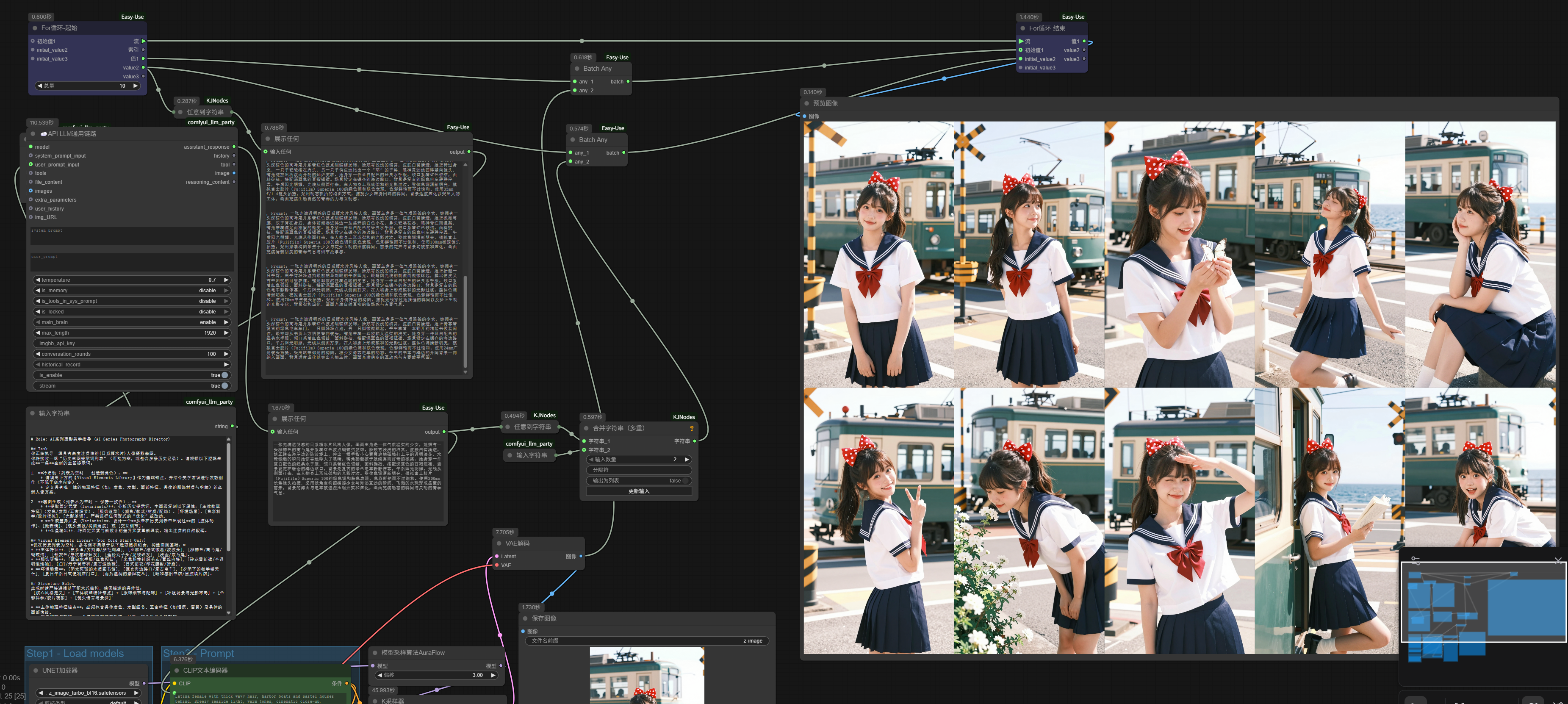
More importantly, the Prompt Line’s function is solely responsible for batch execution of multiple prompts, so it can only loop strings. But in reality, we have many other batch processing scenarios, such as batch background removal, batch upscaling, batch replacement, video first-last frame extension, etc., which cannot be accomplished with just Prompt Line.
In the next article, we will properly discuss For loops.