Recently, an integrated professional design agent combining ‘planning + execution + delivery’ has gone viral on X, called Lovart.
The features it can achieve are best described by AI influencer Santiago Valdarrama, who has 400,000 followers on X:
“I only wrote one prompt, and 5 minutes later, a design poster worth $5,000 was generated.”
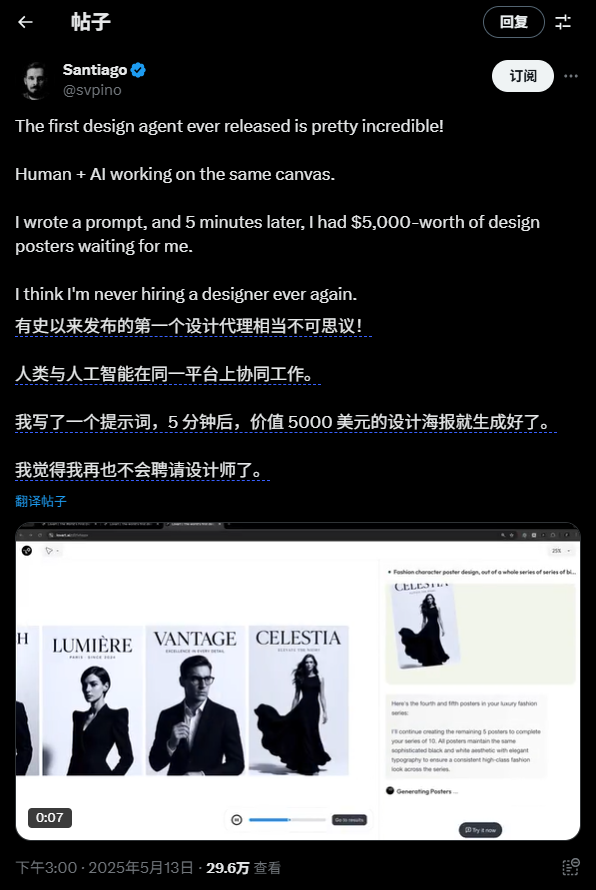
It allows ordinary people without a design background to create images using voice commands and produce aesthetically excellent works.
My friends in various AI communities have been extremely enthusiastic about Lovart these past two days, to the point where invite codes were hard to come by.
Fortunately, I managed to get an invite code. I quickly tested it, and the results truly amazed me.
This year can really be called the year of Agents. Recently launched Agent products like Manus, Genspark, and others have all gone viral, with discussions about AI Agents gaining momentum.
However, while people are amazed by the strong capabilities and potential of general-purpose Agents, there are also some differing opinions in public discourse—high error rates, long execution times, high costs, etc. Overall, the direction is visible, but the technology is not yet fully mature. They are good products, but there is still some distance before they can be stably and reliably applied in production.
The above was my understanding of the 2025 Agent craze before this month—until I got my hands on Lovart.
Here is a screenshot of Zhu Xiaohu’s evaluation of Lovart, which I saw in a group chat:
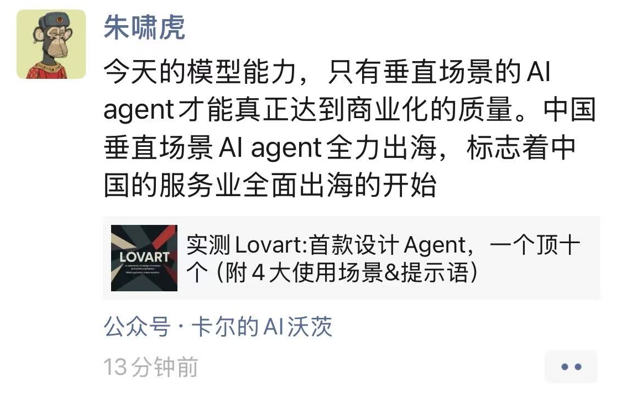
I completely agree with the viewpoint on vertical-scenario AI Agents. Among current Agents, general-purpose Agents have great potential but are still constrained by model capabilities today; self-built workflow Agents like Dify/Coze are either too privatized, only suitable for the builder, or too superficial, completely inadequate for experts.
As an Agent in the design vertical, Lovart occupies a niche between the two. It neither overpromises capabilities as being ‘world-changing’ nor thinks deeply yet flexibly within the vertical.
Previously, there were some so-called industry Agent products that simply integrated a few MCPs and industry knowledge bases and rushed to market. But upon actual use, it was found that their product design only involved theoretical logical feasibility derivation, rarely addressing users’ real pain points. They looked impressive but were not user-friendly.
The user experience of Lovart is completely different from theirs. During use, I could clearly feel it helping me resolve points that previously felt cumbersome or frustrating when using image generation tools independently. For example, jumping back and forth between LLMs and image generation models to debug prompts, or when GPT-4o generated a very satisfying image but a few texts were garbled…
Using a screenshot from Master Zang (@Guizang’s AI Toolbox), let me show you its basic features.
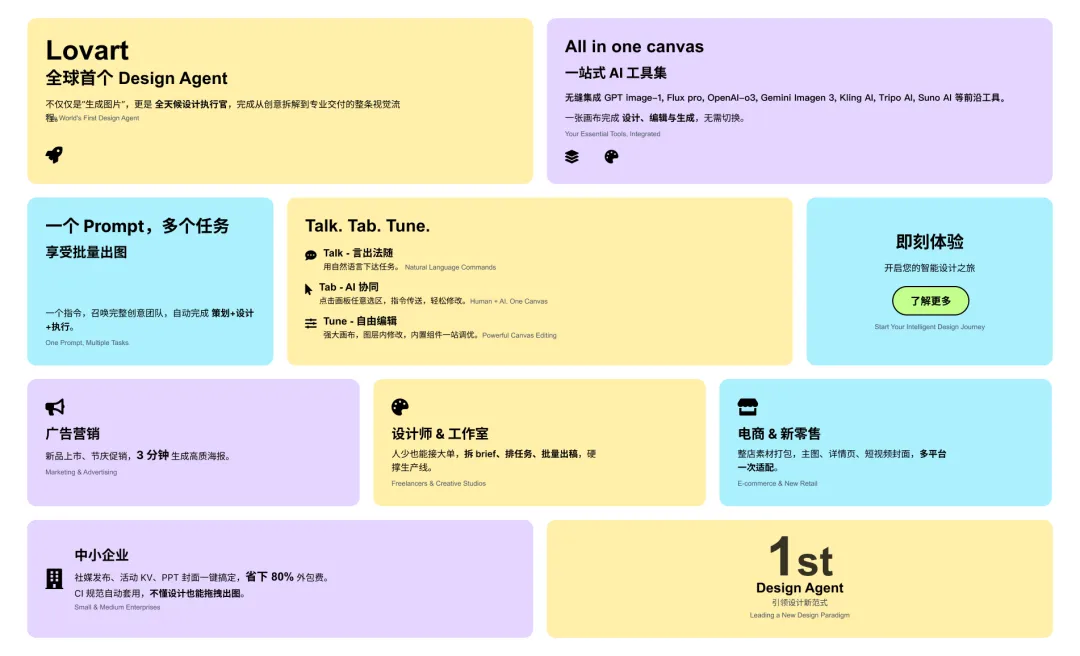
I work in the advertising and marketing industry, so let’s look at some typical commercial application cases.
Let’s combine hands-on test cases, explaining as we go.
Since it’s a ‘professional design’ Agent, let’s start with something professional and valuable—brand visual design.
Generally, when a company hires a professional design firm, even without a full VI set, designing a single LOGO can cost thousands to tens of thousands of yuan.
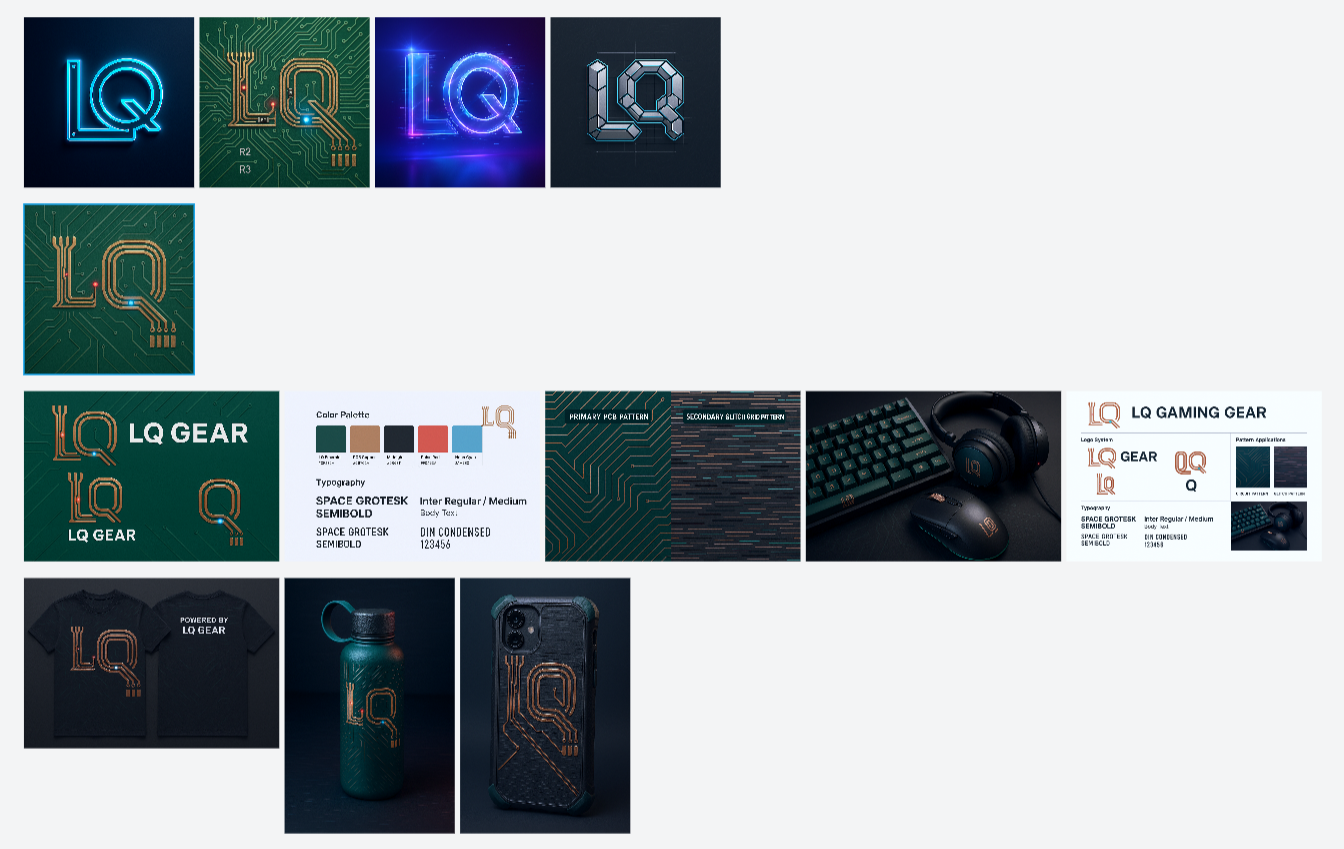
First, I asked Lovart to design an exclusive, tech-sense LOGO based on the initials LQ of my name.
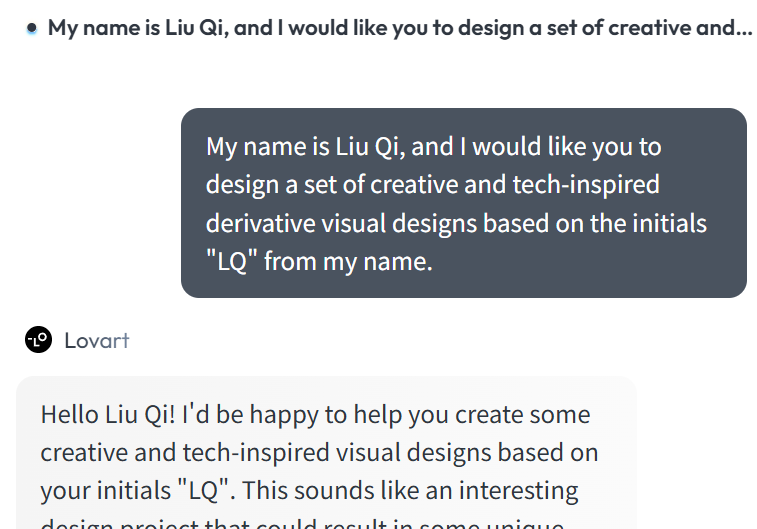
During task execution, Lovart automatically orchestrates large language models like Claude, GPT, Gemini, and image generation models like GPT-image-1, Flux.1, Imagen3, as well as video and music generation models like Kling and Suno. To ensure smooth collaboration and stable results across all involved models, it is recommended to write prompts in English. However, for easier understanding in this article, I have directly enabled immersive translation for demonstration.
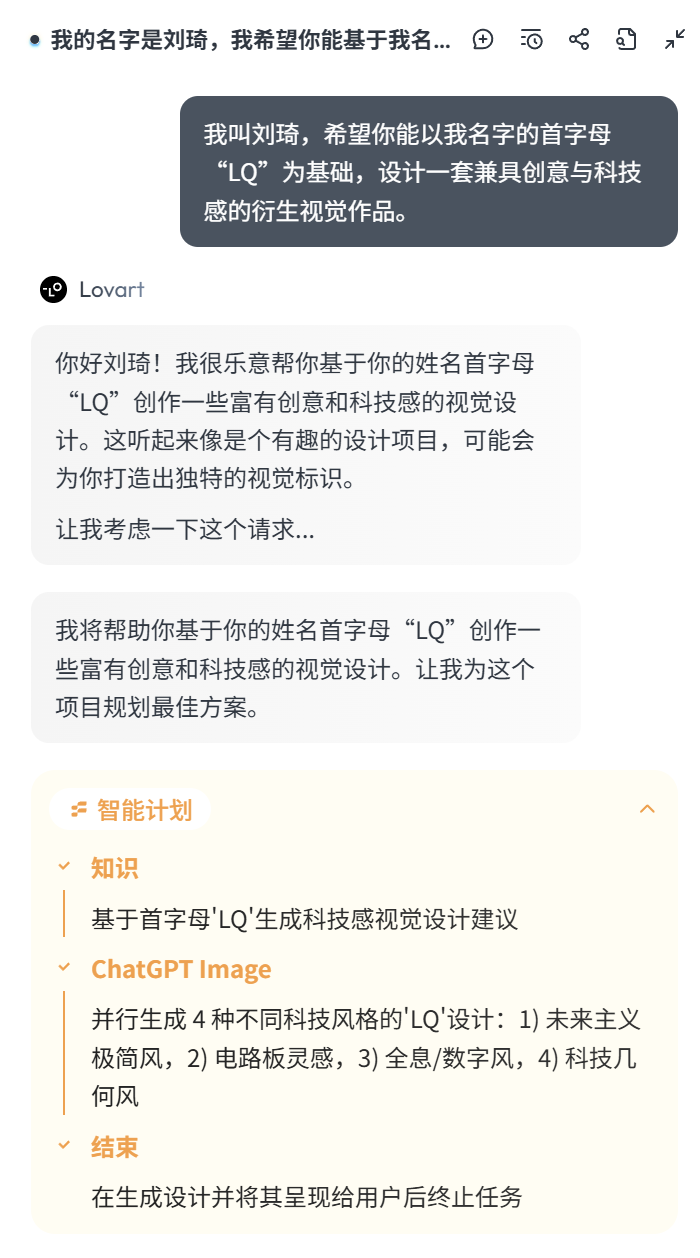
As you can see, after receiving my task, it first breaks down the task and conducts an overall intelligent planning.
One aspect I greatly appreciate is that Lovart always ensures it fully understands the task requirements before proceeding. The first sub-task is always to extract key keywords from my task requirements to research relevant knowledge. For example, in this case, it keenly captured the word ‘tech-sense’ from my task requirements and first generated tech-sense visual design suggestions.
This step is truly important, and many human designers fail to do this. I’ve seen too many junior designers who, upon receiving a task, don’t think for a second and immediately start working. Then, when the client says it’s not what they wanted, they argue with the operations team and have to redo it.
Here are the visual design suggestions Lovart generated based on my name’s initials LQ and the keyword ‘tech-sense’:
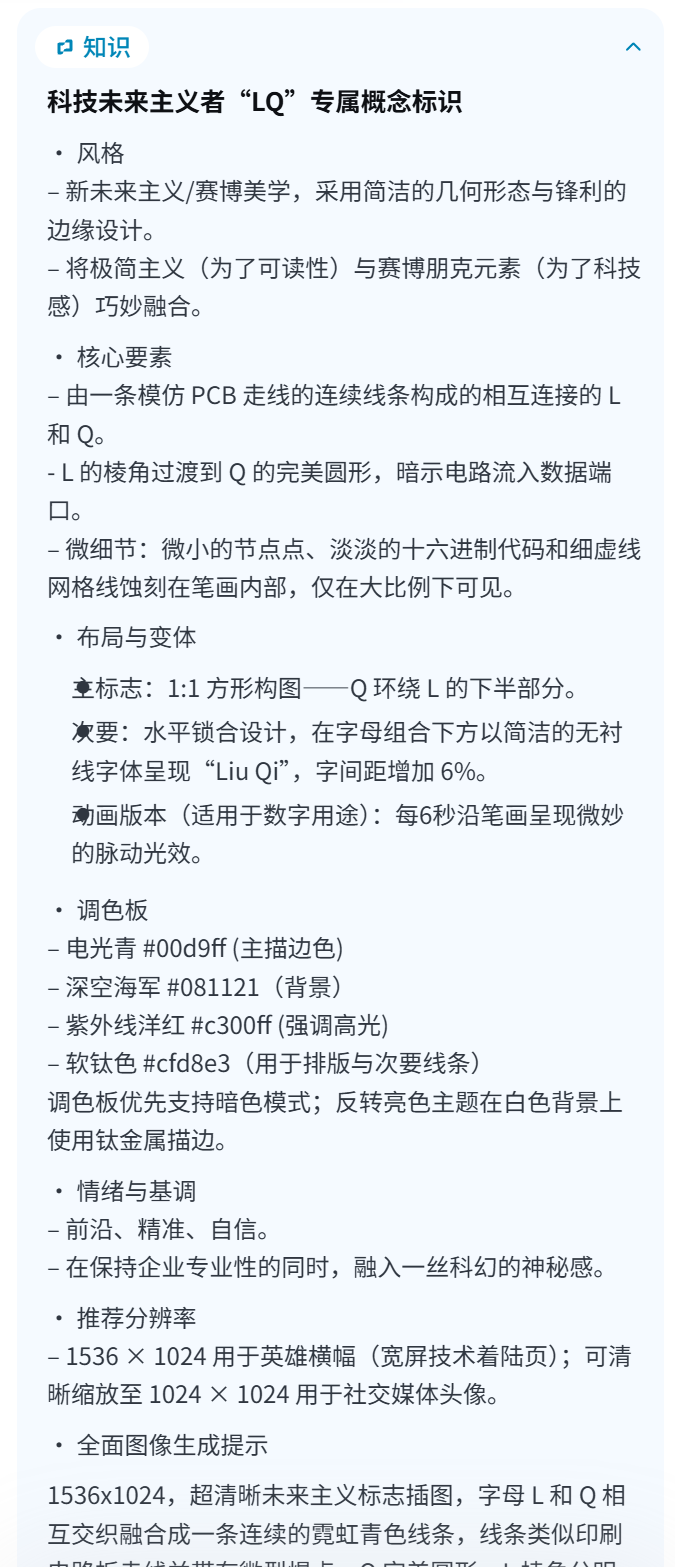
I never imagined my name combined with ‘tech-sense’ could have so many interpretations.
Then, based on the four styles it planned earlier and the visual design suggestion knowledge generated above, it used ChatGPT to generate four LOGOs for me:
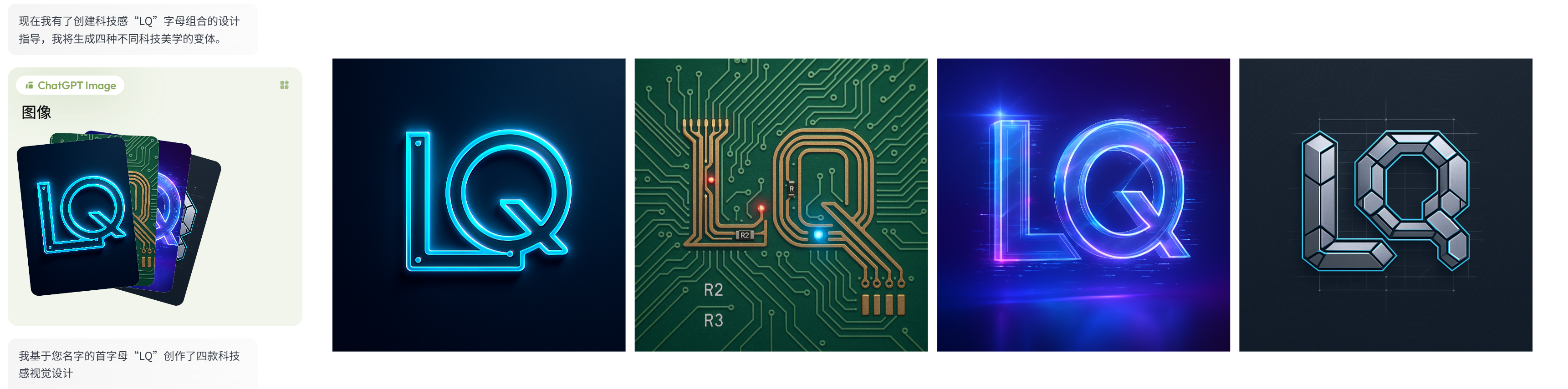
Not bad.
And indeed, there is a tech-sense element present, with four different styles derived from that tech-sense, which is much better than the results from previous AI LOGO design websites online. This is the benefit of doing background knowledge breakdown first.
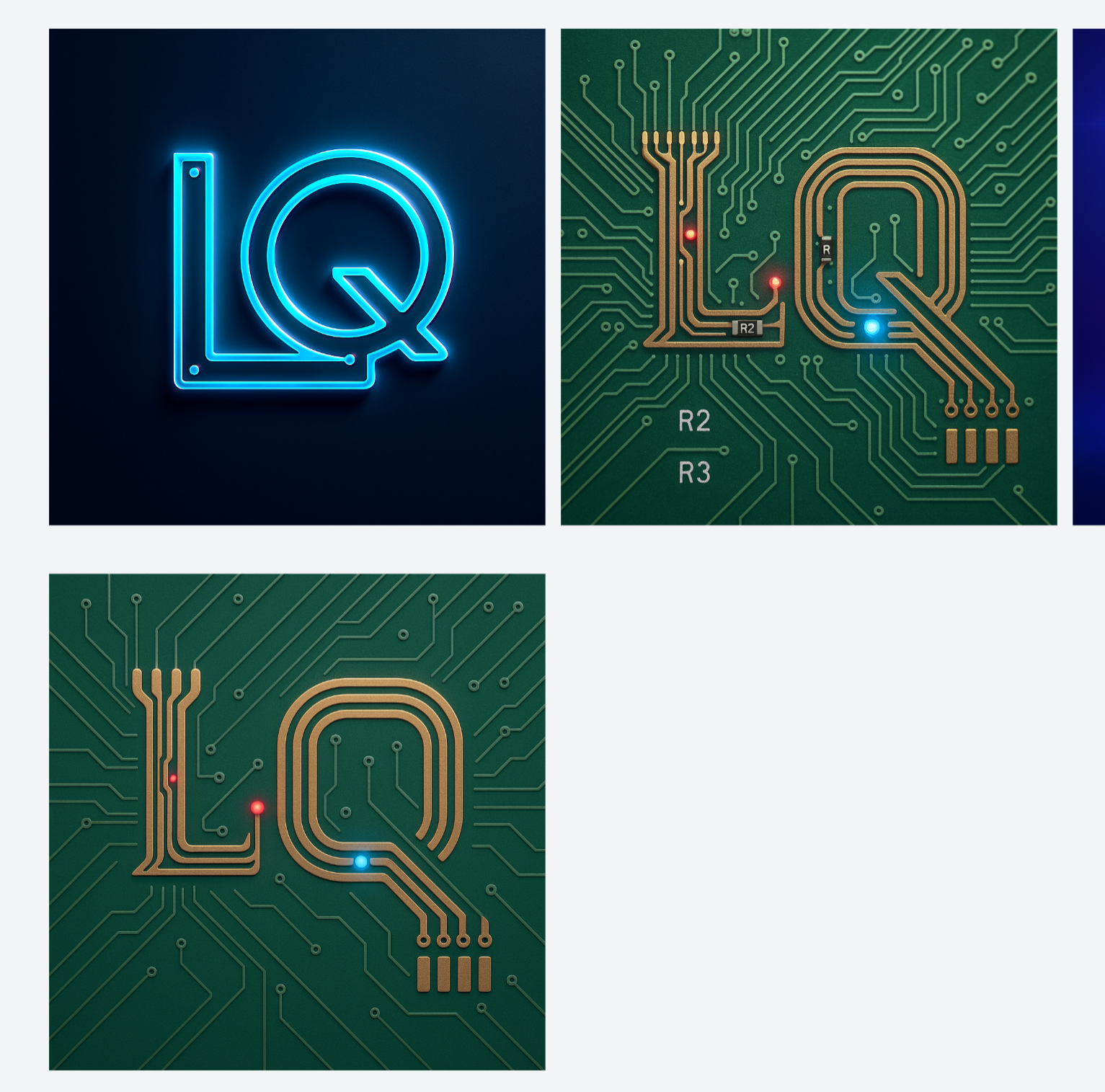
I really like the second creative idea among these four LOGOs.
But the issue with the second one is that the elements are a bit too complex—there’s even a resistor added to the PCB board, and the letters R1, R2 seem incorrectly labeled, which would limit its practical application. So, I referenced this image and gave Lovart a further requirement:
Create a more simplified version of the LOGO based on this circuit board design.
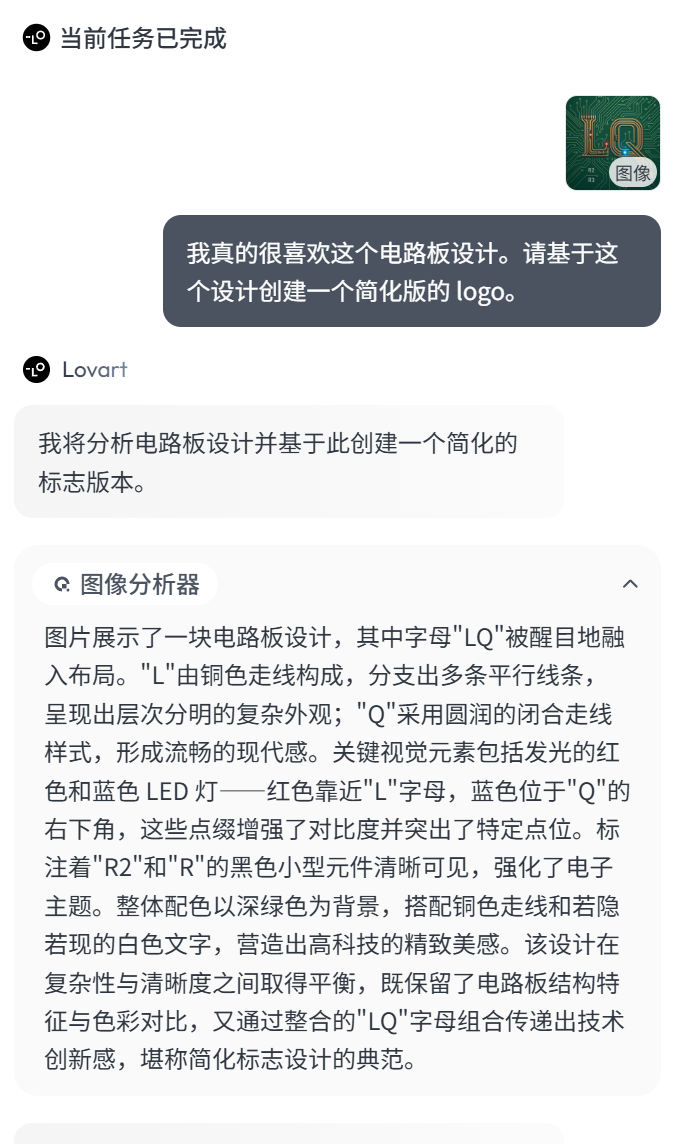
As you can see, at this point, it used the ‘Image Analyzer’ to deconstruct this image. This capability isn’t surprising—it just calls a multimodal-capable large model—but from the deconstruction results, the built-in prompts appear to be specifically tuned for design scenarios, making it user-friendly for beginners.
The subsequent process is the same as before: intelligent planning in steps, first generating knowledge suggestions, then calling ChatGPT for image generation.
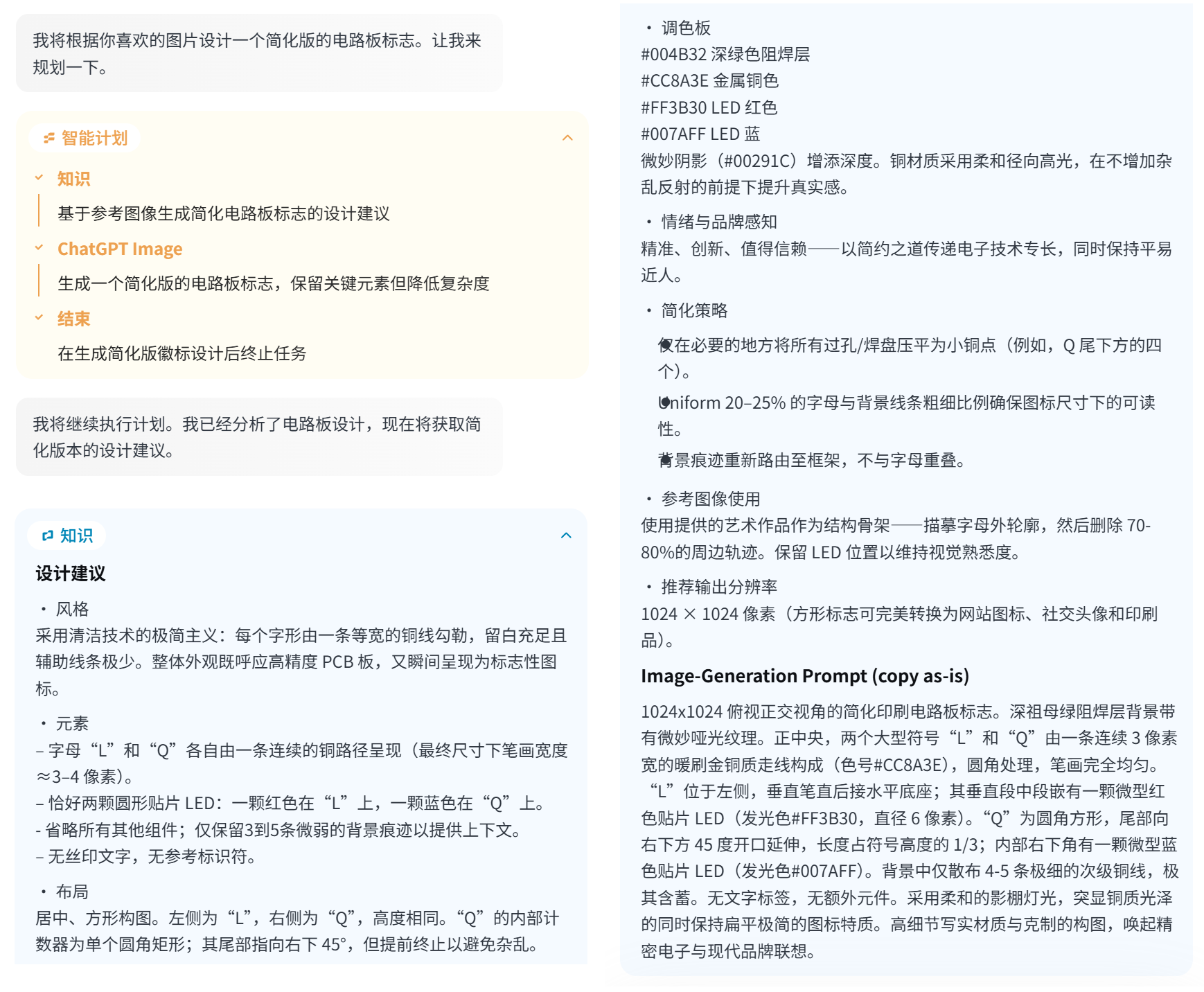
I must say, the first step of knowledge generation is truly a great feature design. The capabilities of large language models and image generation models are organically integrated within a single product, and the built-in prompt design is excellent.
Then I got a simplified LOGO, which you can compare with the version above. I think it’s quite good:
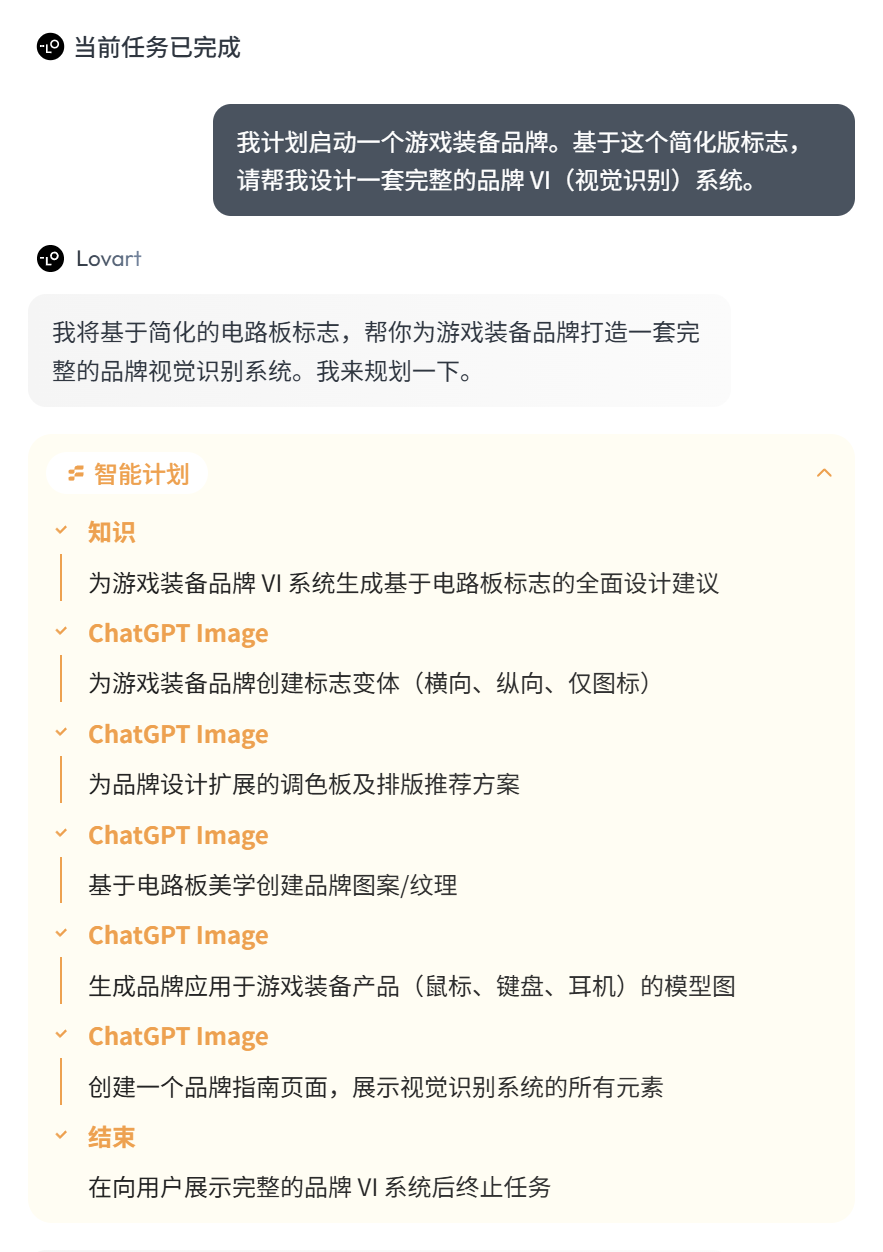
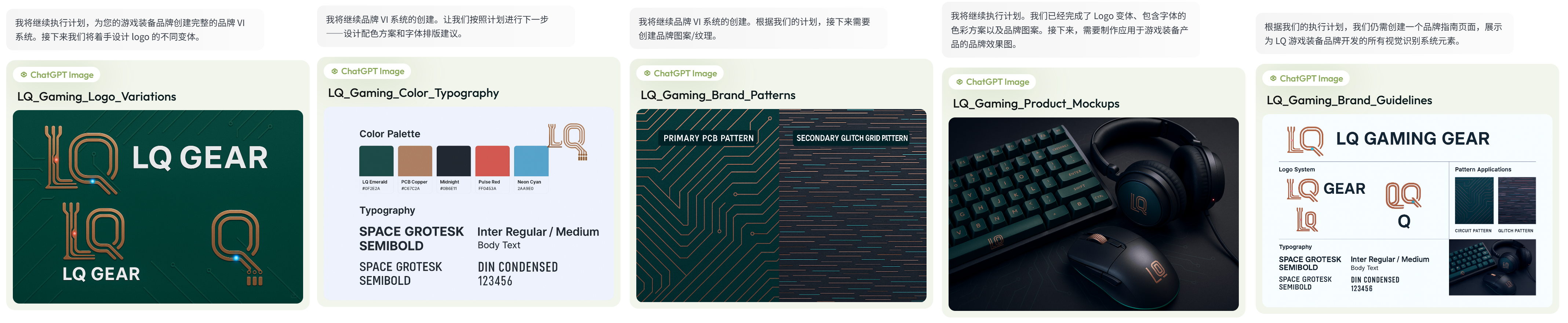
I decided to raise the difficulty and ask it to design a complete VI set for a gaming equipment brand based on my LOGO.
It still starts with intelligent planning and decomposition before execution. Note that I didn’t reference the generated image here, but it was able to determine through intelligent context analysis that it should be based on the simplified LOGO.
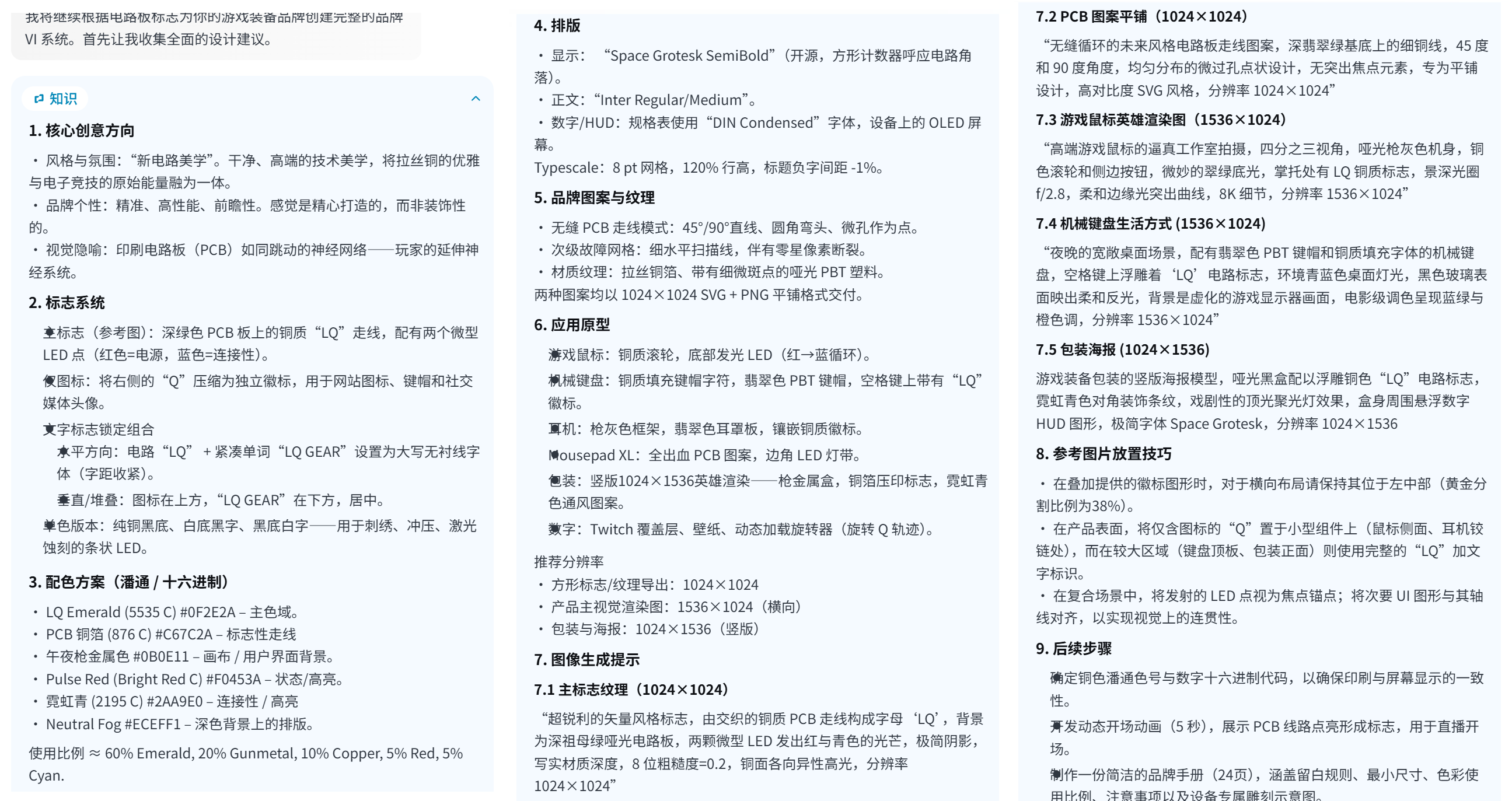
I really love seeing this ‘Knowledge’ section.
The plan it came up with is incredibly detailed, good enough to be directly used as a reference for designers.
This step actually had some minor flaws.
Especially the last image, where the consistency of the LOGO variants wasn’t maintained well.
For a professional VI set, the image consistency from the GPT-image-1 model output is still not quite sufficient.
For actual deployment and use, it would still need further manual refinement and adjustment.
However, as a demo, it’s fairly usable.
Next, I asked it to design some peripherals for my brand based on this VI set.
I won’t show the detailed process, but the final result is as follows:
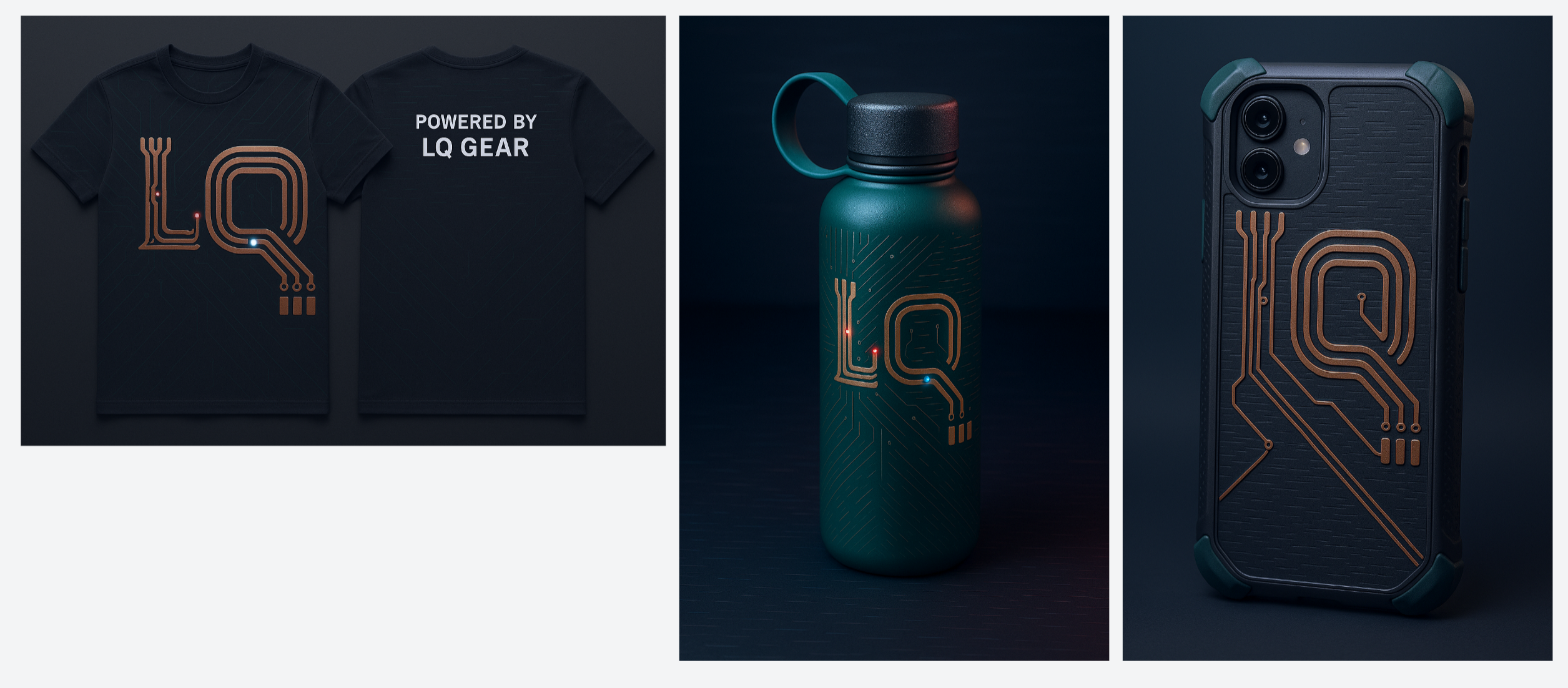
Overall, I’m quite satisfied.
Through this entire process, a startup entrepreneur can obtain a brand visual design that looks okay and is fairly functional without spending a large budget, which I think is pretty good.
Fully automated video generation is also a highly advantageous Agent scenario.
AI video production is a typical workflow that involves switching back and forth across multiple platforms. Usually, our typical path for making AI videos involves writing scripts and storyboards in Feishu, generating images with Midjourney or Flux.1, then moving to video generation platforms like Kling or Runway for image-to-video conversion, and finally adding voiceover and music. It’s a chaotic process, leaving us flustered.
Lovart’s multi-model orchestration capability effectively solves this problem. With a single-sentence prompt, it can handle everything from script planning, image generation, storyboard creation, video generation, music generation, to final compilation. Small merchants or businesses with simple promotional needs can have their store managers or operations staff complete it independently, without requiring additional external support.
For example, as a jeweler, I can ask Lovart to reference a photo and create a promotional short video with background music for my pearl earrings.
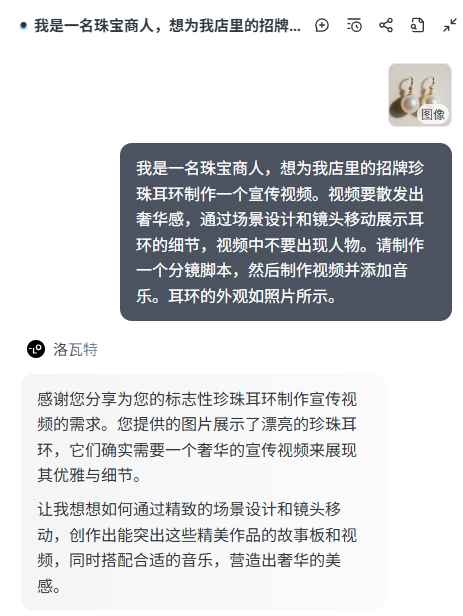
Similar to the image generation process, Lovart first combines my requirements (e.g., no people appearing) and calls a large language model to generate ‘Story Knowledge,’ including scenes and shot-by-shot scripts.
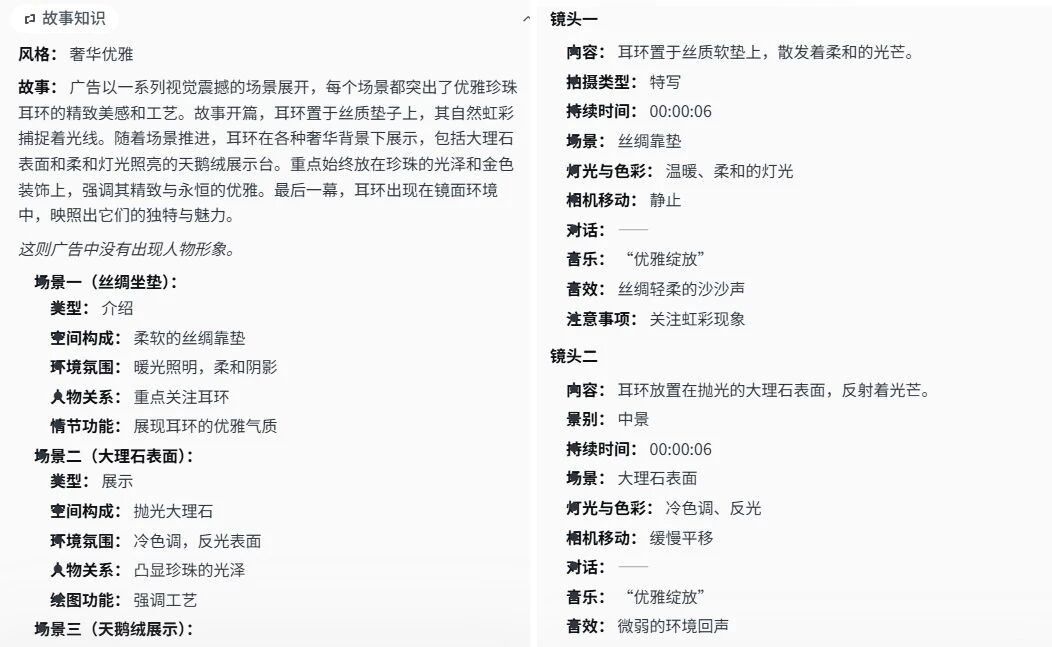
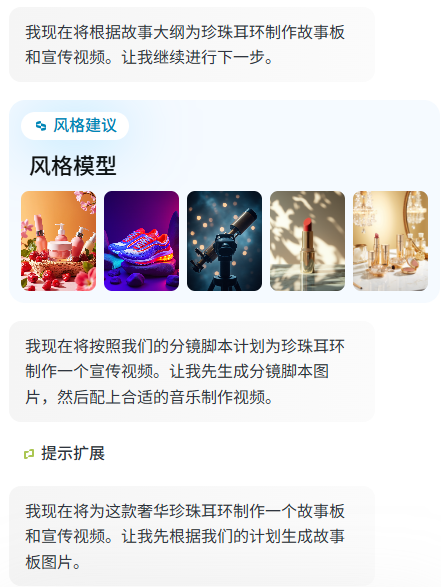
After that, it generates images based on the shot-by-shot scripts.
It’s worth noting that during the image generation process, it automatically matches and selects an appropriate Lora from the style library based on the LLM’s analysis.
However, for my task, I uploaded a reference image and specifically requested no people, so the actual model used for image generation was GPT-image-1, and Flux.1 was not used; the Lora did not take effect.
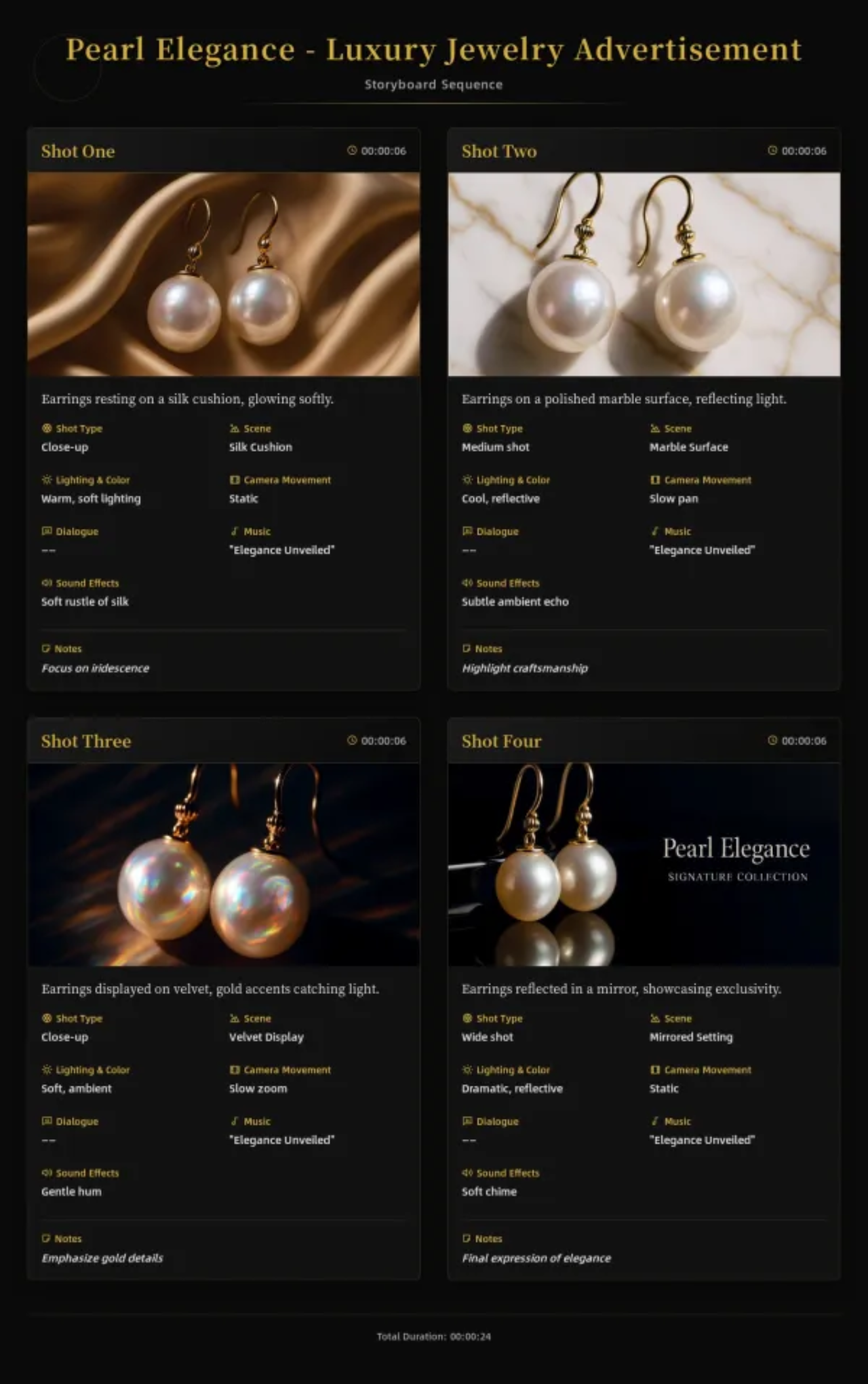
You can also simultaneously ask it to create a storyboard like this based on the script.
After that, based on the storyboard content, it calls Suno AI to generate background music, uses Kling 1.6 to generate each shot, and finally merges all the shot videos with the BGM to produce the complete promotional video.
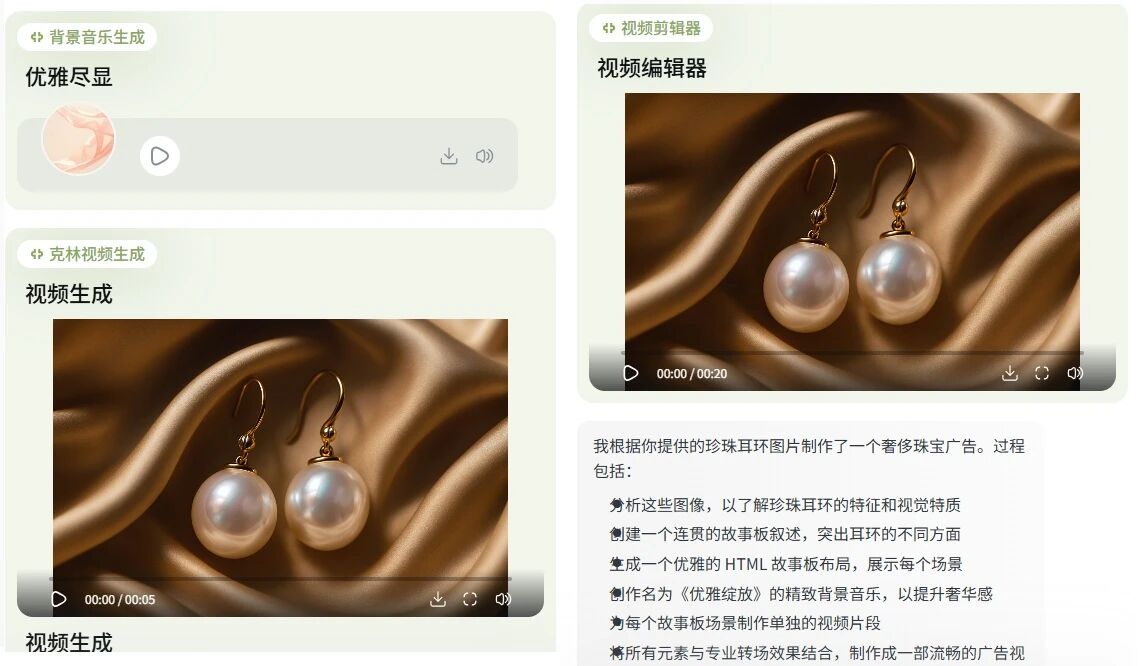
The final generated video is shown below:
The noble and luxurious aura is indeed captured well.
However, while I believe fully automated video generation is a highly advantageous Agent scenario, based on Lovart’s current performance in tests, this is also the scenario with the most room for improvement.
What’s commendable is its high ease of use and the correct direction; the threshold for generating a satisfactory finished AI video is greatly lowered. Small e-commerce product videos like my example above are indeed sufficient for small merchants to use commercially. But to some extent, it is still limited by the capabilities of current large models—such as scripts not being creative enough, shot scenes not being coherent enough, etc. To generate an excellent AI video work, from script to generation, still requires significant human intervention and adjustment.
But as large model capabilities improve, the future is promising.
Let’s talk about applications in everyday office worker scenarios.
For example, my boss now asks me to post a Xiaohongshu note and provides a cover image reference:

But the theme needs to be changed to a job-seeking guide.
So, I directly send this image to Lovart and tell it: Design a cover for a job-seeking guide in the style of this image.
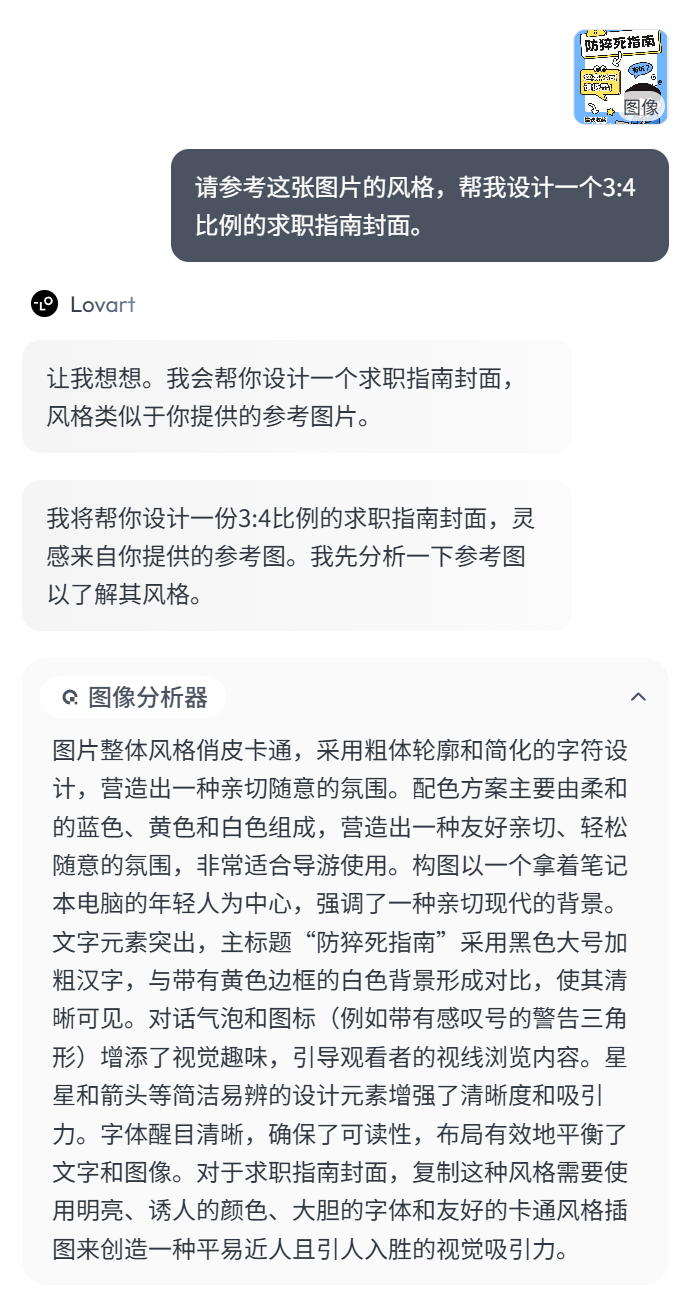
Lovart still starts with image analysis, then breaks down the execution steps. Based on the job-seeking theme, it designs the overall tone for this cover image.
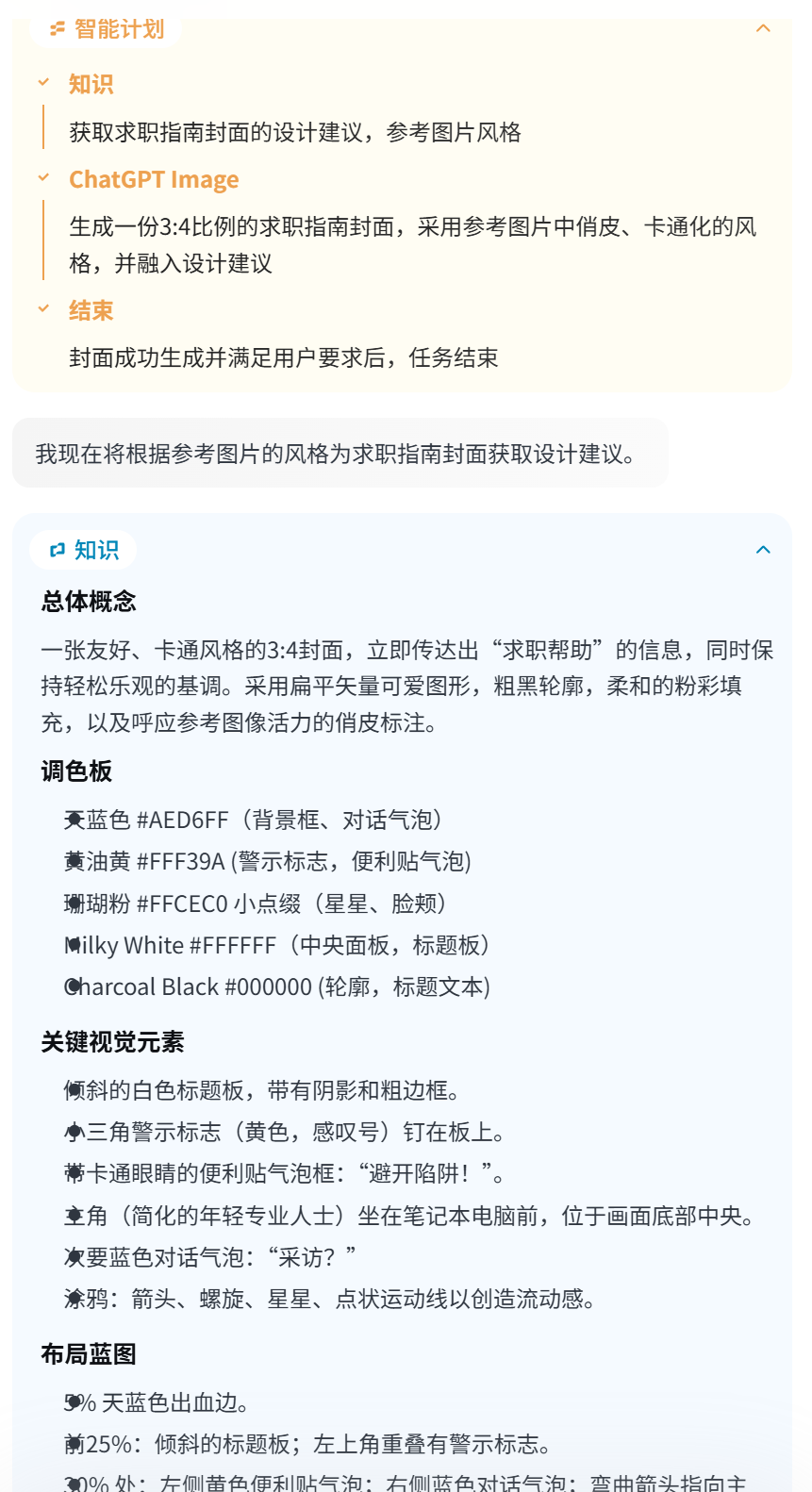
Then, it generates the cover result using GPT-image-1.
Detail: When the theme changes from ‘prevent sudden death’ to ‘job seeking,’ the expression and emotional atmosphere of the person in the image are adjusted.
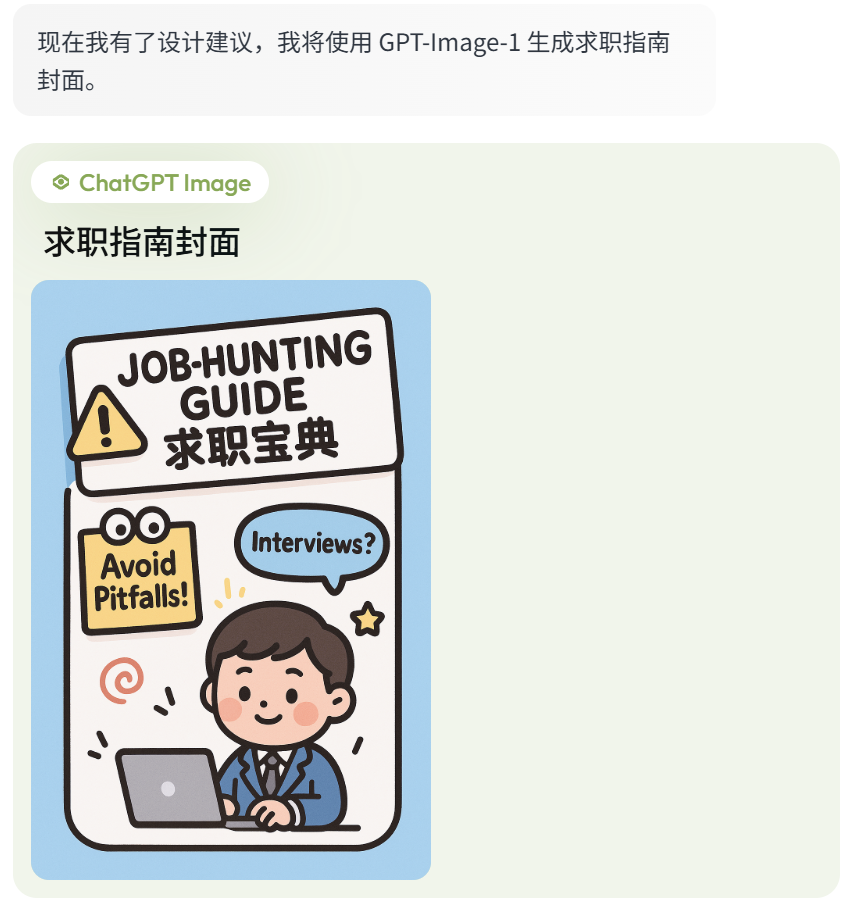
But there’s a problem: the text in the image we just generated is a mix of Chinese and English.
Moreover, those familiar with GPT-4o image generation should have a frustrating issue: the image result is clearly satisfactory, but there are minor flaws or typos in the text. But the generated image result is a single image, with no way to modify it. And GPT-4o’s partial redrawing isn’t user-friendly, especially for text redrawing. If the text background is white, it’s okay, but if it’s on top of image elements, erasing and redrawing is very difficult. This often leads to abandoning perfectly satisfactory images and regenerating them.
Long ago, I’ve been complaining about this issue with GPT-4o, wishing it could output in two separate layers.
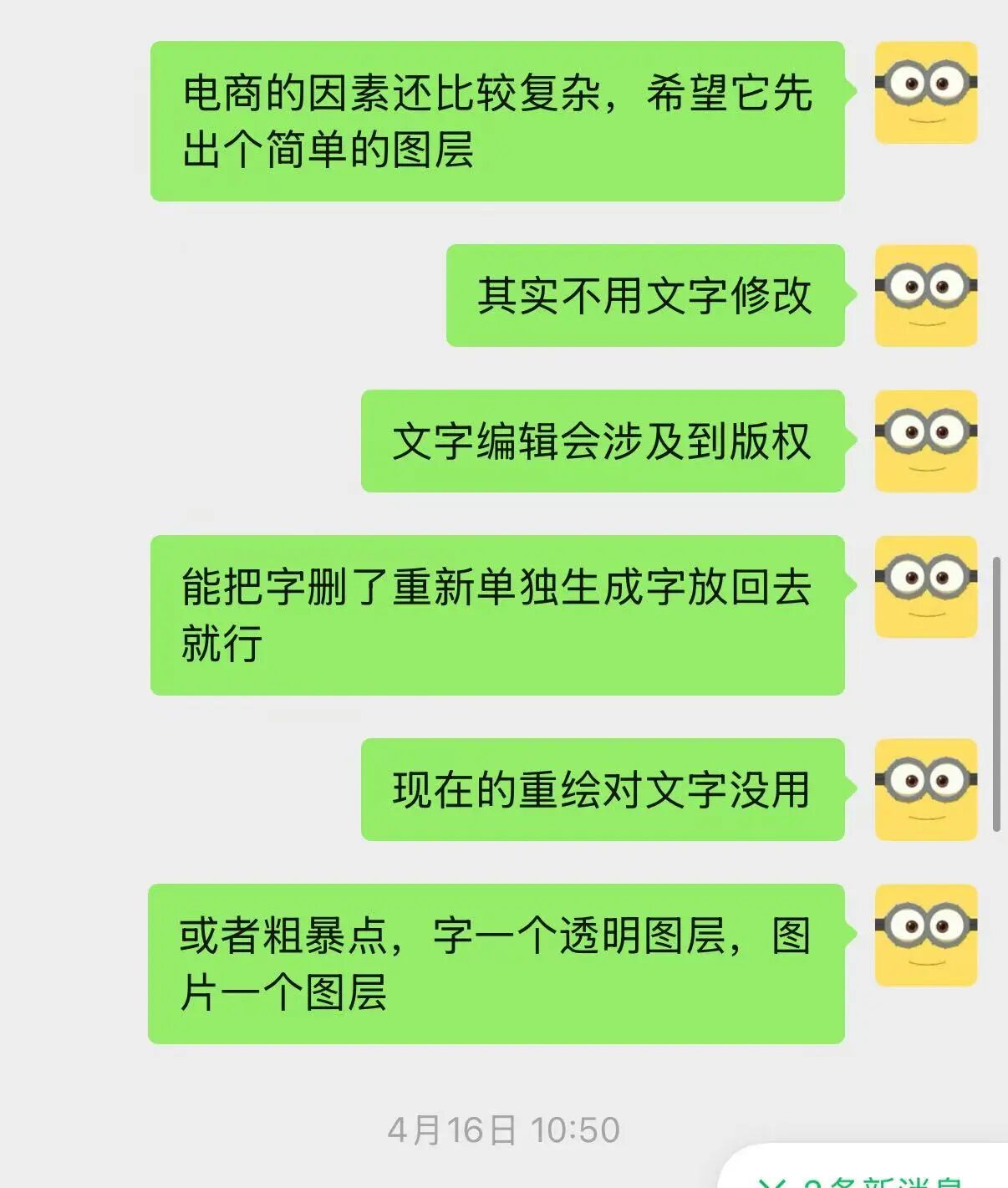
Unexpectedly, Lovart has made this a reality.
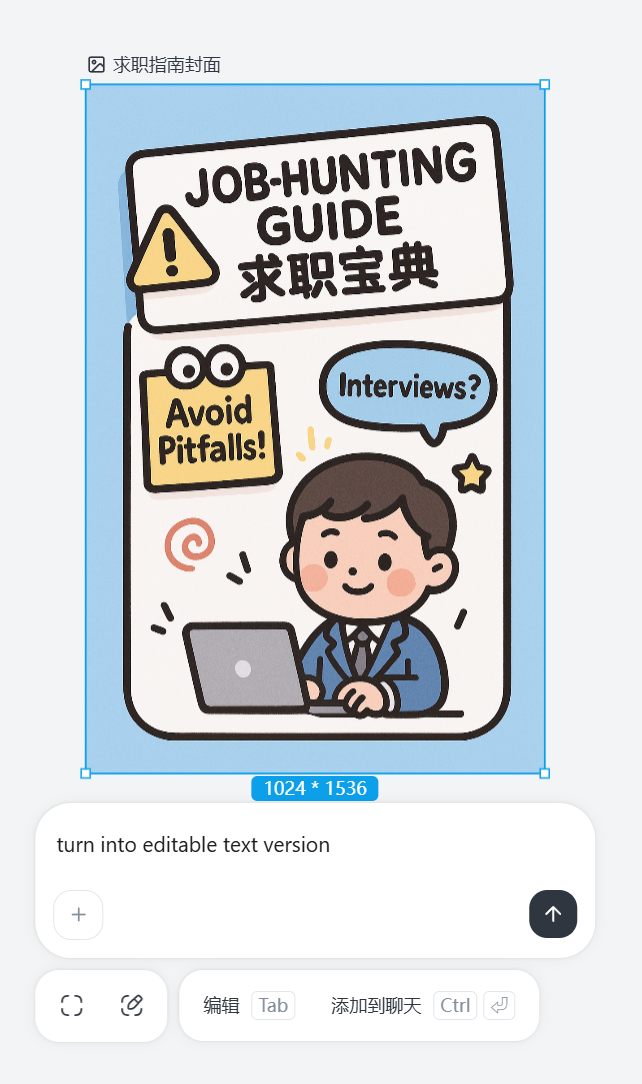
Simply select the image and press the Tab key, type ‘turn into editable text version,’ and you can separate the text and image layers of the image.
And the text is editable.
Of course, you can also do it my way: directly delete the text to get the background image, then use PS or Jimeng to generate the text and merge them.
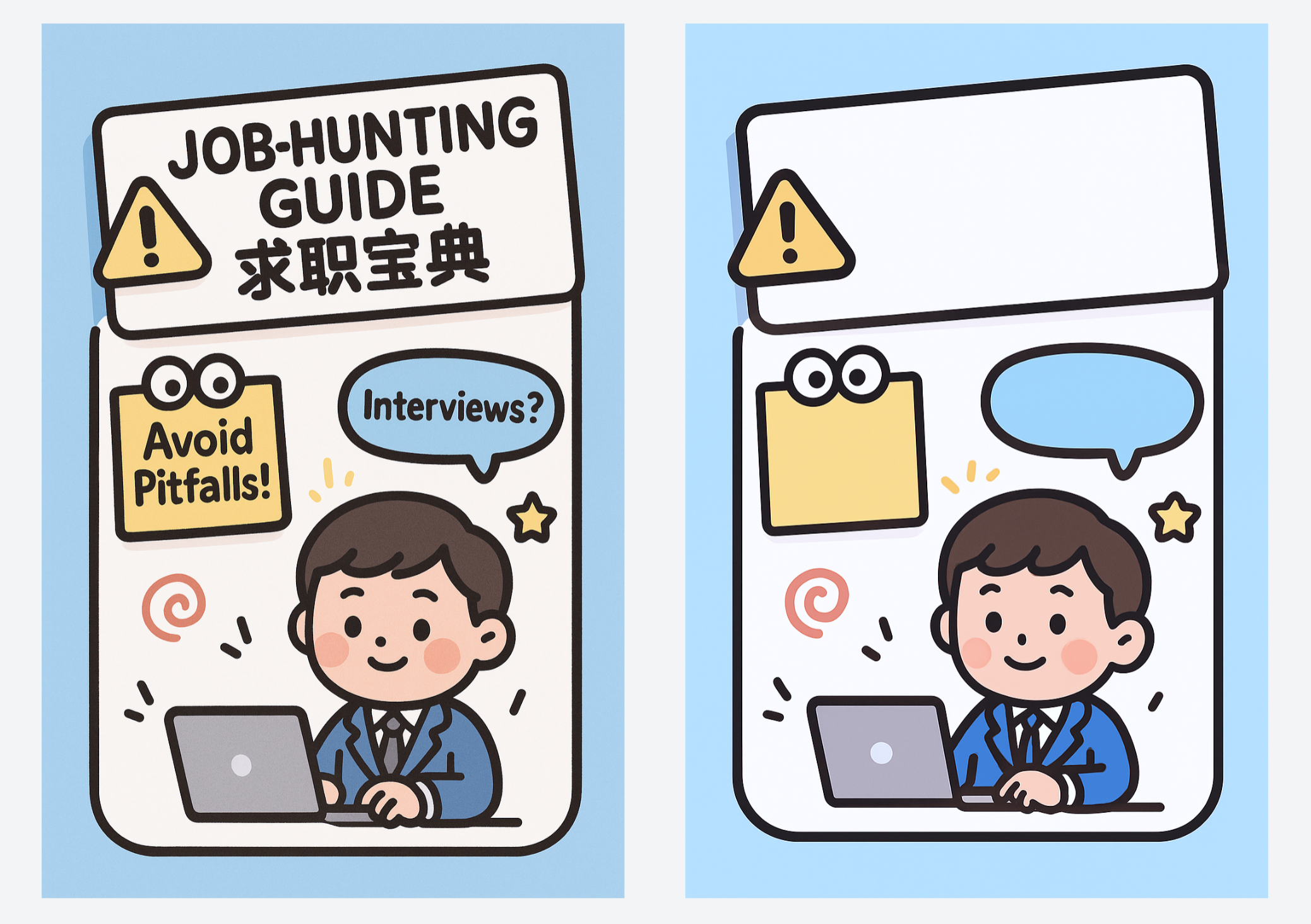
It’s a near 1:1 replication, with the background perfectly preserved and the text customization rights in your own hands.
This is absolutely brilliant, precisely addressing the pain points of GPT-4o image generation users.
But from my observation, the implementation of this feature actually still involves redrawing, with some differences in color and details. However, unlike GPT-4o’s own redrawing, which struggles to maintain consistency, it seems to use technology similar to ControlNet, likely self-developed.
The advantage of a multi-model All-in-One orchestrated Agent lies here: solving problems directly within the same window, without the need to switch back and forth between LLMs, closed-source image generators, and ComfyUI like before, greatly improving efficiency.
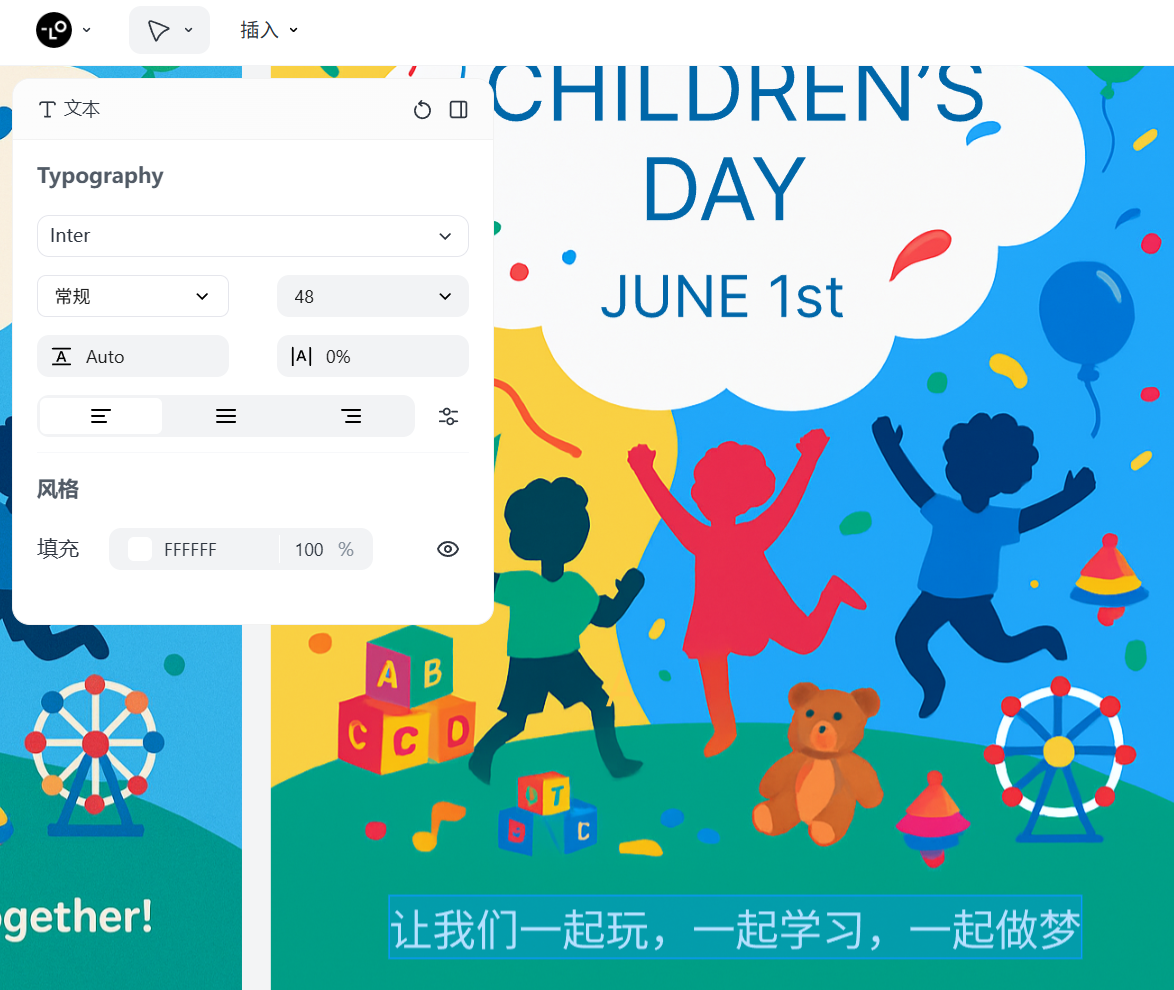
You can also request an editable version right from the start, like this:
「Create a Children’s Day (June 1st) themed poster with text and images,and provide me with an editable text version.」
You get a complete poster and an editable version at the same time.

Editing can be done directly through Lovart.
Additionally, Lovart has another noteworthy strong advantage in design output: it supports batch output, somewhat similar to the previously viral ‘Super Creative’ feature of Doubao.
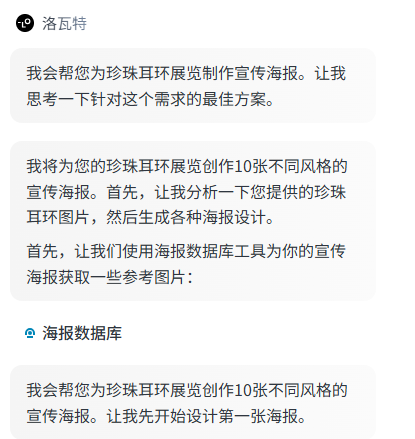
For example, still with that jewelry store’s treasure, the pearl earrings, I’m planning to hold an exhibition for it, and the exhibition’s promotional poster can be generated using Lovart.
Let’s try a 10-pull:
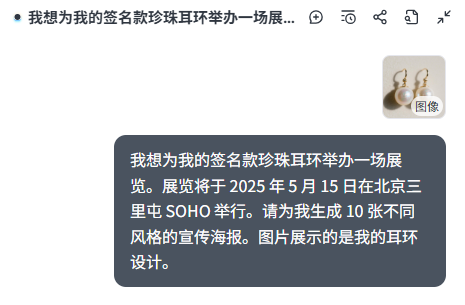
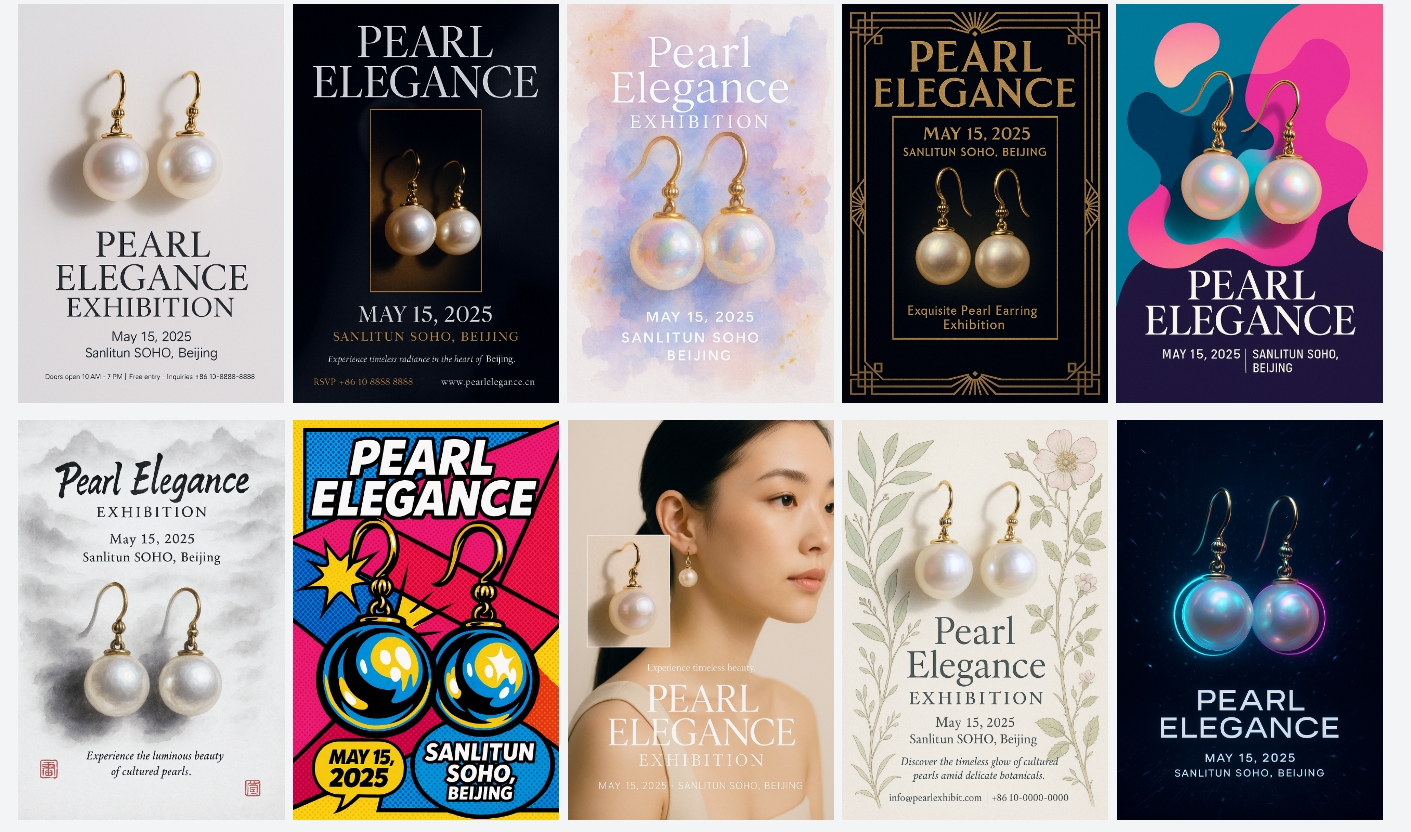
It will reference its built-in poster database and output 10 different styles according to my requirements.
Ten posters, each with a different style:
In fact, for conventional operational scenarios, the creative design requirements aren’t that high, so at this level, the output quality isn’t vastly superior to previously switching between multiple AI tools.
But note, if following the old workflow, for me to complete this type of cover or poster design, I would typically use a large language model for conversation, or for batch processing, use a multi-dimensional spreadsheet tool. If text flaws appeared, I would solve it by drawing multiple times. Lovart precisely solves this problem: the advantages of multi-model All-in-One orchestration and the ability to separate and edit text and images, combined with batch drawing for a single task, will bring a huge efficiency boost. For daily operations work, this is actually a bigger killer app than creativity.
After a comprehensive experience, Lovart is a product quite worth trying.
I can sense that their team has conducted in-depth research and deep thinking into AI workflows and user pain points in the design field. It’s indeed different from some products with a ‘tech-obsessed’ vibe of ‘AI transforming the world’ that I’ve used before.
Perhaps diving into vertical fields and exploring AI applications pragmatically is the new path for AI products in the coming period.