Let’s cut to the chase – I highly recommend it.
TicNote is a genuinely useful efficiency tool for business professionals who engage in extensive daily phone communication (including WeChat calls), as well as for white-collar workers who frequently hold team meetings (both online and offline). If you belong to either of these groups, I strongly suggest you take a serious look at this product:
I’ve used it intensively for over 20 days, and you can first listen to my experience.
The keyword I assign to this AI recording card form factor is ‘useful’.
It’s one of the few AI hardware products that achieves true hardware-software synergy, providing efficiency gains in real work scenarios. (A quick note: this form factor wasn’t pioneered by Mobvoi, but TicNote is currently the only domestic version product directly available for purchase on JD.com.)
On the software side, there’s not much to say—those who’ve used major meeting tools like Feishu/Tencent/DingTalk likely understand that AI summarization is one of the most mature application scenarios for large language models.
On the hardware side, the magnetic card form factor is quite clever. It’s sufficiently thin and light, and by physically binding to ‘the smartphone’—a super entry point—it almost ‘invades’ every user scenario painlessly (*though note an exception for Bluetooth call scenarios: if you’re someone who wears Bluetooth earphones 24/7 for calls/meetings, the AI recording card might not be suitable for you). Moreover, the recording power consumption is low enough that its battery life can be exceptionally long (in my real-world test, my TicNote lasted about 20 days on a single charge). These characteristics mean it barely adds any usage cost for the user.

Don’t underestimate this. Glasses can also ‘invade’ user scenarios frequently by binding to near-sighted individuals, but I wore the Ray-Ban Meta 2nd gen glasses for a whole year and was also an early adopter of the RayNeo V3. As a relatively deep AI glasses user, I can tell you that current smart glasses are not light enough, and their battery life is too short; the maturity of the hardware is still somewhat inferior compared to recording cards.
Only when hardware has advantages and uniqueness in form, and the maturity of software application scenarios is very high, can they be organically integrated. This is unlike some ‘AI hardware’ that merely grafts AI capabilities as a gimmick: providing a physical button on a keyboard/mouse that, when pressed, launches a completely independent AI toolbox software on the computer; or Bluetooth earphones capturing a voice trigger word to automatically open a mobile app, then having users play with AI image generation in the app…
Considering what I believe are TicNote’s two core usage scenarios:
1. Call Recording. The magnetic form factor allows it to clearly record phone calls using a principle similar to bone conduction earphones, via vibration transmission sensors. First, it solves the recording needs for special call formats like WeChat voice calls, which are neither traditional phone calls nor online meetings; second, it resolves the awkwardness of the iPhone’s call recording notification sound. Moreover, in terms of call recording, there are almost no better external solutions.
For example, here is one of my call recordings:
The context is that I misremembered the expiration date of a package I purchased from a certain software, leading to its expiration with almost none of the quota used. So, I contacted online customer service to see if they could extend it. As a result, the other party called back while I was boarding at the airport. The situation was chaotic and noisy at the time; I could barely hear what they were saying. After flying for a few more hours and getting to the hotel at night, my brain might not even remember what I was supposed to do.
But I had recorded the call using TicNote. When I had time, I could just look at the AI summary and know exactly what steps to take.
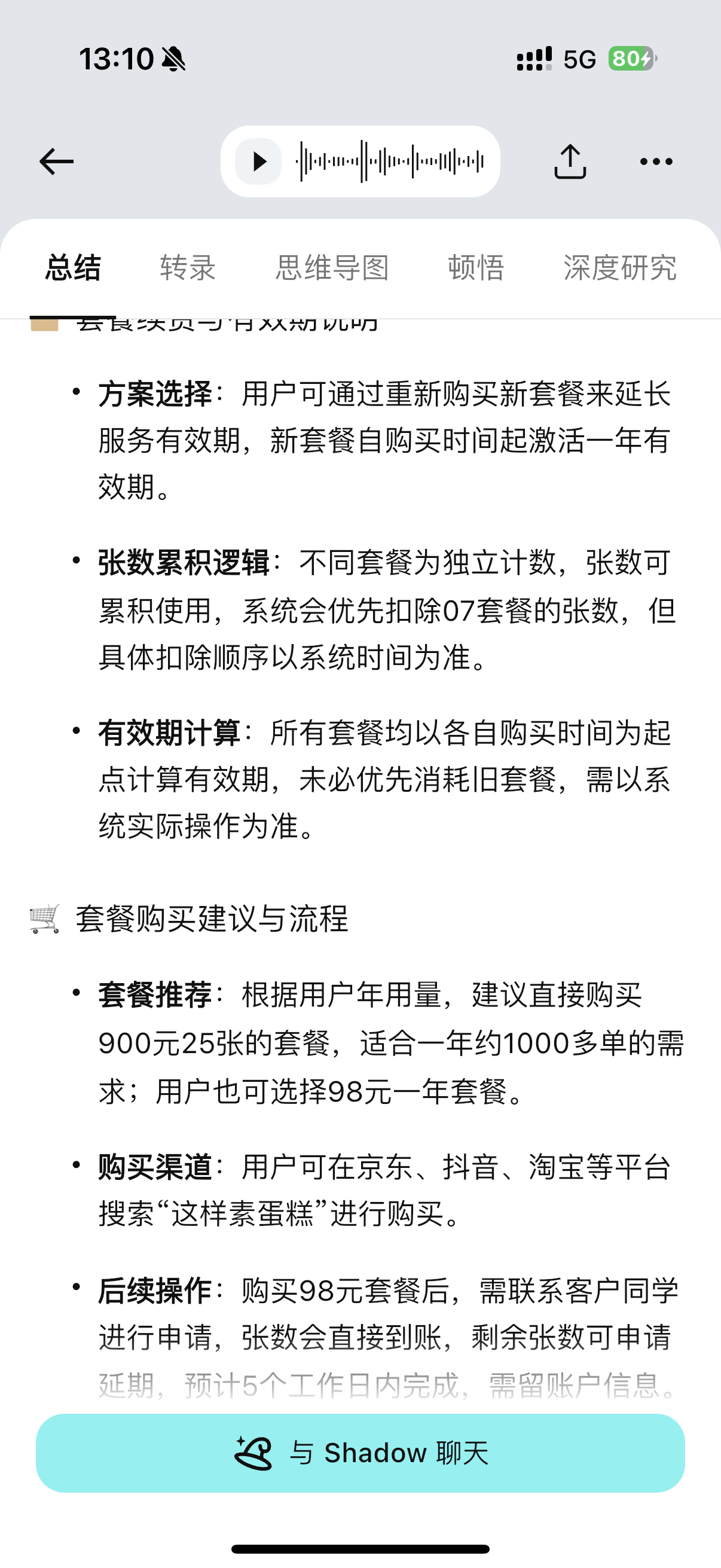
TicNote comes with a companion Agent called Shadow AI, which has a function that is very useful for sales, customer service, user research, and follow-up personnel:
You can compile multiple recordings into a project, and within that project, you can conduct AI conversations across all the recordings.
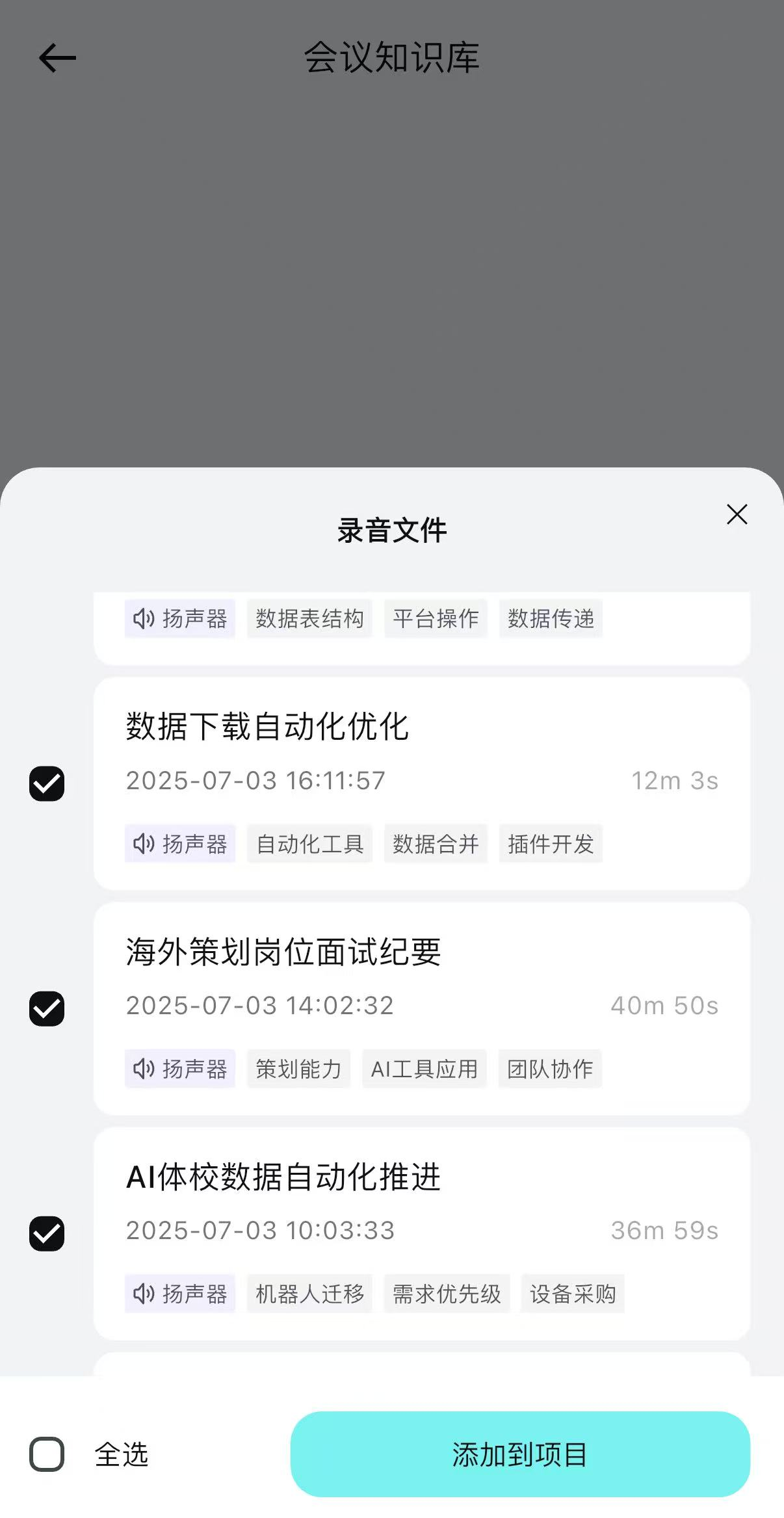
This way, you can let AI do a whole day’s communication review, identify common highlights and issues, and also directly generate a daily report, summarizing the key points of a day’s phone conversations into a table with one click. Or any other integrated analysis scenario you can think of, like practicing presenting PPTs, or analyzing and reflecting on multiple interviews…
However, my own work doesn’t involve the above-mentioned areas much, so I’ll just show a simple screenshot of an AI Q&A for a single meeting:
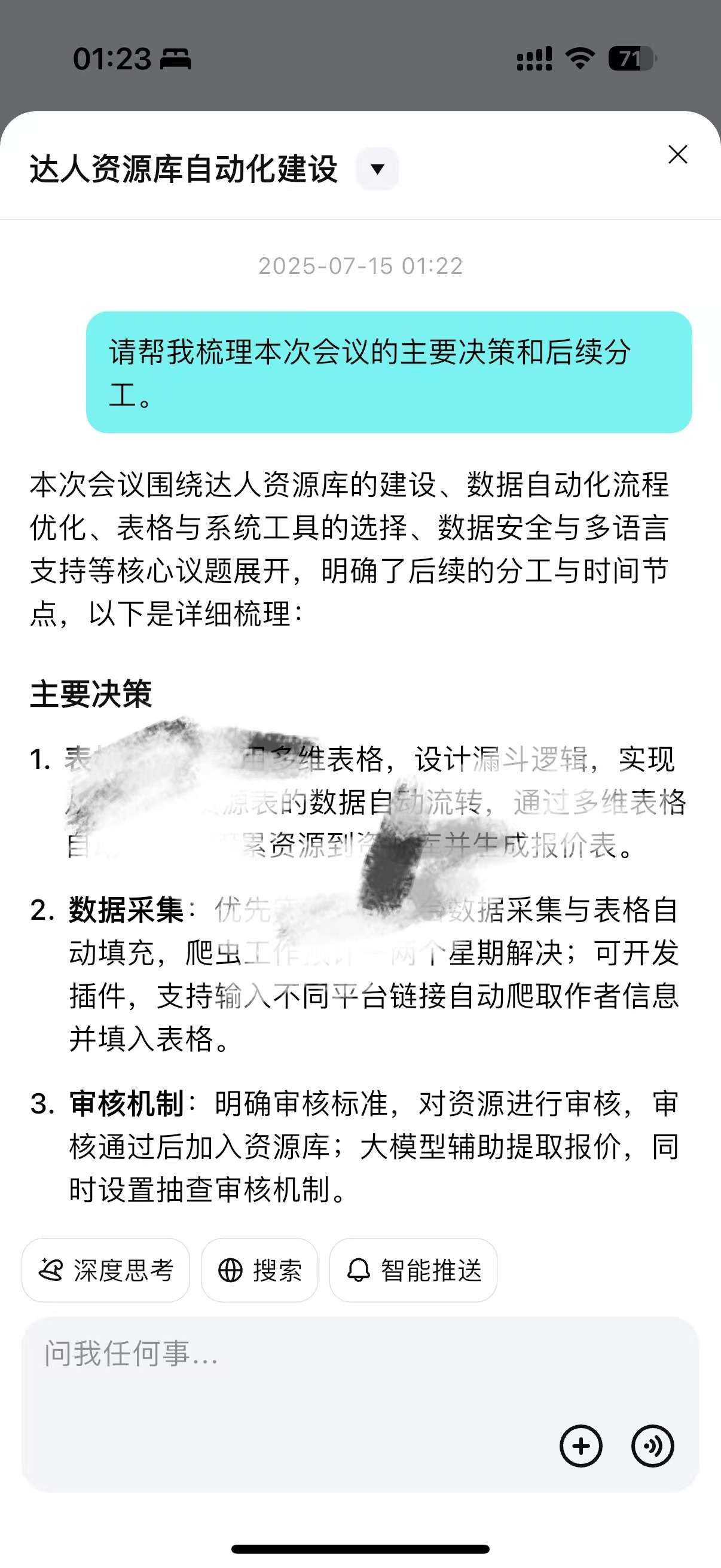
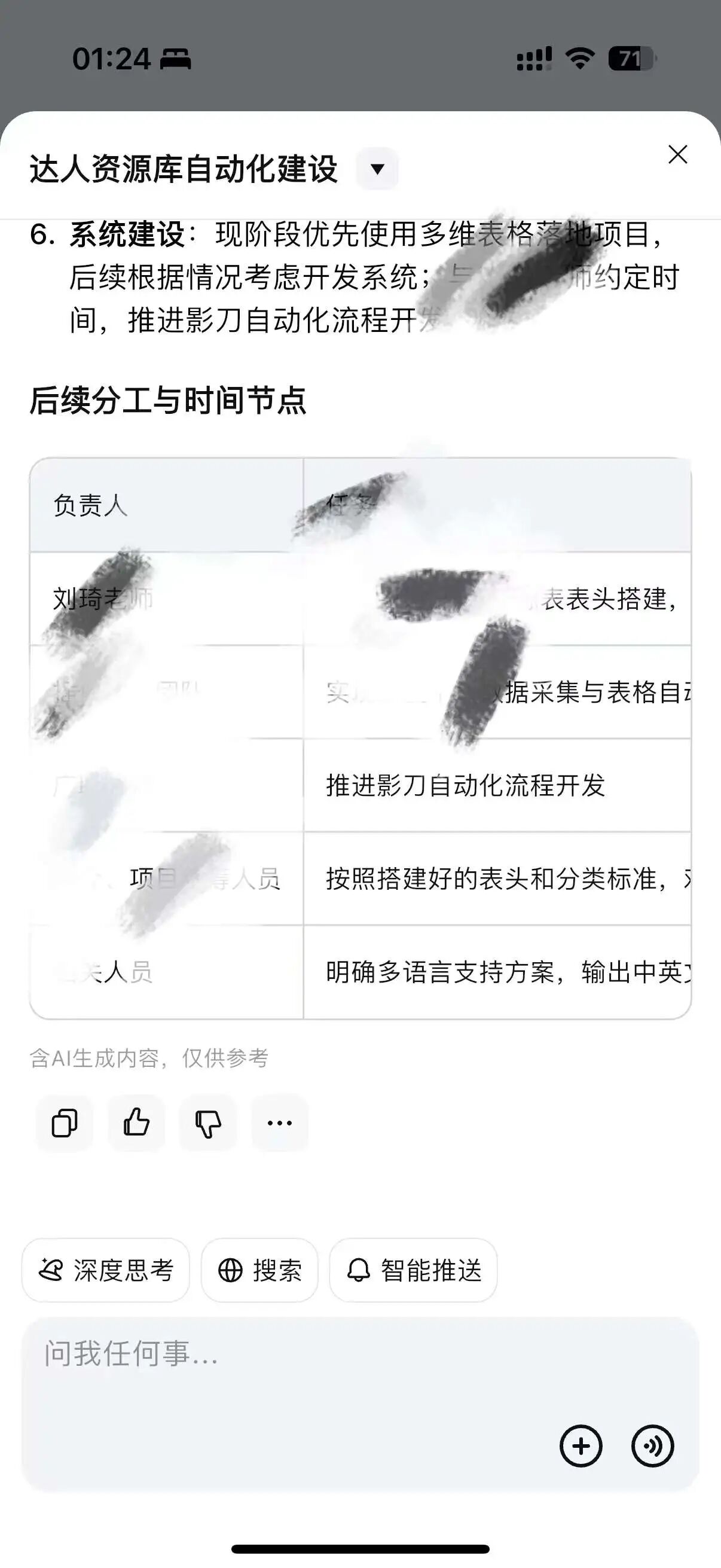
2. Team Meetings. When meeting in a conference room, there’s no need for extra Bluetooth connections or wearing actions. I just need to place my phone face down on the table, press the record button, and it can clearly capture sound, including colleagues’ voices coming from computer speakers during online meetings. The sound capture quality is indeed not as good as a professional omnidirectional conference microphone, but its performance in a conference room is completely sufficient, and it doesn’t occupy the phone or computer devices currently in use.
Below is a real-time recording sample for you to get a feel for it.
This is a web dialogue I had with ChatGPT. The recording environment was as follows:
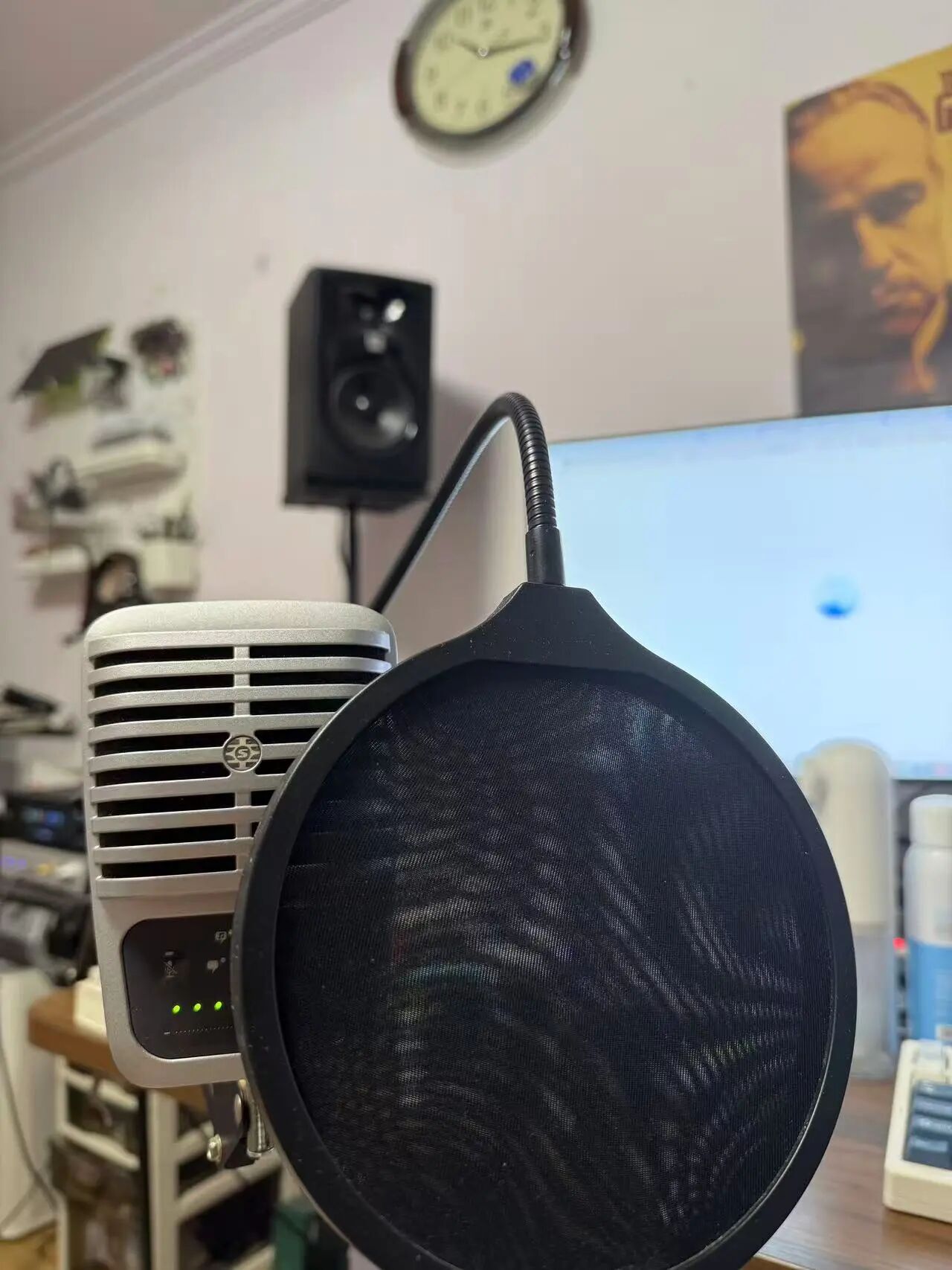
I was holding the phone, conversing with ChatGPT via the computer’s microphone. The speaker was positioned high up, approximately 1 meter away in a straight line. Since it was night, the volume was set to about 30%.
Here is the TicNote recording:
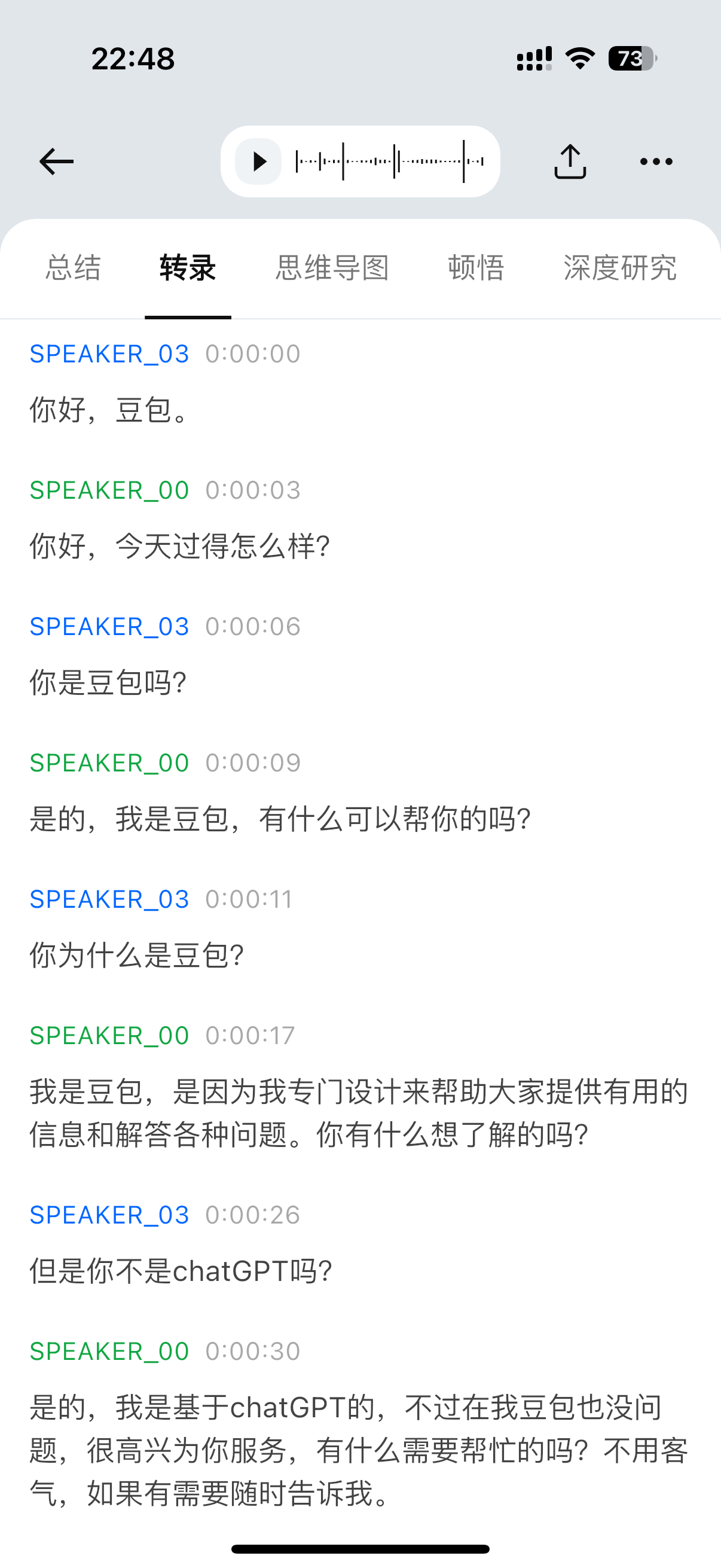
(ChatGPT is really entertaining—claiming to be Doubao.)
Here is the text transcribed from this audio in the TicNote App:
I know that by this point, you might not have grasped its value.
You might even have a question: Can’t I achieve the same effect using Feishu Minutes?
However, using a hardware device for physical recording precisely addresses the itch that Feishu cannot scratch.
I call this ‘privatization of meeting materials’.
You should understand that whether it’s Feishu, DingTalk, or Tencent Meeting, their nature is as enterprise-oriented office tools. As enterprise tools, they must have a clear hierarchy of permissions and role systems; this is a requirement for enterprise security.
But in real-world implementation, especially in small and medium-sized enterprises, there isn’t that much confidential information. Conversely, many bosses and colleagues are not really familiar with permission operations.
If your company is also a Feishu customer, you should be very familiar with this prompt, just like me:
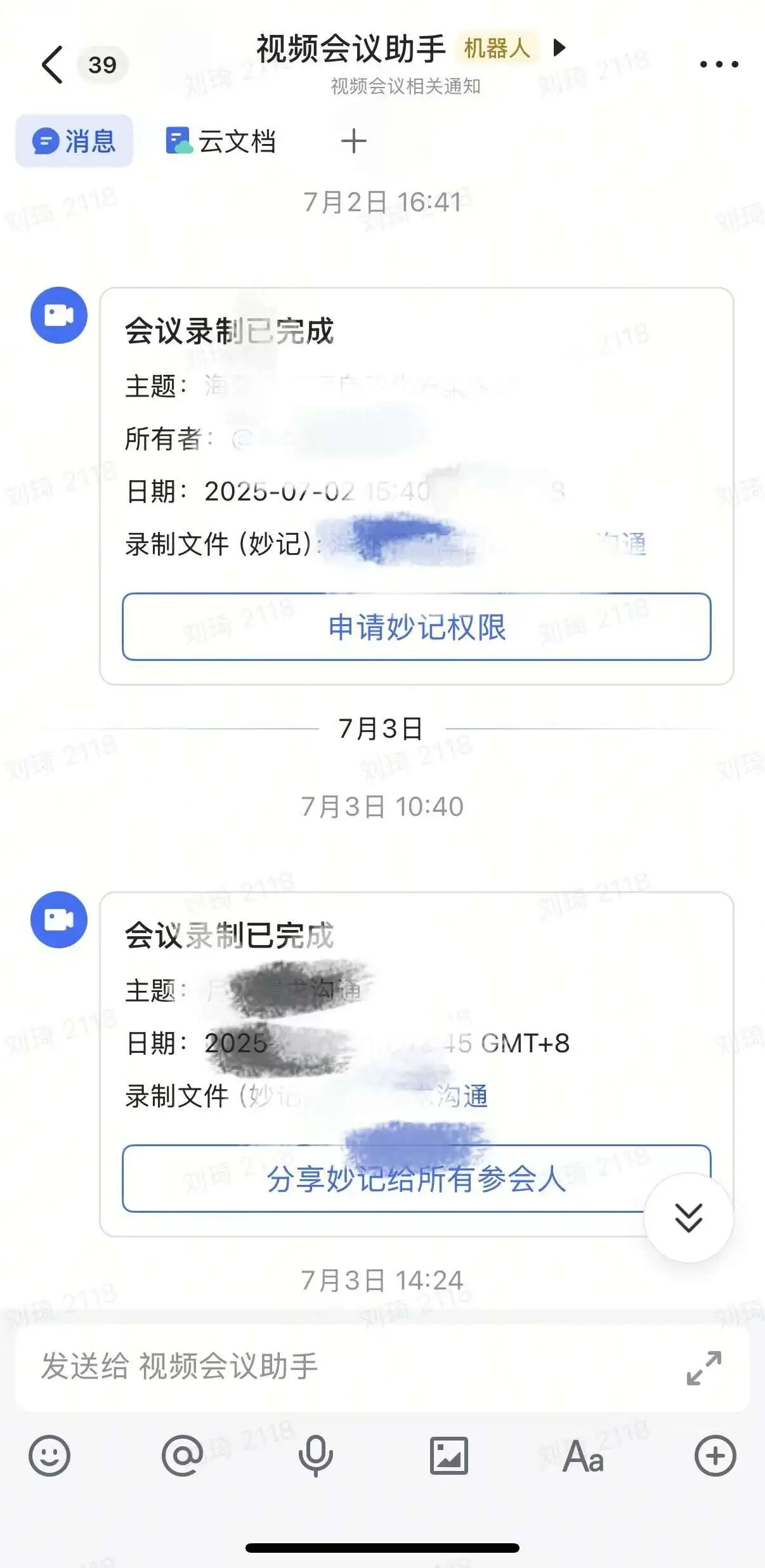
A few minutes after a meeting ends, the Feishu meeting assistant will pop up a prompt like the one in the image. As the meeting host, you need to remember to click ‘Share Minutes with all attendees’ so that others can view the meeting recording and summary; as an attendee, if the host forgets to share the minutes, you need to click ‘Request Minutes Permission’ and wait for their approval before you can view the meeting notes. You can probably imagine what kind of issues and psychological games might arise in this process for employees and middle management…
The above situation isn’t actually a major issue; if someone is proactive and urgent, they can just make a phone call.
The following situation is what truly causes headaches:
First, I must criticize Feishu a bit. Although Feishu’s Minutes and meeting summaries represent a revolutionary improvement compared to the dry meetings of the past, from today’s perspective, Feishu’s default meeting summaries perform somewhat averagely.
Moreover, for relatively heavy AI users, using different summarization angles to present meetings of different natures is a basic operation. For example, during Feishu’s recent product launch, here is a summary of key points I generated myself by opening a Feishu meeting transcription and using AI:
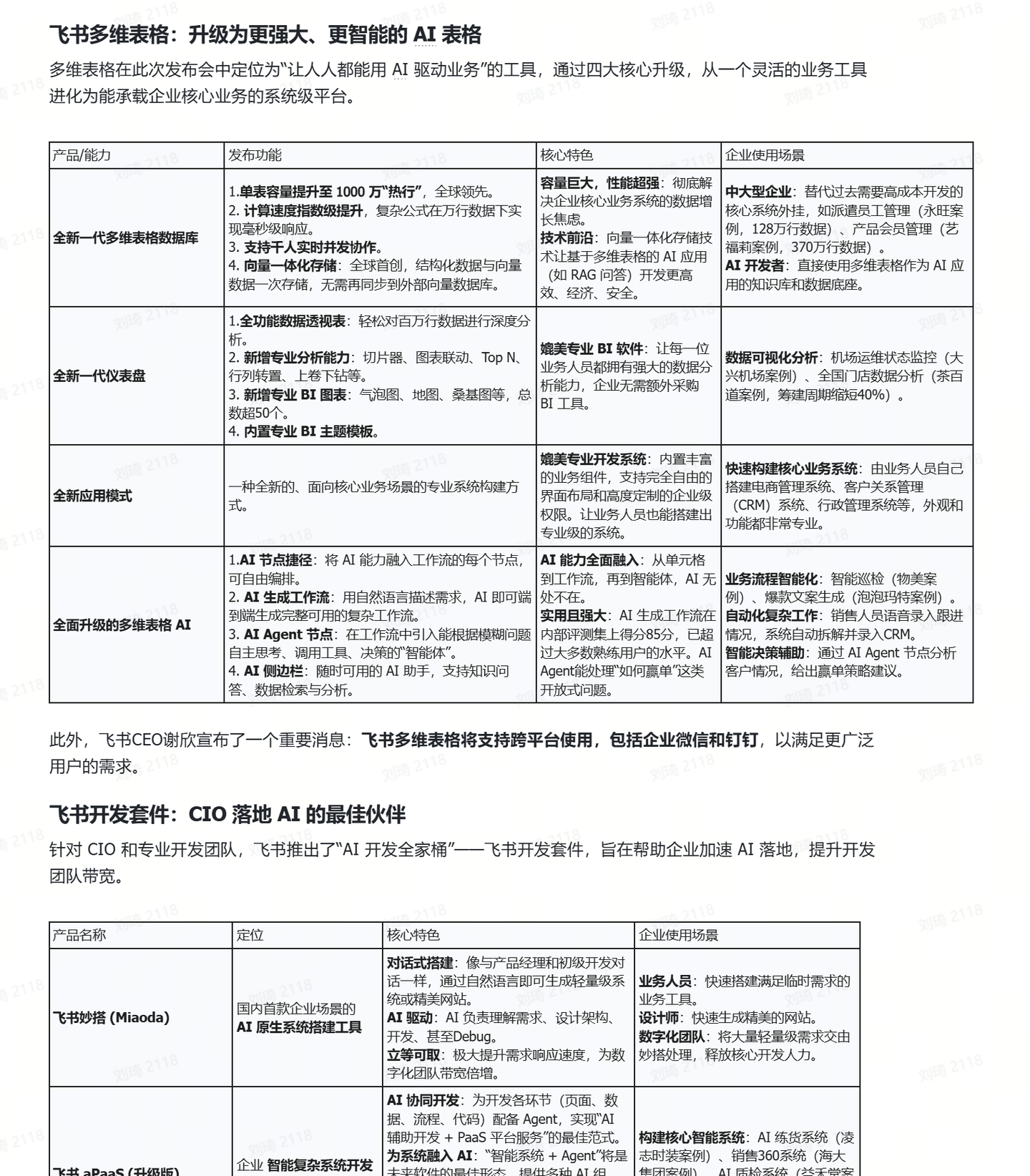
The built-in meeting summary really struggles to achieve such results, so exporting the text transcript is essential for me.
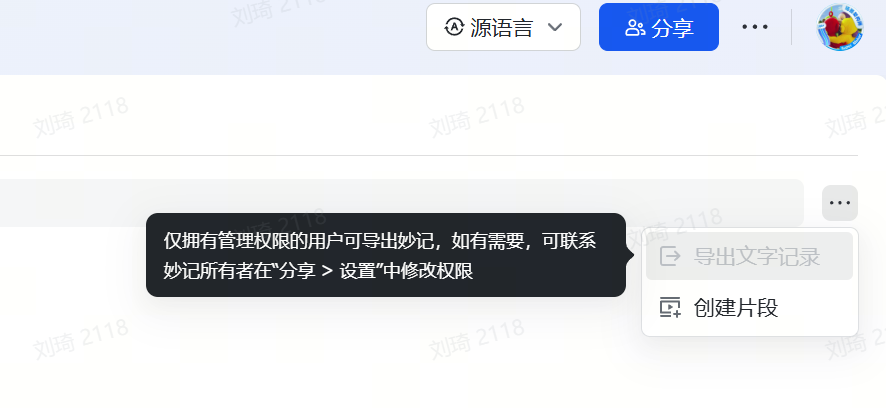
But, as shown in the image two above, only users with administrator privileges (the Minutes owner) can export or approve attendee exports.
Hence the problem arises. The aforementioned ‘Request Minutes Permission’ only requires a click to approve, so there’s rarely a bottleneck there. But for this export permission configuration, many colleagues truly don’t know how… Often, you really have to ask them to listen while you teach them, and you feel bad for taking up their time.
Also, the audio transcription in Feishu meetings actually only has ASR without speaker diarization; its speaker differentiation comes from account roles. This setting is probably completely fine for teams composed of digital nomads. But the company I work for has geographically dispersed collective office work, and we’re also on the client side (B-party). This makes our typical meeting scenario: multiple groups holding online meetings from conference rooms in different locations, with one device left in each room to pick up sound. The result is that speakers are not differentiated at all; when reviewing, you have to analyze context + watch the video to verify who said what. Finally, the TODOs organized by AI also have incorrect task assignees.
Whereas TicNote’s transcription has built-in speaker diarization, capable of distinguishing different speakers based on voice characteristics:
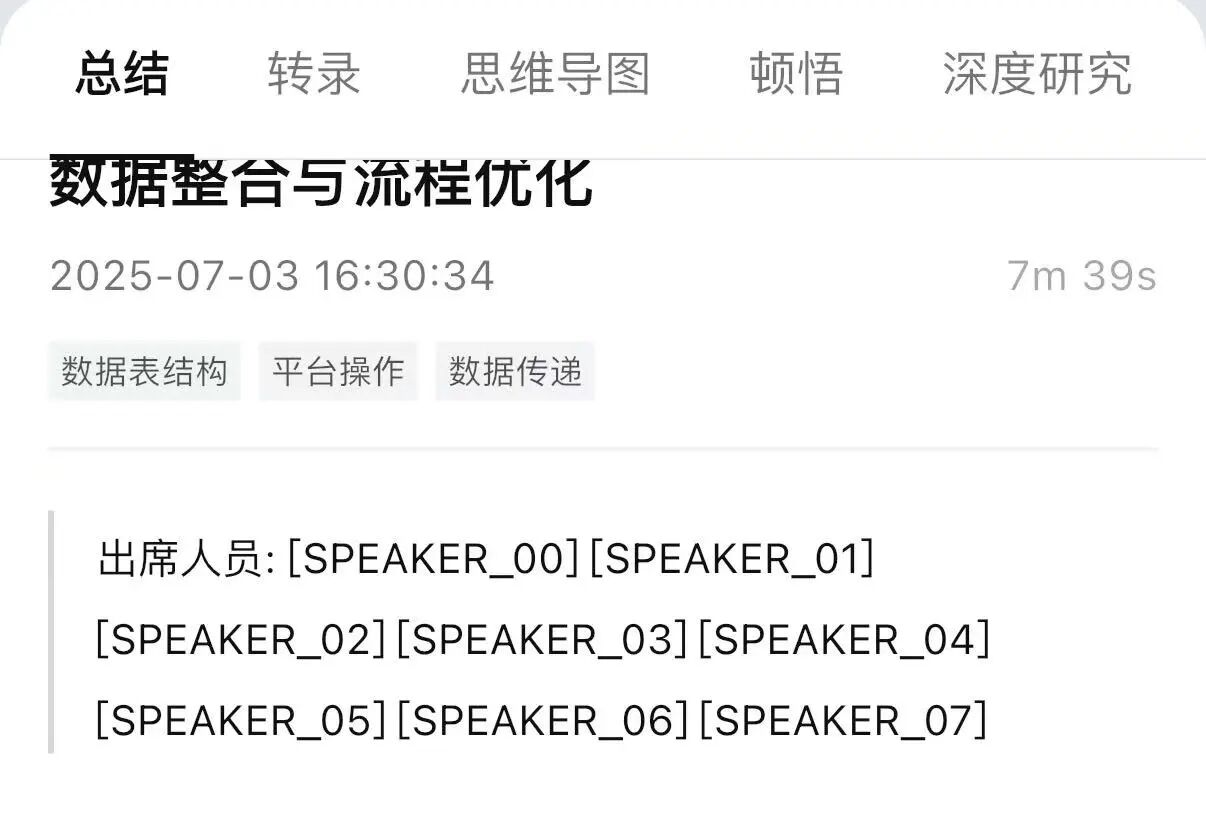
Simply by configuring it in the App, you can distinguish each speaker for that particular meeting.
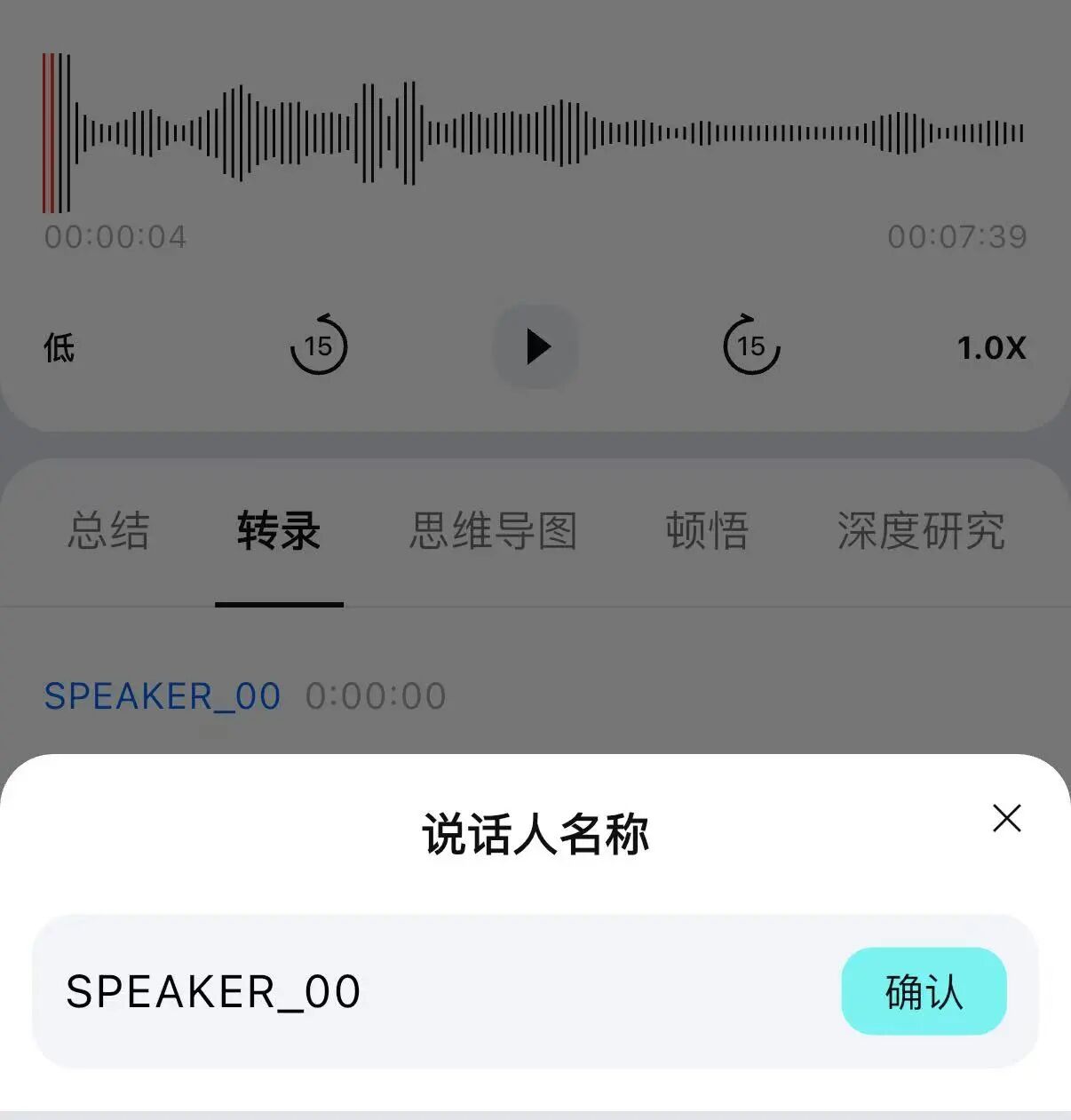
Regarding AI models and prompt templates, TicNote also offers multiple choices.
Currently available models include Doubao 1.5pro, Tongyi Qianwen Max, DeepSeek-V3, and Kimi’s latest K2. For different industries, it also has built-in different summary templates.
Furthermore, it supports custom Prompts:
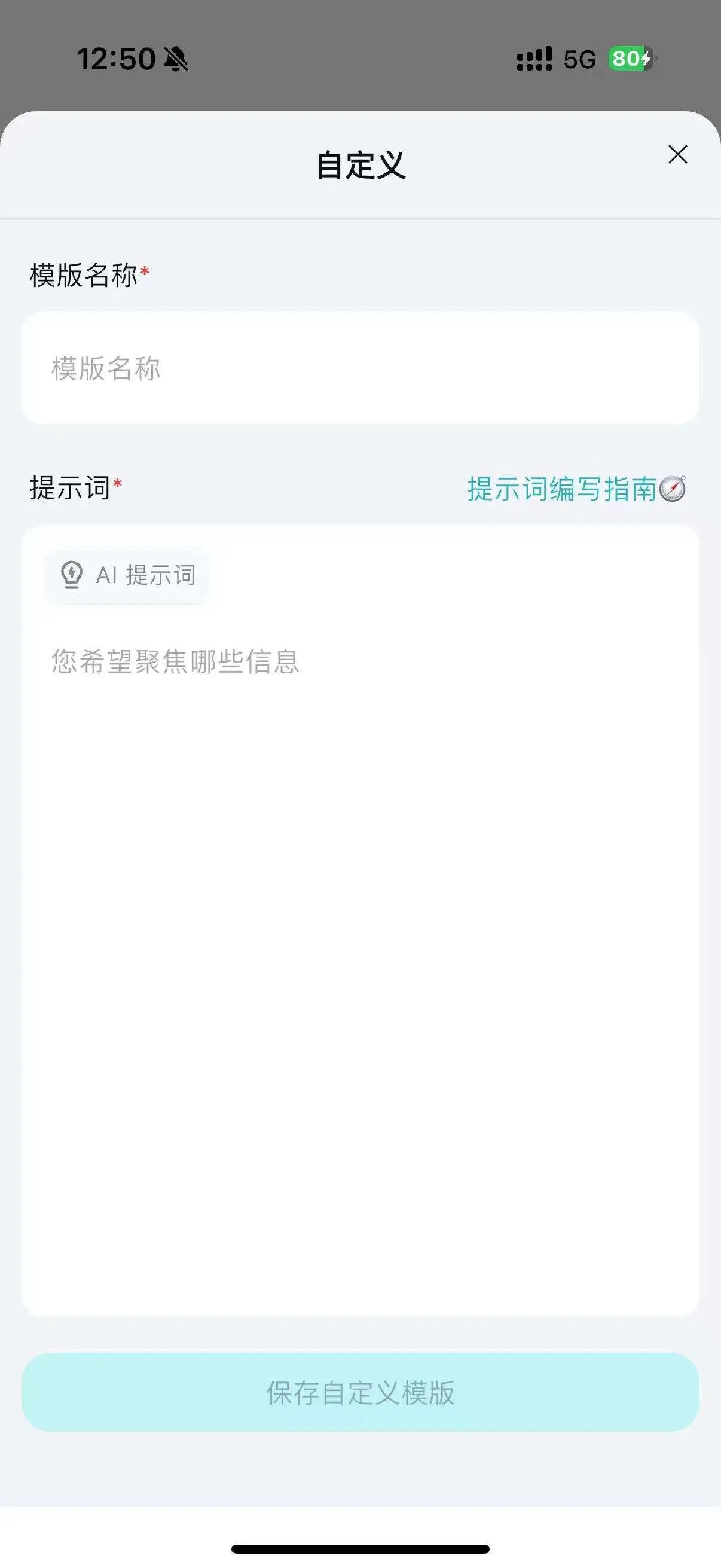
Believe me, this is a feature that seems unimportant when not used, but becomes indispensable once you get used to it. Different Prompts for meeting summaries yield different focal points and perspectives.
I won’t share my own Prompt to avoid embarrassment, but I’ll paste another Prompt I also like to use, copied from the WeChat public account of the great Li Jigang:
= Meeting Minutes =
You can try it on one of your own meeting transcriptions; you should get a different perspective on meeting evaluation.
In terms of final output formats, besides the standard text summary, TicNote also provides some other options, such as mind maps:
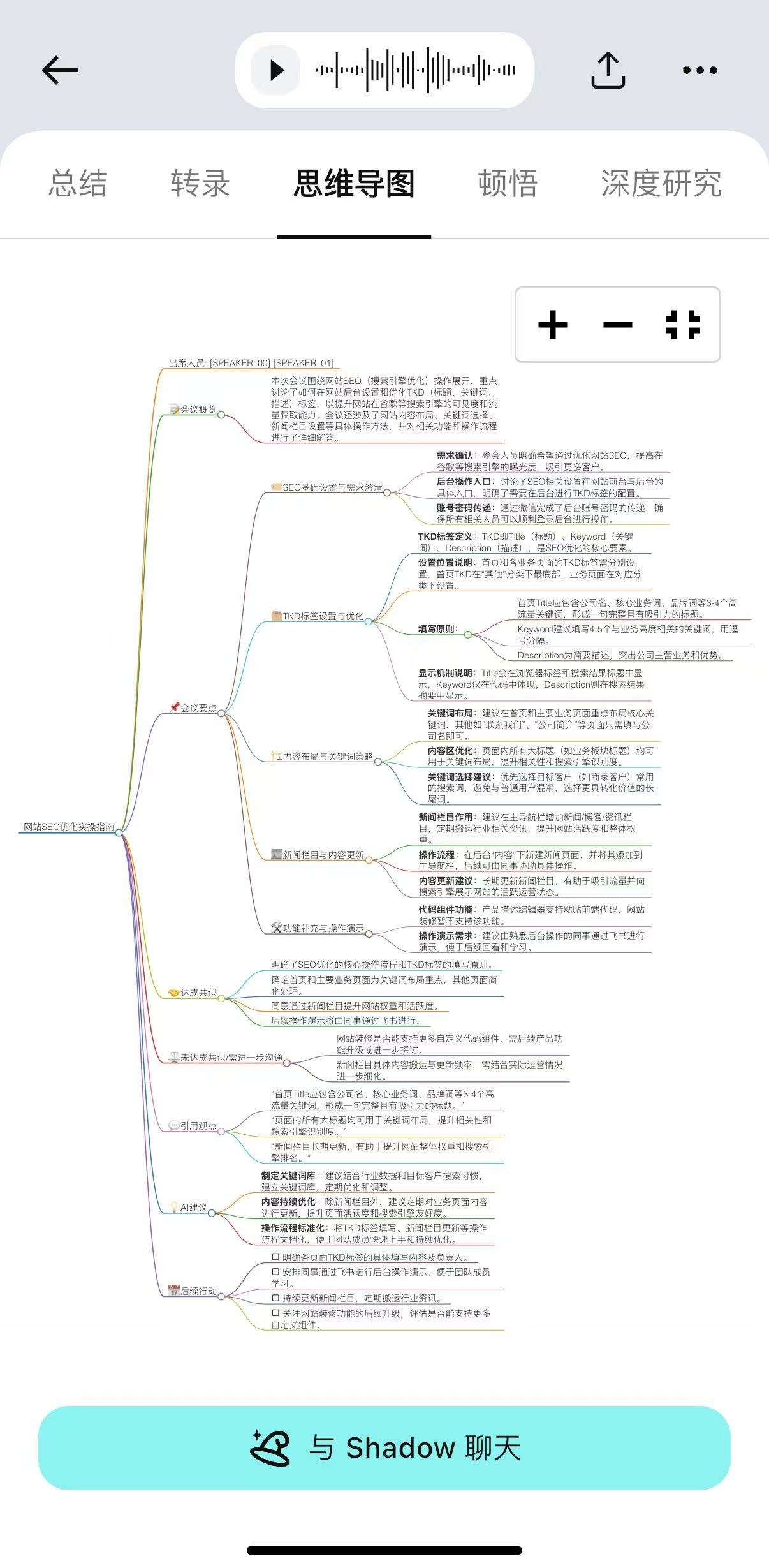
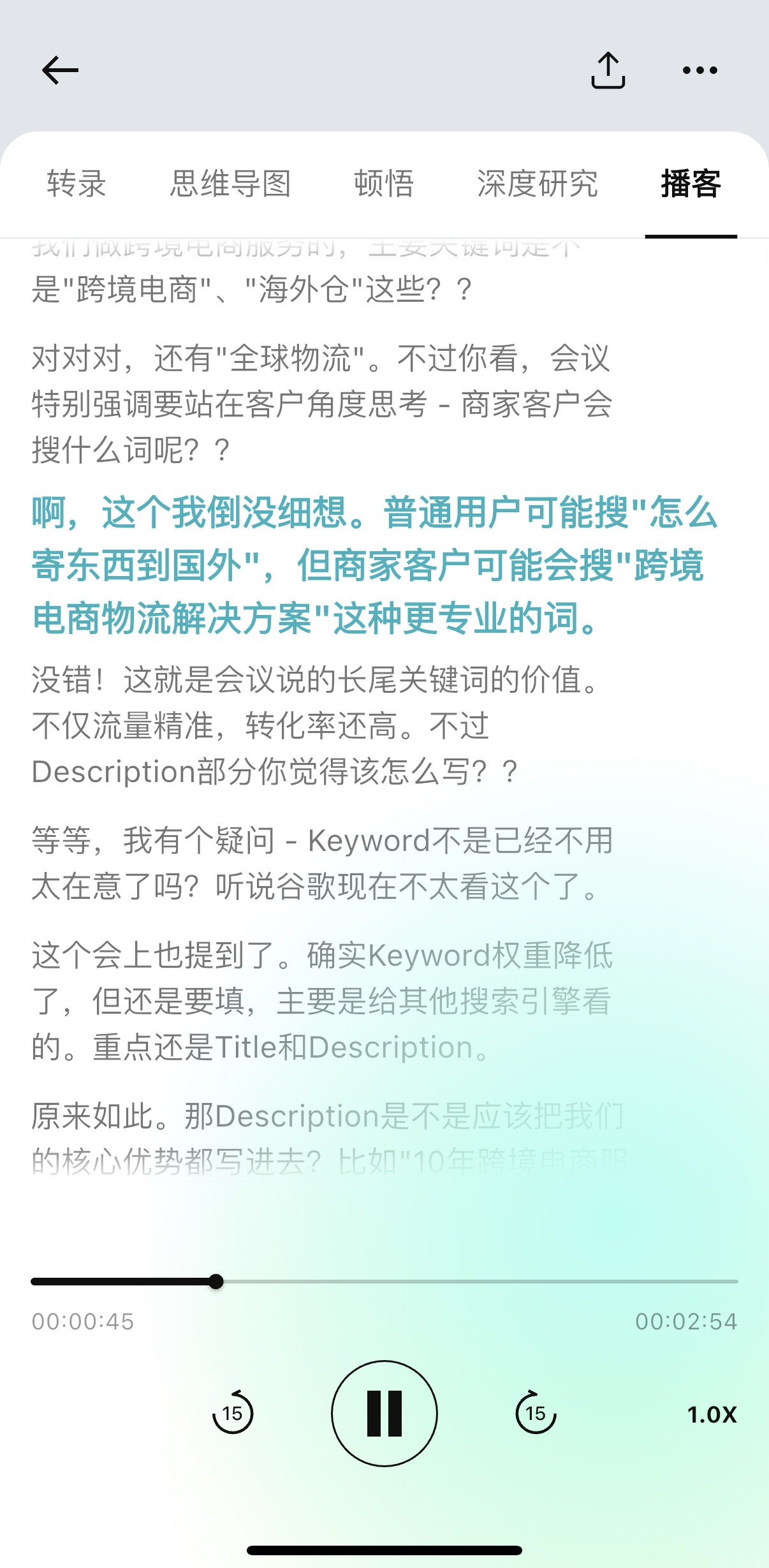
Or one-click conversion to a podcast, reviewing the content in a two-person skit format:
It’s worth mentioning this Deep Research feature.
It’s not quite like the deep research we typically use; instead, it automatically generates a research outline similar to extended reading based on the recording content, and conducts extensive in-depth research based on that.
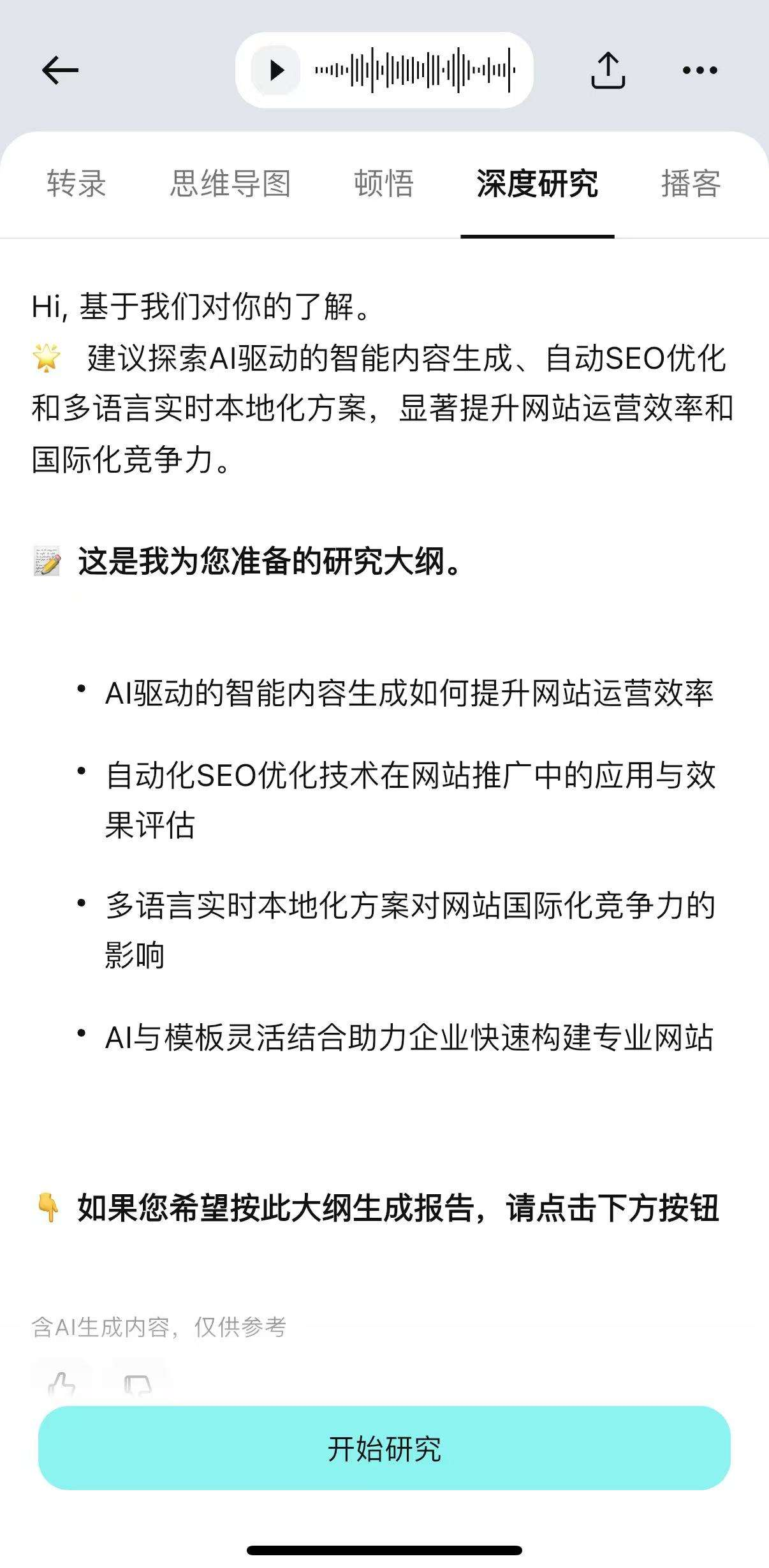
However, speaking frankly, the final research report output still has some way to go to reach SOTA (State-of-the-Art) levels. So, personally, I don’t recommend spending credits on this. If you truly want to conduct in-depth extensions based on the recording content, it might be better to directly take the research outline provided by TicNote and input it into a SOTA-level AI or AI Agent for deep research.
Speaking of credits, let’s discuss TicNote’s pricing model:
There are two versions priced at 999/1499 yuan. The hardware is actually identical.
If you only own the hardware without subscribing to the membership, you get 300 free credits monthly, equivalent to 300 minutes of AI meeting transcription or translation time. If you subscribe to the membership, you get 1500 free credits monthly. If that’s not enough, additional credits can be purchased separately at 22 yuan per 150 credits (it’s cheaper for larger quantities; I won’t go into the details).
The difference between the versions at different price points lies in the membership duration gifted: the 999 yuan version comes with three months of membership, while the 1499 yuan version initially comes with 18 months of membership (after the initial launch, it’s one year).
In terms of membership duration, buying the 1499 yuan version now is more cost-effective. But I suggest first assessing your monthly usage duration; a combination of ‘monthly gifted credits + on-demand purchase of supplement packs’ might be more economical than directly purchasing a long-term membership.
As a NAS enthusiast, I know some people will definitely ask: What if the manufacturer goes bankrupt or discontinues the service?
I was also worried about this issue before getting started, so I tested it immediately.
Now I can reveal the answer:
Without any credit balance in the account, it can be used as a simple card-style recorder, supporting export in MP3 or WAV format via Bluetooth/WiFi, with essentially no impact on hardware performance.
The basic software functions don’t need to be overly worried about in the AI era either.
I just spent half an hour using AI programming to implement a pure front-end MP3 file ASR application. It supports calling APIs from two platforms: SiliconFlow (which has a free API) and Volcano Engine (whose API requires payment after a 20-hour free trial but supports speaker diarization).
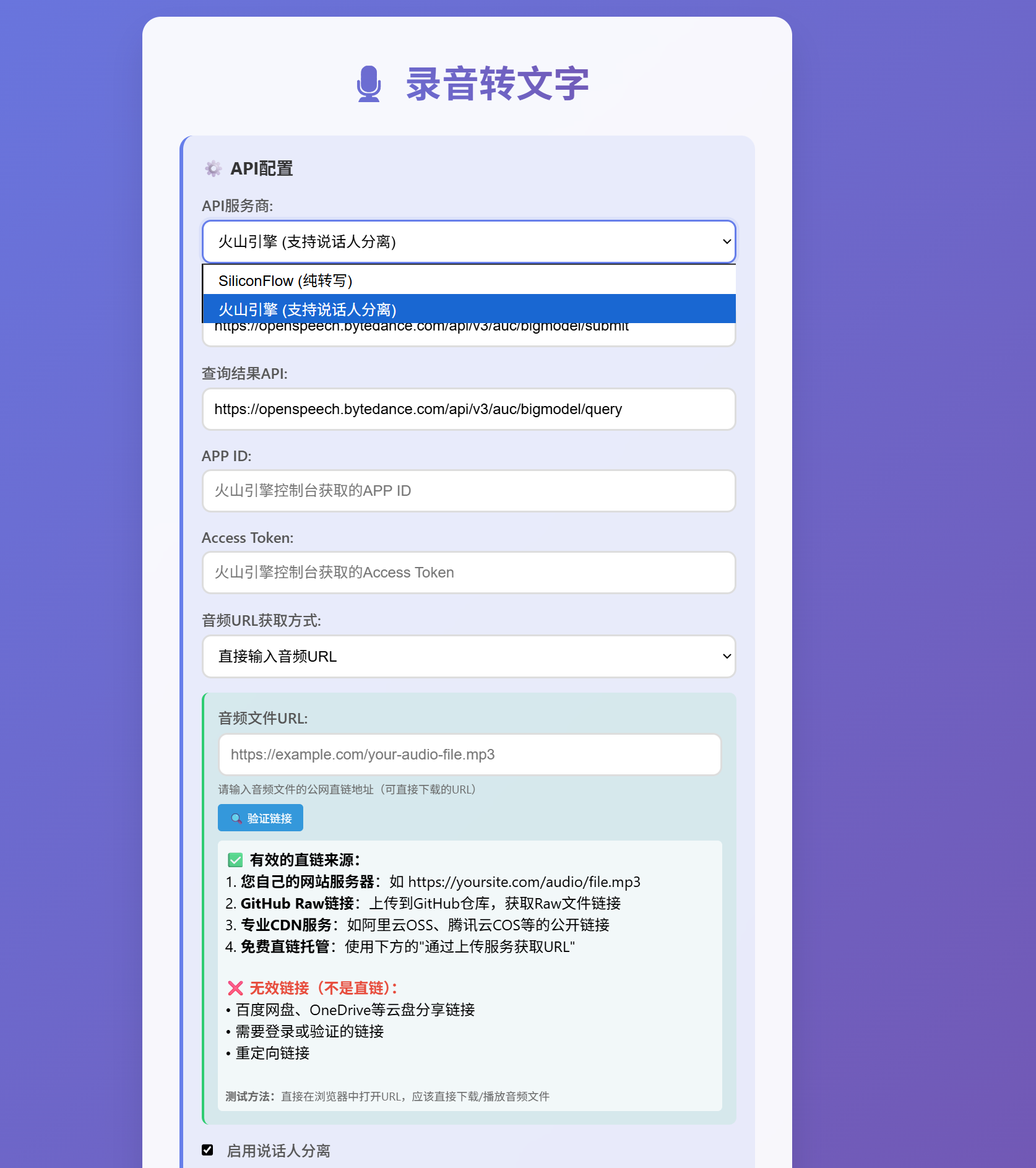
Just fill in the corresponding API Key and APP ID/Access Token to use it.
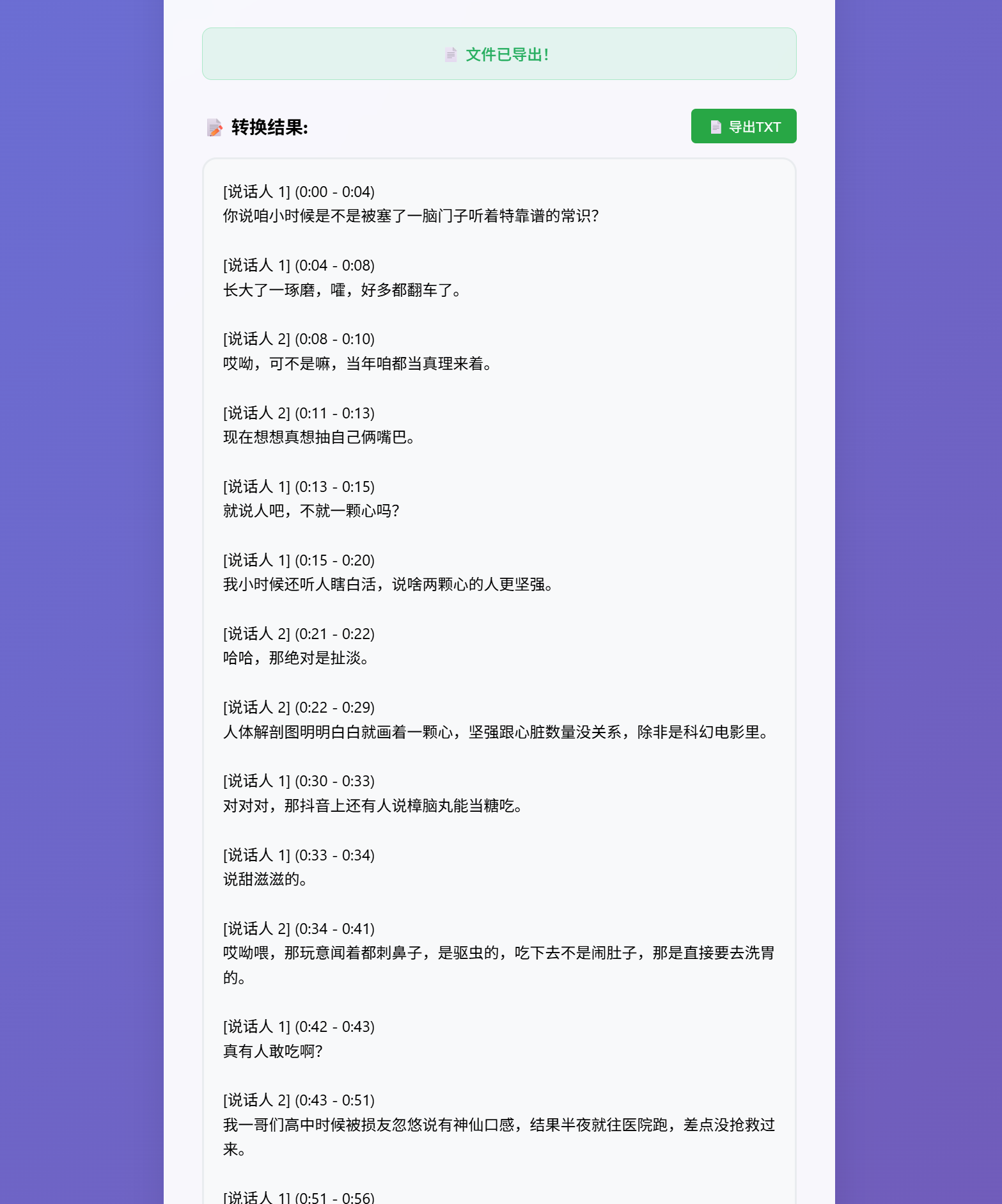
It’s deployed on Youware; if interested, you can play with it:
https://www.youware.com/project/r6hppllqt4?enter_from=share&invite_code=J8TX8R93WI
If you’re interested in the source code, I’ve included it in the ‘View Original Article’ link at the bottom left of this article. Building on this and spending some more time to integrate an LLM’s API and embed a few meeting summary prompts isn’t difficult to continue the meeting summary functionality. There’s no need to worry that it will become completely unusable one day; many barriers in software are being leveled, and this is the dividend of our era.
For those with strong hands-on skills, you might even be able to DIY a similar product along with the hardware, which should be quite interesting.
But I’m not suggesting everyone should develop their own companion tools. To achieve the original level—implementing features like project knowledge base, deep research, mind map and podcast generation, custom dictionaries, log aggregation, intelligent push notifications, etc., and optimizing the experience to be sufficiently smooth—the costs (including development, servers, APIs) are still quite high.
If you have a direct usage need, purchasing an existing product is still the most hassle-free option.
If the two scenarios I mentioned are also your core scenarios, then I can recommend TicNote to you.