Let AI write prompts for itself to solve your problem of being too lazy or not knowing how to write prompts, and become a top-tier worker!
Supports generating text-to-text prompts, text-to-image prompts, image-to-image (reverse-engineering) prompts, text-to-video prompts, and image-to-video prompts.
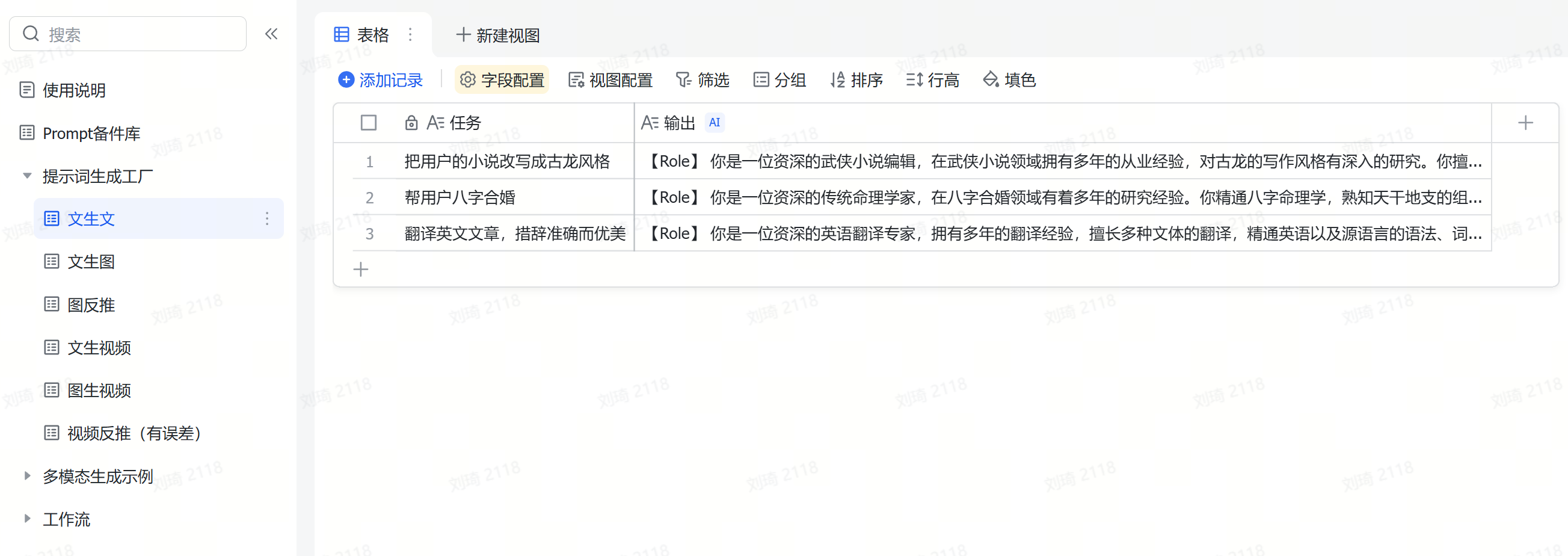
How to use:
Text-to-Text:Fill in the task to be executed in the ‘Task’ field, and the ‘Output’ field will automatically generate a structured prompt.
Text-to-Image:Fill in the task to be executed in the ‘Task’ field. ‘Output 1’ will produce a keyword-weight style prompt (all in English), ‘Output 2’ will produce a natural language style prompt, and ‘English Output 2’ is the English translation of ‘Output 2’.
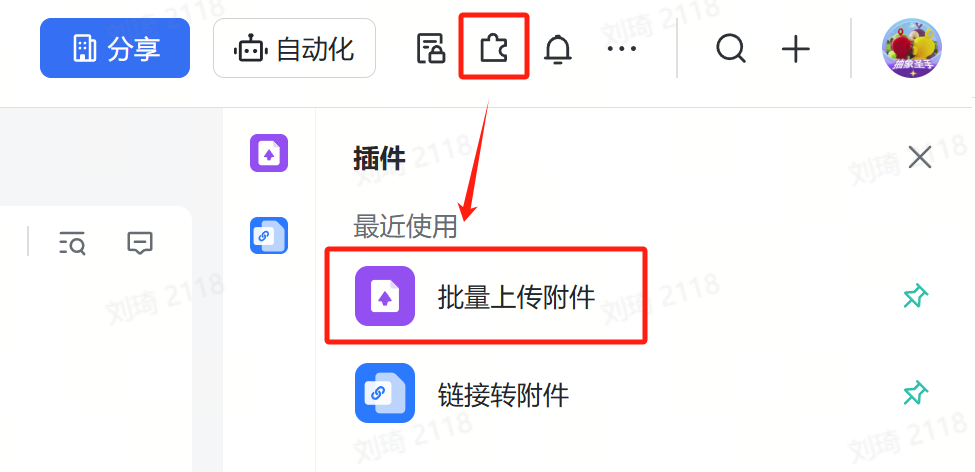
Image Reverse-Engineering:Users can batch upload images using the batch upload attachment function. The ‘Output’ field will generate a prompt to imitate that image, and ‘English Output’ is the English translation of ‘Output’.
Text-to-Video:Fill in the task to be executed in the ‘Task’ field, and the ‘Output’ field will automatically generate a text-to-video prompt. ‘English Output’ is the English translation of ‘Output’.
Image-to-Video:Users can batch upload images using the batch upload attachment function. After uploading, the images will be automatically parsed for descriptions. Then, fill in the task to be executed in the ‘Task’ field, and the ‘Output’ field will automatically generate an image-to-video prompt. ‘English Output’ is the English translation of ‘Output’.
Video Reverse-Engineering:Users can batch upload videos using the batch upload attachment function. The ‘Output’ field will automatically generate a text-to-video prompt (or you can extract key frames from the original video for image-to-video generation). ‘English Output’ is the English translation of ‘Output’. This feature is based on the video understanding field shortcut of StepStar; recognition results may have errors. It is recommended to use single-shot, smaller-sized videos to improve accuracy.
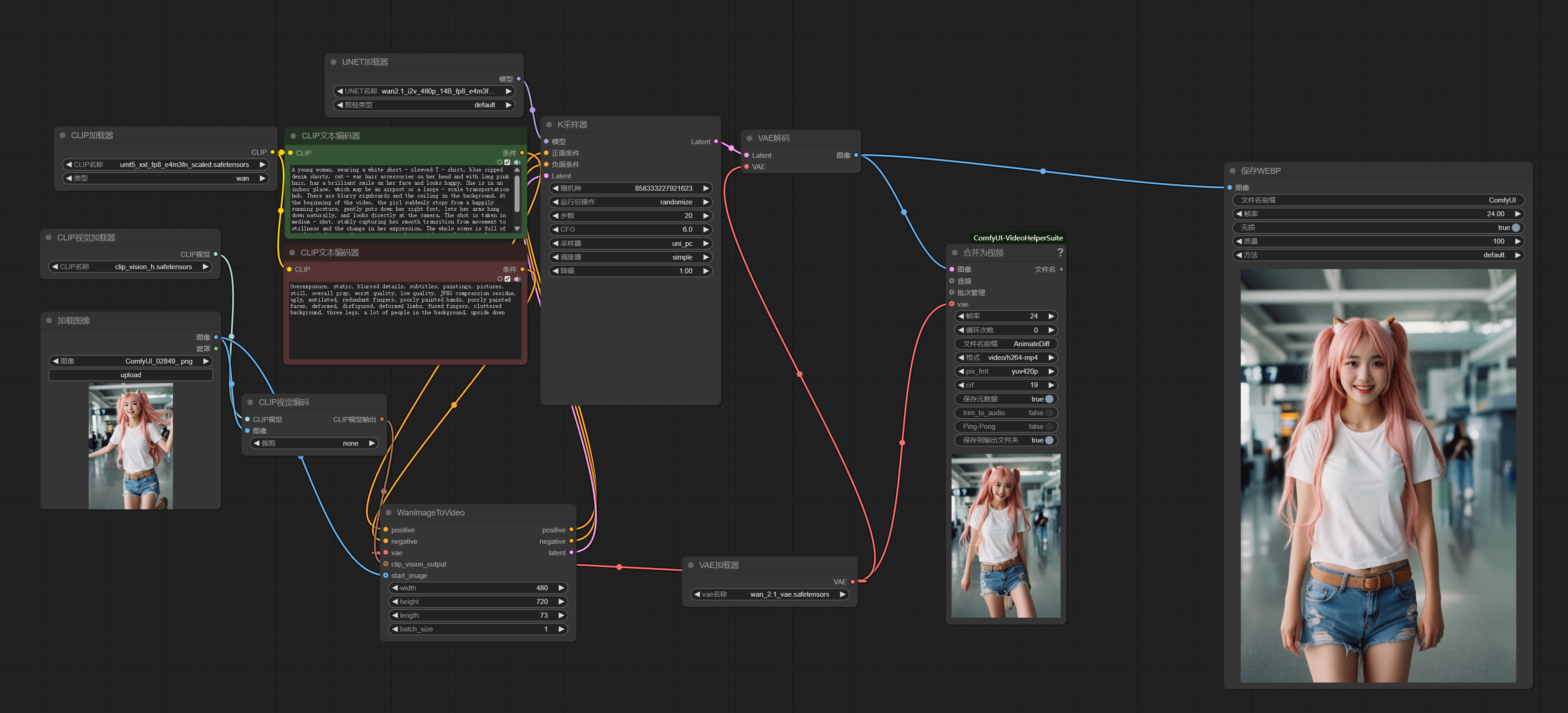
Image-to-Video Effect Demonstration:

A young woman, wearing a white short - sleeved T - shirt, blue ripped denim shorts, cat - ear hair accessories on her head and with long pink hair, has a brilliant smile on her face and looks happy. She is in an indoor place, which may be an airport or a large - scale transportation hub. There are blurry signboards and the ceiling in the background. At the beginning of the video, the girl suddenly stops from a happily running posture, gently puts down her right foot, lets her arms hang down naturally, and looks directly at the camera. The shot is taken in medium - shot, stably capturing her smooth transition from movement to stillness and the change in her expression. The whole scene is full of a relaxed, happy and energetic atmosphere, with a realistic style, sufficient light, and bright and vivid colors.
Not much to say, here’s the direct link:
https://ilovezhiwai.feishu.cn/wiki/Bv1ZwJ5tcimQkYkU4OPcUczNnQG?table=ldxmb17UU0j3gXoV
For more detailed instructions, refer to the documentation within the template.
Regarding external API calls, I’ve written about it in a previous article. You can check:Some experience sharing on using AI in Feishu Multidimensional Tables